
HONOR Magic7 Pro
Contents
HONOR Magic7 Pro Smartphone User Manual
Model: Magic7 Pro (5109BQHK)
Introduction
This manual provides essential instructions for setting up, operating, maintaining, and troubleshooting your HONOR Magic7 Pro smartphone. Please read this guide thoroughly to ensure proper use and to maximize the device's capabilities.
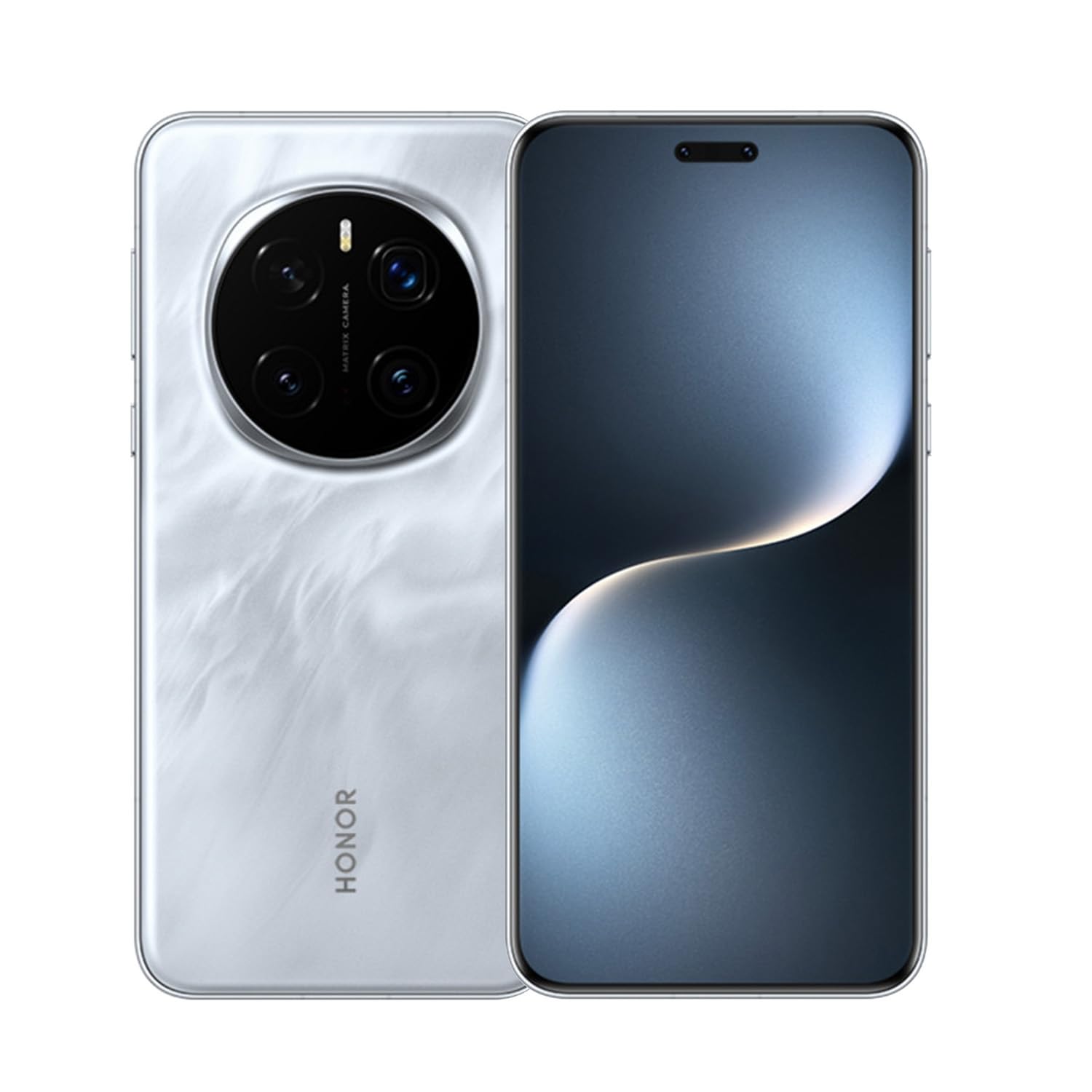
Image: Rear view of the HONOR Magic7 Pro smartphone in Lunar Shadow Grey, highlighting the circular camera module and the HONOR logo.
Setup
1. What's in the Box
Verify that the following items are included with your HONOR Magic7 Pro:
- HONOR Magic7 Pro Smartphone
- USB Cable
- Documentation (Quick Start Guide, Safety Information)
2. SIM Card and eSIM Installation
The HONOR Magic7 Pro supports Dual SIM functionality (SIM + eSIM).
- Locate the SIM card tray on the side of your device.
- Insert the SIM ejector tool into the small hole next to the tray and push gently until the tray pops out.
- Place your Nano-SIM card(s) into the designated slots on the tray, ensuring the gold contacts face down.
- Carefully reinsert the SIM tray into the phone.
- For eSIM activation, follow the instructions provided by your network carrier.
Important: Ensure your network provider supports the device's frequencies (2G GSM, 3G HSDPA, 4G LTE, 5G SA/NSA) for full compatibility.
3. Initial Charging and Power On
Before first use, it is recommended to fully charge your device.
- Connect the provided USB cable to the phone's charging port and to a compatible power adapter (sold separately) or a computer's USB port.
- The device will indicate charging status on the screen.
- To power on, press and hold the Power button (usually on the right side) until the HONOR logo appears.
- Follow the on-screen prompts to complete the initial setup, including language selection, Wi-Fi connection, and Google account setup.
Operating Your Device
1. Basic Navigation
The HONOR Magic7 Pro features a 6.8-inch LTPO OLED touchscreen display. Navigation is primarily gesture-based or via on-screen buttons, depending on your settings.
- Tap: Select an item or open an app.
- Swipe: Scroll through screens or lists.
- Pinch: Zoom in or out on images and web pages.
- Long Press: Access contextual menus or move app icons.
2. Connectivity
Your device supports various connectivity options:
- Wi-Fi: Connect to wireless networks for internet access. Go to Settings > Wi-Fi.
- Bluetooth: Pair with wireless headphones, speakers, and other devices. Go to Settings > Bluetooth.
- NFC: Enable Near Field Communication for contactless payments and quick pairing. Go to Settings > Connected devices > NFC.
- Mobile Data (5G/4G/3G/2G): Access internet via your cellular network. Ensure your SIM card is active and data roaming is enabled if necessary.
3. Camera Usage
The HONOR Magic7 Pro is equipped with an advanced camera system:
- Rear Camera System:
- 50 MP Wide Angle (f/1.4-2.0, OIS)
- 200 MP Periscope Telephoto (f/2.6, 3x optical zoom, OIS)
- 50 MP Ultrawide (f/2.0, 122°)
- Front Camera: 50 MP Wide Angle (f/2.0) with TOF 3D sensor.
Open the Camera app to access various modes such as Photo, Video, Portrait, Night, and Pro. Tap the shutter button to capture images or start/stop video recording.
Maintenance
1. Battery Care
The device is powered by a 5850mAh non-removable battery. To prolong battery life:
- Avoid extreme temperatures.
- Use the provided USB cable for charging.
- Avoid completely draining the battery frequently.
- Manage background app usage and screen brightness in Settings > Battery.
2. Cleaning Your Device
To clean your HONOR Magic7 Pro:
- Power off the device before cleaning.
- Use a soft, lint-free cloth.
- For stubborn marks, slightly dampen the cloth with water or a screen cleaner designed for electronics.
- Avoid harsh chemicals, abrasive materials, or excessive moisture.
3. Software Updates
Your device runs on Android 15. Regularly check for software updates to ensure optimal performance, security, and access to new features.
- Go to Settings > System & updates > Software update.
- Connect to a Wi-Fi network and ensure sufficient battery charge before initiating an update.
Troubleshooting
If you encounter issues with your device, try the following common solutions:
| Problem | Solution |
|---|---|
| Device not powering on | Ensure the battery is charged. Press and hold the Power button for at least 10 seconds to force restart. |
| Apps crashing or freezing | Close and reopen the app. Clear the app's cache (Settings > Apps > [App Name] > Storage > Clear cache). Restart the device. |
| Poor network signal | Check SIM card insertion. Ensure mobile data is enabled. Try restarting the device. Contact your network provider. |
| Battery drains quickly | Reduce screen brightness. Disable unused features like Bluetooth/GPS. Check battery usage in Settings > Battery to identify power-hungry apps. |
| Touchscreen unresponsive | Restart the device. Ensure the screen is clean and dry. Remove any screen protectors that might interfere. |
If problems persist, consider performing a factory reset (Settings > System & updates > Reset > Reset phone). Warning: A factory reset will erase all data on your device. Back up important data before proceeding.
Specifications
Key technical specifications for the HONOR Magic7 Pro:
- Model Name: Honor Magic7 Pro
- Model Number: 5109BQHK
- Operating System: Android 15
- Processor: Qualcomm SM8750-AB Snapdragon 8 Elite (3 nm), Octa-core (2x4.32 GHz + 6x3.53 GHz)
- RAM: 12GB
- Internal Storage: 512GB (non-expandable)
- Display: 6.8 inches, LTPO OLED, 1B colors, 1280 x 2800 pixels, 120Hz Refresh Rate
- Rear Camera:
- 50 MP, f/1.4-2.0, 24mm (wide), OIS
- 200 MP, f/2.6, 72mm (periscope telephoto), 3x optical zoom, OIS
- 50 MP, f/2.0, 12mm, 122° (ultrawide)
- Front Camera: 50 MP, f/2.0, 21mm (wide), TOF 3D (depth/biometrics sensor)
- Battery: 5850mAh (non-removable)
- Connectivity: Dual SIM (SIM + eSIM), 5G, Wi-Fi, Bluetooth, NFC, GPS
- Dimensions: 162.7 x 77.1 x 8.8 mm (6.41 x 3.04 x 0.35 in)
- Weight: 223 g (7.87 oz)
- Audio Jack: No headphone jack
- Sensors: TOF 3D (depth/biometrics sensor) for front camera, Human Interface Input: Touchscreen
Warranty Information
Your HONOR Magic7 Pro smartphone is covered by a manufacturer's warranty. The specific terms and duration of the warranty may vary by region and point of purchase. Please refer to the warranty card included in your product packaging or visit the official HONOR website for detailed information.
This warranty typically covers defects in materials and workmanship under normal use. It does not cover damage caused by accidents, misuse, unauthorized modifications, or normal wear and tear.
Customer Support
For further assistance, technical support, or service inquiries regarding your HONOR Magic7 Pro, please contact HONOR customer service through one of the following methods:
- Official HONOR Website: Visit the support section for FAQs, software downloads, and contact options.
- Service Hotline: Refer to your regional HONOR website for local contact numbers.
- Authorized Service Centers: Locate a service center near you for in-person assistance.
When contacting support, please have your device's model number (5109BQHK) and serial number ready.
Documents and downloads
Ask a question about this manual
Ask about setup, troubleshooting, compatibility, parts, safety, or missing instructions. Manuals+ will review the question and use this page’s manual context to help answer it.