
1. Introduction
The KBDcraft 01Adam is a 60% mechanical keyboard designed with a unique Lego-compatible case, offering both a classic aesthetic and modular customization. This keyboard features a gasket mount design, hot-swappable switches, and RGB backlighting. It supports QMK firmware and VIAL configurator for extensive key remapping and lighting customization. This manual provides essential information for assembly, operation, maintenance, and troubleshooting.
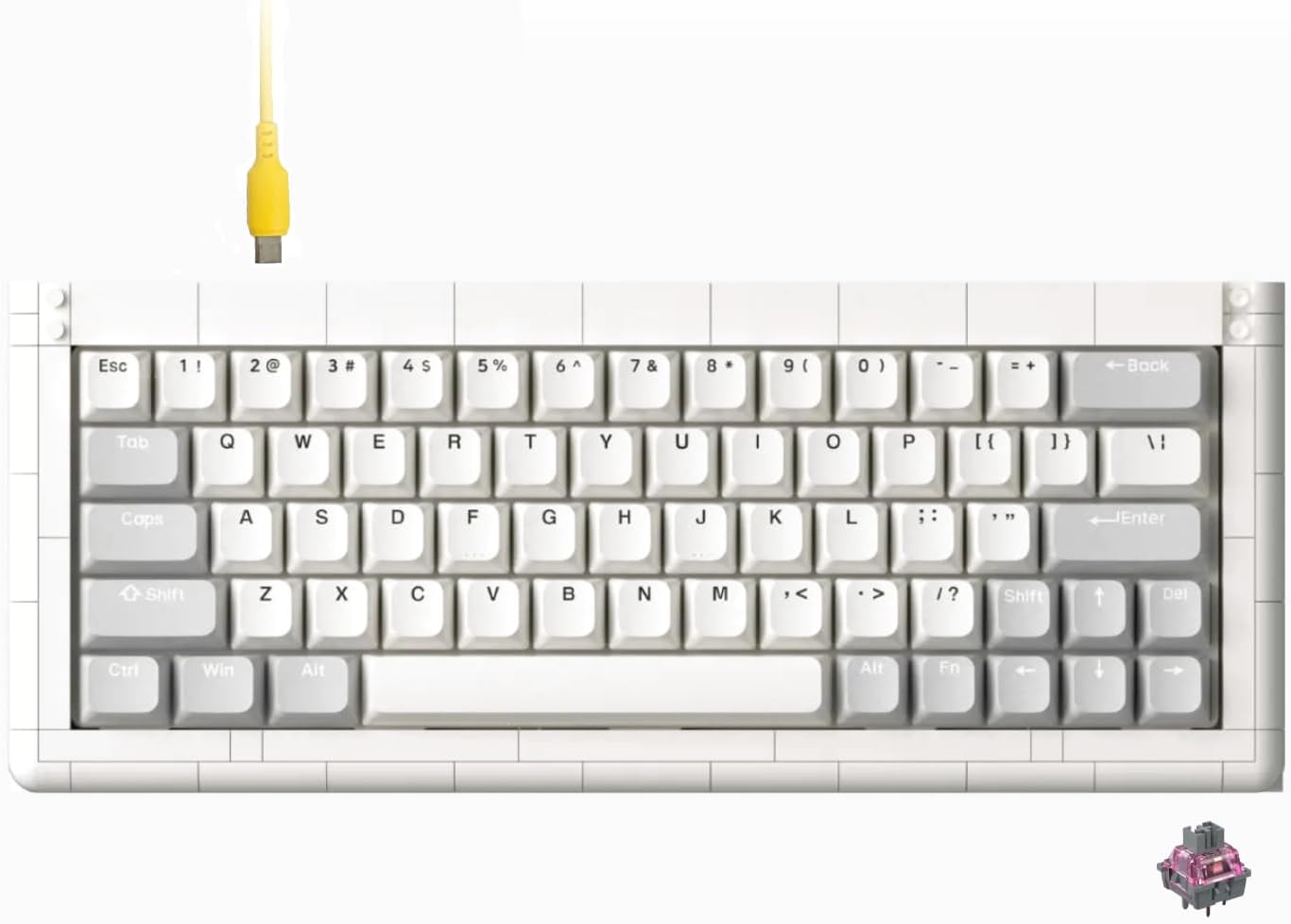
Image 1.1: The KBDcraft 01Adam 60% Mechanical Keyboard with its distinctive brick-compatible design and included USB-C cable.
2. Product Features
- Lego-Compatible Design: The keyboard case is designed to be compatible with standard building bricks, allowing for personalized modifications and attachments.
- Innovative Gasket Mount: Composed of 27 distinct parts (97 pieces total), the gasket mount structure provides optimal acoustics and a flexible typing experience.
- Hot-Swappable Switches: Supports MX-type switches, enabling quick and easy replacement without soldering.
- Premium Components: Constructed with high-quality ABS plastic and a durable POM plate for enhanced durability and sound profile.
- QMK/VIAL Support: The Core64 PCB supports QMK firmware and real-time programming via the VIAL configurator for comprehensive key function and RGB lighting customization.
- RGB Backlighting: Features pre-programmed RGB lighting patterns with over 40 effects.
- Wired Connectivity: Connects via USB-C for reliable performance.

Image 2.1: Overview of key features including 60% layout, USB-C, gasket mount, PBT keycaps, Win/Mac compatibility, and web software support.
3. Package Contents
Verify that all items are present in your KBDcraft 01Adam package:
- KBDcraft 01Adam 60% Mechanical Keyboard Kit (includes brick case components, PCB, plate, foam, gaskets)
- Keycap Puller
- USB-A to USB-C Cable
- Keycaps (full set for 104 ANSI or ISO keyboard)
- Linear Switches

Image 3.1: Components of the Core64 set, including the POM plate, hot-swappable PCB, Poron gaskets, and foam.
4. Assembly Guide
The KBDcraft 01Adam keyboard is designed for user assembly, offering a modular building experience. Follow these general steps for assembly:
- Prepare the Case: Assemble the brick-compatible case components according to the included visual instructions. Ensure all pieces are securely connected.
- Install Gaskets and Foam: Place the Poron gaskets and foam layers onto the plate and PCB as indicated in the assembly diagrams. These components are crucial for the gasket mount's acoustic and typing feel.
- Mount the PCB and Plate: Carefully align and secure the hot-swappable PCB and POM plate within the assembled case. The gasket system will hold these components in place.
- Install Switches: Insert the linear switches into the hot-swappable sockets on the PCB. Ensure each switch is fully seated and aligned correctly to avoid bent pins.
- Attach Keycaps: Use the provided keycap puller to carefully place the keycaps onto the installed switches.

Image 4.1: The modular design of the KBDcraft 01Adam, showing the brick-compatible baseplate and individual brick components for assembly.

Image 4.2: Illustration of how to install a hot-swappable switch into the PCB socket, ensuring proper alignment.
5. Connecting the Keyboard
The KBDcraft 01Adam keyboard connects to your computer via a USB-C cable.
- Locate the USB-C port on the back of the keyboard.
- Connect one end of the provided USB-A to USB-C cable to the keyboard's USB-C port.
- Connect the other end of the cable to an available USB-A port on your computer.
- The keyboard should be automatically recognized by your operating system (Windows/macOS) without requiring additional drivers.

Image 5.1: Close-up view of the USB-C port on the keyboard's PCB, indicating the connection point.
6. Operating the Keyboard
6.1 Basic Key Functions
The KBDcraft 01Adam is a 60% layout keyboard, meaning some functions are accessed via a Function (Fn) layer. Refer to the keycap legends for primary and secondary functions.
6.2 RGB Lighting Control
The keyboard features customizable RGB backlighting. Use the following key combinations to control the lighting effects:
- Fn + W / Fn + E: Adjust RGB brightness.
- Fn + Left Arrow / Fn + Right Arrow: Cycle through different RGB lighting modes.
- Fn + Q: Turn RGB lighting on or off.

Image 6.1: Screenshot of a software interface demonstrating various RGB effects and controls for brightness and speed.
6.3 Advanced Customization (QMK/VIAL)
The KBDcraft 01Adam supports QMK firmware and can be programmed in real-time using the VIAL configurator. This allows for extensive customization of key functions and macros.
- Fn + M: Toggle NKRO (N-Key Rollover) feature. NKRO allows the keyboard to register all simultaneous key presses.
- Fn + Numb: Access Fn keys on the 60% layout.
- Fn + Up Arrow / Fn + Down Arrow: Adjust system volume.
To utilize the full customization capabilities, download the VIAL configurator software from the official KBDcraft website or the VIAL project website. The web-based VIAL tool is also compatible for convenient real-time programming.

Image 6.2: Screenshot of the VIAL configurator interface, showing key remapping options and layer management for the keyboard.

Image 6.3: Diagram illustrating the N-Key Rollover (NKRO) feature, highlighting multiple simultaneous key presses being registered.
7. Maintenance and Care
7.1 Cleaning
- Disconnect the keyboard from your computer before cleaning.
- Use the provided keycap puller to remove keycaps for thorough cleaning.
- Wipe the keycaps and case with a soft, damp cloth. Avoid harsh chemicals or abrasive materials.
- Use compressed air to remove dust and debris from between the switches.
7.2 Switch and Keycap Replacement
The KBDcraft 01Adam features hot-swappable sockets, allowing for easy replacement of switches without soldering. Use the keycap puller to remove keycaps and a switch puller (not included, but recommended) to remove switches. Ensure replacement switches are MX-type compatible.

Image 7.1: A set of 'White Moon' keycaps, demonstrating the type of keycaps used on the keyboard.

Image 7.2: A close-up view of a linear mechanical switch, illustrating the component that can be hot-swapped.
8. Troubleshooting
- Keyboard Not Responding:
- Ensure the USB-C cable is securely connected to both the keyboard and the computer.
- Try connecting the keyboard to a different USB port on your computer.
- Test the keyboard on another computer to rule out system-specific issues.
- Check if the cable is damaged; try a different USB-C cable if available.
- Specific Keys Not Working:
- Since the keyboard is hot-swappable, carefully remove the keycap and then the switch for the non-functional key.
- Inspect the switch pins for any bends or damage. Straighten bent pins gently with tweezers if possible.
- Reinsert the switch firmly into the socket, ensuring both pins align correctly.
- Try swapping the problematic switch with a known working switch from another key to determine if the issue is with the switch or the PCB socket.
- RGB Lighting Issues:
- Ensure RGB lighting is not turned off (Fn + Q).
- Cycle through different RGB modes (Fn + Left/Right Arrow) to see if the issue persists across modes.
- Check the VIAL configurator for any custom lighting profiles that might be overriding default settings.
- Customization Software (VIAL) Not Detecting Keyboard:
- Ensure the keyboard is connected and recognized by your operating system.
- Restart the VIAL software and/or your computer.
- Verify that you are using the correct version of VIAL for your operating system.
- Check for any firmware updates for the keyboard on the KBDcraft website.
9. Technical Specifications
| Feature | Specification |
|---|---|
| Model Number | 01001F |
| Layout | 60% (64-Key ANSI) |
| Connectivity | Wired (USB-C) |
| Mounting Style | Gasket Mount |
| Switch Type | Linear (Hot-Swappable) |
| Keycap Material | PBT |
| Backlighting | RGB |
| Firmware Support | QMK, VIAL |
| Compatible Operating Systems | Windows, macOS |
| Product Dimensions | 13.6"L x 5"W x 1.18"H |
| Item Weight | 2.14 pounds |
| Special Features | Backlit, Hot-Swappable, Programmable Keys, Lego-Compatible Case |
10. Support and Warranty
For technical assistance, product inquiries, or warranty information, please contact KBDcraft customer support through their official website or the platform where the product was purchased. Please retain your proof of purchase for any warranty claims.
KBDcraft is committed to providing quality products and support to its users.


