
1. Introduction
Thank you for choosing the Zebronics PODS 141 Wireless Earbuds. These in-ear earbuds are designed to provide a high-quality audio experience with advanced features such as Bluetooth v5.3 connectivity, dual EQ modes, Quad MIC Environment Noise Cancellation (ENC) for clear calls, and a low latency gaming mode. With up to 35 hours of battery backup and rapid charging capabilities, the ZEB-PODS 141 ensures extended usage and quick power-ups. This manual will guide you through the setup, operation, maintenance, and troubleshooting of your new earbuds.

Image: The Zebronics PODS 141 Wireless Earbuds, shown in their open charging case. The earbuds are a light green color with dark green ear tips, and the charging case matches the light green color, featuring the Zebronics logo.
2. What's in the Box
Please check the package contents to ensure all items are present:
- Earbuds (2 units)
- Wireless Charging Case
- Charging Cable (Type-C)
- QR Code Guide (1 unit)
- Eartips (4 units - various sizes)
3. Setup Guide
3.1 Initial Charging
Before first use, fully charge the earbuds and the charging case. Connect the provided Type-C cable to the charging port on the case and a compatible USB power source. The LED indicator on the case will show charging status.
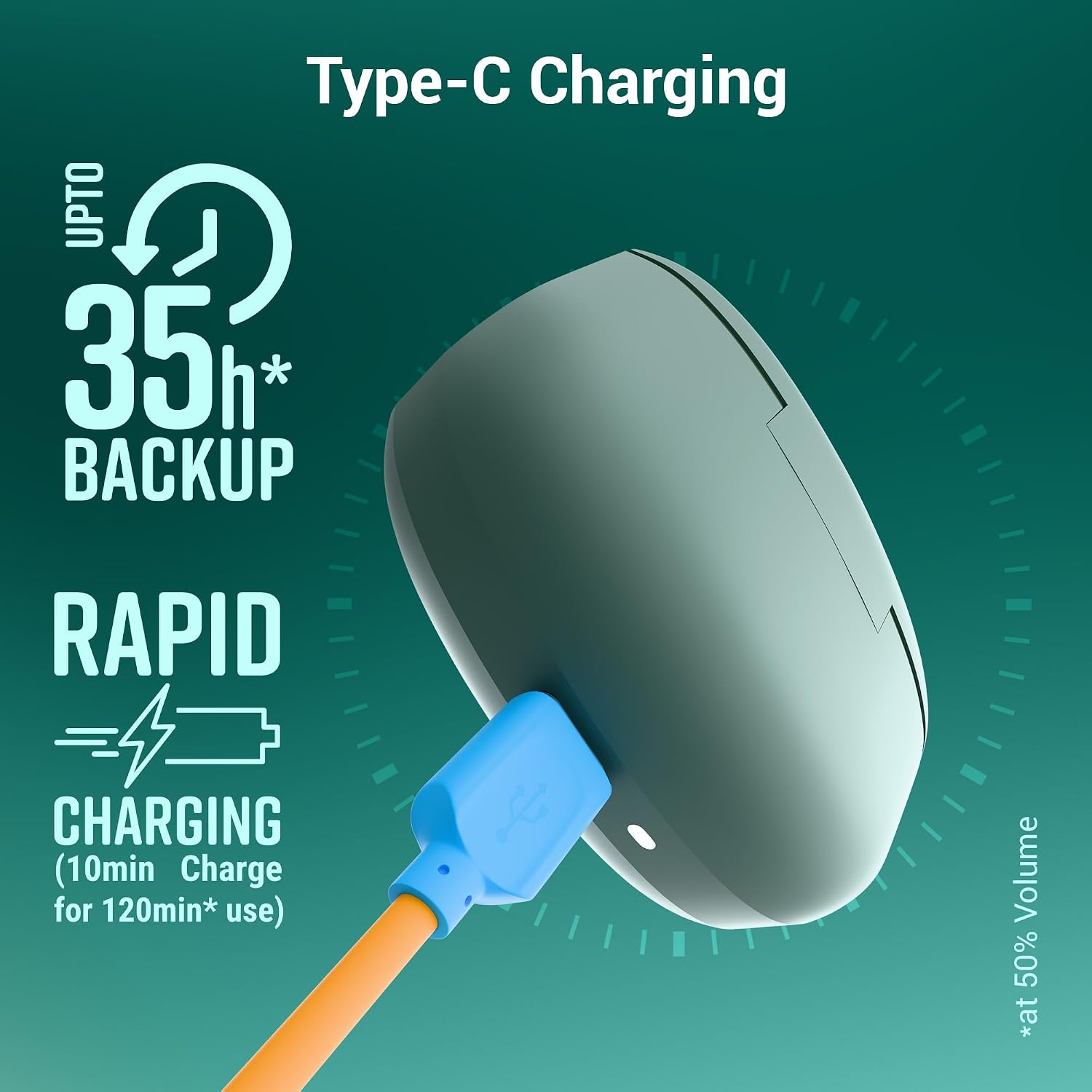
Image: A close-up of the Zebronics PODS 141 charging case being charged with a blue Type-C cable. Text overlays indicate "Type-C Charging," "Upto 35h* Backup," and "Rapid Charging (10min Charge for 120min* use)."
The earbuds offer up to 35 hours of total playback time (at 50% volume) with the charging case. A rapid charge feature provides 120 minutes of playback from just 10 minutes of charging.
3.2 Bluetooth Pairing
The ZEB-PODS 141 features Flash Connect for quick and effortless pairing. Simply open the charging case, and the earbuds will automatically enter pairing mode. On your device (smartphone, tablet, laptop), enable Bluetooth and search for "ZEB-PODS 141" in the list of available devices. Select it to connect.
The earbuds also support Dual Pairing, allowing them to be connected to two devices simultaneously, and utilize Bluetooth v5.3 for stable and efficient wireless connectivity.

Image: A collage showcasing multiple features of the Zebronics PODS 141. Key elements include: "Flash Connect" with earbuds connecting to a phone and laptop, "Dual Pairing" icon, "BT v5.3" logo, "Voice Assistant" icons (Siri, Google Assistant), "Touch Control" illustration, "Splash Proof" earbud with water droplets, and "10mm Drivers" diagram.
4. Operating Instructions
4.1 Power On/Off
- Power On: Open the charging case, and the earbuds will automatically power on and connect to the last paired device.
- Power Off: Place the earbuds back into the charging case and close the lid. They will automatically power off and begin charging.
4.2 Touch Controls
The ZEB-PODS 141 features intuitive touch controls on each earbud for easy management of music, calls, and other functions.

Image: A close-up illustration of the Zebronics PODS 141 earbud, highlighting the touch control area with a fingerprint icon, indicating its touch-sensitive surface.
| Action | Function |
|---|---|
| Single Tap | Play/Pause music, Answer/End call |
| Double Tap (Left Earbud) | Previous Track |
| Double Tap (Right Earbud) | Next Track |
| Triple Tap (Left Earbud) | Volume Down |
| Triple Tap (Right Earbud) | Volume Up |
| Long Press (2 seconds) | Activate Voice Assistant, Reject Call |
| Long Press (3 seconds) | Toggle EQ Modes (Sound Monster/Equalizer) |
| Long Press (4 seconds) | Toggle Gaming Mode On/Off |
4.3 Call Function
The ZEB-PODS 141 features Quad microphones with Environment Noise Cancellation (ENC) to ensure clear voice calls by minimizing ambient noise.
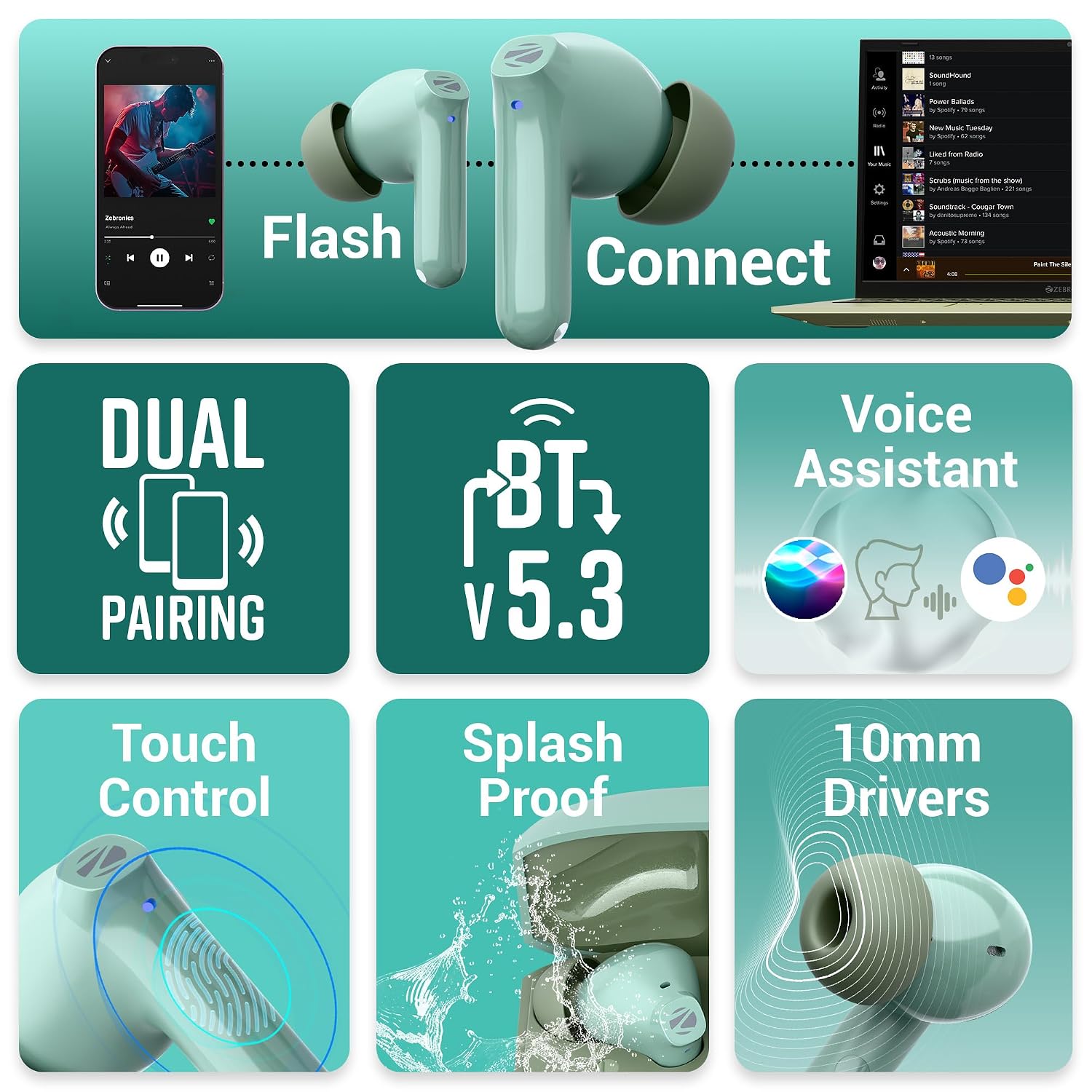
Image: An illustration depicting the call function of the Zebronics PODS 141. A smartphone screen shows an incoming call with options to accept or decline, while the earbuds and charging case are positioned nearby, indicating seamless call handling.
4.4 Dual EQ Modes
Toggle between two distinct sound profiles: Sound Monster for enhanced bass and powerful audio, and Equalizer for a balanced sound signature. Use the touch control (Long Press 3 seconds) to switch between modes.

Image: A close-up of a Zebronics PODS 141 earbud, with text overlays indicating "Dual EQ Modes" and two options: "SOUND MONSTER" and "EQUALIZER," suggesting different audio profiles.
4.5 Gaming Mode
Activate the low latency gaming mode for a synchronized audio-visual experience, crucial for competitive gaming. Use the touch control (Long Press 4 seconds) to enable or disable this mode.

Image: A person holding a smartphone displaying a mobile game, with the Zebronics PODS 141 earbuds and charging case in the background. Text overlay reads "Gaming Mode (Low Latency)," illustrating the earbuds' suitability for gaming.
4.6 Voice Assistant Support
Access your smartphone's voice assistant (Siri or Google Assistant) effortlessly by long-pressing the touch control for 2 seconds. This allows for hands-free control of your device.

Image: A man wearing sunglasses and a Zebronics PODS 141 earbud, looking at his smartphone. Logos for "Ok Google" and "Hey Siri" are displayed next to him, indicating voice assistant compatibility.
4.7 Splash-Proof Design
The earbuds are designed to be splash-proof, making them suitable for workouts and protection against mild splashes. Avoid submerging the earbuds in water.

Image: A black Zebronics PODS 141 earbud with water droplets on its surface, illustrating its splash-proof capability.
5. Maintenance
5.1 Cleaning
- Regularly clean the earbuds and charging case with a soft, dry, lint-free cloth.
- Remove ear tips and clean them with mild soap and water if necessary, ensuring they are completely dry before reattaching.
- Gently clean the charging contacts on both the earbuds and the case with a dry cotton swab to ensure proper charging.
5.2 Storage
- Store the earbuds in their charging case when not in use to protect them and keep them charged.
- Avoid storing in extreme temperatures or high humidity.
5.3 Battery Care
- Charge the earbuds regularly, even if not used frequently, to maintain battery health.
- Avoid completely draining the battery for extended periods.
6. Troubleshooting
If you encounter issues with your Zebronics PODS 141, please refer to the following common solutions:
| Problem | Possible Solution |
|---|---|
| Earbuds not pairing | Ensure earbuds are charged. Place them back in the case, close the lid, then open again to re-enter pairing mode. Forget the device on your phone's Bluetooth settings and try pairing again. |
| No sound from one earbud | Check battery level of both earbuds. Try resetting the earbuds (refer to QR Code Guide for specific reset instructions). Ensure both earbuds are properly seated in the charging case. |
| Charging issues | Ensure the charging cable is securely connected. Clean the charging contacts on both earbuds and case. Try a different USB power source or cable. |
| Low volume or poor sound quality | Adjust volume on both your device and the earbuds. Ensure ear tips are clean and properly sealed in your ear canal. Try different sized ear tips for a better fit. |
| Touch controls not responding | Ensure your fingers are clean and dry. Try restarting the earbuds by placing them in the case and taking them out. |
7. Specifications
Detailed technical specifications for the Zebronics PODS 141 Wireless Earbuds:
| Feature | Detail |
|---|---|
| Model Name | ZEB-PODS 141 |
| Connectivity Technology | Wireless (Bluetooth) |
| Bluetooth Version | 5.3 |
| Audio Driver Type | Dynamic Driver (10mm Bass Drivers) |
| Microphone | Quad Mic with Environment Noise Cancellation (ENC) |
| Battery Life | Up to 35 hours (with charging case, at 50% volume) |
| Rapid Charging | 10 minutes charge for 120 minutes playback (at 50% volume) |
| Charging Interface | Type-C |
| Control Method | Touch |
| Water Resistance Level | Water Resistant (Splash-proof) |
| Item Weight | 40 Grams |
| Product Dimensions | 2.8 x 5.5 x 4.5 cm |
| Compatible Devices | Smartphones, Tablets, Laptops, Desktops, Smart Speakers, Gaming Consoles, Car Audio Systems |
| Included Components | Earbuds, Wireless Charging Case, Cable, Eartips, QR Code Guide |
8. Warranty and Support
The Zebronics PODS 141 comes with a standard manufacturer's warranty. For specific warranty terms and conditions, please refer to the documentation included in your product packaging or visit the official Zebronics website. An extended warranty for 1 Year may be available for purchase.
For technical support, service, or any inquiries regarding your product, please contact Zebronics customer service through their official channels. Details can typically be found on the Zebronics website or the QR Code Guide provided with your product.


