
1. Introduction
The SANZUCO ZNN F60-2 Wireless Intercom System provides effortless, full-duplex, hands-free communication for various environments including homes, offices, and hospitals. Designed for ease of use, this system offers a long range of up to 5300ft and features such as group call, auto answer, and clear sound quality. This manual will guide you through the setup, operation, and maintenance of your intercom system.
2. What's in the Box
- Full Duplex Intercom User Manual x 1
- Hands Free Wireless Intercom system (white) x 2
- Home intercom system Charging Cables x 2
- Intercom Charger x 2
3. Product Overview & Features
The SANZUCO ZNN F60-2 Intercom System is pre-configured for instant use, requiring no complex setup or pairing. Simply plug in the units and begin communicating. Key features include:
- Full Duplex Communication: Allows simultaneous two-way conversation.
- Hands-Free Operation: Speak and listen without holding buttons.
- Long Range: Up to 5300ft for extensive coverage.
- Clear Sound: High-fidelity processing ensures crystal-clear audio.
- Group Call: Broadcast messages to all connected intercoms.
- Auto Answer: Automatically connects calls after two rings for convenience.
- Silent Mode: Disables the ring tone for discreet communication.
- Replay Function: Allows replaying messages.
- 18 Channels: (CODE A1-9, B1-9) with anti-interference technology and 2 secret codes.

Figure 1: Overview of SANZUCO Intercom main functions.

Figure 2: Full-Duplex and Hands-Free communication in an office environment.
4. Setup
Your SANZUCO Intercom System is designed for quick and easy setup. No complex installation or pairing is required.
4.1 Power Connection
- Locate the USB Type C port on the intercom unit.
- Connect one end of the provided charging cable to the intercom unit.
- Plug the other end of the charging cable into the intercom charger.
- Insert the intercom charger into a standard electrical outlet.
- Repeat for all intercom units.
The intercom requires continuous plug-in power and does not support batteries.
4.2 Channel Assignment
The system comes with 18 available channels (CODE A1-9, B1-9). A and B channels do not interfere with each other. You can assign different channels to different units or rooms to ensure privacy and organization.
- To select a channel, use the numbered keypad on the intercom unit.
- For specific instructions on changing channels, refer to the 'Operating Instructions' section or the video tutorial below.
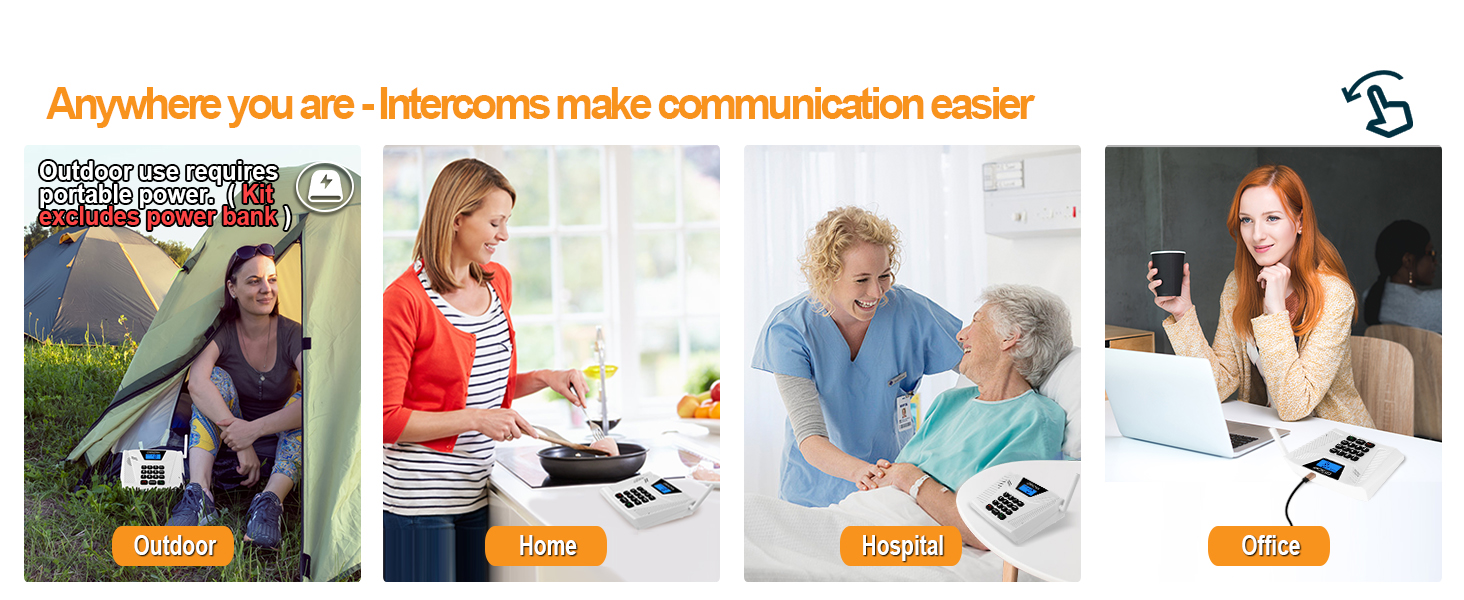
Figure 3: Intercoms can be used in various locations such as home, office, hospital, or outdoor settings with portable power.
5. Operating Instructions
5.1 Making a Call (Full Duplex)
To initiate a hands-free, full-duplex conversation with another unit:
- Ensure both units are powered on and on the same channel.
- Simply select the desired channel number on your intercom.
- The other unit will automatically answer after two rings (Auto Answer feature).
- Begin speaking hands-free.

Figure 4: The intercom's Auto Answer feature allows for seamless hands-free communication.
5.2 Group Call Function
The Group Call function allows you to broadcast a message to all intercoms within the group simultaneously.
- Press and hold the GROUP button on your intercom unit.
- Speak your message. All units set to the same group will receive the broadcast.
- Release the GROUP button when finished speaking.

Figure 5: The Group Call feature enables broadcasting messages to multiple intercoms.
5.3 Silent Mode
To activate Silent Mode, which disables the ring tone:
- Long press the VOL- key until you hear a beep. This indicates Silent Mode is active.
To deactivate Silent Mode:
- Long press the VOL+ key until you hear a beep. This indicates Silent Mode is deactivated.

Figure 6: Silent Mode allows for quiet operation, ideal for bedrooms or quiet areas.
5.4 Replay Function
The Replay function allows you to listen to the last received message.
- Press the MENU button to access the replay function.
5.5 Video Tutorials
For visual guidance on operating your intercom system, please refer to the official video tutorials provided by SANZUCO:
Video 1: 2024 Intercom Function Description. This video provides a detailed overview of the intercom's various functions and how to use them.
Video 2: Auto Answer & Group Call. Learn how to utilize the automatic answer and group call features for efficient communication.
Video 3: How to Change Intercom Channels. A step-by-step guide on assigning and changing channels for your intercom units.
Video 4: Hands Free Intercoms Wireless for Home. Demonstrates the hands-free capability of the intercom system in a home setting.
6. Maintenance
To ensure the longevity and optimal performance of your SANZUCO Wireless Intercom System, follow these simple maintenance guidelines:
- Keep the units clean by wiping them with a soft, dry cloth.
- Avoid exposing the intercoms to water or excessive moisture.
- Do not use harsh chemicals or abrasive cleaners.
- Store the units in a cool, dry place when not in use for extended periods.
7. Troubleshooting
If you encounter any issues with your intercom system, please refer to the following common troubleshooting steps:
- No Power: Ensure the intercom unit is properly plugged into a working power outlet using the provided charger and cable.
- No Communication: Verify that all units intended for communication are set to the same channel. Check for any physical obstructions that might interfere with the signal, although the system is designed for a 5300ft range.
- Interference/Poor Sound Quality: Try changing the channel to one of the 18 available options. The system includes anti-interference technology, but external factors can sometimes affect clarity.
- Unit Not Responding: Unplug the unit from power, wait a few seconds, and then plug it back in to perform a soft reset.
If the problem persists after trying these steps, please contact customer support.
8. Specifications
| Attribute | Detail |
|---|---|
| Brand | SANZUCO |
| Model Number | ZNN F60-2 |
| Color | White |
| Power Source | Corded Electric |
| Connectivity Technology | Wired (for power) |
| Installation Type | Plug in and use |
| Control Method | Voice |
| Maximum Range | 5300 Feet |
| Product Dimensions | 9.39 x 5.5 x 3.7 inches |
| Item Weight | 1.85 pounds |
| Special Features | Auto Answer, Group Call, Hands-free two-way talk |
9. Warranty and Support
Your SANZUCO Wireless Intercom System comes with dedicated customer support. If you are unsatisfied with your intercom system or require assistance, please contact us for 24/7 customer support.
