
IAMJOY P200
Contents
IAMJOY Language Translation Earbuds User Manual
Model: P200
Introduction
Thank you for choosing the IAMJOY Language Translation Earbuds. This device is designed to break down language barriers, offering real-time translation, high-quality audio for music and calls, and advanced noise cancellation. This manual provides detailed instructions to help you get the most out of your new earbuds.
What's in the Box
- 1 × Wireless Translator Earbuds
- 1 × Charging Cable (USB-C)
- 3 × SML Ear Tips (Small, Medium, Large)
- 1 × User Manual (this document)

Image: The complete package contents of the IAMJOY Language Translation Earbuds, showing the white earbuds, their charging case, a USB-C charging cable, and three pairs of silicone ear tips in different sizes.
Product Overview
The IAMJOY P200 earbuds feature a sleek, ergonomic design for comfortable wear. Each earbud is equipped with touch controls for easy management of translation, music, and calls. The compact charging case not only protects your earbuds but also provides extended battery life on the go.

Image: A top-down view of the IAMJOY Language Translation Earbuds, showing both the left and right earbuds along with their open charging case and a set of ear tips.
Setup
1. Download the IAMJOY App
To utilize the full translation capabilities, download the dedicated IAMJOY app from your smartphone's app store (compatible with iOS and Android). You can typically find a QR code in the included user manual to quickly access the download link.
2. Bluetooth Pairing
- Ensure your earbuds are charged and inside the charging case.
- Open the charging case. The earbuds will automatically enter pairing mode.
- On your smartphone, go to Bluetooth settings and enable Bluetooth.
- Select "IAMJOY P200" from the list of available devices to connect.
- Once connected, open the IAMJOY app to begin using the translation features.
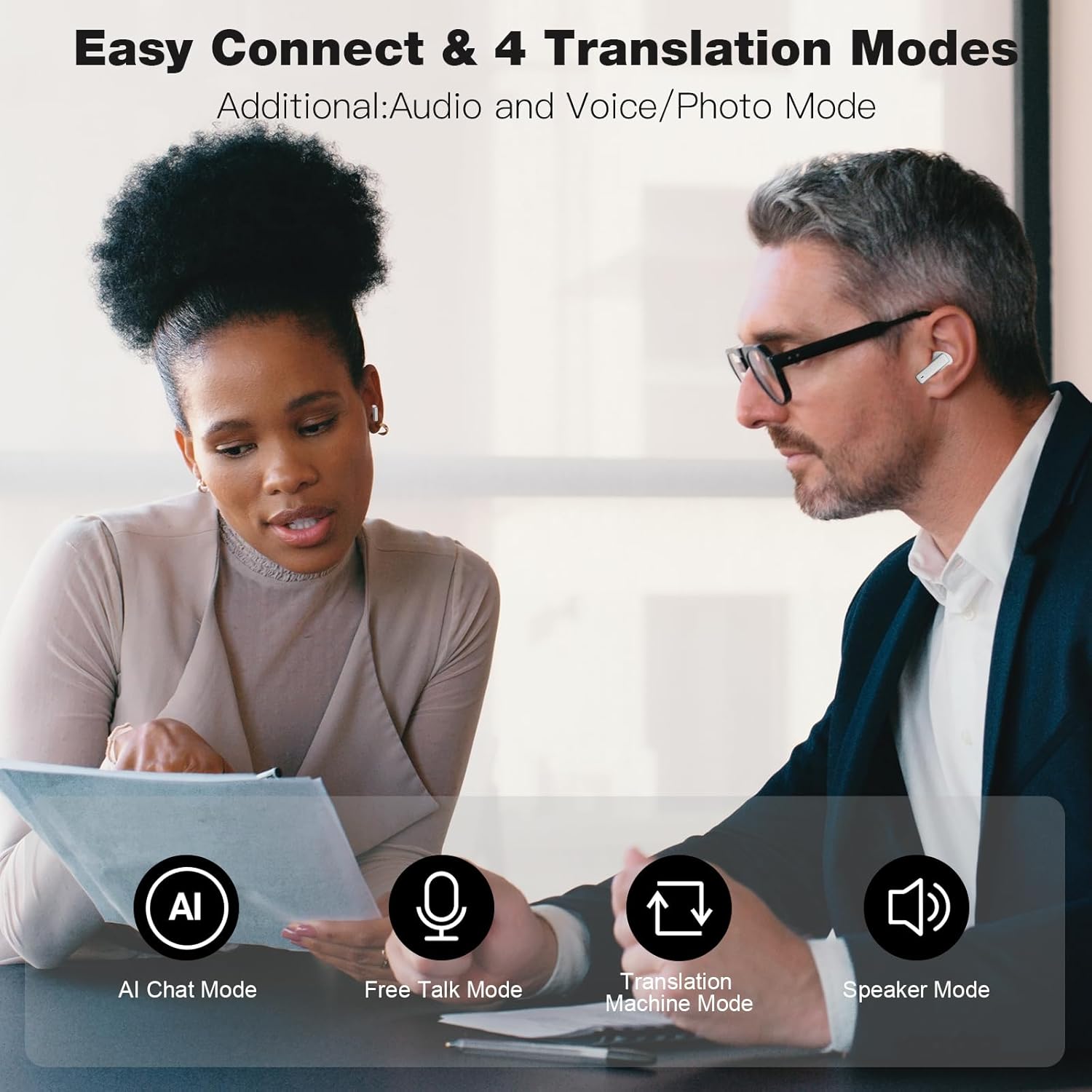
Image: A smartphone displaying the IAMJOY app, illustrating the user interface for selecting languages and initiating translation sessions.
Operating the Earbuds
Translation Modes
The IAMJOY earbuds offer multiple translation modes to suit various communication scenarios:
- Free Talk Mode: Ideal for natural conversations. Each person speaks in their native language, and the earbuds provide real-time translation.
- Translation Machine Mode: One person speaks into the earbud, and the translation is played through the other earbud or a connected speaker.
- Speaker Mode (Audio and Voice/Photo Mode): Allows for translation through your phone's speaker, useful for group conversations or when you need to show translated text from images.
- AI Chat Mode: Engage in AI-powered conversations for practice or information retrieval.

Image: An illustration of two individuals communicating, with visual cues for the four primary translation modes available: AI Chat, Free Talk, Translation Machine, and Speaker Mode.

Image: A visual representation of the real-time translation feature, showing two smartphone screens with a conversation being translated simultaneously between Spanish and English.
Language Support
The earbuds support 163 languages and 85 accents for comprehensive global communication. A partial list of supported languages includes Arabic, Chinese, Czech, Dutch, English, French, German, Italian, Japanese, Korean, Malay, Portuguese, Russian, Spanish, and Thai.
Offline Translation
For situations without internet access, the earbuds offer offline translation for 13 key languages. These include Chinese, English, Japanese, French, Vietnamese, Spanish, German, Russian, Portuguese, Korean, Thai, Arabic, and Italian. Ensure you download the necessary language packs within the app beforehand.

Image: A man seated on an airplane, using the IAMJOY earbuds, with flags representing the 13 languages available for offline translation displayed above him.
Music Listening & Phone Calls
Beyond translation, these earbuds function as high-quality audio devices for music and phone calls. The Bluetooth 5.4 standard ensures stable connectivity and real-time audio synchronization.
Noise Cancellation
The IAMJOY earbuds feature 42dB Hybrid Dual Noise Cancelling technology. Equipped with 6 microphones, they effectively reduce ambient noise, including wind, ensuring crystal clear sound quality for both translation and audio playback in various environments.

Image: A man driving a car, with an overlay graphic demonstrating the 42dB hybrid active noise cancelling capability of the earbuds, highlighting sound reduction.
Battery Life & Charging
The earbuds offer impressive battery endurance:
- Up to 6 hours of continuous translation.
- Up to 35 hours of total battery life with the charging case.
The charging case can be fully charged via its Type-C port in approximately 120 minutes (2 hours).

Image: A visual summary of the IAMJOY earbuds' battery performance, indicating 6 hours of continuous translation, 35 hours of total battery life with the charging case, and a 120-minute full charge time via USB-C.
Specifications
| Feature | Detail |
|---|---|
| Model Number | P200 |
| Translation Languages | 163 Languages & 85 Accents (Online) |
| Offline Translation | 13 Languages Supported |
| Microphones | 6 Built-in Mics |
| Noise Cancellation | 42dB Hybrid Dual Active Noise Reduction |
| Bluetooth Version | 5.4 |
| Continuous Translation Time | Up to 6 hours |
| Total Battery Life (with case) | Up to 35 hours |
| Charging Time | Approx. 120 minutes (2 hours) |
| Charging Port | USB Type-C |
| Compatibility | iOS and Android systems |
| Item Weight | 1.76 ounces |
| Manufacturer | IAMJOY |
Troubleshooting
Earbuds not pairing:
- Ensure earbuds are charged.
- Make sure Bluetooth is enabled on your device.
- Try resetting the earbuds by placing them in the case, closing it, and reopening after a few seconds.
- Forget the device in your phone's Bluetooth settings and try pairing again.
Translation not working or inaccurate:
- Ensure you have a stable internet connection for online translation.
- Check if the correct source and target languages are selected in the app.
- Speak clearly and at a moderate pace.
- Update the IAMJOY app to the latest version.
- For offline translation, verify that the required language packs are downloaded.
No sound from earbuds:
- Check the volume level on your connected device.
- Ensure the earbuds are properly connected via Bluetooth.
- Confirm the earbuds are placed correctly in your ears.
Warranty & Support
IAMJOY provides a 1-year warranty for after-sales service on your Language Translation Earbuds. Additionally, you receive a lifetime free translation application with your purchase, ensuring continuous access to translation features and updates.
For further assistance, please refer to the support section within the IAMJOY app or visit the official IAMJOY website for contact information.
Ask a question about this manual
Ask about setup, troubleshooting, compatibility, parts, safety, or missing instructions. Manuals+ will review the question and use this page’s manual context to help answer it.