
briidea LD-161
Contents
briidea Bluetooth RV Water Tank Level Sensor Monitor Indicator
Model: LD-161
Brand: briidea
1. Introduction
The briidea Bluetooth RV Water Tank Level Sensor Monitor Indicator (Model LD-161) provides real-time water level tracking for RVs, boats, caravans, and other freshwater tanks. This system features Bluetooth connectivity for app-based monitoring, an LED display, smart sensing technology, and precise detection capabilities with a hydrophobic coating to ensure accurate readings.
2. Package Contents
Verify that all items are present in your package:
- Control Panel with LED Display
- Water Level Sensor
- Connecting Cable
3. Setup and Installation
3.1 Physical Installation
The briidea LD-161 is designed for use with plastic tanks that are approximately twice as long as they are wide. Metal tanks may affect accuracy. Ensure the installation location for the sensor allows for direct contact with the tank's exterior bottom or side, free from obstructions.

Image: Dimensions of the briidea control panel (3.7 in x 2.2 in) and sensor (1 in diameter, 0.9 in height) with a 9.8 ft cable.

Image: Illustrates the non-contact sensor type of the briidea LD-161, which promotes hygiene and longer lifespan compared to contact type sensors.
- Mount the Control Panel: Choose a suitable location inside your RV or boat for the control panel. Ensure it is easily visible and accessible.
- Install the Sensor: Attach the water level sensor to the exterior of your freshwater tank. The sensor uses non-contact technology, so it does not need to be submerged in water. Ensure the surface is clean and dry for optimal adhesion or mounting.
- Connect Wiring: Connect the sensor cable to the control panel. The system supports a 7-32V DC wide voltage input. Ensure all connections are secure.
3.2 App Installation and Pairing
The briidea LD-161 utilizes the GeniLife app for Bluetooth monitoring.
- Download the App: Search for "GeniLife" in your device's app store (available for Android and iOS).
- Enable Bluetooth: Ensure Bluetooth is enabled on your smartphone or tablet.
- Grant Permissions: Open the GeniLife app and grant necessary permissions for Bluetooth and location services to allow the app to discover and connect to the device.
- Pair the Device: Follow the in-app instructions to search for and pair with your briidea LD-161 sensor.

Video: Demonstrates the process of enabling Bluetooth and granting permissions for the GeniLife app on an Android device.

Video: General instructions on how to use the GeniLife app for device setup and monitoring.
3.3 Calibration
The system features a built-in memory function that saves your calibration settings. This means recalibration is not required after power outages, ensuring a consistent and hassle-free experience.
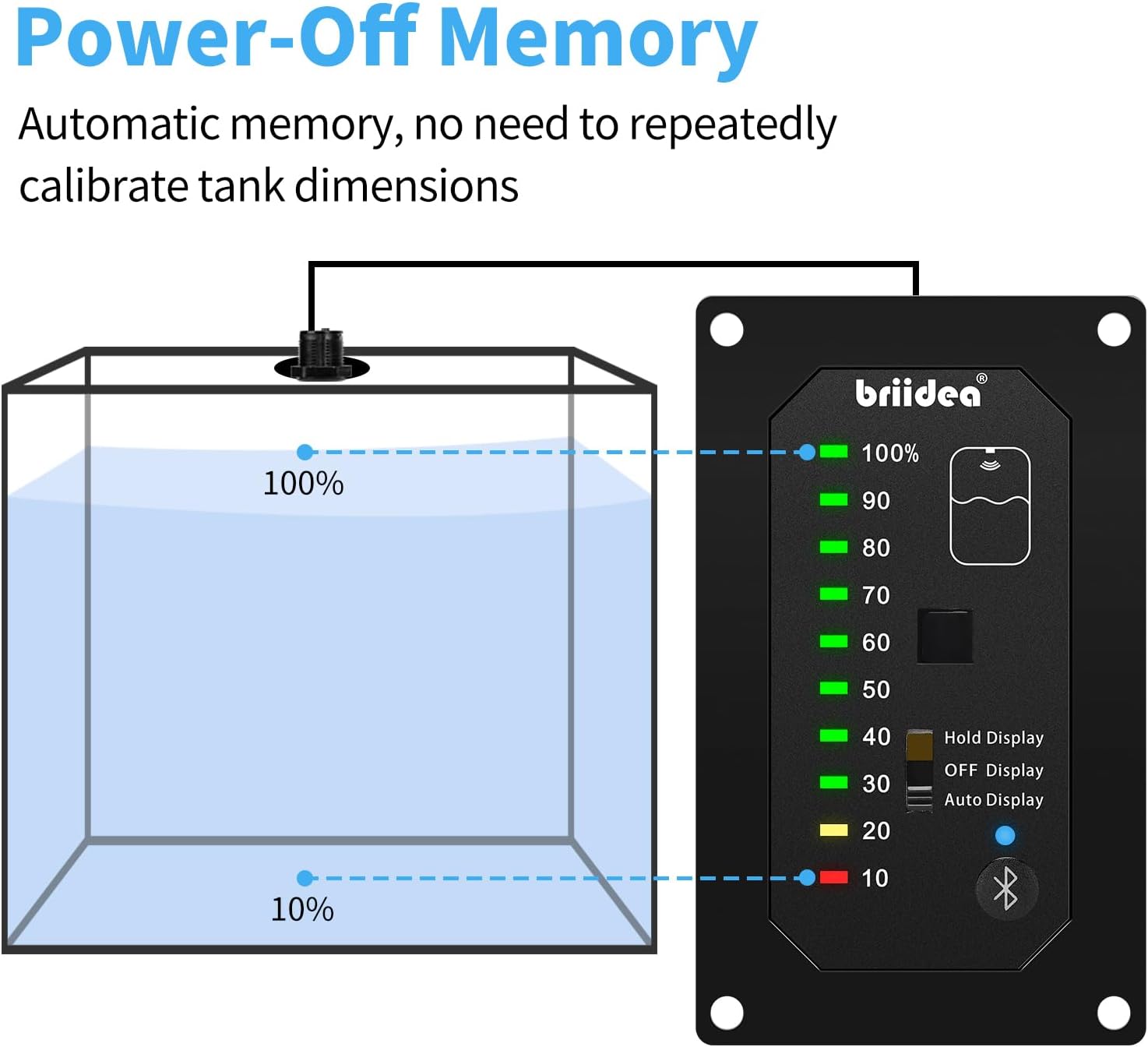
Image: The control panel displays water levels from 10% to 100%, with the power-off memory feature ensuring settings are retained.
4. Operating Instructions
4.1 Real-Time Monitoring via App
Once paired, the GeniLife app provides a graphical representation of your water tank's level, including approximate volume and percentage. The app updates in real-time, allowing you to monitor your water supply conveniently from your mobile device.

Image: The GeniLife app shows a water tank at 89% full (approx. 44.9 gallons), with the physical LED display also indicating the level.

Image: Various images demonstrating the app's accurate detection and display of water levels in different environments.
4.2 LED Display and Auto-Sense Modes
The control panel features an LED display that visually indicates the water level. It includes a smart sensing technology:
- Automatic Mode: The LED display automatically lights up when you are within 1.3 feet of the panel and turns off when you move away, reducing nighttime distractions.
- Always-On Mode: The display remains continuously lit.
- Always-Off Mode: The display remains off, relying solely on app monitoring.
You can switch between these modes for customizable use.

Image: The control panel's automatic mode activates the display when a user is within 1.3 feet.
4.3 Precision Detection
The sensor utilizes advanced detection technology combined with a professional hydrophobic coating. This design eliminates interference from water vapor, ensuring highly accurate and reliable data for your water levels.
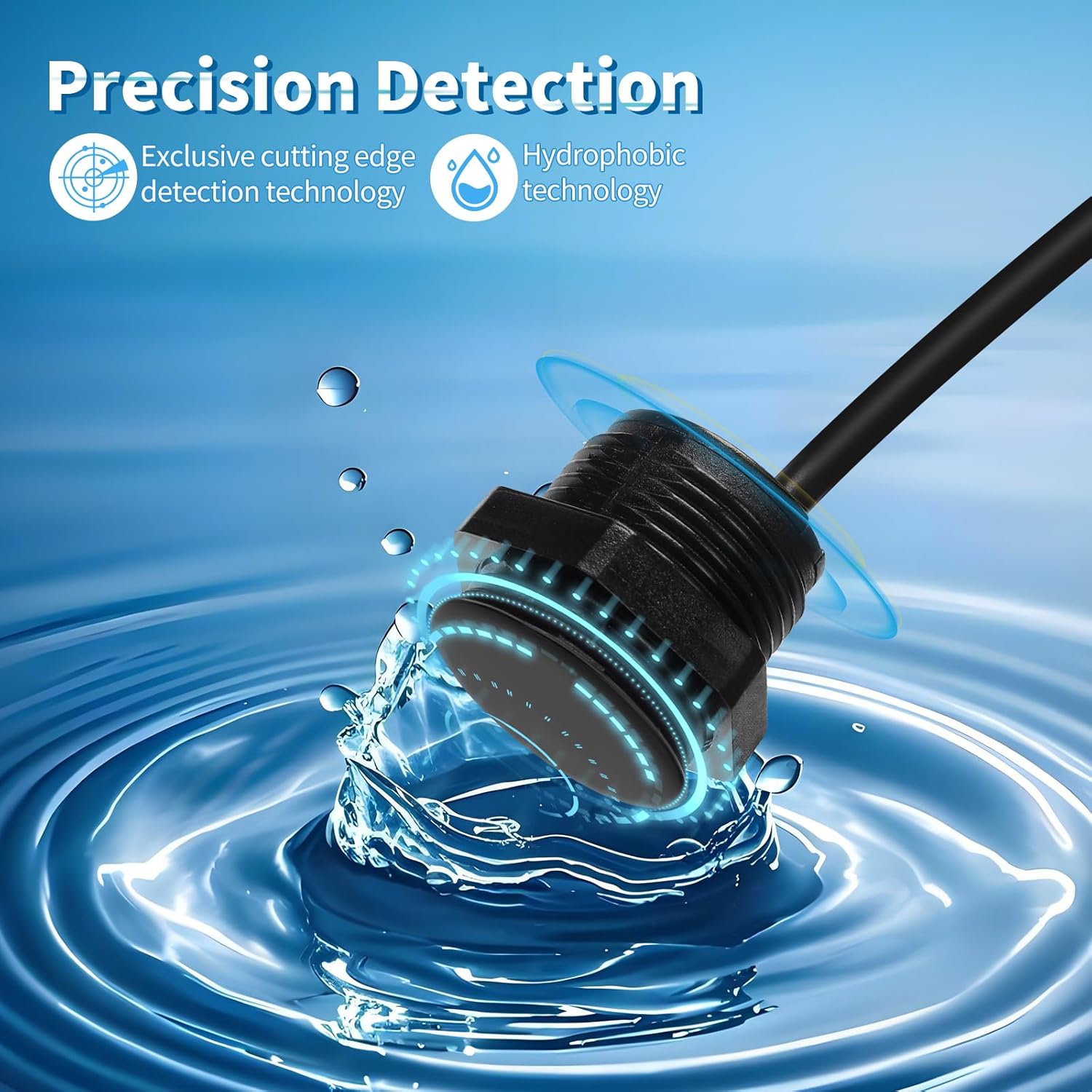
Image: The sensor's hydrophobic coating repels water, preventing inaccurate readings due to moisture.
5. Maintenance
- Sensor Cleaning: Periodically inspect the exterior of the sensor for any dirt or debris. Clean with a soft, damp cloth if necessary. Do not use abrasive cleaners or solvents.
- Panel Cleaning: Wipe the control panel with a dry or slightly damp cloth. Avoid direct water exposure.
- Cable Inspection: Regularly check the connecting cable for any signs of wear or damage. Ensure connections remain secure.
6. Troubleshooting
| Issue | Possible Cause | Solution |
|---|---|---|
| App cannot connect to device | Bluetooth is off; App permissions not granted; Device not powered; Interference. | Ensure Bluetooth is enabled on your phone. Grant all necessary permissions to the GeniLife app. Verify the sensor and panel are powered. Move closer to the device to reduce interference. Restart the app and try again. |
| Inaccurate water level readings | Sensor not properly attached; Tank material (metal); Sensor surface dirty; Tank shape. | Ensure the sensor is firmly and correctly attached to a clean, dry surface of the tank. Note that metal tanks may affect accuracy. The system is optimized for plastic tanks that are twice as long as wide. |
| LED display not lighting up | Panel in 'Always-Off' mode; Power issue; Smart sensing not detecting presence. | Check the display mode settings on the panel. Ensure the device is receiving power. If in automatic mode, ensure you are within 1.3 feet of the panel. |
| App account setup issues | Network connectivity; Server issues. | Ensure stable internet connection. Try again after some time. Contact app support if the issue persists. |
7. Specifications
| Feature | Detail |
|---|---|
| Model | LD-161 |
| Item Weight | 6.4 ounces |
| Package Dimensions | 4.57 x 3.82 x 2.09 inches |
| Voltage Input | 7-32V DC |
| Connectivity | Bluetooth |
| Sensor Type | Non-contact |
| Display | LED with Auto-Sense Modes |
| Memory Function | Power-outage memory for calibration settings |
| Compatibility | Plastic tanks (optimal for tanks twice as long as wide) |
8. Warranty and Support
For warranty information and technical support, please refer to the documentation included with your purchase or contact briidea customer service through their official website or the retailer where the product was purchased. Keep your proof of purchase for warranty claims.
Documents and downloads
Ask a question about this manual
Ask about setup, troubleshooting, compatibility, parts, safety, or missing instructions. Manuals+ will review the question and use this page’s manual context to help answer it.