
Kobalt KST 2540-06
Contents
Kobalt 40V Lithium-Ion Brushed String Trimmer User Manual
Model: KST 2540-06
Introduction
This manual provides essential information for the safe operation, assembly, maintenance, and troubleshooting of your Kobalt 40V Lithium-Ion Brushed String Trimmer, Model KST 2540-06. Please read this manual thoroughly before operating the tool to ensure proper use and to prevent injury.
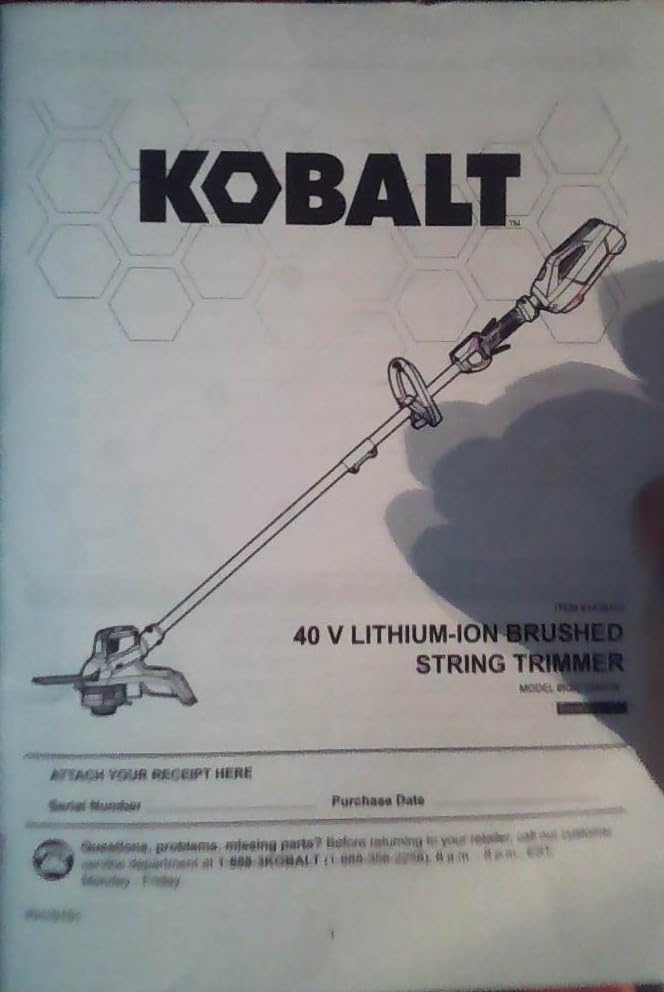
Figure 1: Front cover of the Kobalt 40V Lithium-Ion Brushed String Trimmer user manual. The image displays the Kobalt brand logo at the top, followed by an illustration of the string trimmer. Below the illustration, the text "40 V LITHIUM-ION BRUSHED STRING TRIMMER" and "MODEL # KST 2540-06" are visible. The bottom section includes fields for "Serial Number" and "Purchase Date," along with customer service contact information.
Safety Information
Always follow basic safety precautions to reduce the risk of fire, electric shock, and personal injury when operating this product. Keep this manual for future reference.
General Safety Rules
- Read all instructions before using the appliance.
- Wear appropriate personal protective equipment (PPE), including eye protection, long pants, and sturdy footwear.
- Do not operate the trimmer in wet conditions or rain.
- Keep children, bystanders, and pets at a safe distance (at least 50 feet/15 meters) from the operating area.
- Inspect the work area for objects that could be thrown or entangled in the cutting line.
- Ensure the battery pack is fully charged before use.
- Never modify the trimmer or use non-approved attachments.
Battery Safety
- Use only Kobalt 40V Lithium-Ion battery packs and chargers.
- Do not expose battery packs to water or extreme temperatures.
- Store battery packs in a cool, dry place away from metal objects.
- Dispose of battery packs properly according to local regulations.
Assembly
Follow these steps to assemble your Kobalt string trimmer before initial use.
Attaching the Guard
- Align the guard with the mounting slots on the trimmer head.
- Secure the guard using the provided screws. Ensure it is firmly attached to prevent detachment during operation.
Adjusting the Auxiliary Handle
- Loosen the knob on the auxiliary handle.
- Slide the handle to a comfortable operating position.
- Tighten the knob securely.
Operating Instructions
Proper operation ensures efficient performance and user safety.
Inserting the Battery
- Ensure the trimmer is turned off.
- Slide the charged 40V Lithium-Ion battery pack into the battery port until it clicks into place.
- To remove, press the battery release button and pull the battery out.
Starting and Stopping the Trimmer
- To start, press and hold the safety lock-out button, then squeeze the trigger switch.
- To stop, release the trigger switch.
Trimming Techniques
- Hold the trimmer firmly with both hands.
- Maintain a balanced stance.
- Use a sweeping motion, cutting from right to left for optimal debris deflection.
- Avoid cutting near hard objects to prevent line breakage.
Maintenance
Regular maintenance ensures the longevity and optimal performance of your trimmer.
Cleaning
- Disconnect the battery pack before cleaning.
- Use a damp cloth to wipe down the exterior of the trimmer.
- Remove any grass clippings or debris from the guard and trimmer head.
- Do not use harsh chemicals or abrasive cleaners.
Replacing the Cutting Line
- Ensure the battery is removed.
- Refer to the trimmer head instructions for specific line replacement procedures. Most models feature a bump-feed or quick-load system.
- Use only the recommended diameter and type of cutting line.
Storage
- Store the trimmer in a dry, secure location, out of reach of children.
- Remove the battery pack before storing for extended periods.
- Protect the trimmer from direct sunlight and extreme temperatures.
Troubleshooting
This section addresses common issues you might encounter with your string trimmer.
| Problem | Possible Cause | Solution |
|---|---|---|
| Trimmer does not start. | Battery not inserted correctly or not charged. Safety lock-out not engaged. | Ensure battery is fully charged and properly seated. Press safety lock-out button before squeezing trigger. |
| Cutting line does not advance. | Line tangled or too short. Spool empty. | Remove battery, clear any tangles. Replace cutting line if empty or too short. |
| Excessive vibration. | Damaged cutting line or head. Loose components. | Inspect cutting line and head for damage; replace if necessary. Check all fasteners for tightness. |
Specifications
Key technical specifications for the Kobalt 40V Lithium-Ion Brushed String Trimmer.
- Model: KST 2540-06
- Voltage: 40V DC
- Motor Type: Brushed
- Line Diameter: (Refer to product packaging for exact line diameter)
- Cutting Swath: (Refer to product packaging for exact cutting swath)
- Weight (without battery): (Refer to product packaging for exact weight)
Note: Specifications are subject to change without notice for product improvement.
Warranty and Support
For warranty information or technical assistance, please contact Kobalt customer service.
- Customer Service: 1-888-3KOBALT (1-888-356-2258)
- Hours of Operation: Monday - Friday, 8 a.m. - 8 p.m. EST
- Website: www.kobalttools.com
Please have your model number (KST 2540-06) and serial number ready when contacting customer service. It is recommended to attach your receipt to this manual for proof of purchase.
ATTACH YOUR RECEIPT HERE
Serial Number: _________________________
Purchase Date: _________________________
Documents and downloads
Ask a question about this manual
Ask about setup, troubleshooting, compatibility, parts, safety, or missing instructions. Manuals+ will review the question and use this page’s manual context to help answer it.