1. Introduction
The Hama Intelligent WiFi Heating Control System provides a smart solution for managing your home's heating. This system includes two smart radiator thermostats and a central base station, allowing for precise temperature control, energy savings, and convenient remote management via a mobile application or voice commands.
By replacing traditional radiator controllers with these smart thermostats, you can program heating schedules that adapt to your daily routine, ensuring comfort while optimizing energy consumption. The system integrates seamlessly into your smart home environment, offering control from anywhere at any time.
2. Package Contents
Please verify that all items listed below are included in your package:
- 2 x Hama Smart Radiator Thermostats
- 1 x Hama Smart Home Base Station (Steering Station)
- Wall Mounting Bracket (for Base Station)
- 4 x AA Batteries (included for thermostats)
- User Manual (this document)

This image displays the complete Hama Intelligent WiFi Heating Control System, including two smart radiator thermostats, the central base station, and the product packaging.

A close-up view of the Hama Smart Home Base Station (left) and two Smart Radiator Thermostats (right), which form the core components of the heating control system.
3. Setup
3.1 Installing the Smart Radiator Thermostats
- Remove Old Thermostat: Turn off your heating system. Unscrew and remove your existing radiator thermostat.
- Insert Batteries: Open the battery compartment of the Hama Smart Radiator Thermostat and insert the 4 AA batteries provided, ensuring correct polarity.
- Mount New Thermostat: Screw the Hama Smart Radiator Thermostat onto the radiator valve. Ensure it is securely fastened but do not overtighten.
- Initial Calibration: The thermostat will perform an initial calibration. Follow any on-screen prompts or app instructions.

The Hama Smart Radiator Thermostat is shown installed on a standard radiator, demonstrating its discreet integration into a living space.
3.2 Setting Up the Base Station
- Power On: Connect the Hama Smart Home Base Station to a power outlet using the provided power adapter.
- Network Connection: The base station connects to your home WiFi network. Ensure your WiFi router is operating on a 2.4 GHz frequency, as the base station may not be compatible with combined 2.4 GHz and 5 GHz networks. If you experience connection issues, consider separating your WiFi bands or consulting your router's manual.
- Placement: Place the base station in a central location within your home to ensure optimal signal strength to all thermostats.
3.3 Hama Smart Home App Installation and Pairing
- Download App: Download the 'Hama Smart Home' app from the Apple App Store (for iOS devices) or Google Play Store (for Android devices).
- Create Account: Open the app and create a new user account or log in if you already have one.
- Add Devices: Follow the in-app instructions to add the Hama Smart Home Base Station and then each Smart Radiator Thermostat to your account. This typically involves putting the devices into pairing mode and confirming within the app.
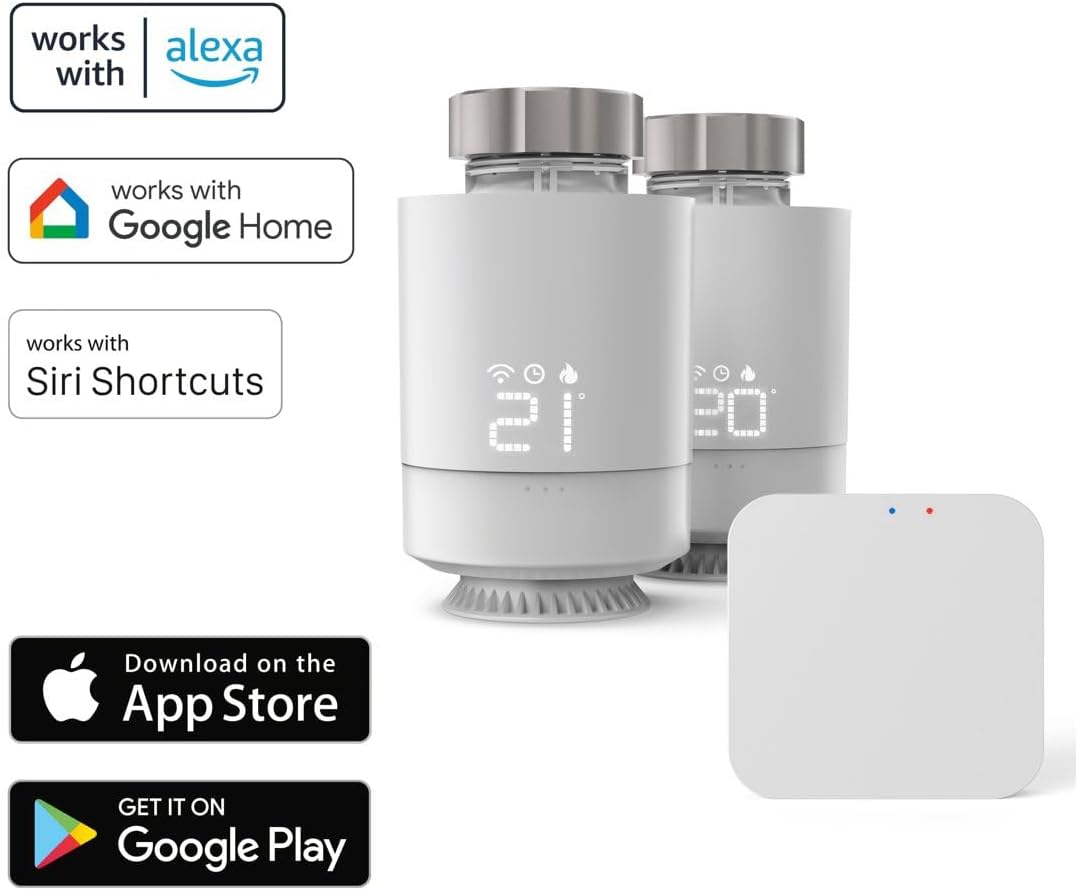
This graphic highlights the Hama Smart Home system's compatibility with Amazon Alexa, Google Home, and Siri Shortcuts, along with icons for downloading the Hama Smart Home app from the App Store and Google Play.
4. Operating Instructions
4.1 Using the Hama Smart Home App
The Hama Smart Home app is the primary interface for controlling your heating system. Through the app, you can:
- View Current Temperature: Monitor the current temperature in each room equipped with a smart thermostat.
- Adjust Temperature: Manually set the desired temperature for individual thermostats or groups of thermostats.
- Program Schedules: Create custom heating schedules for different days and times to match your routine. This feature helps in saving energy by heating only when necessary.
- Remote Control: Control your heating system from anywhere with an internet connection, allowing you to adjust settings before arriving home or while away.
- Integrate with Other Devices: Connect your heating system with other Hama Smart Home products for a comprehensive smart home experience.
4.2 Voice Control
The Hama Intelligent WiFi Heating Control System is compatible with popular voice assistants, including Amazon Alexa, Google Assistant, and Siri Shortcuts. To enable voice control:
- Link Accounts: Open the Alexa, Google Home, or Siri Shortcuts app on your mobile device.
- Enable Skill/Action: Search for and enable the 'Hama Smart Home' skill or action.
- Discover Devices: Follow the instructions to link your Hama Smart Home account and discover your thermostats.
- Voice Commands: You can now use voice commands such as:
- "Alexa, set living room temperature to 21 degrees."
- "Hey Google, what is the temperature in the bedroom?"
- "Siri, turn off the heating in the kitchen."

This image illustrates key features of the Hama Smart Home system through icons, including temperature control, app control, voice control, and home integration, alongside the base station and two thermostats.
5. Maintenance
5.1 Battery Replacement
The smart radiator thermostats are powered by AA batteries. When the battery level is low, an indicator will appear on the thermostat's display and within the Hama Smart Home app. To replace batteries:
- Gently remove the thermostat from the radiator valve.
- Open the battery compartment.
- Remove the old batteries and dispose of them according to local regulations.
- Insert 4 new AA batteries, ensuring correct polarity.
- Reattach the thermostat to the radiator valve.
5.2 Cleaning
To clean the thermostats and base station, use a soft, dry cloth. Do not use abrasive cleaners, solvents, or wet cloths, as these can damage the devices.
6. Troubleshooting
If you encounter issues with your Hama Intelligent WiFi Heating Control System, please refer to the following common problems and solutions:
- Thermostat not heating when desired temperature is set:
Ensure the difference between the current room temperature and the set target temperature is sufficient (e.g., at least 3°C). Some systems require a larger differential to activate heating. Check if the thermostat is in manual mode or following a schedule. - Base Station cannot connect to WiFi:
Verify that your WiFi router is broadcasting a 2.4 GHz network. The base station may have difficulty connecting to combined 2.4 GHz/5 GHz networks. Try separating your WiFi bands in your router settings if possible. Ensure the base station is within range of your router. - Open window detection not working:
Ensure the thermostat is correctly installed and calibrated. The effectiveness of open window detection can vary based on window type, room size, and thermostat placement. If the issue persists, consider manually adjusting the temperature when windows are open. - Thermostat display is blank or unresponsive:
Check the battery level and replace batteries if necessary. Ensure the thermostat is securely attached to the radiator valve. - App cannot find devices:
Ensure the base station is powered on and connected to WiFi. Confirm that your mobile device is connected to the internet. Try restarting the app and the base station.
7. Specifications
| Feature | Detail |
|---|---|
| Brand | Hama |
| Model Number | ham_n22_00176662 |
| Included Components | 2 Smart Radiator Thermostats, 1 Base Station, Wall Mounting Bracket |
| Control Method | App (Hama Smart Home), Voice (Alexa, Google Assistant, Siri Shortcuts) |
| Connectivity | WiFi (2.4 GHz) |
| Thermostat Power | 4 x AA Batteries (included) |
| Item Weight | 0.67 Kilograms (1.47 pounds) |
| Date First Available | January 31, 2025 |
8. Warranty and Support
For warranty information, please refer to the documentation included with your product at the time of purchase or visit the official Hama website. Hama provides customer support for product inquiries, technical assistance, and warranty claims.
Manufacturer: Hama
For further assistance, please contact Hama customer service through their official channels.


