
AUSDOM Hola 87
Contents
AUSDOM H87 Wireless Mechanical Keyboard User Manual
Model: Hola 87
Brand: AUSDOM
Introduction
The AUSDOM H87 Wireless Mechanical Keyboard offers a versatile and high-performance solution for gaming and productivity. Featuring Tri-Mode connectivity (BT5.3, 2.4GHz, USB-C), a robust 10000mAh battery, and a unique 15-layer gasket structure, it provides a superior typing experience. This manual will guide you through its setup, operation, maintenance, and troubleshooting to ensure optimal performance.
What's in the Box
- 1 x Hola87 10000mAh Mechanical Keyboard
- 1 x USB Cable
- 1 x Switch and Keycaps Puller
- 2 x Mechanical Shaft Body (Spare Switches)
- 1 x Quick Guide (User Manual)
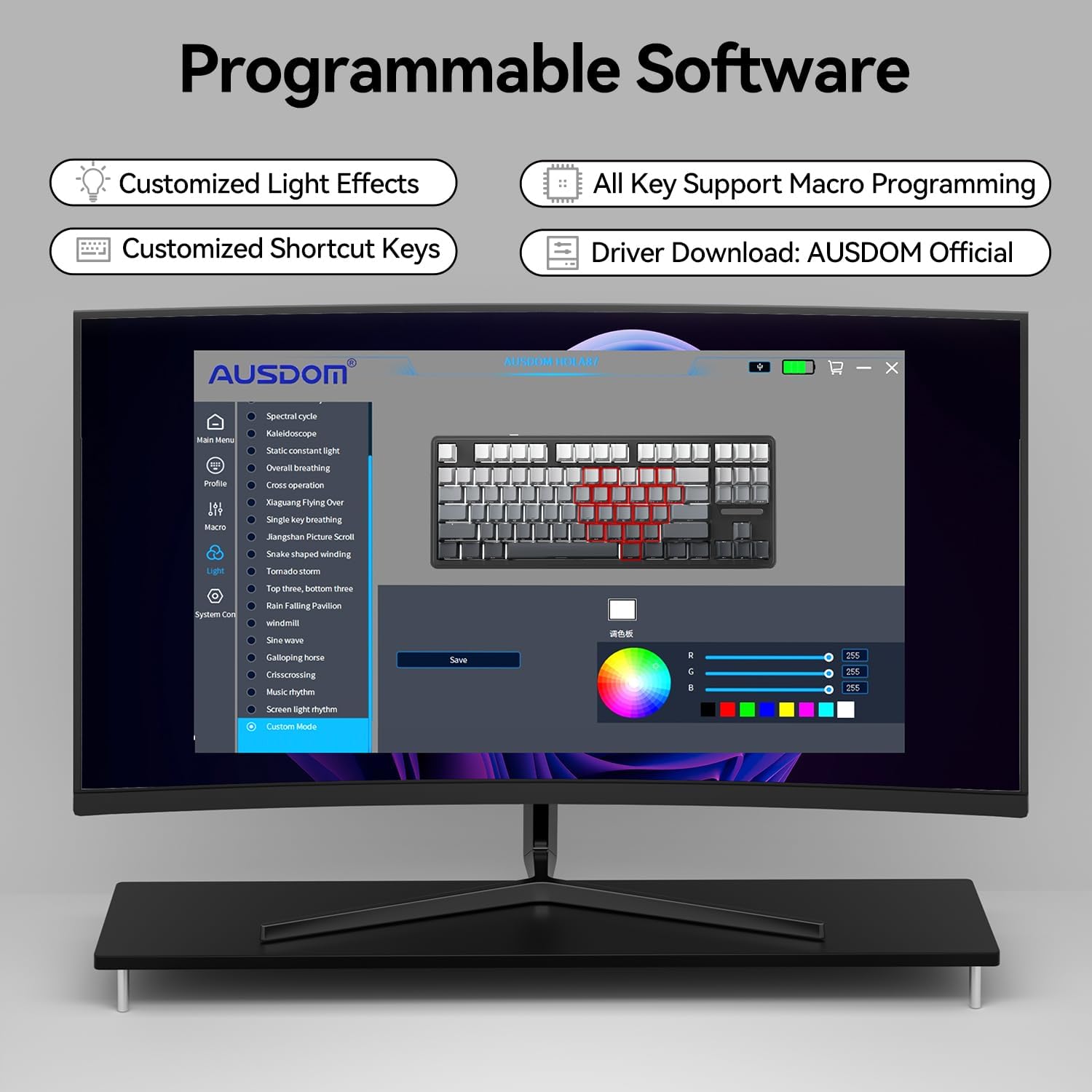
Figure 1: Included items in the AUSDOM H87 package.
Setup
Connectivity
The Hola 87 keyboard supports three connection modes: Bluetooth 5.3, 2.4GHz Wireless, and USB-C Wired. It can seamlessly connect to up to 5 devices simultaneously.
- USB-C Wired Mode: Connect the keyboard directly to your device using the provided USB-C cable.
- 2.4GHz Wireless Mode: Plug the 2.4GHz USB receiver into your device. Press FN + 4 to switch to this mode. Hold FN + 4 for 3 seconds to enter pairing status.
- Bluetooth 5.3 Mode: Press FN + 1, FN + 2, or FN + 3 to select a Bluetooth channel. Hold the key for 3 seconds to enter pairing status.
- Switch between connected devices using FN + 1/2/3 for Bluetooth, FN + 4 for 2.4G, and FN + 5 for wired mode.

Figure 2: Tri-Mode Connectivity and Multi-Device Support.

Figure 3: Seamless switching between connected devices.
Charging
The keyboard is equipped with a 10000mAh large-capacity rechargeable battery. Connect the USB-C cable to the keyboard and a power source (computer USB port or wall adapter) to charge. The battery indicator light will show the charging status.
- Up to 79.68 hours of use with backlight ON.
- Up to 700 hours of use with backlight OFF.

Figure 4: Battery capacity and estimated usage time.
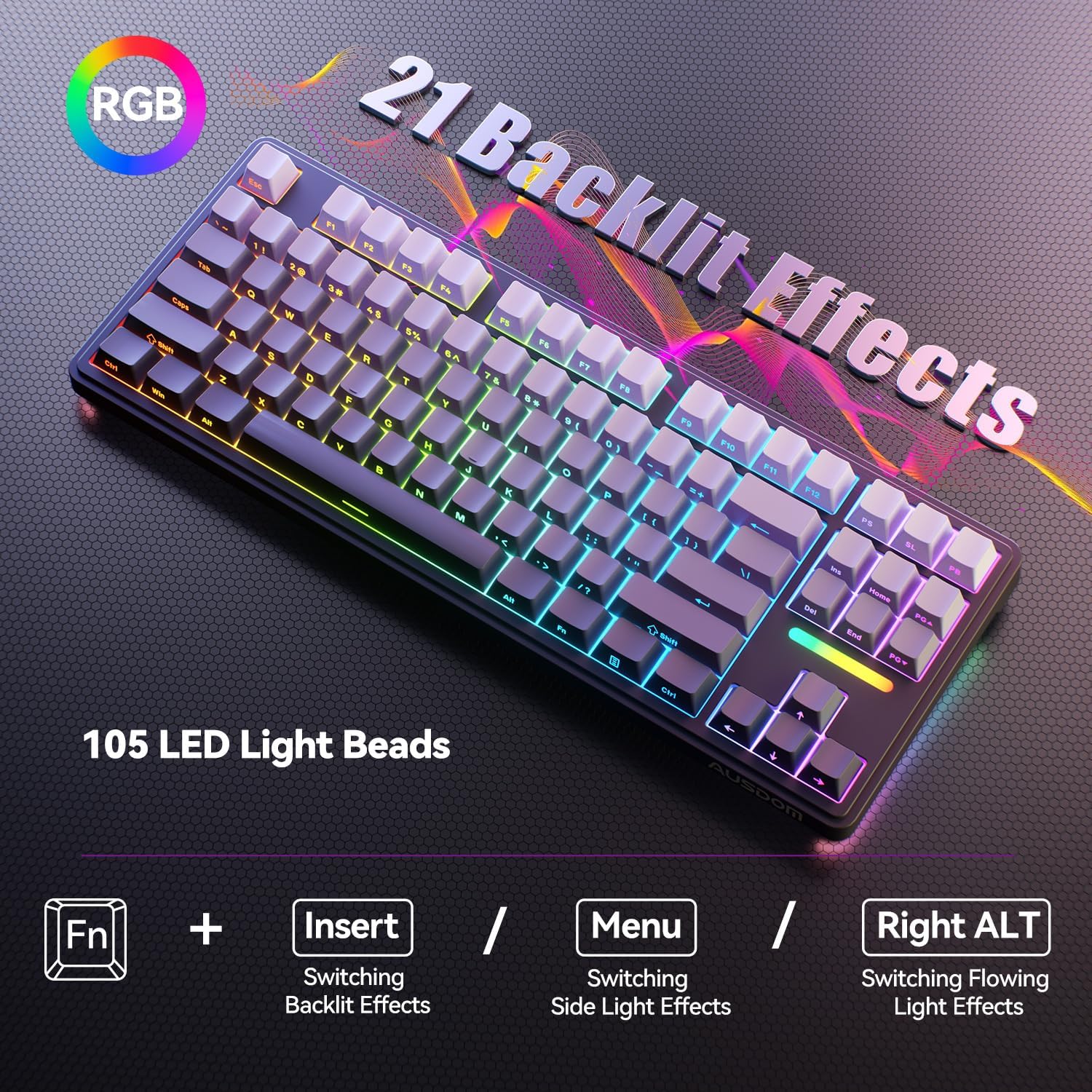
Figure 5: Keyboard weight and battery capacity.
Operating
RGB Backlit & Programmable Macros
The keyboard features 105 RGB lighting beads with various vibrant colors and dynamic effects. You can customize lighting effects, shortcuts, and macros using the programmable software (Windows system only for key remapping in Wired and 2.4G modes).
- FN + Insert: Switch between backlight effects.
- FN + Menu: Switch side light effects.
- FN + Right ALT: Switch flowing light effects.
- FN + Up/Down Arrow: Adjust backlight brightness.
- FN + Left/Right Arrow: Adjust backlight speed.
- FN + DEL: Turn off keys RGB backlight.
- FN + ESC (hold for 3s): Backlight setting reset.

Figure 6: RGB Backlit Effects and FN Key Functions.
Figure 7: Programmable Software Interface.
Video 1: Demonstration of RGB lighting effects and typing sounds on the AUSDOM Hola 87 keyboard.
Hot Swappable & Side Printed PBT Keycaps
The hot swappable design allows for easy replacement of mechanical switches without soldering, enabling customization of typing feel. The durable side-printed PBT keycaps ensure characters remain clear and long-lasting.
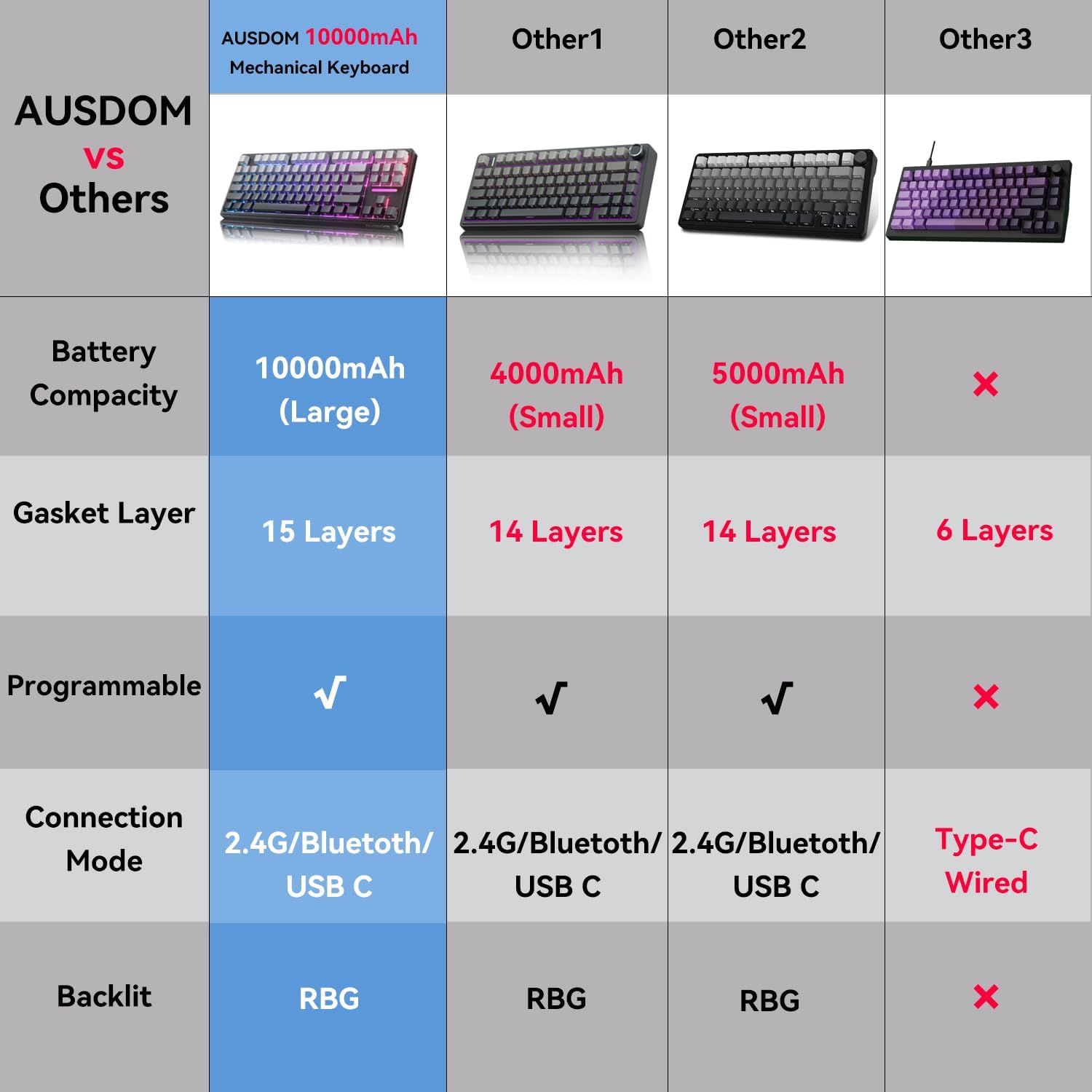
Figure 8: Hot Swappable Switches and Side Printed Keycaps.
15 Layers Gasket Structure
This 75% TKL keyboard features a 15-layer gasket construction and PCB single key slot for optimized resilience and stability, providing a softer and more elastic hand feel. The 6-layer filling muffler design effectively reduces cavity noise for a quieter and more solid typing experience.

Figure 9: Internal structure of the 15-layer gasket keyboard.
Adjustable Height
The keyboard features adjustable feet on the underside, allowing users to select from multiple typing angles for optimal comfort and ergonomics.
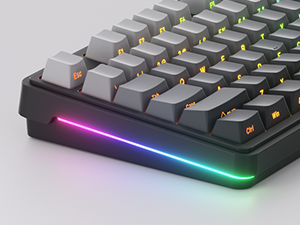
Figure 10: Adjustable keyboard feet in extended position.
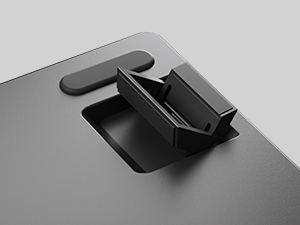
Figure 11: Multiple height adjustments for ergonomic typing.
Maintenance
To ensure the longevity and optimal performance of your AUSDOM H87 keyboard, regular maintenance is recommended.
- Cleaning: Use a soft, lint-free cloth to wipe down the keycaps and keyboard body. For deeper cleaning, use the provided keycap puller to remove keycaps and clean underneath with compressed air or a small brush.
- Switch Replacement: Utilize the included switch puller to carefully remove and replace switches as needed. Ensure proper alignment when inserting new switches.
- Battery Care: Avoid exposing the keyboard to extreme temperatures. Charge the battery fully before first use and when the low battery indicator appears.
Troubleshooting
Common Issues and Solutions
- Keyboard not connecting:
- Ensure the keyboard is powered on.
- Verify the correct connection mode (Bluetooth, 2.4GHz, or wired) is selected using the FN key combinations.
- For wireless modes, ensure the receiver is properly plugged in or Bluetooth is enabled on your device and the keyboard is in pairing mode.
- Try resetting the backlight settings (FN + ESC for 3 seconds) as a general troubleshooting step.
- Backlight not working or flickering:
- Check battery level and charge the keyboard if low.
- Ensure backlight is not turned off (FN + DEL).
- Try resetting backlight settings (FN + ESC for 3 seconds).
- Keys not responding or repeating:
- Ensure the keyboard is properly connected.
- Clean under the keycaps to remove any debris.
- If a specific switch is faulty, use the provided switch puller to replace it with a spare.
- Key remapping not working:
- Remember that key remapping is only supported in Wired Mode and 2.4G Mode on Windows systems.
- Ensure the programmable software is correctly installed and running.
Specifications
| Brand | AUSDOM |
| Model Number | Hola 87 |
| Connectivity Technology | Bluetooth, 2.4G Wireless, USB-C |
| Number of Keys | 87 |
| Keyboard Backlighting | RGB (105 LED Light Beads) |
| Battery Capacity | 10000mAh |
| Product Dimensions | 14.17 x 5.35 x 1.57 inches |
| Item Weight | 2.38 pounds |
| Compatible Devices | Laptop, Desktop, Gaming Console, PC |
Warranty & Support
For warranty information, technical support, or any inquiries regarding your AUSDOM H87 keyboard, please refer to the contact details provided in the Quick Guide included in your package or visit the official AUSDOM website.
Documents and downloads
Ask a question about this manual
Ask about setup, troubleshooting, compatibility, parts, safety, or missing instructions. Manuals+ will review the question and use this page’s manual context to help answer it.