
Mova P50 Pro Ultra
Contents
Mova P50 Pro Ultra Robot Vacuum Cleaner User Manual
Model: RLP53HE
1. Introduction
Thank you for choosing the Mova P50 Pro Ultra Robot Vacuum Cleaner. This manual provides essential information for the safe operation, maintenance, and troubleshooting of your device. Please read it thoroughly before use and retain it for future reference.
2. Safety Information
Always follow basic safety precautions when using electrical appliances to reduce the risk of fire, electric shock, or injury.
- Read all instructions before operating the robot vacuum cleaner.
- Do not allow children to play with the appliance.
- Ensure the power adapter voltage is compatible with your local power supply.
- Do not use the robot in wet environments or near water.
- Unplug the device before cleaning or performing maintenance.
- Keep hair, loose clothing, fingers, and all parts of the body away from openings and moving parts.
3. Package Contents
Verify that all items are present in the package:

Image showing the Mova P50 Pro Ultra robot vacuum, base station, cleaning solution, ramp extension plate, pre-installed dust bag, two mop holders, two pre-installed mops, pre-installed automatic detergent compartment, and pre-installed wash plate filter.
- Robot Vacuum Cleaner x1
- Base Station x1
- Cleaning Solution x1
- Base Ramp Extension Plate x1
- Dust Bag x1 (pre-installed)
- Mop Holder x2
- Mop Pad x2 (pre-installed)
- Automatic Detergent Compartment x1 (pre-installed)
- Wash Plate Filter x1 (pre-installed)
4. Setup
4.1 Unpacking and Placement
Carefully remove all components from the packaging. Place the base station on a hard, level surface against a wall, ensuring there is sufficient clear space around it (at least 0.5 meters on both sides and 1.5 meters in front).
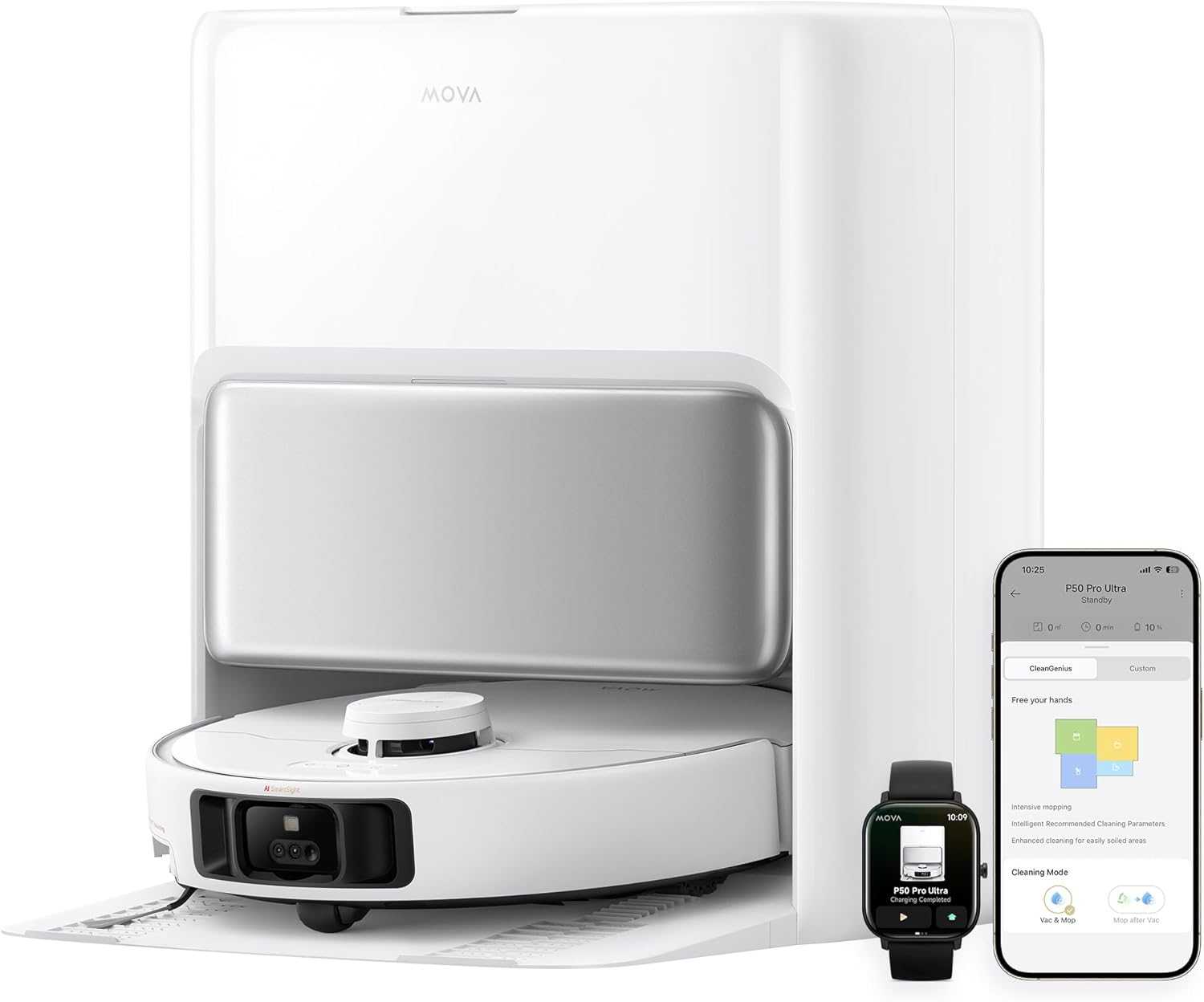
The Mova P50 Pro Ultra robot vacuum docked with its white base station, alongside a smartphone displaying the control app and a smartwatch showing charging status.
4.2 Charging the Robot
Place the robot onto the charging contacts of the base station. Ensure the robot is properly aligned. The indicator lights on the robot will show charging status. Allow for a full charge before first use.

The robot vacuum returning to its base station for charging, with an illustration showing the battery level increasing and an option for off-peak charging.
4.3 App Installation and Connection
Download the Mova cleaning application from your smartphone's app store. Follow the in-app instructions to connect your robot vacuum cleaner to your Wi-Fi network and complete the initial setup.
5. Operating Instructions
5.1 Starting a Cleaning Cycle
You can start a cleaning cycle using the physical button on the robot, through the mobile application, or via voice commands (e.g., Amazon Echo, Google Home).

A woman interacting with the Mova P50 Pro Ultra robot vacuum, illustrating simplified control with voice commands such as "Hey MOVA...", along with icons for starting/pausing cleaning, setting room/zone cleaning, and adjusting cleaning modes.
5.2 Cleaning Modes and Customization
The Mova P50 Pro Ultra offers various cleaning modes, including vacuuming, mopping, and combined modes. Use the application to customize cleaning settings, such as suction power (up to 19,000 Pa), water level for mopping, and specific cleaning zones.

The Mova P50 Pro Ultra robot vacuum demonstrating its powerful 19,000 Pa suction, effectively removing food crumbs, dust particles, and hair strands from various surfaces.
5.3 Smart Navigation and Obstacle Avoidance
Equipped with an RGB camera and advanced sensors, the robot intelligently maps your home (up to 4 levels in 3D) and avoids obstacles like shoes, toys, and furniture. It can also detect different types of dirt for targeted cleaning.
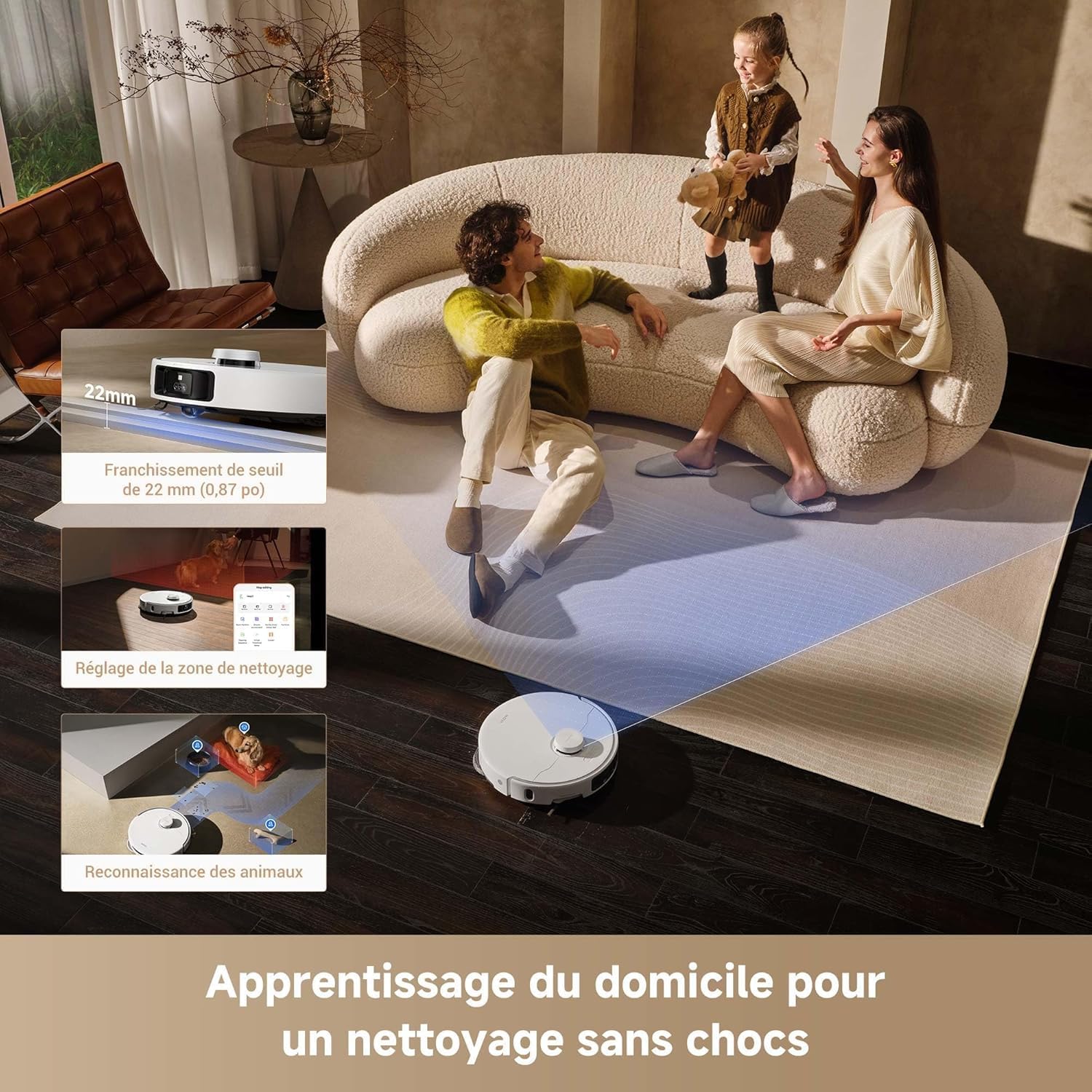
The Mova P50 Pro Ultra robot vacuum navigating a living space, demonstrating its ability to learn the home layout for seamless cleaning, including threshold crossing and pet recognition.
5.4 Carpet Detection and Mopping
The robot automatically detects carpets and lifts its mop pads (10.5mm lift) and side brush (10mm lift) to prevent wetting. You can also set "No-Go Zones" for carpets in the app or choose to detach the mop pads for vacuum-only cleaning on carpets.

The Mova P50 Pro Ultra robot vacuum demonstrating its carpet care features, including automatic mop and side brush lifting to prevent wetting carpets, with a visual representation of 10.5mm mop lift and 10mm side brush lift.
6. Maintenance
Regular maintenance ensures optimal performance and extends the lifespan of your Mova P50 Pro Ultra.
6.1 Base Station Maintenance
The base station features automatic dust collection (up to 75 days capacity), 75°C hot water mop washing, hot air mop drying, and automatic water/solution refilling. Regularly check and empty the dust bag and clean the dirty water tank.

An exploded view of the Mova P50 Pro Ultra base station, highlighting its automatic dust collection, 75°C hot water mop washing, hot air mop drying, automatic solution addition, and automatic water refilling for mopping, indicating no post-cleaning intervention is needed.
6.2 Cleaning the Robot
- Dustbin and Filter: Empty the robot's dustbin after each use. Clean the HEPA filter regularly by tapping out dust or rinsing if washable (refer to specific filter instructions).
- Main Brush: The CleanChop brush is designed to prevent hair tangles. Periodically remove the main brush and clean any accumulated hair or debris.
- Side Brush: Check the side brush for tangles and wear. Replace if necessary.
- Mop Pads: The mop pads are automatically washed by the base station. Ensure they are clean and replace them when worn.
- Sensors: Wipe all sensors (laser distance sensor, 3D laser sensor, edge sensor, carpet sensor, RGB camera) with a clean, dry cloth to ensure accurate navigation.
7. Troubleshooting
| Problem | Possible Cause | Solution |
|---|---|---|
| Robot does not start. | Low battery; Power switch off; Obstruction. | Charge the robot; Turn on the power switch; Clear any obstructions. |
| Poor cleaning performance. | Full dustbin; Clogged filter; Tangled brushes. | Empty dustbin; Clean/replace filter; Clean brushes. |
| Robot gets stuck frequently. | Too many obstacles; Dark surfaces; Sensor issues. | Clear clutter; Use virtual barriers in app; Clean sensors. |
| Base station not performing auto-empty/mop wash. | Dust bag full; Water tanks empty/full; Clogged nozzles. | Replace dust bag; Refill clean water/empty dirty water; Clean nozzles. |
For more detailed troubleshooting, refer to the Mova app or contact customer support.
8. Specifications
| Feature | Detail |
|---|---|
| Brand | Mova |
| Model Number | RLP53HE |
| Product Dimensions | 35 x 35 x 10.4 cm |
| Item Weight | 13.13 Kilograms |
| Suction Power | 19,000 Pa |
| Battery Capacity | 5200 mAh (estimated from feature bullets) |
| Runtime | Up to 3 hours and 20 minutes |
| Noise Level | 74 dB |
| Dust Bag Capacity (Base) | 3.2 Liters (up to 75 days) |
| Water Tank Capacity | 4 Liters |
| Mop Washing Temperature | 75°C (167°F) |
| Connectivity | Wi-Fi, App Control, Voice Control (Amazon Echo, Google Home) |
| Special Features | Cordless, Ultrasonic Carpet Detection, Automatic Mop Washing, Turbo Mode, No-Go Zone, RGB Camera, 3D Mapping |
9. Warranty and Support
The Mova P50 Pro Ultra comes with a 3-year warranty, ensuring reliable and worry-free operation. For detailed warranty terms and conditions, please refer to the official Mova website or contact customer support.
For technical assistance, troubleshooting, or spare parts, please visit the Mova official website or contact their customer service team. Keep your purchase receipt handy for warranty claims.

An image highlighting key features of the Mova P50 Pro Ultra, including SideReach cleaning technology, 19,000 Pa suction, dirt detection, automatic dust collection, 75°C hot water mop washing, mop extraction for carpet care, and a prominent "3 Years Warranty" badge.
Ask a question about this manual
Ask about setup, troubleshooting, compatibility, parts, safety, or missing instructions. Manuals+ will review the question and use this page’s manual context to help answer it.