
Introduction
Thank you for choosing the ACPOTEL Golf Rangefinder PF2L. This device is designed to provide precise distance measurements for golf and disc golf, featuring advanced functions like slope compensation, flagpole lock with vibration, and a magnetic strip for convenience. Please read this manual thoroughly before using the rangefinder to ensure optimal performance and safe operation.

The ACPOTEL Golf Rangefinder PF2L offers precise measurements with multiple modes and features, including a rechargeable battery and magnetic strip.
Safety Information
- Do not look directly into the laser beam or point it at others. The laser emitted by this device is invisible and can cause eye damage.
- Keep the device out of reach of children.
- Do not disassemble, repair, or modify the device. This may cause damage and void the warranty.
- Avoid exposing the device to extreme temperatures, direct sunlight, or high humidity.
- Clean the lens with the provided cleaning cloth only. Do not use abrasive materials or solvents.
Package Contents
Verify that all items are present in the package:
- 1 x ACPOTEL Golf Rangefinder PF2L
- 1 x Hard Rangefinder Case
- 1 x USB Charging Cable
- 1 x Lens Cleaning Cloth
- 1 x Lanyard (Strap)

The package includes the rangefinder, magnetic strip, storage case, USB charging cable, and lens cleaning cloth.
Product Overview
The ACPOTEL PF2L Golf Rangefinder is a compact and versatile device designed for accurate distance measurement. It features a durable plastic construction and an ergonomic design for comfortable handling.
Key Features:
- 7 Measurement Modes: Includes various modes for different scenarios.
- Slope Compensation: Provides adjusted distances for uphill and downhill shots.
- Flagpole Lock with Vibration: Confirms target acquisition with a short vibration.
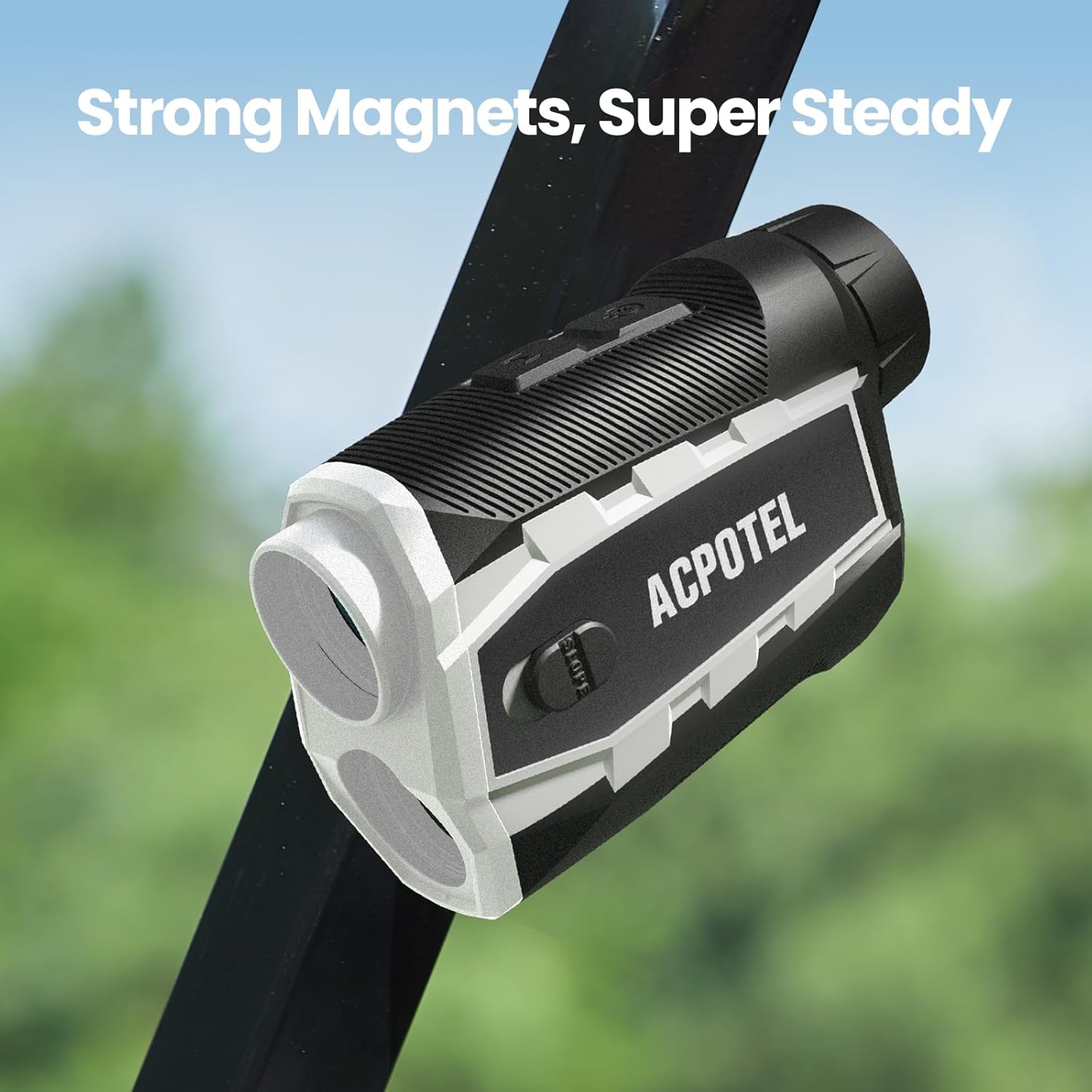
- Magnetic Strip: Allows for convenient attachment to metal surfaces, such as a golf cart.
- Unit Switching: Easily switch between Feet, Yards, and Meters.
- Rechargeable Battery: Integrated 1000mAh battery for extended use.

The rangefinder features a magnetic mount, continuous measurement, easy confirmation, unit switching, and an ergonomic design.

The integrated magnetic strip allows for secure attachment to metal surfaces.
Setup
Charging the Battery:
- Locate the USB charging port on the side of the rangefinder.
- Connect the provided USB charging cable to the rangefinder and a compatible USB power source (e.g., computer, wall adapter).
- The battery indicator on the display will show charging status. A full charge typically takes a few hours.
- Once fully charged, disconnect the cable. The 1000mAh battery provides extended usage.
The rangefinder features a rechargeable 1000mAh battery, providing long-lasting power.
Operating Instructions
Power On/Off:
- To power on, press the power button (usually located on the top or side).
- The device will automatically power off after a period of inactivity to conserve battery.
Changing Measurement Units (Yards/Meters/Feet):
- With the device powered on, press and hold the 'MODE' or 'UNIT' button (refer to device markings) to cycle through Yards (Y), Meters (M), or Feet (F).
- Release the button when the desired unit is displayed.
Measuring Distance:
- Look through the eyepiece and aim the crosshairs at your target.
- Press the power/measurement button once to activate the laser.
- The distance will be displayed in the eyepiece. For continuous scanning, hold down the measurement button.
Slope Compensation Mode:
- The rangefinder includes a physical slope switch. Slide the switch to enable or disable slope compensation.
- When enabled, the device calculates and displays the adjusted distance, taking into account elevation changes.

Slope compensation technology provides accurate distance adjustments for uneven terrain.
Flagpole Lock with Vibration:
- In golf mode, aim at the flagpole and press and hold the measurement button.
- Slowly scan across the flag. The device will vibrate and lock onto the flag, displaying the distance.
- The reading will remain stable even if there are objects behind the flag.

Next-gen flag-locking algorithms provide instant flag-locking speed and precision.
Disc Golf Mode (VD Mode):
- The VD mode is specifically designed for disc golf to measure distance and vertical height in feet.
- Switch to VD mode using the mode button.
- Aim at the disc golf basket to get accurate distance and height measurements, assisting with precision throws.

The rangefinder is suitable for disc golf enthusiasts, offering unit switching to feet and slope compensation for precision throws.

The display provides clear information including distance, vertical height, and angle, making it versatile for various outdoor activities.
Maintenance
- Cleaning: Use the provided lens cleaning cloth to gently wipe the lenses. Do not use fingers or rough materials, which can scratch the lens. For the body, use a soft, damp cloth.
- Storage: Store the rangefinder in its hard case when not in use to protect it from dust, moisture, and impacts. Store in a cool, dry place.
- Battery Care: Recharge the battery regularly, even if the device is not used frequently, to maintain battery health. Avoid fully discharging the battery for extended periods.
Troubleshooting
If you encounter issues with your rangefinder, refer to the following common problems and solutions:
- 1. Why can't I get a reading?
The minimum range for measurement is 5 yards. If you are attempting to measure objects closer than this, or through glass, or if the target is outside the device's maximum range, it will not display a distance. Ensure a clear line of sight to the target. - 2. Why does the reading seem less accurate sometimes?
Environmental factors such as rain, fog, strong sunlight, or heavy dust can interfere with the laser transmission and affect accuracy. For small objects, ensure you are aiming directly at the target and not at something in the background. - 3. How to lock a flag accurately?
The key is to be slow and steady. In golf mode, press and hold the measure button and slowly scan from behind the flag to the flag itself. The device will vibrate when it locks onto the flag, and the reading will remain stable.

Common troubleshooting questions and their solutions for the rangefinder.
Specifications
| Model Number | PF2L |
| Brand | ACPOTEL |
| Color | Black White |
| Material | Plastic |
| Weight | 420 g (approximately 14.8 oz) |
| Dimensions | 5.08 x 2.54 x 10.67 cm (2 x 1 x 4.2 inches) |
| Battery | Integrated Rechargeable 1000mAh |
| Sport Compatibility | Golf, Disc Golf, Shooting |
| Accuracy | ± 0.5 Yard (as per product image) |
Warranty and Support
ACPOTEL provides a 2-year warranty for this product, covering manufacturing defects from the date of purchase. For any inquiries or support needs, please contact ACPOTEL customer service. We offer 24-hour online response to assist you.

ACPOTEL offers 24-hour online support and a 2-year warranty for the product.
