
1. Introduction
Thank you for choosing the WELLFOR Smart Bidet Toilet. This manual provides essential information for the safe installation, operation, and maintenance of your new smart toilet. Please read this manual thoroughly before installation and use, and retain it for future reference.
2. Safety Information
Please observe the following safety precautions to prevent injury or damage to the product.
- Ensure all electrical connections comply with local codes and regulations.
- Do not immerse the product in water or spray water directly onto electrical components.
- Unplug the unit before performing any maintenance or cleaning.
- Keep the remote control dry and away from water.
- This appliance is not intended for use by persons with reduced physical, sensory or mental capabilities, or lack of experience and knowledge, unless they have been given supervision or instruction concerning use of the appliance by a person responsible for their safety.
3. Product Overview
3.1 Key Features
- Smart Auto Open/Close Lid: Lid automatically opens upon approach and closes upon departure.
- Smart Auto Flush: Flushes automatically after use.
- Heated Seat & Warm Wind Drying: Adjustable seat temperature and 6 levels of warm air drying.
- Front & Rear Wash: Oscillating wash functions with adjustable water pressure (3 levels) and temperature (6 levels), filtered water, and customizable nozzle positions (5 levels).
- MAP Flush 1000G: Dual flush system (1.6 GPF/6L full, 1.1 GPF/4.1L half) with an impressive 1000-gram MAP flush score.
- ADA Chair Height Design: 17 3/8" seat height for enhanced comfort and accessibility.
- Night Light: Automatic LED night light for low-light conditions.
- Foot Sensor & Remote Control: Hands-free lid operation and flushing via foot sensor, and full control via wireless remote.
- Built-in Tank: Ensures consistent performance even with low water pressure.
- UV-C Water Treatment: Provides hygienic water for washing functions.
- Antibacterial Nozzle: Self-cleaning and antibacterial spray nozzle.
- Power Outage Flushing: Battery backup for emergency flushing during power outages (battery sold separately).

Figure 3.1.1: Diagram illustrating the MAP flush scoring guide and the toilet's 1000-gram performance score.

Figure 3.1.2: Comparison illustrating the ADA compliant 17 3/8 inch chair height design for improved accessibility.
3.2 Product Components

Figure 3.2.1: Front view of the WELLFOR Smart Bidet Toilet with the lid open, showing the remote control mounted on the wall.

Figure 3.2.2: Side view of the WELLFOR Smart Bidet Toilet, highlighting its compact design.
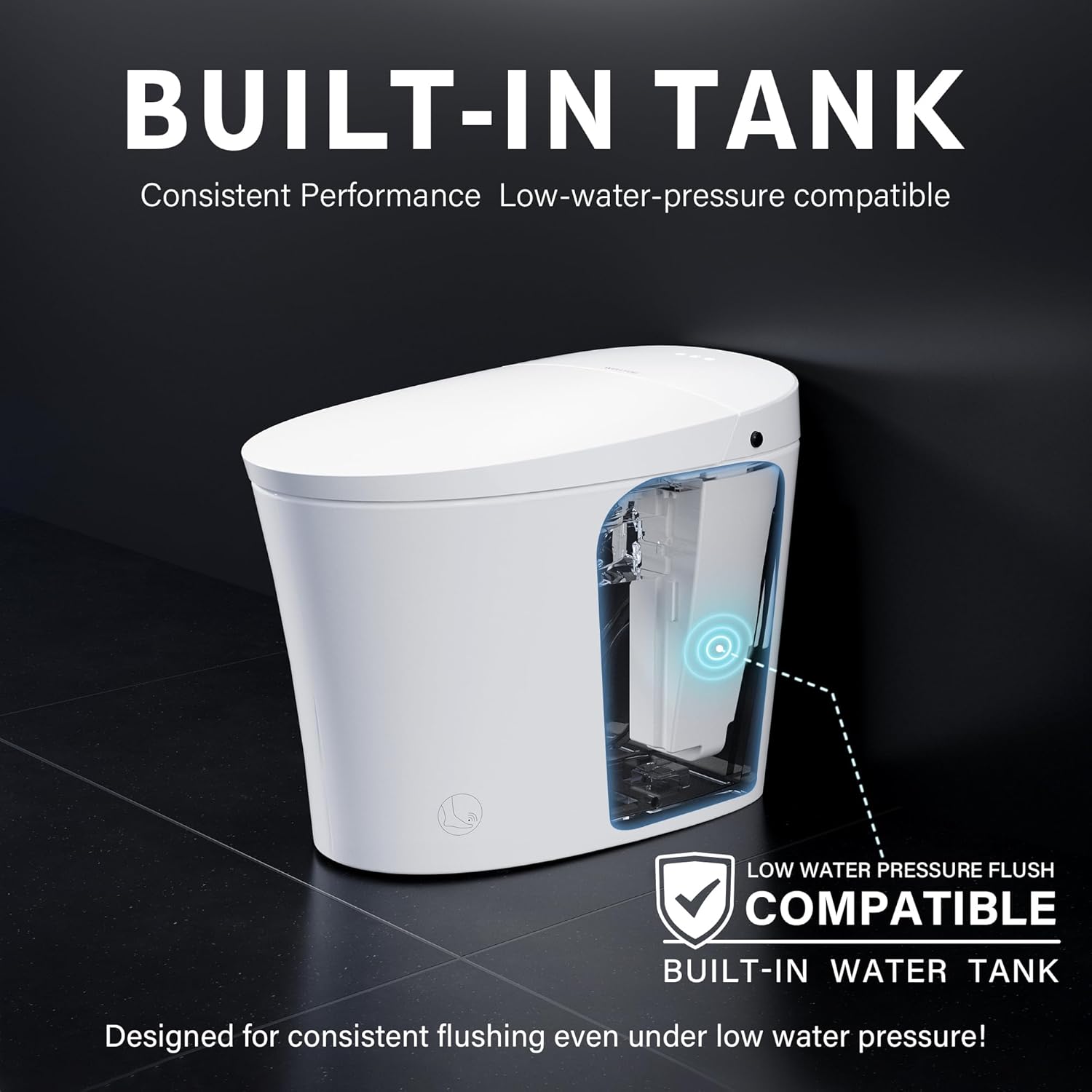
Figure 3.2.3: Back view of the WELLFOR Smart Bidet Toilet, showing the connection points.

Figure 3.2.4: Diagram illustrating the dimensions and key specifications of the WELLFOR Smart Bidet Toilet, including ADA height and rough-in measurement.
3.3 Specifications
| Feature | Specification |
|---|---|
| Model Number | CF59-T |
| Brand | WELLFOR |
| Color | White |
| Item Weight | 101.2 Pounds |
| Rated Power | 110V, 60Hz, 865W |
| Flush Volume | 1.6 GPF / 1.1 GPF (Dual Flush) |
| MAP Score | 1000g |
| Water Pressure (Static) | 0.08Mpa-0.8Mpa (Bidet), 0.02Mpa-0.8Mpa (Flush) |
| Heating Method | Instant Heating |
| Control Type | Remote Control and Side Knob |
| Waterproof Rating | IP X 4 |
| Certifications | CUPC, EGS |
| ADA Compliant | Yes (17 3/8" seat height) |
4. Setup and Installation
Professional installation is recommended. Ensure all local plumbing and electrical codes are followed. Before beginning, ensure you have all necessary tools and components.
4.1 Pre-Installation Checklist
- Verify rough-in measurement is 12 inches.
- Confirm availability of a 110V, 60Hz electrical outlet.
- Ensure water supply line is accessible.
4.2 Installation Steps (Summary)
For detailed instructions, refer to the full installation guide provided with your product.
- Turn off the main water supply.
- Remove the old toilet (if applicable).
- Install the mounting brackets and wax ring.
- Carefully place the WELLFOR Smart Bidet Toilet onto the mounting bolts.
- Connect the water supply line.
- Connect the power cord to a grounded electrical outlet.
- Turn on the main water supply and check for leaks.
- Perform initial flush and function tests.

Figure 4.2.1: Illustration of the built-in tank design, ensuring consistent flushing even under low water pressure conditions.
5. Operating Instructions
The WELLFOR Smart Bidet Toilet offers various automated and manual control options for a personalized experience.
5.1 Automatic Functions
- Auto Open/Close Lid: The lid automatically opens when a user approaches and closes after they leave.
- Auto Flush: The toilet flushes automatically after the user departs from the seat.
- Night Light: An automatic LED light illuminates the bowl in low-light conditions.

Figure 5.1.1: Visual guide to the automatic functions, including lid opening, foot sensor activation, and auto-flush upon departure.
5.2 Remote Control and Side Knob Functions
Use the wireless remote control or the side knob for manual operation and adjustments.

Figure 5.2.1: Illustration of the UV-C water treatment system, ensuring hygienic water for all wash functions.
- Flushing:
- Foot Sensor Flush: Gently tap the foot sensor located at the base of the toilet to activate flushing.
- Press Knob Flush: Press the knob on the side of the toilet for manual flushing.
- Remote Control Flush: Use the dedicated flush button on the remote.
- Bidet Functions:
- Rear Wash: Activates the posterior cleansing function.
- Front Wash (Lady Wash): Activates the feminine cleansing function.
- Oscillating Wash: Moves the nozzle back and forth for a wider cleaning area.
- Water Pressure Adjustment: Select from 3 levels of water pressure.
- Water Temperature Adjustment: Choose from 6 levels of water temperature (Room Temp to 99°F).
- Nozzle Position Adjustment: Adjust the nozzle position across 5 levels.
- Heated Seat: Adjust the seat temperature through 6 levels (Room Temp to 99°F). The seat temperature automatically lowers after 10 minutes of continuous use.
- Warm Wind Drying: Select from 6 levels of warm air temperature for drying.

Figure 5.2.2: Display showing the antibacterial nozzle and multiple cleaning modes (Rear Wash, Lady Wash, Movement Wash) with water temperature adjustment levels.
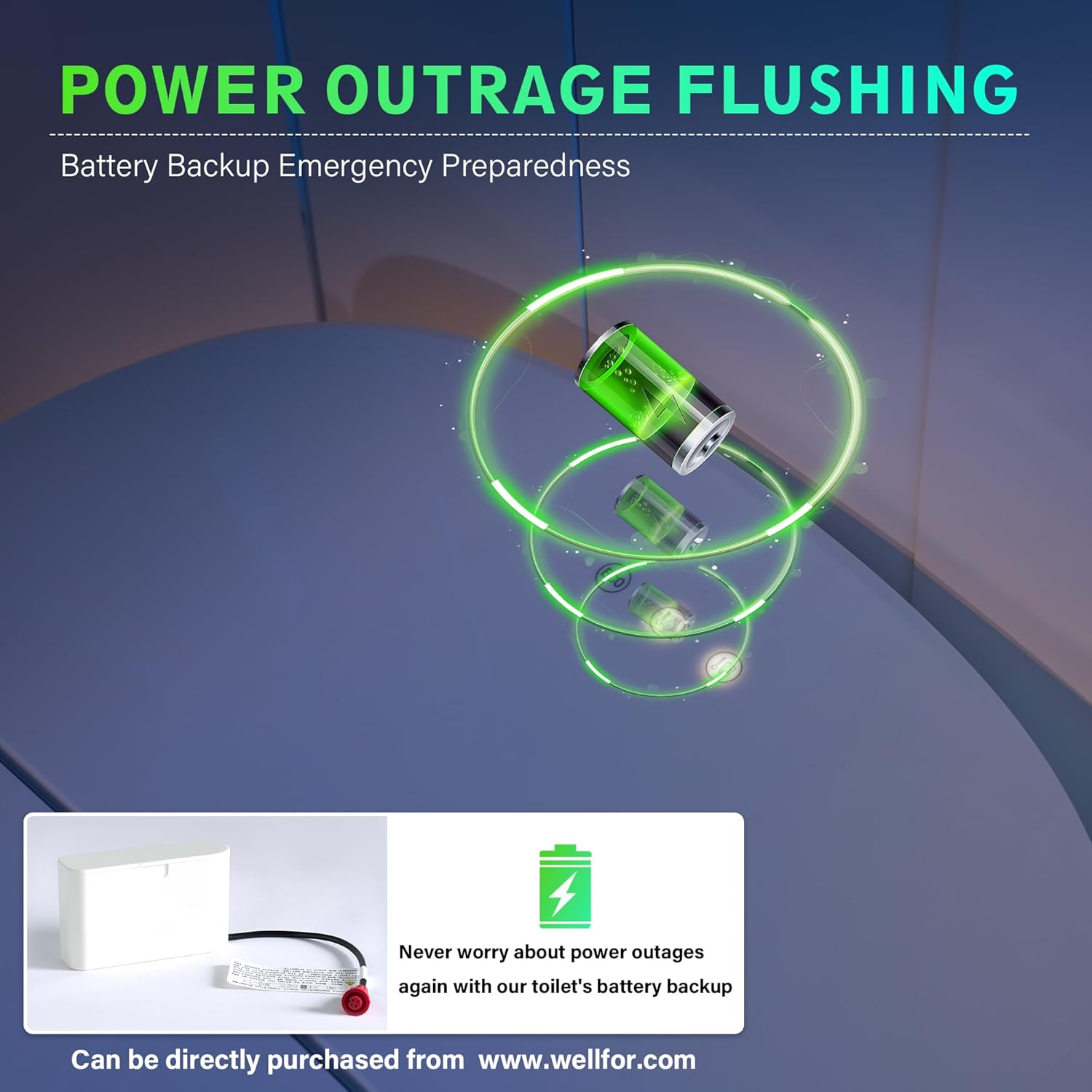
Figure 5.2.3: Illustration of the heated seat and warm air drying functions with their respective temperature adjustment levels.
5.3 Power Outage Flushing
In the event of a power outage, the toilet can still be flushed using a battery backup system. This battery backup is sold separately and can be purchased from www.wellfor.com.

Figure 5.3.1: Visual representation of the battery backup system for power outage flushing.
6. Maintenance
Regular cleaning and maintenance will ensure the longevity and optimal performance of your smart toilet.
6.1 Cleaning the Nozzle
The antibacterial nozzle features a self-cleaning function. For additional manual cleaning:
- Ensure the toilet is powered off.
- Gently pull out the nozzle for manual cleaning.
- Use a soft cloth and mild, non-abrasive cleaner.
- Rinse thoroughly and push the nozzle back into its housing.
Figure 6.1.1: Illustration of the antibacterial, self-cleaning nozzle extended for manual cleaning.
6.2 General Cleaning
- Disconnect power before cleaning.
- Use a soft, damp cloth and a mild, non-abrasive bathroom cleaner for exterior surfaces.
- Do not use harsh chemicals, abrasive pads, or solvents, as these can damage the finish.
- Wipe down the seat and lid regularly.
7. Troubleshooting
Refer to this section for common issues and their solutions. If the problem persists, contact customer support.
| Problem | Possible Cause | Solution |
|---|---|---|
| Toilet does not flush automatically. | Sensor obstructed or not detecting user departure. | Ensure the sensor area is clean. Verify user fully departs the seat. |
| Lid does not open/close automatically. | Proximity sensor obstructed or disabled. | Check for obstructions around the sensor. Ensure auto open/close function is enabled via remote. |
| No water for bidet functions. | Water supply valve closed, filter clogged, or low water pressure. | Open the water supply valve. Clean or replace the water filter. Check household water pressure. |
| Heated seat not warming. | Heated seat function disabled or temperature setting too low. | Activate heated seat via remote. Increase temperature setting. |
| Remote control not responding. | Dead batteries or remote out of range. | Replace remote control batteries. Ensure remote is within operating range of the toilet. |
| Toilet not flushing during power outage. | Battery backup not installed or depleted. | Install the battery backup (if not already). Ensure battery is charged. |
8. Warranty and Support
The WELLFOR Smart Bidet Toilet is certified with CUPC and EGS, ensuring quality and safety standards.
For warranty information, technical assistance, or product support, please contact WELLFOR customer service. Our expert support team is available to help with any questions regarding sales or products.
Contact Information: Please refer to the contact details provided on the WELLFOR official website or your purchase documentation.
Online Resources: Visit the official WELLFOR website at www.wellfor.com for additional resources, FAQs, and product registration.
9. Product Videos
9.1 Wellfor Smart Toilet Auto Flushing Demonstration
This video demonstrates the automatic flushing capabilities of the WELLFOR Smart Bidet Toilet, showcasing its hands-free operation.


