
1. Introduction
Thank you for choosing the Alaga 3K Pet Camera. This device is designed to provide comprehensive monitoring of your pets and home with advanced features such as 3K Ultra HD resolution, 360° pan/tilt, AI motion detection, two-way audio, and night vision. This manual will guide you through the setup, operation, and maintenance of your new camera.

Image 1.1: Alaga 3K Pet Camera and its mobile app interface.
2. What's in the Box
Please check the package contents to ensure all items are present:
- 1x Alaga Indoor Security Camera
- 1x Power Adapter
- 1x User Guide
- 1x Mounting Screws and Plate

Image 2.1: All components included in the Alaga 3K Pet Camera package.
Unboxing Video
Video 2.1: This video demonstrates the unboxing process of the Alaga 3K Pet Camera, showing all included items.
3. Setup
3.1 Power On
- Connect the USB Type-C cable to the camera's power port.
- Plug the power adapter into a standard electrical outlet.
- The camera will perform a self-check, indicated by its movement and a voice prompt.
3.2 App Installation & Device Pairing
- Download the "CareCamPro" app from your smartphone's app store (iOS or Android).
- Register a new account or log in if you already have one.
- In the app, tap the "+" icon to add a new device.
- Select "Pair by QR Code" or allow the app to search for devices via Bluetooth.
- Follow the on-screen instructions to connect the camera to your 2.4GHz or 5GHz Wi-Fi network.
- Scan the QR code displayed on your phone with the camera lens. You will hear a prompt when scanning is complete.
- Once connected, you can customize the camera name and usage scenario (e.g., "Pets", "Housekeeping").
App Installation Guide Video
Video 3.1: This video provides a step-by-step guide on how to install the CareCamPro app and pair your Alaga 3K Pet Camera.
3.3 Placement & Mounting
The compact design of the Alaga 3K Pet Camera allows for versatile placement. You can place it on any flat surface or mount it on a ceiling or wall using the included mounting screws and plate.

Image 3.1: Examples of placing the Alaga 3K Pet Camera on a flat surface or mounting it on a wall.
4. Operating Instructions
4.1 Live View & Pan/Tilt Control
Access the live feed from your camera through the CareCamPro app. Use the on-screen controls to remotely rotate the camera 345° horizontally and 62° vertically, providing a 360° full view of your space.

Image 4.1: The Alaga 3K Pet Camera offers 360° panoramic monitoring.
4.2 Two-Way Audio
The camera features a two-way intercom. Tap the microphone icon in the app to speak through the camera's speaker, allowing you to communicate with pets or family members remotely.

Image 4.2: Two-way audio allows real-time communication through the camera.
4.3 AI Motion Detection & Alerts
Equipped with AI algorithms, the camera accurately detects movements, people, and pets. When activity is detected, you will receive instant push notifications on your phone. The camera can also track suspicious activity.

Image 4.3: AI Pet Detection monitors your pets and sends alerts.
4.4 Night Vision
The camera features advanced night vision with infrared LED lights, providing clear footage up to 30 feet even in complete darkness. This ensures 24/7 protection and monitoring.
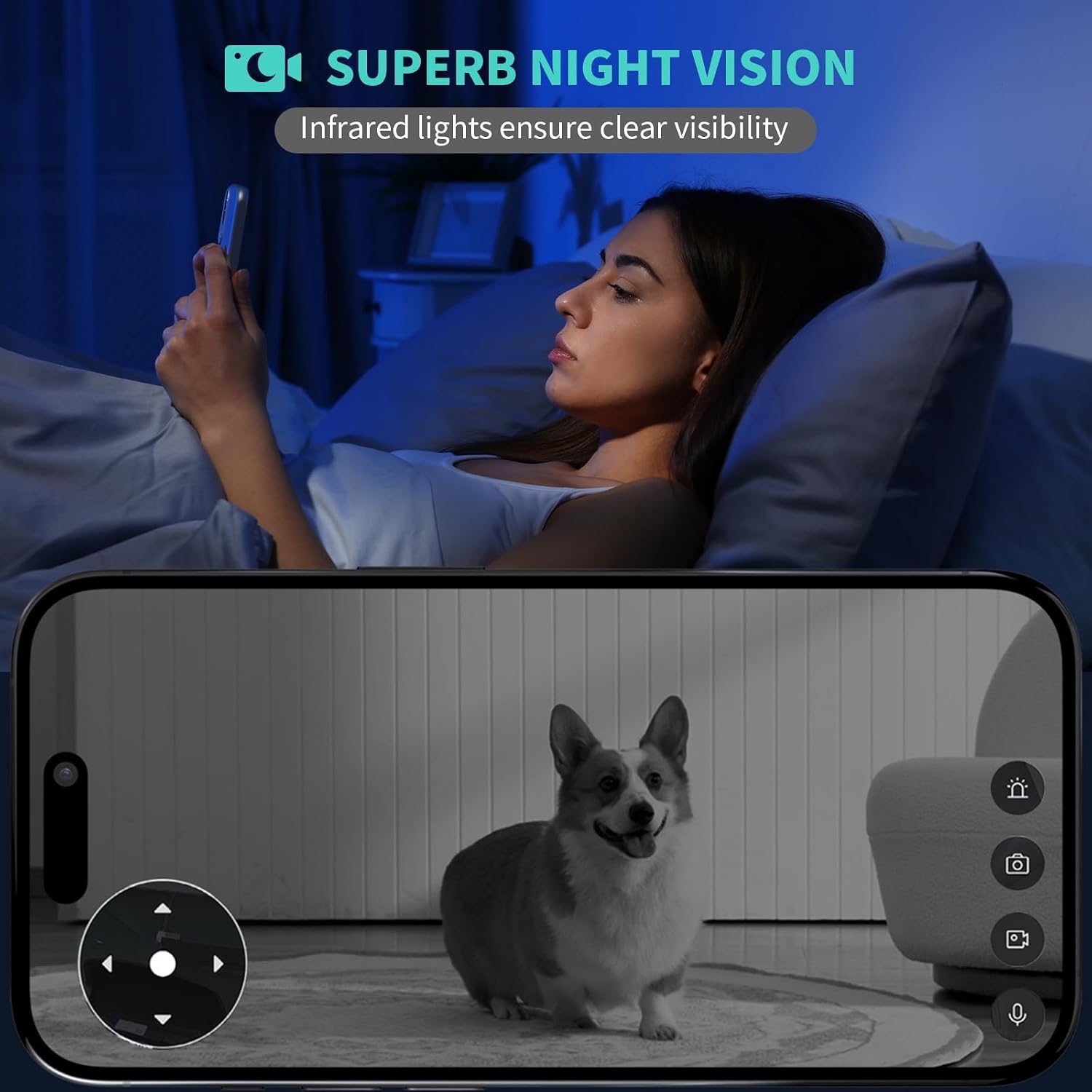
Image 4.4: Superb night vision ensures clear visibility in low-light conditions.
4.5 Time-Lapse with Moments Album
The camera automatically captures snapshots throughout the day and creates a short time-lapse video. This feature allows you to easily review your pet's activities or home changes in minutes.

Image 4.5: The Time Pet Album captures and compiles moments of your pets.
4.6 Storage Options
Footage can be stored on a Class 10 microSD card (up to 128GB, not included) or via optional cloud storage. Cloud storage encrypts footage, keeping it safe even if the Micro SD card is lost or damaged.
4.7 Smart Home Integration
The Alaga 3K Pet Camera is compatible with Alexa and Google Assistant. You can view live footage on devices like Echo Show or Google Chromecast using simple voice commands.

Image 4.6: Seamless integration with Alexa and Google Assistant for voice control.
Product Overview Video
Video 4.1: This video provides a general overview of the Alaga 3K Pet Camera's features and functionality, including live monitoring, two-way audio, and motion detection.
5. Maintenance
5.1 Cleaning
To maintain optimal performance, regularly clean the camera lens with a soft, dry cloth. Avoid using harsh chemicals or abrasive materials that could damage the lens or casing.
5.2 Firmware Updates
Ensure your camera's firmware is up to date by checking the CareCamPro app regularly. Firmware updates often include performance improvements, new features, and security enhancements.
5.3 Resetting the Camera
If you experience persistent issues, you may need to reset the camera. Refer to the detailed instructions in the included User Guide for the location of the reset button and the proper procedure.
6. Troubleshooting
- Camera not connecting to Wi-Fi: Ensure your Wi-Fi network is 2.4GHz or 5GHz and that the password is correct. Move the camera closer to the router to improve signal strength.
- Poor image quality: Check your internet connection speed. Ensure the camera lens is clean and free from obstructions. Adjust the video quality settings in the app if necessary.
- No motion detection alerts: Verify that motion detection is enabled in the app settings and that the alert period is correctly configured. Check your phone's notification settings for the CareCamPro app.
- Two-way audio issues: Ensure your phone's microphone is enabled for the app and that the camera's speaker is not obstructed. Check volume settings on both your phone and within the app.
7. Specifications
| Feature | Specification |
|---|---|
| Model Name | Alaga Security Camera |
| Indoor/Outdoor Usage | Indoor |
| Video Capture Resolution | 3K (2880x1620) |
| Connectivity Technology | Dual-Band Wi-Fi (2.4GHz & 5GHz), Bluetooth |
| Pan/Tilt Rotation | 345° Horizontal, 62° Vertical |
| Night Vision Range | Up to 30 Feet |
| Two-Way Audio | Yes |
| AI Motion Detection | Yes (People, Pets) |
| Storage Options | MicroSD Card (up to 128GB), Cloud Storage |
| Compatible Devices | Smartphone, Alexa, Google Assistant |
| Power Source | Corded Electric (USB Type-C) |
| Dimensions (L x W x H) | 3.15 x 4.45 x 3.15 inches |
| Item Weight | 0.36 Pounds (5.8 ounces) |
8. Warranty & Support
For warranty information and technical support, please refer to the contact details provided in the included User Guide or visit the official Alaga website. Our customer service team is available to assist you with any questions or issues you may encounter.

