
SUNPOW B0DPZ4NX7R
SUNPOW Golf Rangefinder User Manual
Model: B0DPZ4NX7R
Introduction
Thank you for choosing the SUNPOW Golf Rangefinder. This high-precision laser range finder is designed to enhance your golfing and hunting experience with accurate distance measurements, multiple modes, and a durable, portable design. This manual provides detailed instructions on how to set up, operate, and maintain your device to ensure optimal performance.
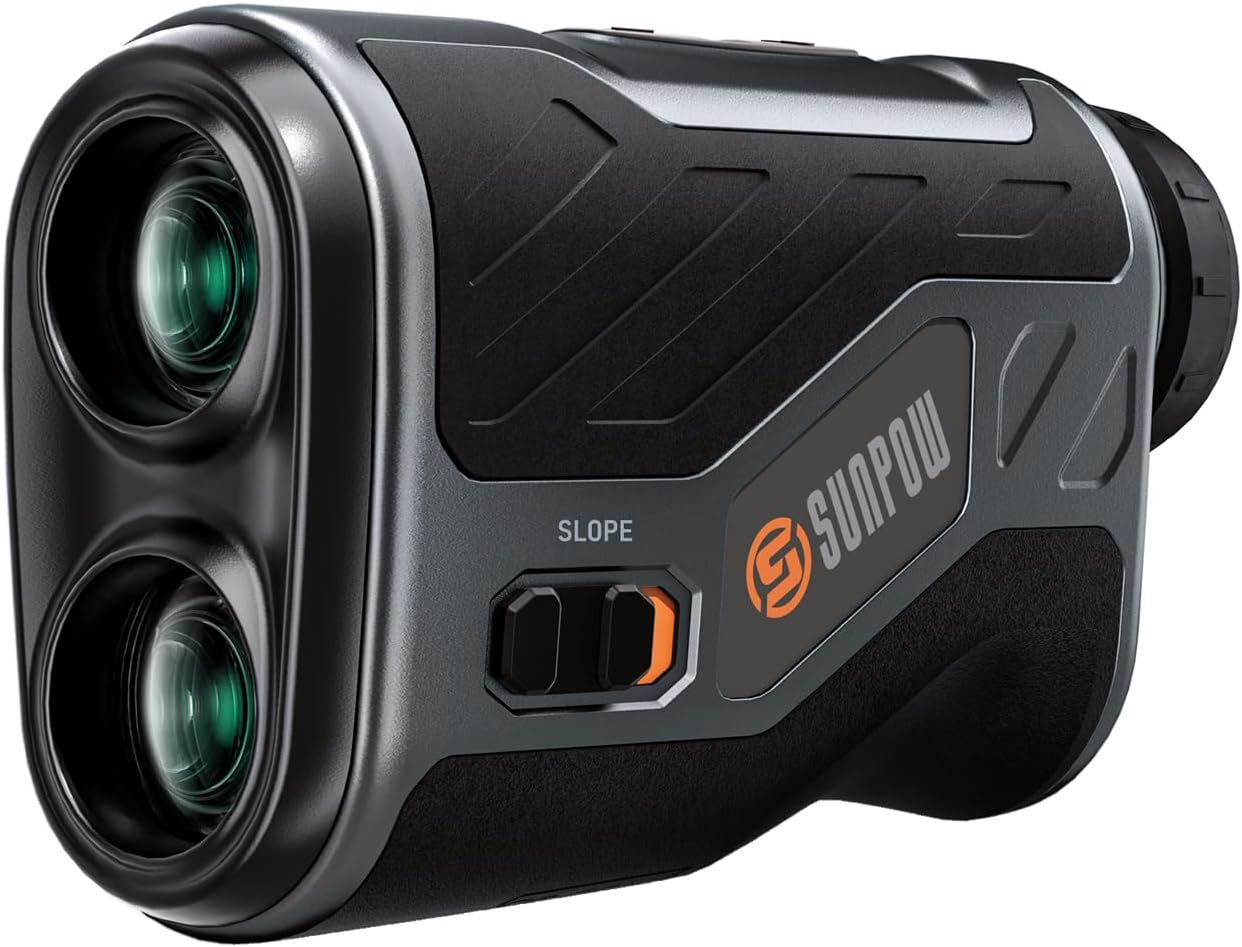
Image: The SUNPOW Golf Rangefinder, a compact black and grey device with two lenses and a slope switch.
Package Contents
Please verify that all items listed below are included in your package:
- SUNPOW Golf Rangefinder
- Portable Carry Case
- Charging Cable (USB-C)
- Hand Rope
- Magnetic Belt Clip
- Carabiner
- Microfiber Cloth
- User Manual (this document)

Image: All items included in the SUNPOW Golf Rangefinder package, neatly laid out: the rangefinder, its case, charging cable, hand rope, magnetic belt clip, carabiner, microfiber cloth, and user manual.
Product Features
- High Accuracy: Achieves ±0.3 yards accuracy at 300 yards and ±0.5 yards accuracy at 1200 yards.
- 7X Magnification: Provides clear and detailed readings.
- Transflective LCD: Ensures super clear display in various lighting conditions.
- 5 Measurement Modes: Includes Slope Compensation, Speed Measurement, Elevation Measurement, Distance Measurement, and Memory Mode.
- Rechargeable Battery: Built-in lithium-ion battery provides up to 40,000 uses per full charge.
- Compact & Portable: Easily fits into a pocket or golf bag.
- Magnetic Grip: Securely attaches to golf carts or other metal surfaces for convenient access.
- IP54 Waterproof: Durable design for outdoor activities in various weather conditions.

Image: An illustration highlighting the key features of the SUNPOW Golf Rangefinder, including 5 modes, 1200 yards range, 7x magnification, magnetic mount, slope switch, and rechargeable battery.
Setup
Charging the Device
The SUNPOW Golf Rangefinder comes with a built-in rechargeable lithium-ion battery. Before first use, or when the battery indicator shows low power, charge the device using the provided USB-C cable.
- Locate the USB-C charging port on the side of the rangefinder.
- Connect the provided USB-C cable to the rangefinder.
- Plug the other end of the USB-C cable into a standard USB power adapter (not included) or a computer's USB port.
- The charging indicator on the device will illuminate during charging and turn off when fully charged. A full charge can provide up to 40,000 uses.

Image: The SUNPOW Golf Rangefinder connected to a USB-C charging cable, illustrating the charging process.
Attaching the Hand Rope and Belt Clip
- Hand Rope: Thread the hand rope through the designated loop on the rangefinder to prevent accidental drops.
- Magnetic Belt Clip: The rangefinder features a strong magnetic grip. Attach the magnetic belt clip to your belt or golf bag, and the rangefinder will securely snap onto it.
Operating Instructions
Basic Operation
- Power On: Press the Power button (usually the larger button on top) once to turn on the device. The display will activate.
- Adjust Focus: Rotate the eyepiece to adjust the focus until the display and target appear clear.
- Measure Distance: Aim the crosshairs at your target and press the Power button again. The measured distance will be displayed instantly.
- Auto-Off: The device will automatically power off after 15 seconds of inactivity to conserve battery.
Switching Measurement Modes
Press the Mode button (usually the smaller button labeled 'M') to cycle through the 5 available measurement modes:
- 1. Distance Measurement Mode (Standard Ranging):
This is the default mode for measuring straight-line distance to a target. Ideal for general use in golf, hunting, or hiking.

Image: The rangefinder's display showing a distance measurement of 1098.6 yards, with a mountain landscape in the background, illustrating its use for hiking.
- 2. Slope Compensation Mode (Golf Ballistic Compensation):
This mode calculates the "play-as" distance by factoring in the incline or decline of the terrain. Essential for accurate club selection on hilly golf courses. The slope switch on the side of the device allows you to quickly turn this feature on or off, making it compliant for tournament play when off.

Image: A golfer on a course, with an inset showing the rangefinder's slope switch and diagrams illustrating how slope compensation adjusts measured distance for uphill and downhill shots.

Image: The rangefinder's display showing a golf flag and various readings, including compensated distance, angle, and actual distance, indicating Golf Ballistic Compensation Mode.
- 3. Speed Measurement Mode:
Measure the speed of a moving object. Aim at the object and press the Power button. Keep the crosshairs on the object as it moves. The speed will be displayed in km/h.

Image: The rangefinder's display showing a speed measurement of 102 km/h, with a cheetah in motion in the background, illustrating its use for hunting.
- 4. Elevation Measurement Mode:
Measures the vertical height of an object. Aim at the base of the object, press the Power button, then aim at the top of the object and press the Power button again. The height will be calculated.

Image: The rangefinder's display showing an elevation measurement of 80 yards, with a construction crane in the background, illustrating its use for engineering measurements.
- 5. Memory Mode:
Allows you to store and recall previous distance measurements. Consult the detailed manual for specific steps on saving and retrieving data in this mode.

Image: The rangefinder's display showing a distance measurement of 201.5 yards, with archery targets in the background, illustrating its use for archery with memory function.
Maintenance
- Cleaning Lenses: Use the provided microfiber cloth to gently wipe the lenses. Do not use abrasive materials or chemical cleaners, as they may damage the optical coatings.
- Cleaning Body: Wipe the body of the rangefinder with a soft, damp cloth. Avoid excessive moisture.
- Storage: When not in use, store the rangefinder in its portable carry case in a cool, dry place, away from direct sunlight and extreme temperatures.
- Battery Care: Recharge the battery regularly, even if the device is not used frequently, to maintain battery health. Avoid fully discharging the battery for extended periods.
- Water Resistance: The device is IP54 waterproof, meaning it is protected from dust and splashing water. Do not submerge the device in water.

Image: Three panels illustrating key features: a golfer using the rangefinder in light rain (IP54 Waterproof), the rangefinder magnetically attached to a golf cart (Magnetic Mount), and the rangefinder being charged via USB-C (Rechargeable Design).
Troubleshooting
| Problem | Possible Cause | Solution |
|---|---|---|
| Device does not power on. | Low battery; device malfunction. | Charge the device fully. If problem persists, contact customer support. |
| Inaccurate readings. | Unstable aiming; dirty lenses; environmental interference (fog, heavy rain). | Ensure stable aiming. Clean lenses with microfiber cloth. Avoid use in extreme weather conditions. |
| Display is dim or unclear. | Low battery; focus not adjusted; dirty lenses. | Recharge battery. Rotate eyepiece to adjust focus. Clean lenses. |
| Cannot switch modes. | Mode button not pressed correctly; device frozen. | Press the Mode button firmly. If unresponsive, power off and on the device. |
Specifications
| Feature | Detail |
|---|---|
| Measuring Range | 5-1200 yards |
| Accuracy | ±0.3 yards (up to 300 yards), ±0.5 yards (up to 1200 yards) |
| Magnification | 7X |
| Display Type | Transflective LCD |
| Measurement Modes | Distance, Slope Compensation, Speed, Elevation, Memory |
| Battery Type | Rechargeable Lithium-Ion |
| Auto-Off | 15 seconds |
| Water Resistance | IP54 |
| Material | Metal |
| Color | Black |
| Item Weight | 530 g |
| Model Number | B0DPZ4NX7R |
| UPC | 787439187310 |
Warranty and Support
SUNPOW offers a 2-year after-sales service for this product. If you encounter any issues or have questions regarding your SUNPOW Golf Rangefinder, please contact our customer support team for assistance.
For support, please refer to the contact information provided in your product packaging or visit the official SUNPOW website.
Online Store: SUNPOW Store on Amazon.ca
Ask a question about this manual
Ask about setup, troubleshooting, compatibility, parts, safety, or missing instructions. Manuals+ will review the question and use this page’s manual context to help answer it.