1. Product Overview
The CHBMSS TC4M-N4N is a compact and reliable digital temperature controller designed for precise temperature management in various applications. It offers features such as temperature calibration, high-temperature alarm, and selectable cooling or heating modes, ensuring stable and safe operation.
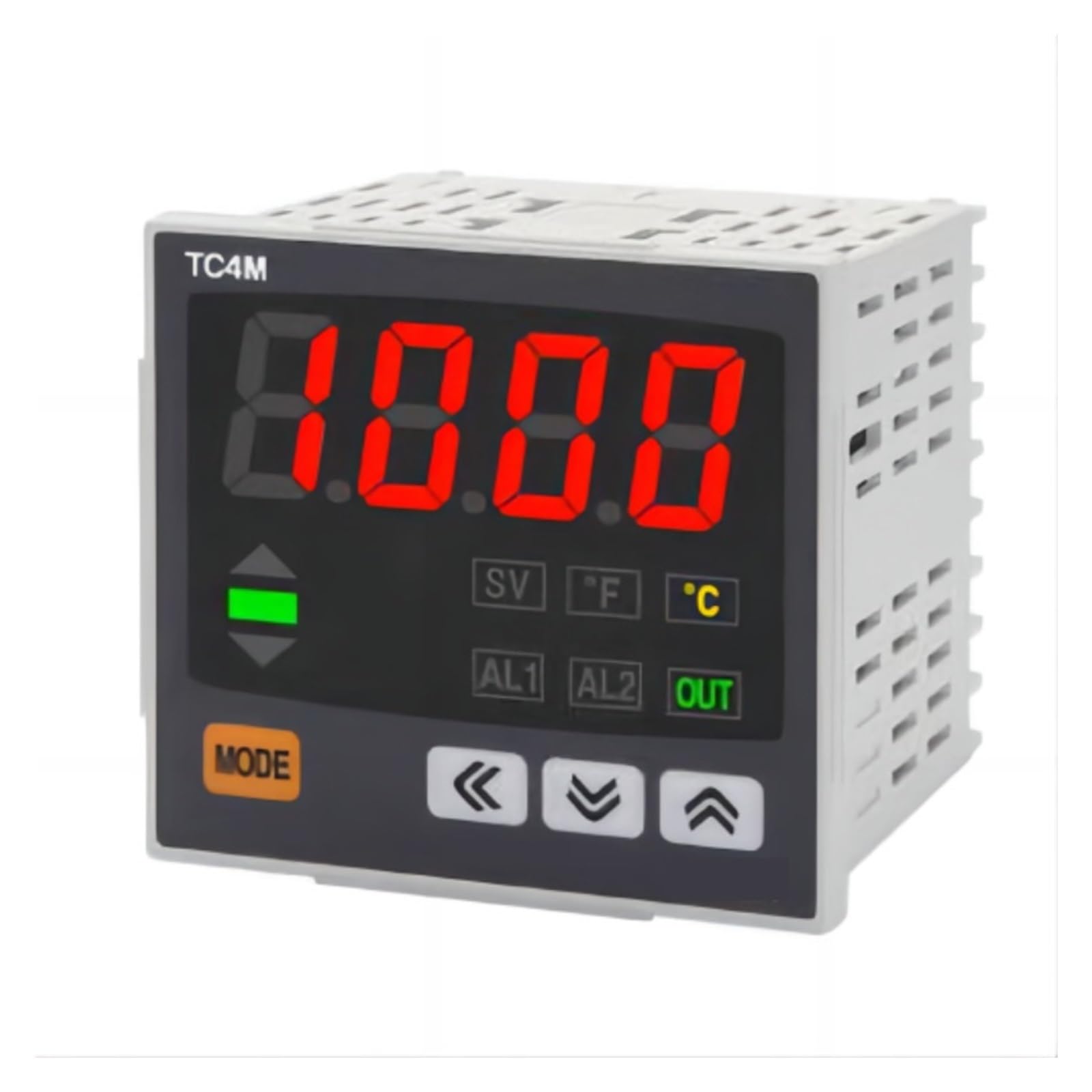
Figure 1: CHBMSS TC4M-N4N Temperature Controller Front Panel
Key Features:
- Compact and lightweight design for easy integration.
- High reliability for consistent performance.
- Temperature calibration function for accurate readings.
- Audible alarm for high-temperature conditions.
- Selectable cooling or heating control modes.
- Adjustable maximum and minimum temperature limits for safety.
2. Safety Information
Please read all instructions carefully before installation and operation. Failure to follow these instructions may result in equipment damage, personal injury, or improper operation.
- Ensure the power supply voltage matches the controller's specifications.
- Disconnect power before performing any wiring or maintenance.
- Install the device in a dry, well-ventilated area, away from direct sunlight, high temperatures, and corrosive gases.
- Do not operate the controller with wet hands.
- This device is not intended for life-support applications where malfunction could result in injury or death.
3. Installation and Wiring
3.1 Unpacking
Carefully remove the temperature controller from its packaging. Inspect the device for any signs of damage during transit. Report any damage to your supplier immediately.
3.2 Mounting
The controller is designed for panel mounting. Ensure adequate space for ventilation and wiring connections at the rear of the unit.
3.3 Wiring Diagram
Refer to the wiring diagram provided on the side of the unit or in the included quick start guide for specific connection details. Ensure all connections are secure and correctly polarized.

Figure 2: CHBMSS TC4M-N4N Temperature Controller Side View with Terminals
- Power Supply: Connect the appropriate voltage to the designated power terminals.
- Sensor Input: Connect your temperature sensor (e.g., thermocouple, RTD) to the sensor input terminals. Observe polarity if applicable.
- Output Relay: Connect your heating or cooling device to the output relay terminals. Ensure the load current does not exceed the relay's rating.
4. Operation
4.1 Initial Power-Up
Once wired, apply power to the controller. The display will illuminate, showing the current process value (PV) and set value (SV).

Figure 3: CHBMSS TC4M-N4N Display Example
4.2 Setting the Temperature (SV)
- Press the MODE button briefly to enter the set value adjustment mode. The SV display will flash.
- Use the Up (▲) and Down (▼) arrow buttons to adjust the desired temperature.
- Use the Left (◀) arrow button to shift the cursor for faster adjustment of individual digits.
- Press the MODE button again to confirm the setting and exit adjustment mode.
4.3 Parameter Settings (Advanced)
To access advanced parameters (e.g., control mode, alarm settings, calibration), press and hold the MODE button for several seconds until the parameter menu appears. Navigate using the arrow buttons and confirm with MODE.
- Cooling/Heating Mode: Select between cooling (output active when temperature is above SV) or heating (output active when temperature is below SV).
- Temperature Calibration: Adjust the sensor reading to match a known reference temperature.
- Alarm Settings: Configure alarm thresholds (AL1, AL2) and alarm types.
- Max/Min Temperature Limits: Set upper and lower bounds for the adjustable temperature range to prevent accidental over/under-setting.
5. Maintenance
The CHBMSS TC4M-N4N Temperature Controller requires minimal maintenance to ensure long-term reliable operation.
- Cleaning: Periodically wipe the display and casing with a soft, dry cloth. Do not use abrasive cleaners or solvents.
- Inspection: Regularly check wiring connections for tightness and signs of wear or corrosion.
- Environment: Ensure the operating environment remains within the specified temperature and humidity ranges.
6. Troubleshooting
If you encounter issues with your temperature controller, refer to the following common problems and solutions:
| Problem | Possible Cause | Solution |
|---|---|---|
| Display is blank | No power supply or incorrect wiring. | Check power connections and ensure correct voltage. |
| Temperature reading is inaccurate | Sensor faulty, incorrect sensor type selected, or calibration needed. | Verify sensor connection, check sensor type setting, perform temperature calibration. |
| Output not activating | Wiring error, control mode incorrect, or temperature not reaching set point. | Check output wiring, verify cooling/heating mode, ensure SV is appropriately set. |
| Alarm constantly active | Alarm set point too close to PV, or sensor issue. | Adjust alarm thresholds, check sensor accuracy. |
If the problem persists after attempting these solutions, please contact CHBMSS customer support for further assistance.
7. Technical Specifications
| Parameter | Value |
|---|---|
| Model | TC4M-N4N |
| Brand | CHBMSS |
| Package Dimensions | 1.18 x 0.79 x 0.39 inches |
| Item Weight | 1.1 pounds (500 Grams) |
| Color | One Color |
| Number of Pieces | 1 |
| ASIN | B0DPYS4XK7 |
| Manufacturer | CHBMSS |
8. Warranty and Support
For warranty information or technical support, please refer to the documentation included with your purchase or contact CHBMSS customer service directly. Please have your product model number (TC4M-N4N) and purchase details ready when contacting support.


