
Introduction
This manual provides detailed instructions for the assembly, operation, maintenance, and troubleshooting of your BROTTAR BD004B 65" Corner Display Cabinet. Please read this manual thoroughly before use to ensure safe and efficient operation.
Safety Information
Always assemble the cabinet according to the provided instructions. Ensure the cabinet is placed on a stable, level surface to prevent tipping. Keep the area around the cabinet clear to avoid potential hazards. Do not overload shelves; each shelf can hold up to 40 lbs. The maximum weight capacity for the entire unit is 160 lbs.
Setup
1. Unpacking and Parts Inspection
Carefully unpack all components from the packaging. Verify that all parts and hardware are present by comparing them with the included parts list. If any parts are missing or damaged, contact customer support before proceeding.

Image: All components of the BROTTAR Corner Display Cabinet laid out for assembly, including wooden panels, glass doors, and hardware bags.
2. Assembly
Follow the step-by-step instructions provided in the assembly manual included with your product. All necessary tools are supplied. It is recommended to have two people for assembly, especially when handling glass components.
Video: Official BROTTAR video demonstrating the assembly process of the Corner Display Cabinet with Glass Doors.
3. Placement
Position the cabinet in a corner on a flat, stable surface. The corner design maximizes space utilization. Ensure adequate clearance around the cabinet for door operation and air circulation.
Operating Instructions
1. LED Lighting Control
Your display cabinet features integrated LED lights with three color options: white light, warm light, and blue light. The brightness is also adjustable. Use the control panel located on the cabinet to cycle through the light colors and adjust intensity.
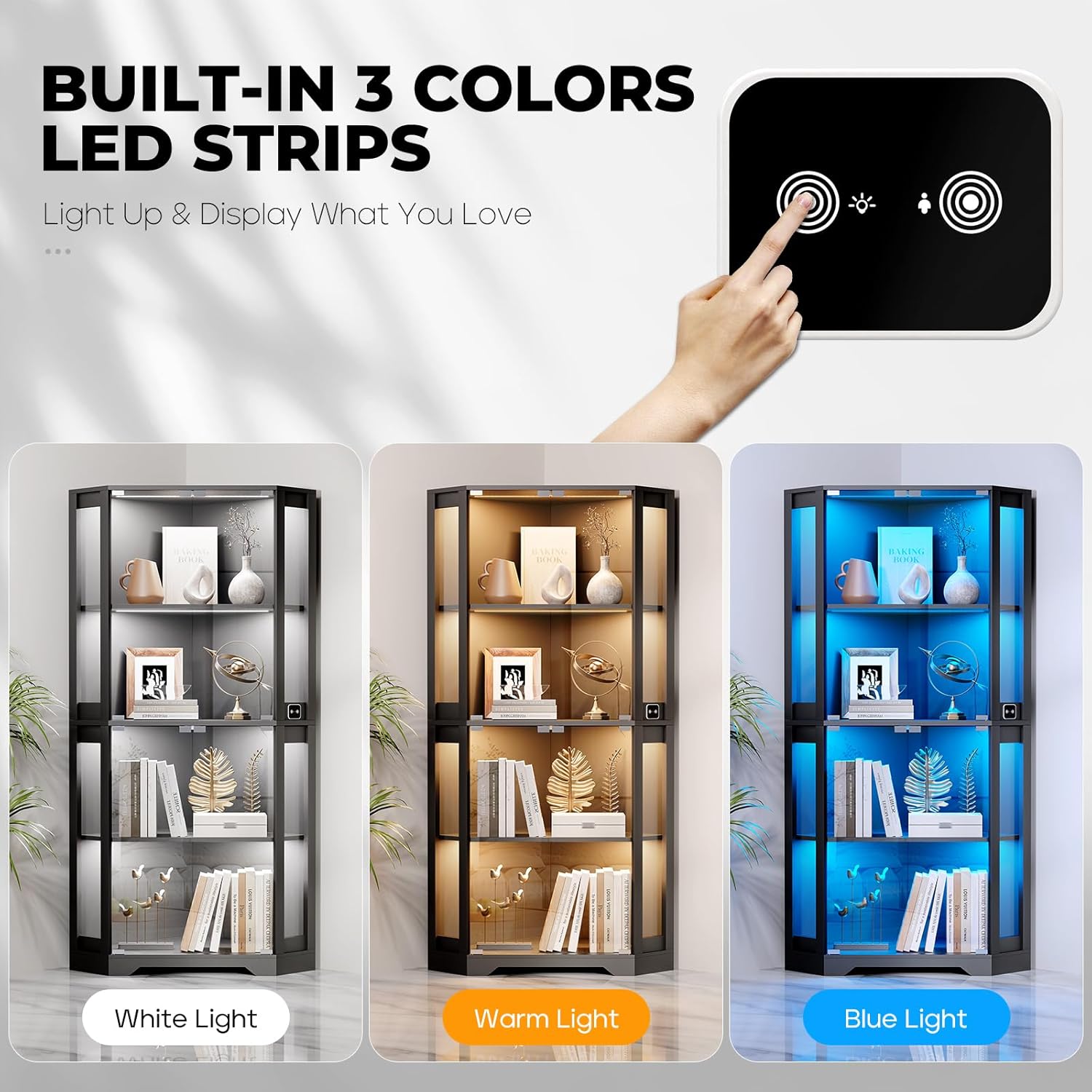
Image: A close-up of the control panel illustrating the three color options for the LED lighting: white, warm, and blue.
2. Smart Human Sensor
The cabinet is equipped with an intelligent human body sensing system. When activated, the lights will automatically turn on when a person approaches within 2-3 meters and turn off when they leave. This feature can be enabled or disabled via the control panel.

Image: Detail of the control panel, highlighting the buttons for light color/brightness adjustment and the human body sensor activation.
3. Pop-Up Glass Doors
The cabinet features magnetic glass doors that provide an unobstructed view of your displayed items. To open, gently press the door. The magnetic catches ensure secure closure.
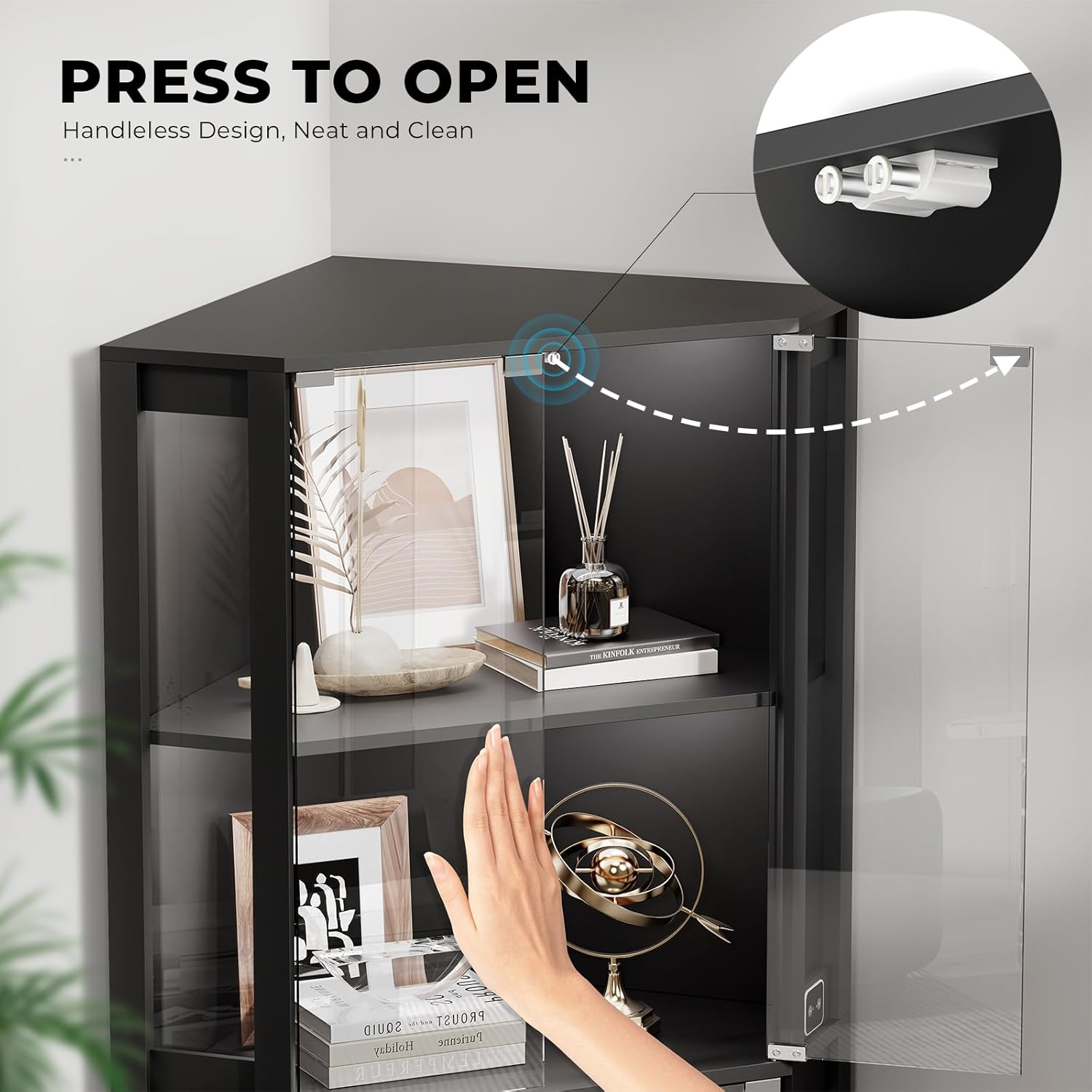
Image: A hand demonstrating the 'press to open' mechanism of the glass doors on the display cabinet.
Maintenance
1. Cleaning
To clean the glass surfaces, use a soft, lint-free cloth and a glass cleaner. For wooden surfaces, wipe with a damp cloth and mild detergent, then dry immediately. Avoid abrasive cleaners or harsh chemicals that may damage the finish.
2. General Care
Regularly check all screws and fittings to ensure they remain tight. Avoid placing the cabinet in direct sunlight or near heat sources to prevent material degradation. Do not place excessively heavy items on the shelves.
Troubleshooting
1. Lights Not Working
- Check if the power adapter is securely plugged into both the cabinet and a working electrical outlet.
- Ensure the light function is turned on via the control panel.
- If the human sensor is active, try waving your hand in front of it to trigger the lights.
2. Doors Not Closing Properly
- Inspect the magnetic catches for any obstructions or damage.
- Ensure the cabinet is on a level surface, as unevenness can affect door alignment.
- Check the door hinges for proper installation and tightness.
3. Sensor Malfunction
- Verify that the human sensor feature is enabled on the control panel.
- Ensure there are no obstructions directly in front of the sensor.
- Test the sensor in different lighting conditions to rule out interference.
Specifications
| Brand | BROTTAR |
| Model Number | BD004B |
| Product Dimensions | 23.6"D x 33.5"W x 65"H |
| Material | Wood, Glass |
| Number of Shelves | 4 |
| Weight Capacity (per shelf) | 40 lbs |
| Maximum Weight Capacity | 160 lbs |
| Additional Features | Illuminated (3-Color LED Lights), Human Body Sensor |
| Installation Type | Freestanding |
| Required Assembly | Yes |
Warranty & Support
For warranty information and details, please refer to the documentation included with your purchase or contact BROTTAR customer service directly. If you have any questions or require assistance with your product, please feel free to contact us.