1. Product Overview
The SHJ 4G PoC Radio is a robust and versatile communication device designed for seamless instant communication over 4G LTE cellular networks. It integrates Push-to-Talk Over Cellular (PoC) technology, providing clear voice transmission across wide areas. This device is ideal for professionals requiring reliable and flexible communication tools in various scenarios, including security, logistics, and event management.
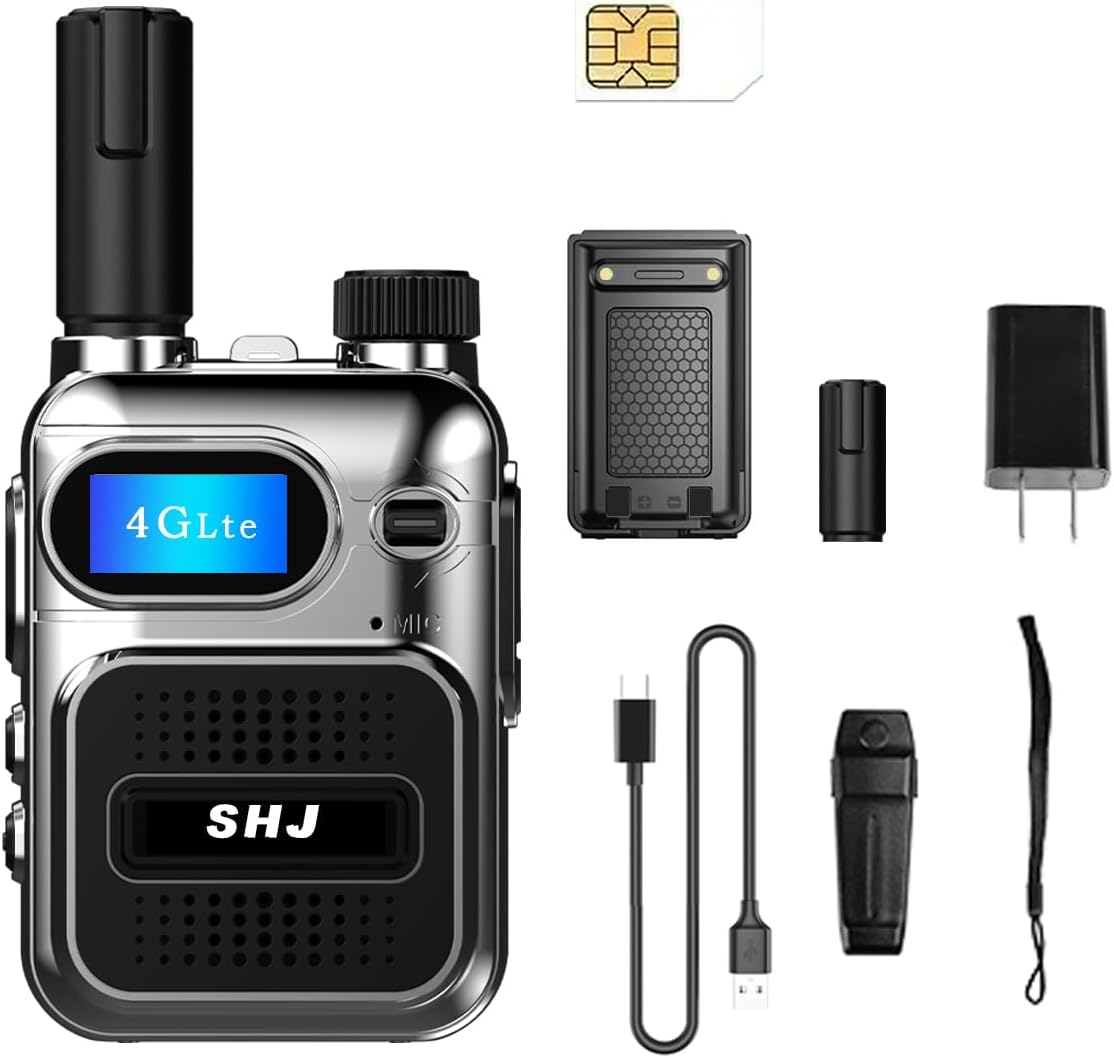
Figure 1.1: SHJ 4G PoC Radio with its components, including the radio unit, battery, SIM card, charger, USB-C cable, and wrist strap.
Key Features:
- Push-to-Talk Over Cellular (PoC): Enables instant communication utilizing 4G LTE data networks for nationwide coverage and clear voice transmission.
- Extended Connectivity: Includes 1 additional yearly SIM card with 2GB of high-speed data, offering 365 days of service without subscription fees.
- Versatile Application: Suitable for various professional environments requiring dependable and adaptable communication.
- Rugged Construction: Built with durable materials to withstand harsh industrial or outdoor conditions.
- User-Friendly Interface: Features a bright display and intuitive button layout for easy navigation and quick access to functions.
- Long Battery Life: Designed for extended field operations with long-lasting battery performance.
- Compact and Portable: Miniature model with a compact body, easy to handle and carry.
- Type-C Charging: Supports various charging methods including home, power bank, car, computer, and USB device charging.

Figure 1.2: Explanation of 4G PoC technology, highlighting its integration with 4G networks for broader coverage and flexibility compared to traditional walkie-talkies.
2. Setup Guide
Follow these steps to set up your SHJ 4G PoC Radio for first-time use.
2.1 Battery Installation
- Ensure the radio is powered off.
- Locate the battery compartment cover on the back of the radio.
- Carefully remove the battery compartment cover.
- Insert the provided Lithium Ion battery into the compartment, ensuring the contacts align correctly.
- Replace the battery compartment cover until it clicks securely into place.
2.2 SIM Card Installation
The SIM card is crucial for 4G PoC functionality. Install it carefully as per the instructions below.
- With the battery removed, locate the SIM card slot, typically found underneath the battery compartment.
- Orient the SIM card according to the diagram near the slot, ensuring the notched corner aligns.
- Gently slide the SIM card into the slot until it is fully seated. Do not force the SIM card. If it does not fit, re-check the orientation.
- Reinstall the battery and battery cover.
Note: Incorrect SIM card orientation or forceful insertion can damage the slot or the SIM card. If you encounter difficulty, double-check the alignment.
2.3 Initial Charging
Before first use, fully charge the radio's battery.
- Connect the provided USB-C cable to the charging port on the radio.
- Connect the other end of the USB-C cable to the power adapter, a computer USB port, or a power bank.
- Plug the power adapter into a wall outlet.
- The charging indicator on the radio will illuminate. Allow the radio to charge until the indicator shows a full charge (refer to the radio's display or indicator light behavior for full charge status).
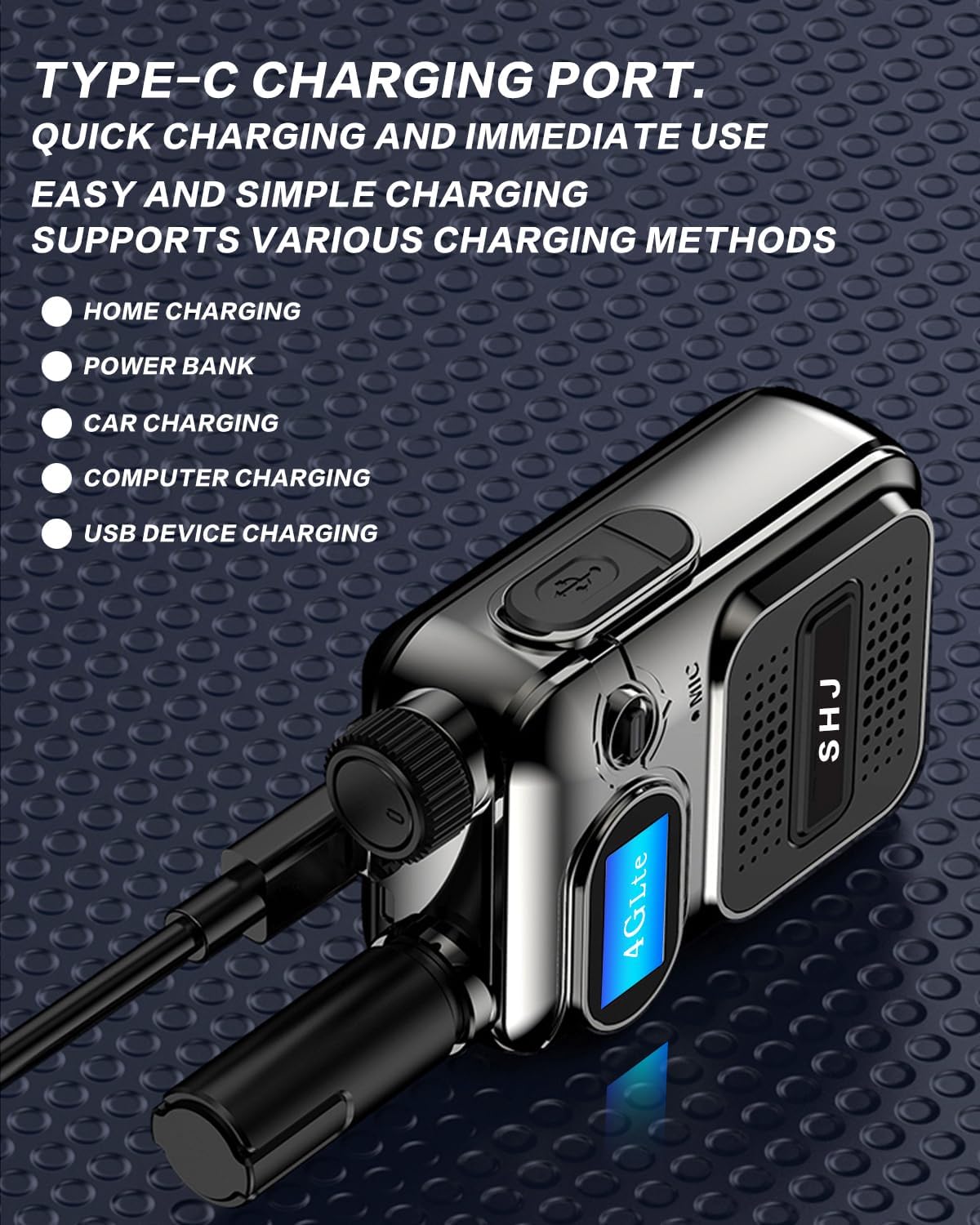
Figure 2.1: The radio's Type-C charging port, illustrating various compatible charging methods.
3. Operating Instructions
Learn how to effectively use your SHJ 4G PoC Radio for communication.
3.1 Powering On/Off
- To Power On: Press and hold the Power button (usually located on the side or top) until the display illuminates and the radio powers up.
- To Power Off: Press and hold the Power button until the display shuts down.
3.2 Adjusting Volume
The audio knob controls the volume. Rotate it to adjust the listening level.
- Rotate the volume knob clockwise to increase the volume.
- Rotate the volume knob counter-clockwise to decrease the volume.
Note: The volume knob may be sensitive. Adjust it slowly to find a comfortable listening level.
3.3 Push-to-Talk (PTT) Communication
The PTT button is the primary control for initiating voice transmissions.
- Ensure the radio is powered on and connected to the network (indicated by the 4G LTE icon on the display).
- Select the desired group or private contact using the navigation buttons and display.
- Press and hold the PTT button firmly. Wait approximately 1-2 seconds before speaking to ensure your voice is fully transmitted.
- Speak clearly into the microphone.
- Release the PTT button when you have finished speaking to listen for a response.
3.4 Group and Private Calls
Your SHJ PoC radio supports both group and private communication modes.
- Group Calls: By default, radios are often configured to a common group channel. All radios tuned to this group will hear transmissions.
- Private Calls: To initiate a private call, navigate through the radio's menu to select a specific contact. Once selected, pressing the PTT button will establish a private conversation with that individual.
Note: The ability to create or join private groups may require specific configuration or network permissions. Consult your network administrator or the radio's advanced settings for detailed group management.
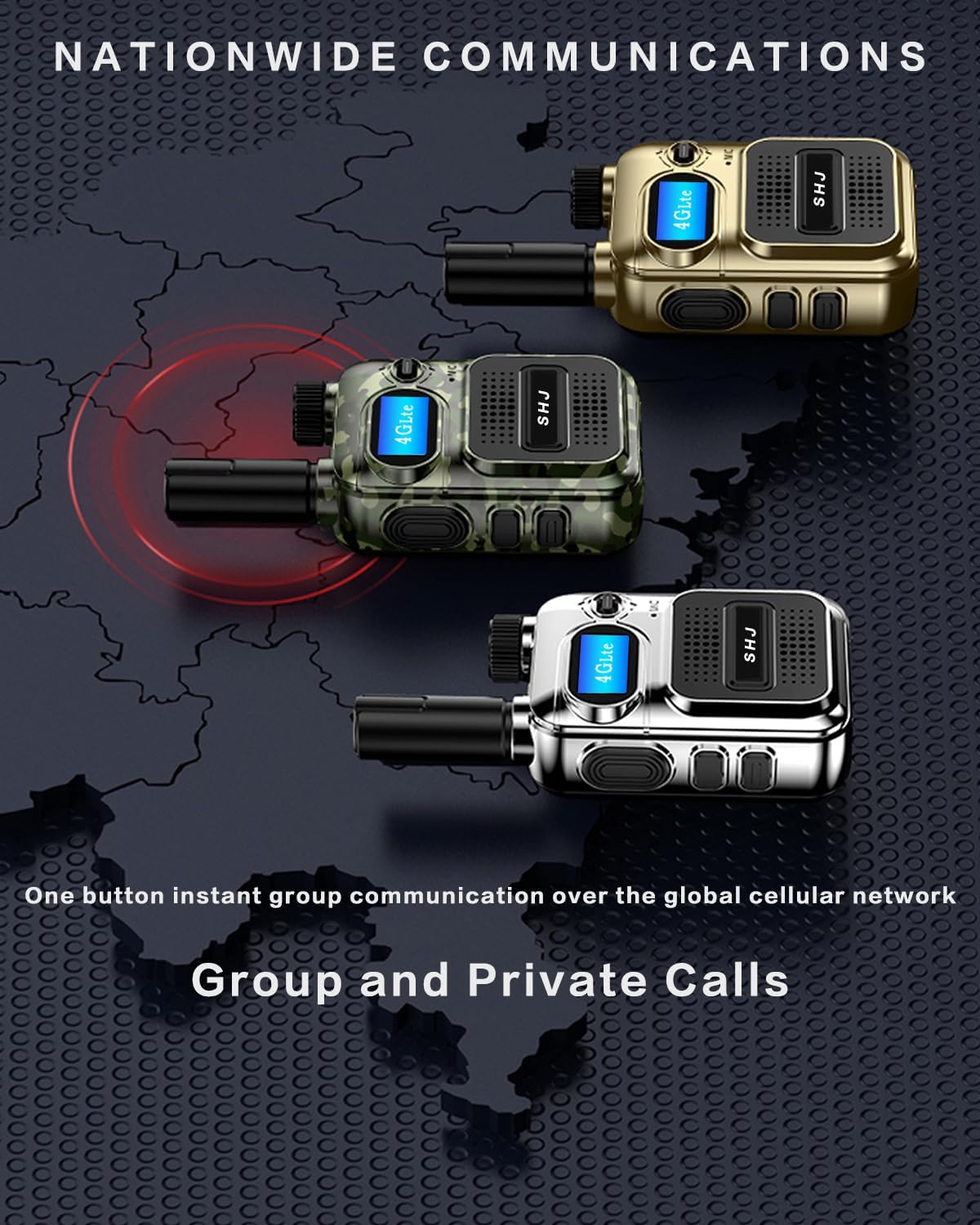
Figure 3.1: Multiple radios demonstrating one-button instant group communication over the global cellular network.
4. Maintenance and Care
Proper maintenance ensures the longevity and optimal performance of your SHJ 4G PoC Radio.
4.1 Cleaning the Radio
- Use a soft, damp cloth to wipe the exterior of the radio.
- Do not use harsh chemicals, solvents, or abrasive cleaners, as these can damage the radio's casing or display.
- Ensure the charging port and other openings are free of dust and debris. Use a soft brush if necessary.
4.2 Battery Care
- Always use the provided charger and cable.
- Avoid overcharging the battery. Disconnect the charger once the battery is full.
- Do not expose the battery to extreme temperatures (hot or cold).
- If the radio will not be used for an extended period, store it with a partially charged battery (around 50%) in a cool, dry place.
4.3 Durability and Water Resistance
The SHJ 4G PoC Radio features a rugged design with a metal casing, providing resistance against impact, falling, and wear, making it suitable for demanding environments.

Figure 4.1: The radio's robust construction, designed for durability. Note: While durable, this product is Not Water Resistant. Avoid submerging it in water or exposing it to heavy rain.
5. Troubleshooting
This section addresses common issues you might encounter with your SHJ 4G PoC Radio.
| Problem | Possible Cause | Solution |
|---|---|---|
| Radio does not power on. | Low or depleted battery; incorrect battery installation. | Charge the battery fully. Ensure the battery is correctly installed and making proper contact. |
| No network signal (4G LTE icon not displayed). | Out of network coverage; SIM card not installed or activated; SIM card issue. | Move to an area with better cellular coverage. Verify SIM card installation and ensure it is activated with your service provider. Restart the radio. |
| Cannot hear others or others cannot hear me. | Volume too low; microphone blocked; PTT button not pressed correctly; network issue. | Adjust the volume knob. Ensure microphone is clear. Press and hold PTT button firmly and wait 1-2 seconds before speaking. Check network signal. |
| Cannot create or join a private group. | Incorrect radio configuration; network permissions; software issue. | Verify radio settings for group management. This functionality may require specific network setup or programming. Contact your network administrator for assistance with group configurations. |
| Radio not activating or programming. | Activation required by seller/provider; incorrect IMEI/SIM information. | Some radios require activation with the seller or network provider using the SIM Card Number and Device IMEI Number. Refer to any activation instructions provided at purchase. |
6. Specifications
Detailed technical specifications for the SHJ 4G PoC Radio (Model: H28Y).
| Feature | Detail |
|---|---|
| Brand | SHJ |
| Model Number | H28Y |
| Connectivity Protocol | LTE |
| Number of Channels | 299 |
| Special Feature | 4G PoC |
| Talking Range Maximum | 5000 Kilometer (Network Dependent) |
| Tuner Technology | HF |
| Water Resistance Level | Not Water Resistant |
| Battery Type | 1 Lithium Ion battery (included) |
| Item Weight | 13.4 ounces (approx. 380 grams) |
| Package Dimensions | 3.15 x 2.17 x 0.67 inches (approx. 8 x 5.5 x 1.7 cm) |
| Manufacturer | Lisheng (Fujian) Communications Co., Ltd. |
| Included Components | Factory configuration (Radio, Battery, SIM Card, Charger, USB-C Cable, Wrist Strap) |
7. Warranty and Support
Information regarding product warranty and how to seek support.
7.1 Product Warranty
The SHJ 4G PoC Radio comes with a 2-year warranty from the date of purchase. This warranty covers manufacturing defects and malfunctions under normal use. It does not cover damage caused by misuse, accidents, unauthorized modifications, or exposure to conditions beyond the product's specifications (e.g., water damage, as the product is not water resistant).
Please retain your proof of purchase for warranty claims.
7.2 Customer Support
For technical assistance, troubleshooting beyond this manual, or warranty inquiries, please contact the seller or manufacturer directly. When contacting support, please have your product model number (H28Y), purchase date, and a detailed description of the issue ready.
For issues related to SIM card activation or network services, it may be necessary to provide your SIM Card Number and Device IMEI Number to your service provider or the seller for activation.