
DICTAC BXF-02L
DICTAC Queen Floating Bed Frame User Manual
Model: BXF-02L
Introduction
Thank you for choosing the DICTAC Queen Floating Bed Frame. This manual provides essential information for the safe and efficient assembly, operation, and maintenance of your new bed frame. Please read these instructions carefully before beginning assembly and retain them for future reference.
This bed frame features a modern floating design with integrated RGB LED lights, a height-adjustable headboard, and convenient USB and Type-C charging ports. It is designed for comfort, stability, and smart functionality.
Safety Information
- Ensure all parts are present and undamaged before assembly. Do not use if any parts are missing or broken.
- Assemble the bed frame on a soft, clean surface to prevent scratches.
- Do not overtighten screws during assembly to avoid damaging components.
- Keep small parts away from children during assembly.
- The maximum weight capacity for this Queen bed frame is 900 lbs. Do not exceed this limit.
- Ensure all electrical connections for the LED lights and USB ports are properly secured and not exposed to moisture.
- Regularly check all connections and fasteners to ensure they remain tight and secure.
Included Components
Before starting assembly, verify that all components listed below are included in your package:
- Headboard with integrated LED lights and USB/Type-C ports
- Footboard
- Side Rails (Left and Right)
- Wood Slats with Velcro attachment
- Metal Support Legs (9-11 depending on headboard adjustment)
- Assembly Hardware (screws, bolts, washers, Allen wrench)
- Power Adapter for LED lights and USB ports
- Remote Control for LED lights
- Assembly Instructions Manual
Setup and Assembly
Assembly is required for this bed frame. It is recommended that two adults assemble the unit. All parts are clearly labeled and numbered for ease of assembly.
Step 1: Unpacking and Preparation
Carefully unpack all components and lay them out on a soft, clean surface to prevent damage. Identify each part using the provided parts list in your assembly instructions booklet.
Step 2: Assembling the Headboard and Side Rails
Attach the side rails to the headboard using the designated hardware. Ensure all connections are secure but do not fully tighten until the frame is aligned.
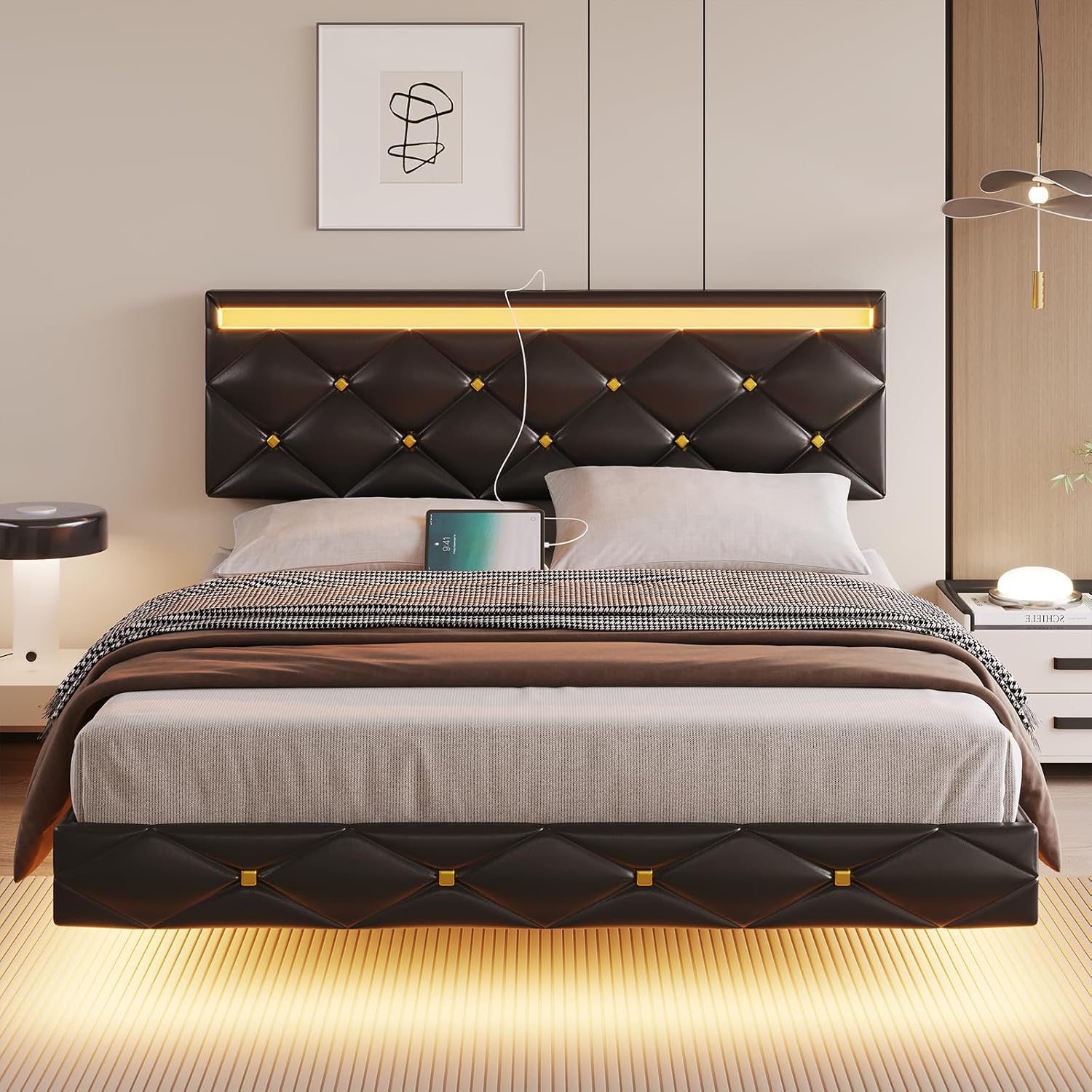
Image: The assembled bed frame showcasing the headboard with integrated LED lighting and charging ports.
Step 3: Attaching the Footboard
Connect the footboard to the assembled side rails. Once all main frame components are connected, gently tighten all screws and bolts to ensure a stable structure.
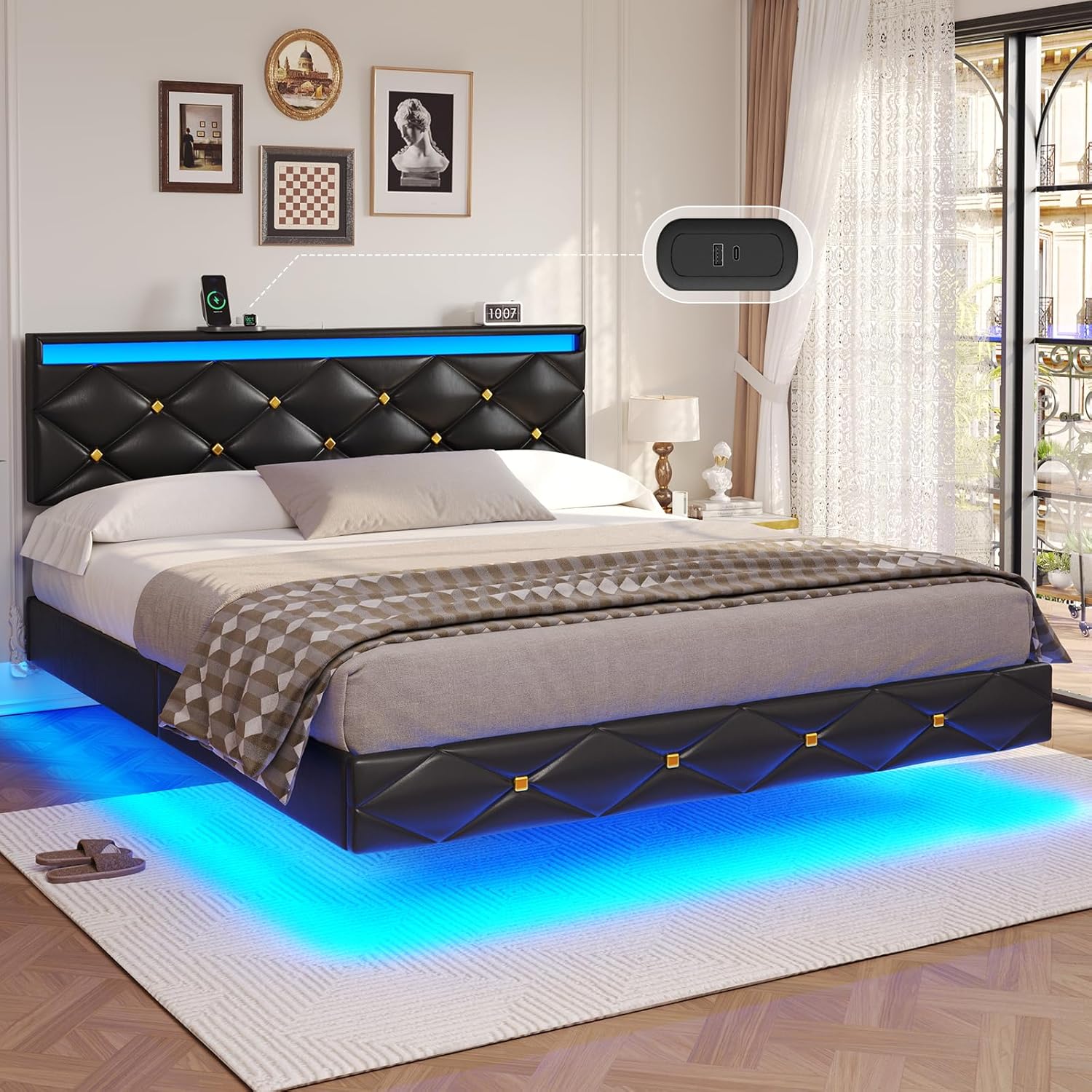
Image: The DICTAC Queen Floating Bed Frame, highlighting its unique low-profile design and under-bed LED illumination creating a floating appearance.
Step 4: Installing the Wood Slats
The wood slats are designed with Velcro for simplified installation. Align the Velcro strips on the slats with those on the bed frame rails and press firmly to secure. Ensure the mute bar is properly positioned to prevent noise.

Image: Detail showing the Velcro slat system for easy installation and the integrated mute bar designed to prevent creaking.
Step 5: Adjusting Headboard Height
The headboard is height-adjustable to accommodate mattresses ranging from 10 to 14 inches. Adjust the headboard to your desired height before placing the mattress.

Image: Illustration demonstrating the adjustable height feature of the headboard, allowing for customization based on mattress thickness.
Step 6: Final Placement and Mattress
Once assembled, position the bed frame in your desired location. No box spring is needed; simply place your mattress directly onto the secured slats.

Image: Technical diagram detailing the dimensions of the Queen size bed frame and its maximum weight capacity of 900 lbs.
Operating Instructions
LED Light Operation
The integrated RGB LED lights can be controlled via the included remote control or a dedicated mobile application. Refer to the separate LED light instruction sheet for detailed pairing and operation of the app.
- Power On/Off: Use the power button on the remote or app to turn the lights on or off.
- Color Selection: Choose from over 60,000 colors using the color wheel or preset buttons.
- Brightness Adjustment: Increase or decrease the light intensity.
- Mode Selection: Cycle through various dynamic modes (e.g., fade, jump, strobe).
- Music Sync Mode: The lights will change color and flash rhythmically with music played near the bed frame (requires app and microphone access).
- Timing Function: Set schedules for the lights to turn on or off automatically.

Image: Overview of the smart RGB LED lighting system, illustrating control options via remote and mobile application, along with various lighting modes and features.
USB and Type-C Charging Ports
The headboard is equipped with one USB-A port and one Type-C port for convenient charging of electronic devices. Ensure the bed frame's power adapter is plugged into a wall outlet for these ports to function.

Image: Detailed view of the headboard's integrated USB and Type-C charging ports, designed for convenient device charging.
Maintenance
- Cleaning: Wipe the faux leather surfaces with a soft, damp cloth. Avoid harsh chemicals or abrasive cleaners. For the LED strip, use a dry, soft cloth.
- Fasteners: Periodically check all screws and bolts to ensure they are tight. Loose fasteners can lead to instability and noise.
- Electrical Components: Ensure the power adapter and cables are not pinched or damaged. If any electrical component is damaged, discontinue use and contact customer support.
- Slats: Inspect the wood slats periodically for any signs of wear or damage. Replace any broken slats immediately to maintain proper mattress support.
Troubleshooting
| Problem | Possible Cause | Solution |
|---|---|---|
| Bed frame is wobbly or noisy. | Loose fasteners; uneven assembly; damaged slats. | Tighten all screws and bolts. Ensure the frame is assembled on a flat surface. Check and replace any damaged slats. |
| LED lights are not working. | Power adapter not plugged in; loose connection; remote battery dead; app not connected. | Ensure power adapter is securely plugged into outlet and bed frame. Check all cable connections. Replace remote battery. Re-pair app if necessary. |
| USB/Type-C ports not charging. | Power adapter not plugged in; device cable faulty; device not compatible. | Verify power adapter is connected. Try a different charging cable. Ensure your device is compatible with standard USB charging. |
| Floating effect not visible. | LED lights off; room too bright. | Turn on LED lights. The floating effect is most prominent in darker environments. |
Specifications
- Model: BXF-02L
- Size: Queen
- Product Dimensions: 82.32"L x 62.2"W x 38.98"H
- Color: Black
- Finish Type: Faux Leather
- Weight Capacity: Up to 900 lbs
- Headboard Height Adjustment: 35.94" - 38.98"
- Recommended Mattress Thickness: 10" - 14"
- Charging Ports: 1x USB-A, 1x Type-C
- Lighting: RGB LED with App/Remote Control, Music Sync, Timing Function
- Assembly Required: Yes
- Country of Origin: China
Warranty and Support
DICTAC provides a limited warranty for this product against manufacturing defects. Please refer to the warranty card included with your purchase for specific terms and conditions.
For any questions, missing parts, or issues not covered in this manual, please contact DICTAC customer service. Our team is available to assist you.
Contact Information: Please refer to the contact details provided on your purchase receipt or the official DICTAC website.
Ask a question about this manual
Ask about setup, troubleshooting, compatibility, parts, safety, or missing instructions. Manuals+ will review the question and use this page’s manual context to help answer it.