
1. Introduction
Welcome to your new Catitru T16 Bluetooth Headphones. These wireless earbuds are designed for an immersive audio experience, featuring a secure fit, long battery life, and robust water resistance, making them suitable for various activities. Please read this manual carefully to ensure proper use and maintenance.
2. Safety Information
- Do not expose the earbuds or charging case to extreme temperatures.
- Avoid dropping or applying excessive force to the device.
- Keep out of reach of children and pets.
- Do not disassemble or attempt to repair the device yourself.
- Use only the provided charging cable or a certified equivalent.
- Prolonged listening at high volume levels may cause hearing damage.
3. Package Contents
- Catitru T16 Wireless Earbuds (Left and Right)
- Charging Case
- USB-C Charging Cable
- Ear Tips (S, M, L sizes)
- User Manual
4. Product Overview
The Catitru T16 earbuds feature an ergonomic design with flexible earhooks for a secure fit. The charging case includes an LED digital display to show battery status.
4.1 Earbud Components
- Earhook: Provides a secure fit over the ear.
- Touch Control Area: For managing playback, calls, and voice assistant.
- Ear Tip: Ensures comfort and sound isolation.
- Microphone: For calls and voice commands.
4.2 Charging Case Components
- Earbud Charging Slots: To charge the earbuds.
- LED Digital Display: Shows battery percentage of the case and individual earbuds.
- USB-C Charging Port: For charging the case.

Image: Close-up of the Catitru T16 earbud, highlighting the flexible earhook and the touch control surface. This image illustrates the physical design of the earbud.

Image: The Catitru T16 earbuds placed inside their charging case, which features an LED digital display showing battery levels. This image demonstrates the charging case and its display functionality.
5. Setup
5.1 Charging the Earbuds and Case
- Before first use, fully charge both the earbuds and the charging case.
- Place the earbuds into the charging case. Ensure they are correctly seated.
- Connect the USB-C charging cable to the charging port on the case and to a power source.
- The LED digital display on the case will show the charging status. A full charge is indicated when the display shows 100% and the earbud indicators are full.

Image: The charging case with earbuds, displaying "80 Hours Long Battery Life" and icons for 1.5 hours fast charging, 15 hours single charge, and 60 hours from the charging case. This illustrates the battery life and charging capabilities.
5.2 Pairing with a Bluetooth Device
- Open the charging case. The earbuds will automatically enter pairing mode.
- On your device (smartphone, tablet, laptop), enable Bluetooth.
- Search for "T16" in the list of available Bluetooth devices.
- Select "T16" to connect. Once connected, you will hear a confirmation tone.
- The earbuds will automatically reconnect to the last paired device when taken out of the case, if Bluetooth is enabled on the device.

Image: A visual representation of Bluetooth 5.3 technology with the Catitru T16 earbuds and a smartphone showing the "T16" device ready for pairing. This highlights the Bluetooth version and ease of connection.
5.3 Wearing the Earbuds
- Identify the Left (L) and Right (R) earbuds.
- Place the earbud into your ear canal and gently rotate it to fit snugly.
- Adjust the flexible earhook over your ear for a secure and comfortable fit.
- Experiment with different ear tip sizes (S, M, L) to find the best seal for optimal sound quality and comfort.

Image: A woman demonstrating how to wear the Catitru T16 earbuds, showing the earbud securely placed with the earhook over her ear. This illustrates the ergonomic design and secure fit.
6. Operating Instructions
The Catitru T16 earbuds feature touch controls for easy operation.
6.1 Music Playback
- Play/Pause: Single tap on either the Left (L) or Right (R) earbud.
- Next Track: Long press on the Right (R) earbud.
- Previous Track: Long press on the Left (L) earbud.
- Volume Up: Single tap on the Right (R) earbud (after play/pause).
- Volume Down: Single tap on the Left (L) earbud (after play/pause).
6.2 Call Management
- Answer/End Call: Single tap on either the Left (L) or Right (R) earbud.
- Reject Call: Long press on either the Left (L) or Right (R) earbud.
6.3 Voice Assistant
- Activate Voice Assistant: Long press on either the Left (L) or Right (R) earbud (when not on a call or playing music).
Image: An illustration showing the touch control functions of the Catitru T16 earbuds, detailing actions like answer/end call, voice assistant, previous/next track, and volume up/down. This serves as a quick reference for controls.
7. Maintenance
7.1 Cleaning
- Regularly clean the earbuds and charging case with a soft, dry, lint-free cloth.
- Do not use abrasive cleaners, alcohol, or chemical solvents.
- Remove ear tips and clean them with mild soap and water if necessary, ensuring they are completely dry before reattaching.
7.2 Storage
- When not in use, store the earbuds in their charging case to protect them and keep them charged.
- Store in a cool, dry place away from direct sunlight and extreme temperatures.
7.3 Water Resistance (IPX7)
The Catitru T16 earbuds are IPX7 waterproof, meaning they can withstand immersion in water up to 1 meter for 30 minutes. They are resistant to sweat and rain, making them suitable for sports and workouts.
- Do not intentionally submerge the charging case in water. Only the earbuds are IPX7 rated.
- After exposure to water or sweat, ensure the earbuds are completely dry before placing them back into the charging case to prevent damage.

Image: The Catitru T16 earbuds shown with water splashing around them, indicating their IPX7 waterproof and sweat-resistant capabilities. This visually confirms their durability for active use.
8. Troubleshooting
| Problem | Solution |
|---|---|
| Earbuds not pairing | Ensure both earbuds are charged. Place them back in the case, close it, then open it again to re-enter pairing mode. Turn off and on your device's Bluetooth. |
| Only one earbud working | Place both earbuds back in the charging case, close the lid, then open it again. Check if both earbuds are connected to your device. If not, try resetting the earbuds (refer to the full manual for specific reset instructions if available). |
| Earbuds not charging | Ensure the charging cable is securely connected to both the case and the power source. Check if the charging contacts on the earbuds and in the case are clean and free of debris. |
| Poor sound quality | Ensure the ear tips provide a good seal in your ear canal. Try different sized ear tips. Clean the ear tips and speaker mesh. Ensure your device is within Bluetooth range. |
| Touch controls unresponsive | Ensure your fingers are clean and dry. Try restarting the earbuds by placing them in the case and taking them out again. |
9. Specifications
- Brand: Catitru
- Model Number: T16
- Ear Placement: Over Ear
- Form Factor: In Ear
- Noise Control: Environmental Noise Cancellation (ENC)
- Connectivity Technology: Wireless
- Wireless Technology: Bluetooth
- Bluetooth Version: 5.3
- Control Method: Touch
- Battery Average Life (Earbuds): 8 Hours
- Total Playtime with Charging Case: Up to 80 Hours
- Audio Driver Type: Dynamic Driver (14.2mm Graphene Diaphragm)
- Frequency Range: 20 Hz - 20,000 Hz
- Enclosure Material: Plastic, Silicone
- Water Resistance Level: IPX7 Waterproof
- Compatible Devices: Smartphones, Laptops, Desktops, Tablets, Smart Speakers, Televisions, Gaming Consoles
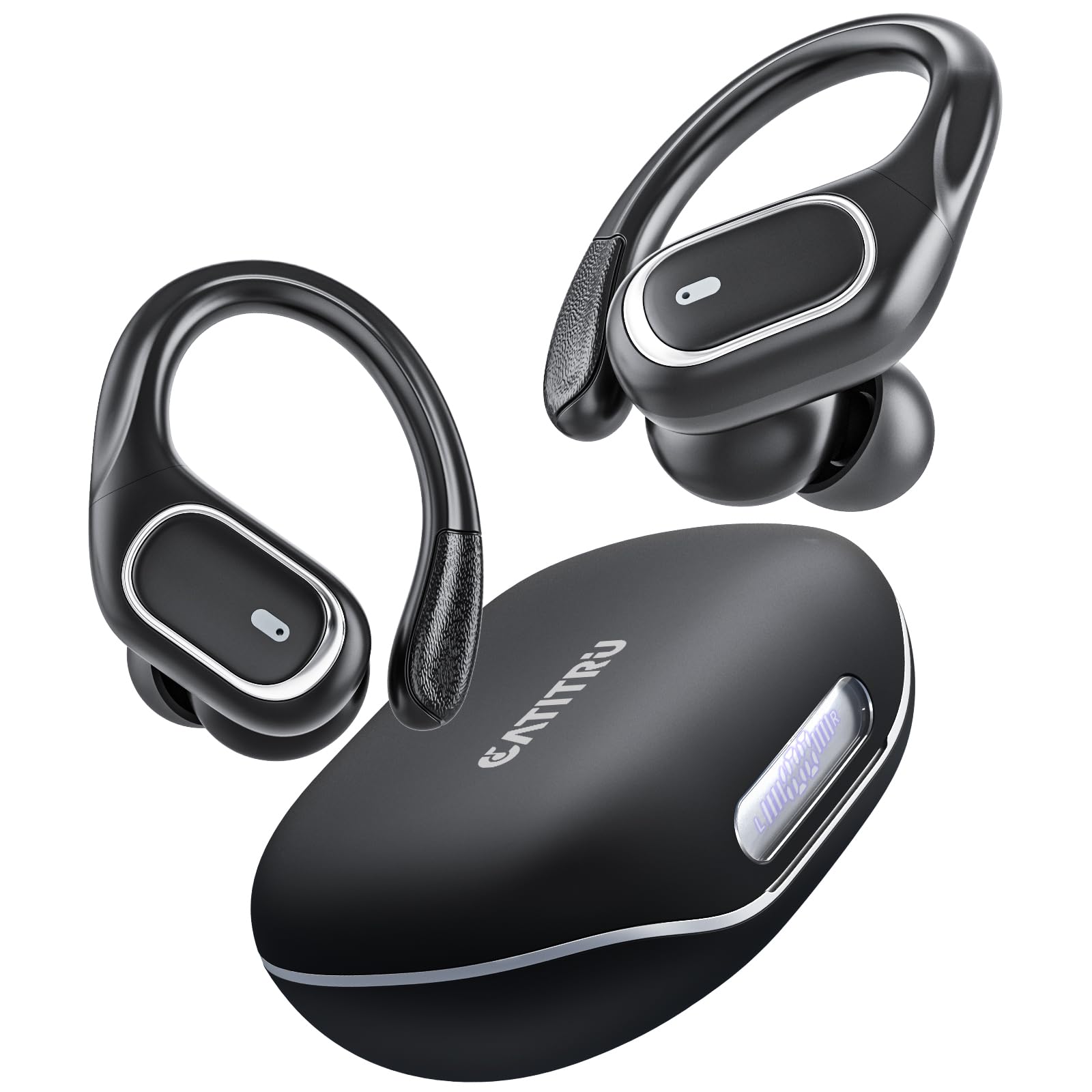
Image: An exploded diagram of the Catitru T16 earbud, illustrating its internal components, including the 14.2mm Graphene Diaphragm, which contributes to Hi-Fi stereo sound. This provides insight into the audio technology.

Image: A detailed diagram showcasing the Bluetooth 5.3 chip within the Catitru T16 earbuds, emphasizing advanced connectivity. This highlights the core wireless technology.
10. Warranty and Support
Catitru products come with a standard manufacturer's warranty. For detailed warranty information, please refer to the warranty card included in your package or visit the official Catitru website.
If you encounter any issues or have questions not covered in this manual, please contact Catitru customer support through the following channels:
- Email: [Insert Customer Support Email Here]
- Website: [Insert Official Website URL Here]
- Phone: [Insert Customer Support Phone Number Here]
Video: An official product video from Catitru showcasing the T16 Wireless Earbuds, demonstrating their features and use. This video provides a visual guide to the product.