
1. Introduction
This user manual provides detailed instructions for the installation, operation, and maintenance of your SYMYNELEC L1-Solar-2.4GHz Wireless Outdoor Security Camera. This camera is designed for home security, offering 2K resolution, AI motion detection, color night vision, and solar power for continuous operation. Please read this manual thoroughly before using the product to ensure proper functionality and safety.
2. Package Contents
Verify that all items listed below are included in your package:
- 1x Smart Battery Solar Camera
- 1x Removable Solar Panel Kit (with 2m connection cable)
- 1x USB Charging Cable (1 meter / 3.3 feet)
- 1x Screws Set & Mounting Bracket
- 1x Positioning Sticker & Surveillance Sticker
- 1x User Manual
Video: Unboxing the SYMYNELEC Security Camera. This video demonstrates the contents of the package and initial handling of the camera and accessories.
Video: Unboxing and Display of the Security Camera. This video provides another perspective on unboxing and showcasing the camera's design and components.
3. Product Overview
The SYMYNELEC L1-Solar-2.4GHz camera is a versatile security solution designed for both indoor and outdoor environments. It features a durable IP65 waterproof casing, a 2K Ultra HD resolution lens, and a 100° wide-angle view. The camera is powered by a built-in 5200mAh rechargeable battery, supplemented by a removable solar panel for continuous charging.
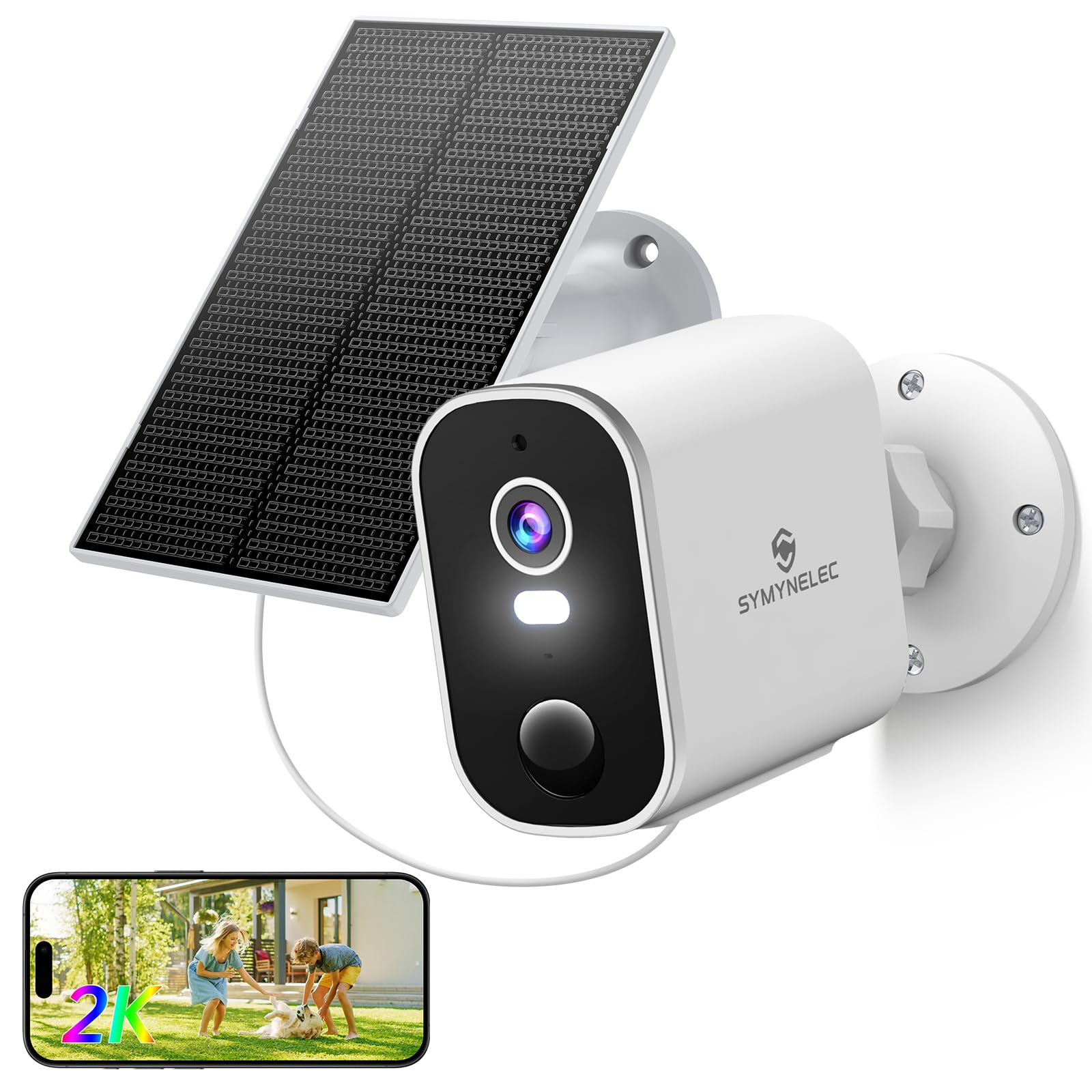
Image: The SYMYNELEC L1-Solar-2.4GHz camera mounted with its solar panel, illustrating its continuous power capability.

Image: The camera shown in various weather conditions (rain, snow) highlighting its IP65 waterproof rating and resistance to extreme temperatures (-10°C to 55°C).
Video: Overview of SYMYNELEC Solar Security Cameras Wireless Outdoor 2.4GHz. This video showcases the camera's features and design.
Video: SYMYNELEC 2K Battery Powered WiFi Camera for Home. This video highlights the camera's 2K resolution and battery power.
4. Setup
4.1 Initial Charging
Before first use, fully charge the camera's built-in 5200mAh battery using the provided USB charging cable and a 5V power adapter (not included). A full charge typically lasts 1-3 months depending on usage.

Image: Illustration of the camera's 5200mAh battery capacity and low-battery alerts, indicating 1-3 months of usage per charge.
4.2 App Installation and Pairing
- Download the 'Symynelec' app from your smartphone's app store (iOS or Android).
- Create an account and log in.
- Turn on the camera using the 'ON/OFF' switch located under the protective cover.
- In the app, select 'Add Device' and follow the on-screen instructions.
- Ensure your Wi-Fi is 2.4GHz only (5GHz is not supported).
- Scan the QR code generated by the app with the camera lens. You will hear a beep sound upon successful scanning.
- The indicator light will turn solid green once connected.

Image: Visual representation of the camera's 2.4GHz Wi-Fi compatibility, explicitly stating 5GHz is not supported.
4.3 Physical Installation
The camera can be installed indoors or outdoors. Choose a location that provides optimal viewing and strong Wi-Fi signal. The solar panel should be placed in direct sunlight for maximum charging efficiency. The solar panel cable is 2.2m (86.61 inches) long for flexible placement.
- Use the included mounting bracket and screws to secure the camera to a wall or ceiling.
- Adjust the camera angle to cover the desired monitoring area.
- Position the solar panel to receive maximum direct sunlight throughout the day.

Image: Examples of camera installation in different indoor and outdoor settings, including a garage, baby room, yard, and doorway.

Image: Diagram showing the adjustable solar panel (30°/90°) for optimal energy harvesting.

Image: The camera and solar panel mounted on an exterior wall, demonstrating a typical outdoor installation.
5. Operating Instructions
5.1 Live View
Open the Symynelec app and select your camera to view the live 2K Ultra HD video feed. You can view up to 16 real-time videos simultaneously and share access with up to 20 users.

Image: The Symynelec app interface displaying support for multiple cameras and users across various platforms (iOS, Android, Windows).

Image: Screenshots of the Symynelec app demonstrating easy access to live camera feeds and motion alerts.
5.2 Two-Way Audio
Utilize the two-way talk feature in the app to communicate with visitors or deter intruders. Hold the microphone icon to speak, and release to listen.

Image: Illustration of the two-way audio function, showing a user speaking through the app to someone near the camera.
5.3 Motion Detection & Alerts
The camera features AI and PIR (Passive Infrared) technology for accurate motion detection, reducing false alarms. When motion is detected, the camera captures HD video, sends real-time app alerts, and can activate a spotlight and siren.
- AI Human Detection: Filters out distractions like rustling leaves or small animals, focusing on human presence.
- PIR Heat Sensing: Detects heat signatures to trigger alerts for living beings.
- Customizable Alerts: Adjust PIR sensitivity levels and alarm intervals in the app settings.
- Spotlight & Siren: Automatically activates a motion-activated spotlight and siren to deter intruders.

Image: The camera detecting a person, triggering a light alarm, siren, notification, and enabling two-way talk.

Image: Demonstrates AI human motion detection, showing how the camera filters out non-human movements like vehicles and pets.

Image: An illustration of the PIR sensitivity level settings within the app, allowing users to customize detection range.

Image: The app interface showing options to customize alarm intervals and siren volume.
5.4 Night Vision
The camera offers both color night vision and IR (Infrared) night vision with HDR, providing clear views up to 33 ft (10m) in low-light conditions.

Image: Comparison of day vision and color night vision, showing clear details even in the dark.

Image: Demonstrates the camera's superior night vision, offering both Infrared Mode and Color Mode for enhanced visibility.
5.5 Storage Options
The camera supports encrypted TF card storage (up to 256GB, not included) for local recording. Alternatively, you can opt for cloud backup via the Symynelec app on AWS for secure playback. Cloud storage requires an internet connection and is available after a 7-day free trial.

Image: Illustrates the available storage options: cloud storage with a 7-day trial and TF card storage (max 256GB, not included).
5.6 Smart Home Integration
The SYMYNELEC camera is compatible with Alexa and Google Home, allowing for voice control and integration into your smart home ecosystem.

Image: Shows the camera integrating seamlessly with Alexa and Google Voice Assistant for easy control.
6. Maintenance
6.1 Battery Management
The camera's 5200mAh battery is designed for long-lasting performance. The solar panel helps maintain the charge, but occasional manual charging may be required, especially during periods of low sunlight or high activity. The app will provide low-battery alerts.
6.2 Cleaning
Regularly clean the camera lens and solar panel with a soft, damp cloth to ensure optimal performance. Avoid using harsh chemicals or abrasive materials that could damage the surfaces.
7. Troubleshooting
- Camera not connecting to Wi-Fi: Ensure your Wi-Fi network is 2.4GHz. Check Wi-Fi signal strength at the camera's location. Reset the camera and try pairing again.
- Poor video quality: Ensure the camera lens is clean. Check your Wi-Fi connection speed.
- False motion alerts: Adjust the PIR sensitivity settings in the app. Utilize AI human detection to filter out non-human movements.
- Battery not charging: Ensure the solar panel is positioned in direct sunlight and free from obstructions. Check the solar panel cable connection. Manually charge the camera if necessary.
- No recording: Ensure a TF card is inserted correctly or that your cloud storage subscription is active. Check recording settings in the app.
8. Specifications
| Feature | Description |
|---|---|
| Model Name | L1-Solar-2.4GHz-1PCS |
| Resolution | 2K Ultra HD (1440p) |
| Viewing Angle | 100 Degrees |
| Optical Zoom | 3x |
| Night Vision | Color Night Vision Mode; Infrared Mode (up to 33 ft) |
| Power Source | Solar/Battery Powered (5200mAh rechargeable battery) |
| Connectivity | 2.4GHz Wi-Fi Only (5GHz not supported) |
| Water Resistance | IP65 Waterproof |
| Storage Options | Encrypted TF Card (up to 256GB, not included), Cloud Backup |
| Motion Detection | AI Motion Detection, PIR Heat Sensing, Human Detection |
| Audio | 2-Way Talk, Siren Alarm |
| Compatibility | Alexa, Google Home, Android, iOS |
| Operating Temperature | -10°C to 55°C (14°F to 131°F) |
9. Warranty & Support
Your SYMYNELEC L1-Solar-2.4GHz Wireless Outdoor Security Camera comes with a one-year replacement warranty. For any technical assistance, installation queries, or product-related issues, please contact our 24/7 technical support team. We are committed to ensuring your satisfaction.

Image: Illustration of SYMYNELEC's professional live chat service, emphasizing quick response, step-by-step guides, and lifetime support.