
perfell PF-M1
perfell M1 Wireless Retro Headphones User Manual
Model: PF-M1
1. Introduction
Thank you for choosing the perfell M1 Wireless Retro Headphones. This manual provides essential information for setting up, operating, and maintaining your headphones. Please read it carefully to ensure optimal performance and longevity of your device.
Package Contents:
- perfell M1 Wireless Retro Headphones
- USB-C Charging Cable
- User Manual
2. Product Overview
The perfell M1 headphones combine a retro aesthetic with modern wireless technology, offering high-resolution audio and comfortable wear. They feature a lightweight design, memory foam ear cushions, and an adjustable headband for a personalized fit.
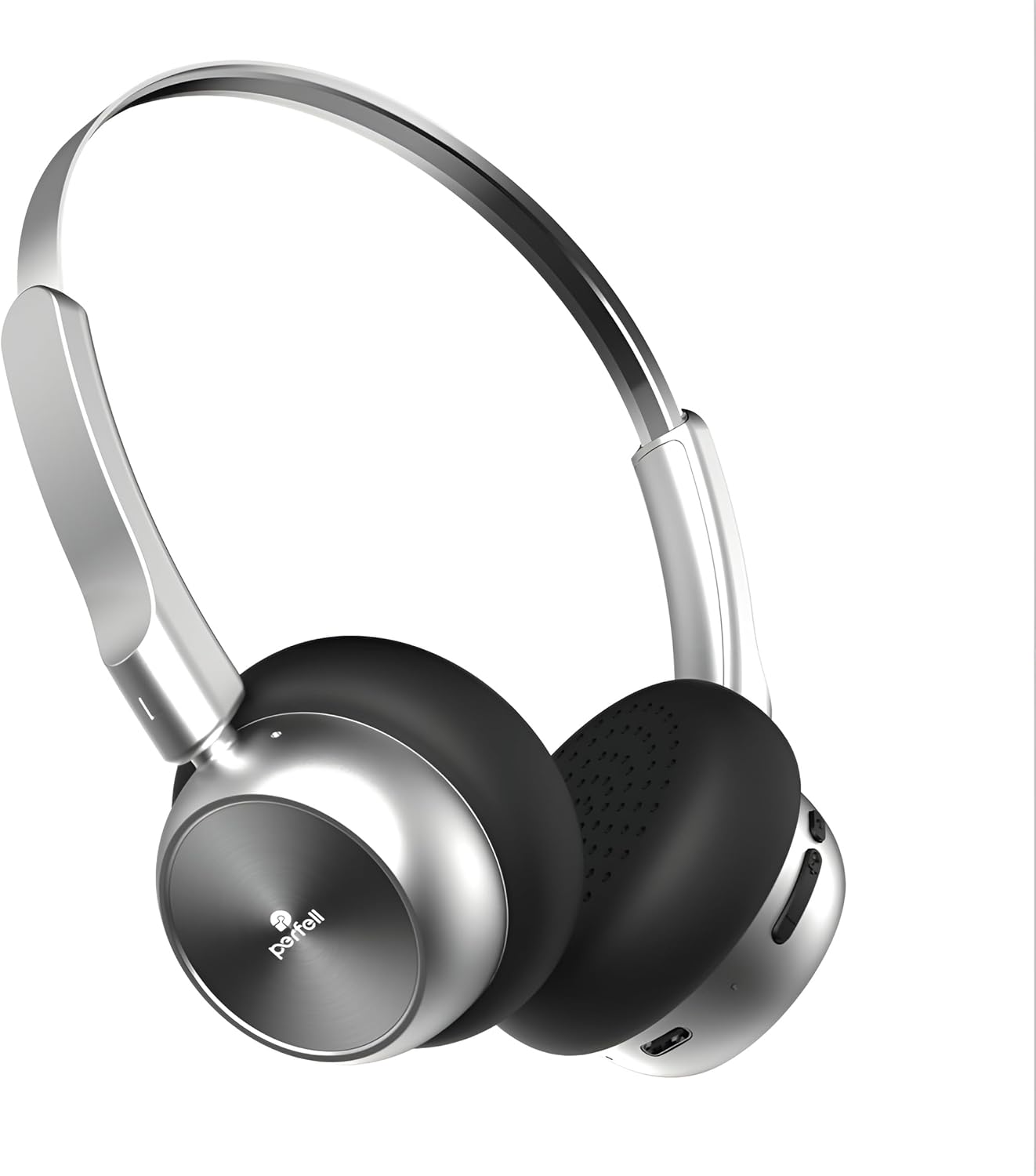
A front-angled view of the perfell M1 Wireless Retro Headphones, showcasing their silver and black design with memory foam earcups.
Key Features:
- High-Resolution Audio: Equipped with 40mm drivers for crisp vocals and deep bass.
- Extended Playtime: Up to 50 hours of playback on a single charge.
- Comfortable Design: Lightweight (96g), memory foam ear cushions, and an adjustable, foldable headband.
- Dual Device Pairing: Seamlessly switch between two connected devices.
- Bluetooth 5.4: Stable and efficient wireless connection.
- IPX4 Splash-Proof: Suitable for various activities, including fitness.

An exploded diagram illustrating the internal components of the perfell M1 headphone driver, highlighting the 40mm horn drive and 20-20kHz frequency response.
3. Setup
3.1 Charging the Headphones
Before first use, fully charge your perfell M1 headphones. Use the provided USB-C charging cable to connect the headphones to a USB power source (e.g., computer, wall adapter). The LED indicator will show charging status.
- Charging Time: Approximately 2 hours for a full charge.
- Battery Life: Up to 50 hours of playback time on a full charge.

An image of the perfell M1 headphones with details on its long-lasting power: 2 hours charging time, 18-20 hours working hours, and 400mAh battery capacity.
3.2 Bluetooth Pairing
- Ensure the headphones are charged and powered off.
- Press and hold the Power button until the LED indicator flashes, indicating pairing mode.
- On your device (smartphone, tablet, computer), enable Bluetooth and search for available devices.
- Select "PF-M1" from the list of found devices to connect.
- Once connected, the LED indicator will stop flashing and remain solid.
The perfell M1 supports dual device pairing, allowing you to connect to two devices simultaneously and switch between them seamlessly.

The perfell M1 headphones positioned next to a smartphone displaying its Bluetooth settings, indicating Bluetooth V5.4, 96dB/mW sensitivity, and a 10-meter connection distance.
4. Operating Instructions
4.1 Power On/Off
- Power On: Press and hold the Power button for 3 seconds.
- Power Off: Press and hold the Power button for 5 seconds.
4.2 Music Playback
- Play/Pause: Press the Multi-function button once.
- Next Track: Press and hold the Volume Up button.
- Previous Track: Press and hold the Volume Down button.
- Volume Up: Short press the Volume Up button.
- Volume Down: Short press the Volume Down button.
4.3 Call Management
- Answer/End Call: Press the Multi-function button once.
- Reject Call: Press and hold the Multi-function button for 2 seconds.
- Redial Last Number: Double-press the Multi-function button.
4.4 EQ Modes
The perfell M1 headphones feature dual EQ modes: Concert Hall and Retro Vinyl. These modes automatically adjust the audio profile to enhance your listening experience based on the content. Specific controls for switching modes are not available; the headphones optimize sound dynamically.
5. Maintenance
5.1 Cleaning
- Wipe the headphones with a soft, dry cloth.
- Do not use abrasive cleaners, alcohol, or chemical solvents.
- Ensure no liquid enters the earcups or charging port.
5.2 Storage
- Store the headphones in a cool, dry place away from direct sunlight and extreme temperatures.
- The foldable design allows for compact storage.

A close-up illustration of the perfell M1 headphone's adjustable headband, showing its flexible and foldable design for enhanced comfort.
5.3 Water Resistance
The perfell M1 headphones are rated IPX4 splash-proof, meaning they are resistant to splashing water from any direction. They are suitable for light rain or sweat during workouts but should not be submerged in water.

A woman wearing perfell headphones in a gym environment, illustrating their suitability for fitness activities and clear listening.
6. Troubleshooting
| Problem | Possible Cause | Solution |
|---|---|---|
| Headphones do not power on | Low battery | Charge the headphones fully using the USB-C cable. |
| Cannot pair with device | Headphones not in pairing mode; Bluetooth off on device; device too far | Ensure headphones are in pairing mode (flashing LED). Turn on Bluetooth on your device. Move device closer to headphones (within 10 meters). |
| No sound or poor sound quality | Volume too low; headphones not connected; audio source issue | Increase headphone and device volume. Reconnect headphones. Check audio source. |
| Noise is still audible | Misunderstanding of noise control type | The perfell M1 headphones feature Passive Noise Cancellation, which physically blocks some ambient sound. They do not have Active Noise Cancellation (ANC) technology, which electronically cancels noise. For best passive noise reduction, ensure earcups fit snugly. |
7. Specifications
- Model Name: PF-M1
- Brand: perfell
- Connectivity Technology: Wireless (Bluetooth)
- Wireless Communication Technology: Bluetooth 5.4
- Bluetooth Range: 10 Meters
- Ear Placement: On Ear
- Form Factor: Over Ear
- Audio Driver Type: Dynamic Driver
- Driver Size: 40mm
- Frequency Response: 20 Hz to 20 KHz
- Sensitivity: 115 dB
- Impedance: 32 Ohm
- Noise Control: Passive Noise Cancellation
- Battery Capacity: 400mAh
- Charging Time: 2 Hours
- Playback Time: Up to 50 Hours
- Control Type: Volume Control, Button
- Water Resistance Level: IPX4 (Splash-proof)
- Material: Acrylonitrile Butadiene Styrene (ABS), Metal
- Item Weight: 96 Grams (3.39 ounces)
- Included Components: USB-C Charging Cable, User Manual, perfell M1 Wireless Retro Headphones
8. Safety Information
- Do not expose the headphones to extreme temperatures, humidity, or corrosive environments.
- Avoid dropping or subjecting the headphones to strong impacts.
- Do not attempt to disassemble or modify the headphones, as this will void the warranty and may cause damage.
- Listen at moderate volume levels to prevent hearing damage.
- Keep out of reach of children.
9. Warranty and Support
perfell products are designed and manufactured to the highest quality standards. For warranty information, technical support, or customer service inquiries, please refer to the contact information provided on the product packaging or the official perfell website.
Ask a question about this manual
Ask about setup, troubleshooting, compatibility, parts, safety, or missing instructions. Manuals+ will review the question and use this page’s manual context to help answer it.