1. Introduction
The FocoMyLord AI Language Translator Earbuds are designed to facilitate seamless communication across language barriers. Featuring real-time translation for 144 languages and various translation modes, these earbuds offer a convenient solution for travel, business, and learning. This manual provides detailed instructions on how to set up, operate, maintain, and troubleshoot your translator earbuds to ensure optimal performance.

Image: The FocoMyLord AI Language Translator Earbuds, showing both earbuds and their compact charging case in white.
2. What's in the Box
Please check the package contents to ensure all items are present:
- Translator Earbuds (Left and Right)
- Charging Case
- User Manual
3. Setup Guide
3.1 Initial Charging
Before first use, fully charge the earbuds and the charging case. Place the earbuds into the charging case and connect the case to a power source using a compatible USB cable (not included). The indicator lights on the case will show charging status.
3.2 App Download and Installation
The AI translation function requires a dedicated mobile application. Scan the QR code provided in the packaging or search for the official FocoMyLord app on your device's app store (iOS/Android). Download and install the application.

Image: A visual representation of the real-time translation feature, showing two smartphones displaying translated text conversations, indicating the app's interface for seamless communication.
3.3 Bluetooth Pairing
- Ensure the earbuds are charged and placed in the charging case.
- Open the charging case lid. The earbuds will automatically enter pairing mode.
- On your mobile device, go to Bluetooth settings and search for available devices.
- Select "FocoMyLord A38-W" (or similar name) from the list to connect.
- Once connected, a voice prompt will confirm successful pairing.

Image: An illustration highlighting the Bluetooth 5.4 connectivity, emphasizing fast and stable transmission with low latency for synchronized audio.
4. Operating Instructions
4.1 Touch Controls
The earbuds feature pressure-sensitive touch controls for various functions:
| Action | Function (Music Mode) | Function (Phone Mode) |
|---|---|---|
| Single Tap (L/R) | Play/Pause | Answer/End Call |
| Double Tap (L/R) | Volume Up (R) / Volume Down (L) | N/A |
| Triple Tap (L/R) | Previous Song (L) / Next Song (R) | N/A |
| Press and Hold (2s) | Enter Game Mode / Enter Music Mode | Decline Phone Call |
| Press and Hold (3s) | N/A | Activate Voice Assistant |

Image: A detailed graphic illustrating the various touch control gestures on the earbuds and their corresponding functions for music playback, call management, and voice assistant activation.
4.2 Translation Modes
The FocoMyLord earbuds support multiple translation modes via the companion app:
- Real-Time Translation: For live conversations, the earbuds translate spoken words in real-time, displaying text on the app. Supports 144 languages.
- Offline Translation: Certain language packages can be downloaded for offline use (in-app purchase may be required). Supports 8 languages including English, Spanish, Mandarin, Russian, French, German, Japanese, and Korean.
- Text Translation: Translate written text by typing or pasting into the app.
- Photo Translation: Use your phone's camera to translate text from images.
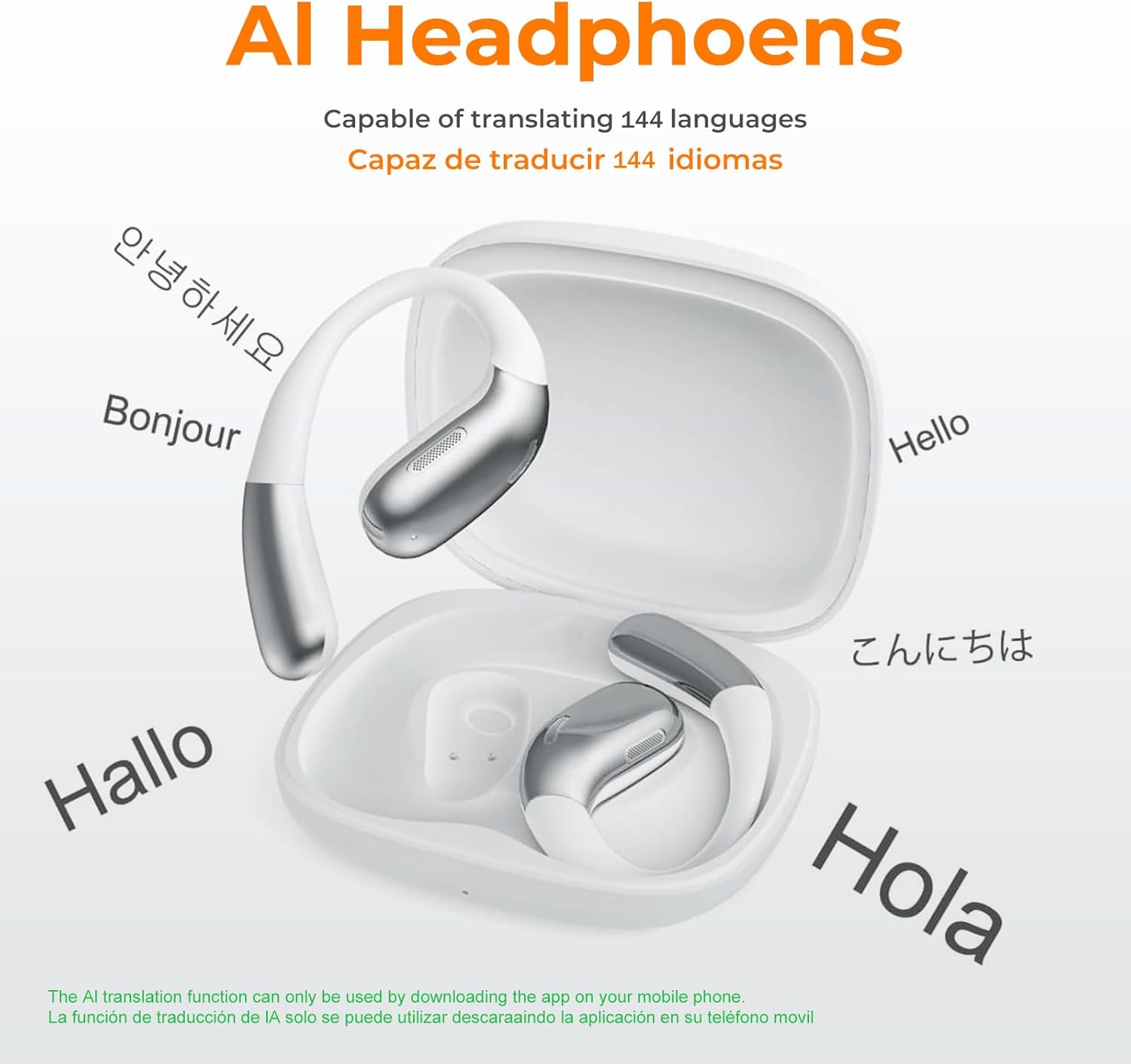
Image: The earbuds shown with various greetings in different languages (e.g., Hello, Bonjour, Hallo, Hola, 안녕하세요, こんにちは), illustrating their multi-language translation capability.

Image: A graphic emphasizing 98% accuracy and 0.5-second simultaneous translation, highlighting support for 74 languages and 70 accents with the earbuds.

Image: Two individuals using the earbuds for translation, with flags of 8 languages (English, Spanish, Mandarin, Russian, French, German, Japanese, Korean) indicating offline translation support.
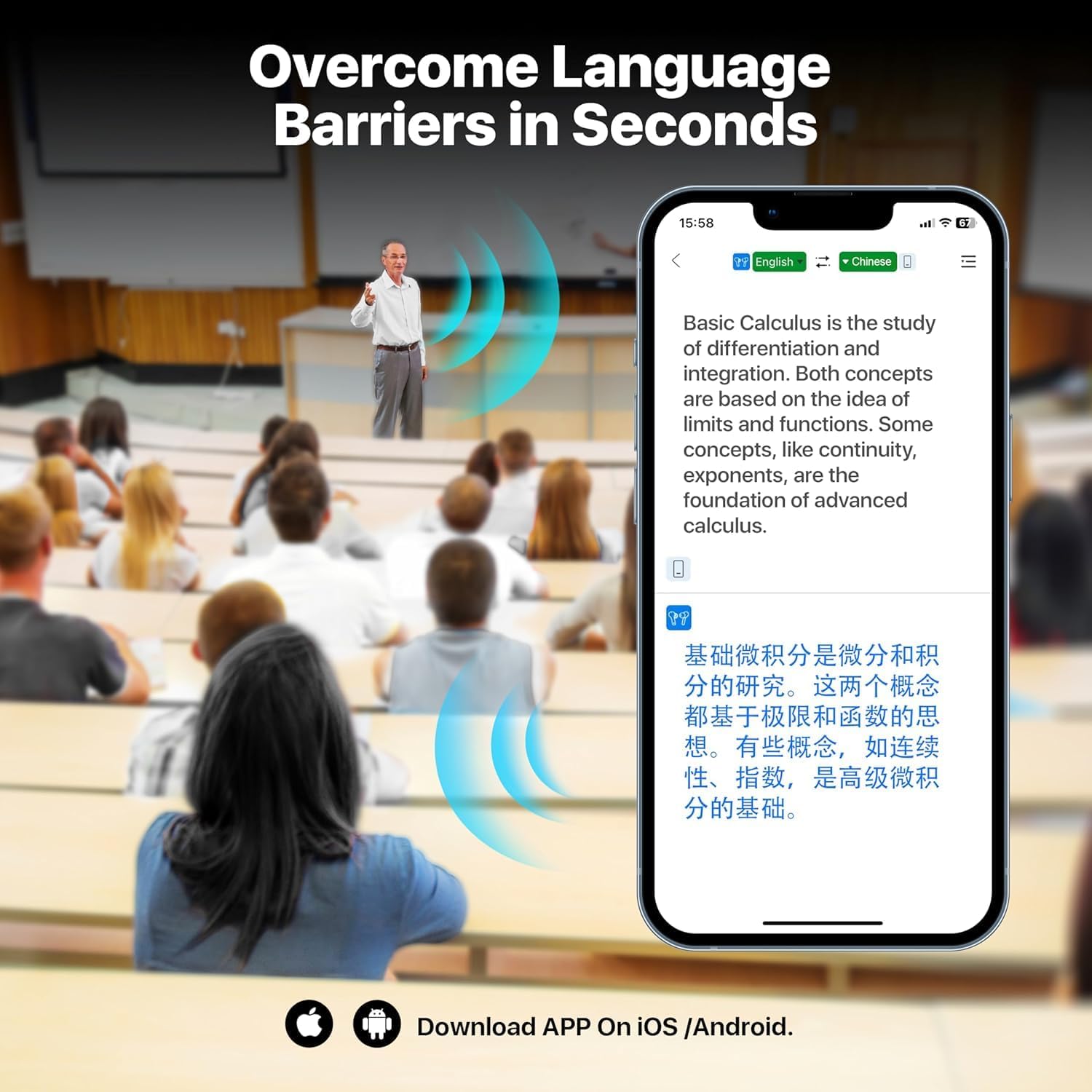
Image: A classroom setting with a professor speaking, and a smartphone displaying a real-time translation of the lecture from English to Chinese, demonstrating the app's ability to overcome language barriers.

Image: A visual showing the earbuds alongside a smartphone screen displaying a list of 8 languages available for offline download, emphasizing the convenience of translation without an internet connection.
4.3 Audio Features and Design
The earbuds are designed for both superior audio quality and comfort:
- Outstanding Sound Quality: Advanced audio processing technology ensures clear high frequencies and powerful low frequencies for an immersive listening experience.
- Open-Ear Design: The ear-hanging style provides ultimate comfort for extended wear and allows for situational awareness.
- Secure Fit: Ergonomic ear hooks and soft silicone materials ensure a stable and comfortable fit for various ear shapes.
- Focus Mode Noise Reduction: Designed to minimize distractions for clearer audio.

Image: A woman wearing the earbuds, highlighting the open-ear design for comfort, with insets showing ergonomic ear hook, soft silicone, and ultra-light features.

Image: A person wearing the earbuds while cycling, demonstrating the secure fit and comfort of the open-ear design during physical activity.

Image: A woman wearing the earbuds, with icons highlighting key features: Powerful Bass Experience, Secure Fit, Situational Awareness, and Bluetooth 5.4, promoting all-day comfort and reduced hearing loss.

Image: A detailed view of the earbud's design, illustrating its stable and comfortable fit through a three-point support structure and curved surface that adapts to different ear contours.

Image: An exploded view of the earbud components, highlighting the "ear side subwoofer" for rich bass and a "Dynamic Equalizer EQ Algorithm" for automatic low and high-frequency adjustment, ensuring surround sound quality.
5. Maintenance
5.1 Charging
To maintain battery health, charge the earbuds and case regularly. Avoid fully depleting the battery for extended periods. The fast charging feature allows for 6 hours of listening with just 15 minutes of charge.

Image: A graphic detailing the charging capabilities: 15 minutes of charge provides 6 hours of listening, and a full charge allows for 16 consecutive hours of listening without interruption, alongside a visual of a person in a focused state, implying noise reduction.
5.2 Cleaning
Gently wipe the earbuds and charging case with a soft, dry, lint-free cloth. Do not use abrasive cleaners, alcohol, or chemical solvents. Keep charging contacts clean and dry.
5.3 Storage
When not in use, store the earbuds in their charging case to protect them from dust and damage. Store in a cool, dry place away from direct sunlight and extreme temperatures.
6. Troubleshooting
If you encounter issues with your FocoMyLord AI Language Translator Earbuds, please refer to the following common problems and solutions:
| Problem | Possible Cause | Solution |
|---|---|---|
| Earbuds not pairing | Low battery, out of range, not in pairing mode, previous connection issue. | Charge earbuds. Ensure they are within 10 meters of device. Reset earbuds by placing them in case and closing/opening lid. Forget device in Bluetooth settings and re-pair. |
| No sound from earbuds | Not connected, volume too low, media not playing. | Check Bluetooth connection. Increase volume on device and earbuds. Ensure media is playing. |
| Translation not working | No internet connection (for real-time), app not open, incorrect language settings, microphone blocked. | Ensure stable internet connection. Open and configure the FocoMyLord app. Check language selections. Ensure microphone is clear. |
| Earbuds not charging | Charging cable issue, dirty charging contacts, case battery depleted. | Try a different USB cable and power adapter. Clean charging contacts on earbuds and case. Charge the charging case. |
If the problem persists, please contact FocoMyLord customer support for further assistance.
7. Specifications
| Feature | Detail |
|---|---|
| Model Number | A38-W |
| Translation Languages | 144 (online), 8 (offline via in-app purchase) |
| Connectivity | Bluetooth 5.4 |
| Battery Life (Earbuds) | Up to 16 hours continuous listening (with charging case) |
| Fast Charging | 15 min charge for 6 hours listening |
| Design | Open-Ear, Ear-hanging style |
| Control Type | Pressure Sensitive Touch Control |
| Dimensions (Package) | 5.04 x 3.39 x 1.38 inches |
| Item Weight | 5 ounces |
8. Warranty and Support
FocoMyLord products are manufactured to high quality standards. For information regarding warranty coverage, please refer to the warranty card included with your product or visit the official FocoMyLord website. For technical support, troubleshooting assistance, or any inquiries, please contact FocoMyLord customer service through the contact information provided on our website or within the product application.
Please retain your proof of purchase for warranty claims.


