
1. Introduction
This manual provides essential instructions for the safe and effective use of your DADA-TECH DT-22 Kids Electric Sonic Toothbrush. Please read this manual thoroughly before first use and retain it for future reference.
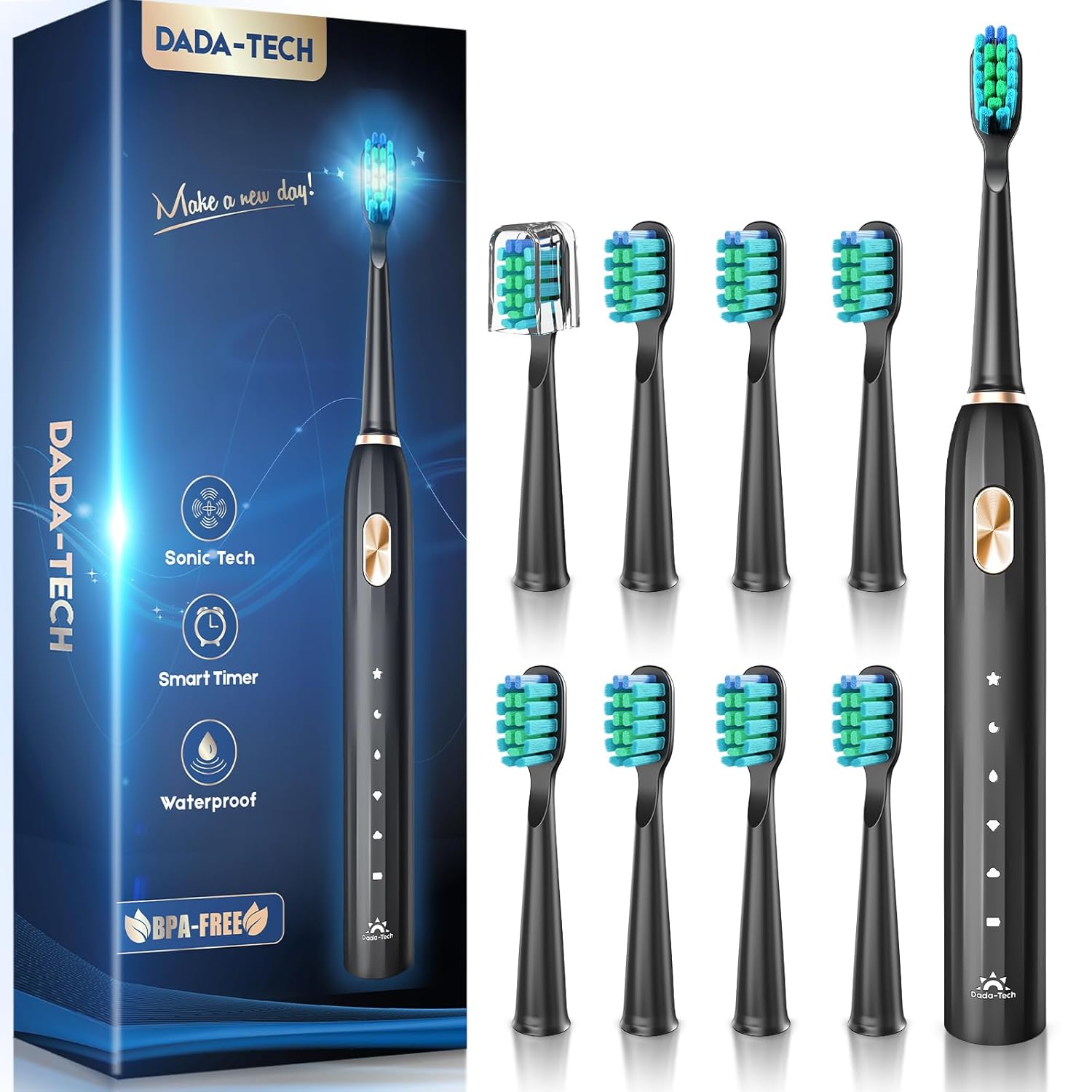
Image 1: DADA-TECH DT-22 Electric Sonic Toothbrush with packaging and multiple brush heads.
2. Package Contents
Verify that all items are present in your package:
- 1 x DADA-TECH DT-22 Electric Sonic Toothbrush Handle
- 9 x Replacement Brush Heads
- 1 x USB Charging Cable
- 1 x Protective Travel Cap
- 1 x User Manual (this document)

Image 2: Illustration of the DADA-TECH DT-22 package contents.
3. Product Features
- High-Frequency Sonic Motor: Delivers 40,000 vibrations per minute (VPM) for effective plaque removal.
- Rounded Bristles: Over 90% rounded bristles designed to protect gums and enamel.
- Visual Replacement Reminder: Bristles fade from dark to light, indicating when to replace the brush head.
- Five Cleaning Modes: Offers White, Clean, Sensitive, Polish, and Massage modes for varied oral care needs.
- Smart Timer: Features a 2-minute brushing timer with 30-second interval reminders to ensure thorough cleaning of all mouth quadrants.
- Long Battery Life: A 4-hour charge provides up to 60 days of use.
- IPX7 Waterproof Rating: Ensures safe use in wet environments.

Image 3: Illustration of the sonic technology and its benefits.
4. Setup
- Initial Charge: Before first use, fully charge the toothbrush. Connect the USB charging cable to the charging port at the bottom of the toothbrush and plug it into a compatible USB power source. The indicator lights will show charging progress.
- Attach Brush Head: Align the brush head with the metal shaft on the toothbrush handle and push it down firmly until it clicks into place.
5. Operating Instructions
- Power On/Off: Press the power button once to turn on the toothbrush. Press it again to cycle through the cleaning modes. To turn off, press and hold the power button for 2 seconds, or cycle through all modes until it turns off automatically.
- Select Mode: With the toothbrush on, press the power button repeatedly to select your desired cleaning mode. The indicator light next to the mode name will illuminate.
- Brushing Technique: Apply a small amount of toothpaste to the brush head. Place the bristles against your teeth at a slight angle towards the gum line. Move the brush slowly across your teeth, allowing the sonic vibrations to clean each tooth surface. Do not scrub vigorously.
- Smart Timer: The toothbrush will pause briefly every 30 seconds to signal you to move to the next quadrant of your mouth. After 2 minutes, the toothbrush will automatically turn off, indicating the completion of the recommended brushing time.

Image 4: Visual representation of the 2-minute smart timer with 30-second quadrant reminders.
6. Cleaning Modes
Your DADA-TECH DT-22 toothbrush offers five distinct cleaning modes:
- White Mode: Designed to remove surface stains and enhance tooth brightness.
- Clean Mode: Standard mode for daily comprehensive cleaning.
- Sensitive Mode: Gentle cleaning for individuals with sensitive teeth or gums, or for first-time electric toothbrush users.
- Polish Mode: Focuses on removing stubborn stains and polishing tooth surfaces for a brighter finish.
- Massage Mode: Provides a gentle massage to the gums, promoting gum health.
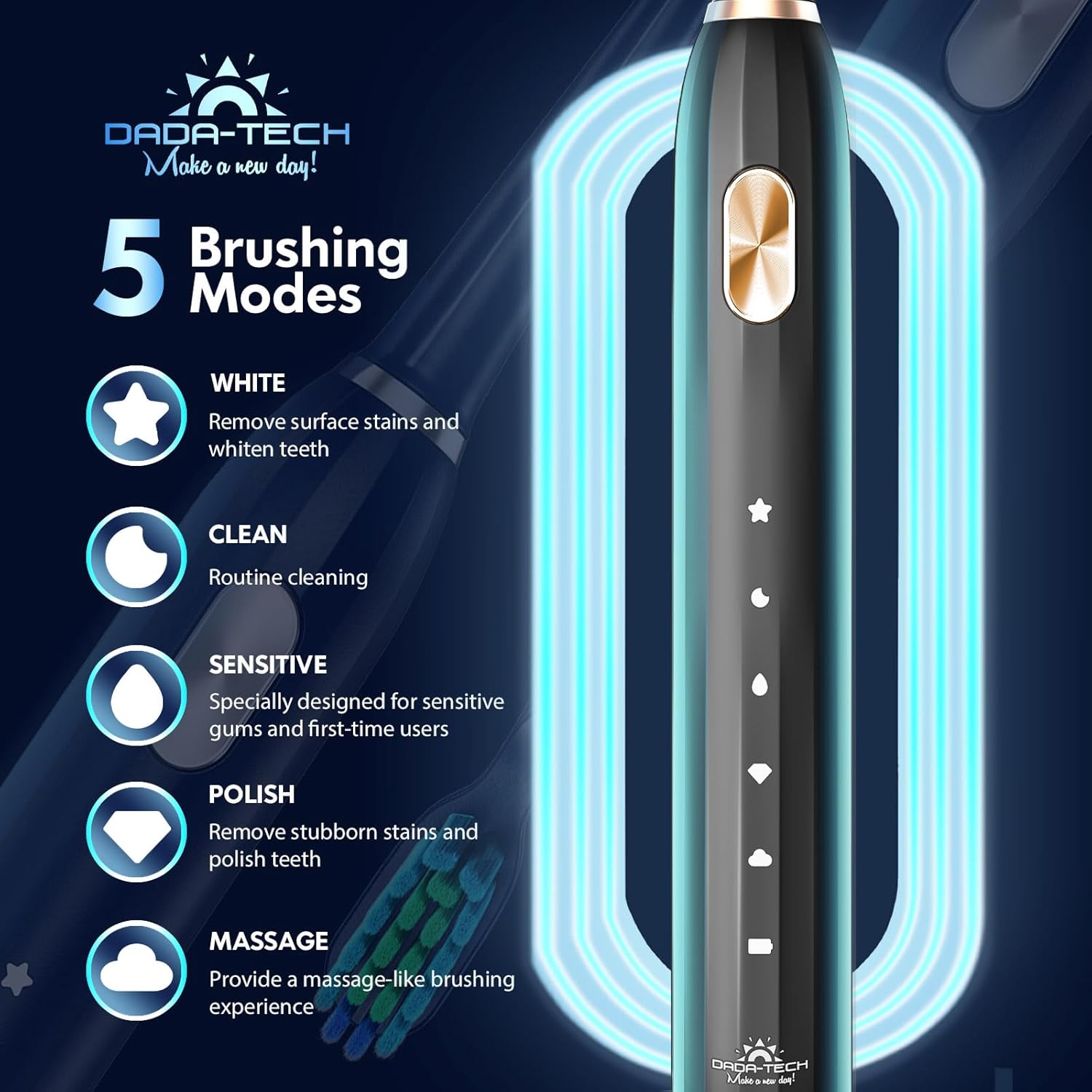
Image 5: Overview of the five available brushing modes.
7. Charging
The DADA-TECH DT-22 features a long-lasting rechargeable lithium battery. A full charge takes approximately 4 hours and can provide up to 60 days of regular use (based on two 2-minute brushing sessions per day).
- Connect the USB cable to the charging port at the base of the toothbrush.
- Plug the other end of the USB cable into a standard USB power adapter (not included) or a computer USB port.
- The battery indicator lights on the handle will illuminate and flash during charging. They will become solid when fully charged.

Image 6: Visual guide to charging and battery life.
8. Maintenance
Brush Head Replacement
Dentists recommend replacing brush heads every three months to maintain optimal cleaning performance and hygiene. Your DADA-TECH brush heads feature reminder bristles that fade in color from dark to light, visually signaling when it's time for a replacement.
- To remove an old brush head, pull it straight up from the handle.
- To attach a new brush head, align it with the metal shaft and push down firmly until it clicks.
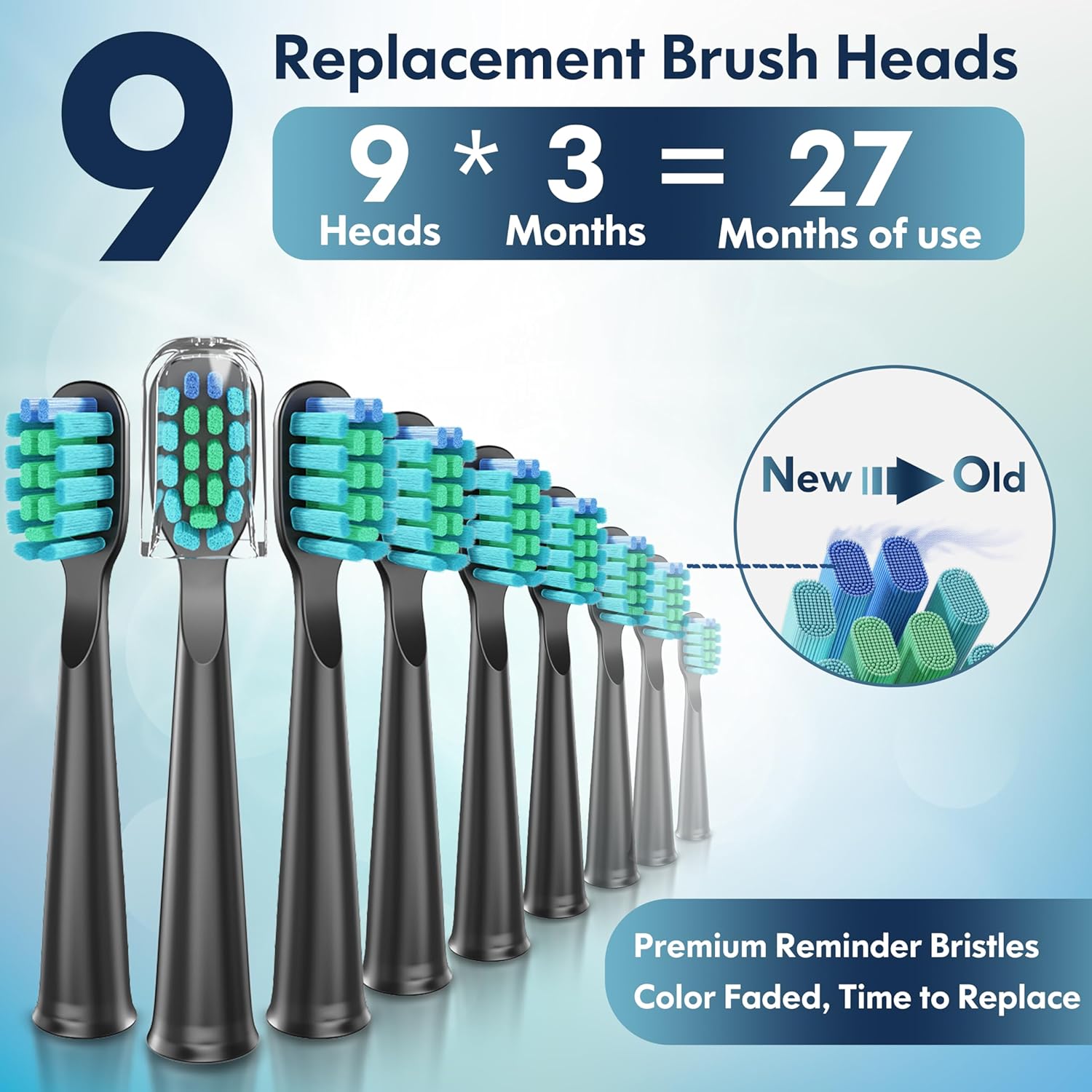
Image 7: Visual guide for brush head replacement and reminder bristles.
Cleaning the Toothbrush
- After each use, rinse the brush head thoroughly under running water.
- Wipe the toothbrush handle with a damp cloth. Do not immerse the handle in water for extended periods, despite its waterproof rating.
- Ensure the charging port is dry before charging.
9. Troubleshooting
If you encounter issues with your DADA-TECH DT-22 toothbrush, please refer to the following common solutions:
- Toothbrush does not turn on: Ensure the toothbrush is fully charged. If the battery is depleted, charge it for at least 4 hours.
- Reduced vibration or performance: The brush head may be worn out and needs replacement. Ensure the brush head is securely attached. The battery might also be low; recharge the device.
- Toothbrush not charging: Verify that the USB cable is properly connected to both the toothbrush and the power source. Try a different USB port or power adapter.
- Unusual noise: Ensure the brush head is correctly and firmly attached to the handle.
If problems persist, please contact customer support as detailed in the Warranty and Support section.
10. Specifications
| Feature | Specification |
|---|---|
| Model Number | DT-22 |
| Brand | DADA-TECH |
| Power Source | Battery Powered (Rechargeable Lithium) |
| Vibrations Per Minute (VPM) | 40,000 |
| Cleaning Modes | 5 (White, Clean, Sensitive, Polish, Massage) |
| Timer | 2-minute with 30-second interval reminders |
| Waterproof Rating | IPX7 |
| Battery Life | Up to 60 days on a 4-hour charge |
| Item Firmness Description | Soft |
| Product Dimensions | 7.09 x 0.98 x 0.59 inches |
| Weight | 8.11 ounces |
11. Warranty and Support
Your DADA-TECH DT-22 Electric Sonic Toothbrush is covered by a 2-year warranty from the date of purchase.
For warranty claims, technical assistance, or any product-related inquiries, please contact DADA-TECH customer support. To do so, log into your Amazon account, navigate to "Your Orders," locate your order ID for this product, and click on "Contact Seller."
We are committed to providing excellent service and support for your DADA-TECH product.

