1. Introduction
This manual provides detailed instructions for the proper installation, operation, and maintenance of the Generic Slide Block MX400 Pro. Please read this manual thoroughly before using the product to ensure safe and efficient operation. Retain this manual for future reference.
2. Safety Information
WARNING: Failure to follow these safety instructions may result in injury or damage to the product.
- This product is recommended for users aged 18 years and up.
- Keep small parts away from children to prevent choking hazards.
- Always ensure the product is installed correctly and securely before use.
- Do not modify the product in any way not specified in this manual.
- Use only original or approved replacement parts.
- Store the product in a dry, cool place away from direct sunlight and extreme temperatures.
3. Package Contents
Verify that all items listed below are present in your package:
- 1x Generic Slide Block MX400 Pro unit
- 1x Instruction Manual (this document)
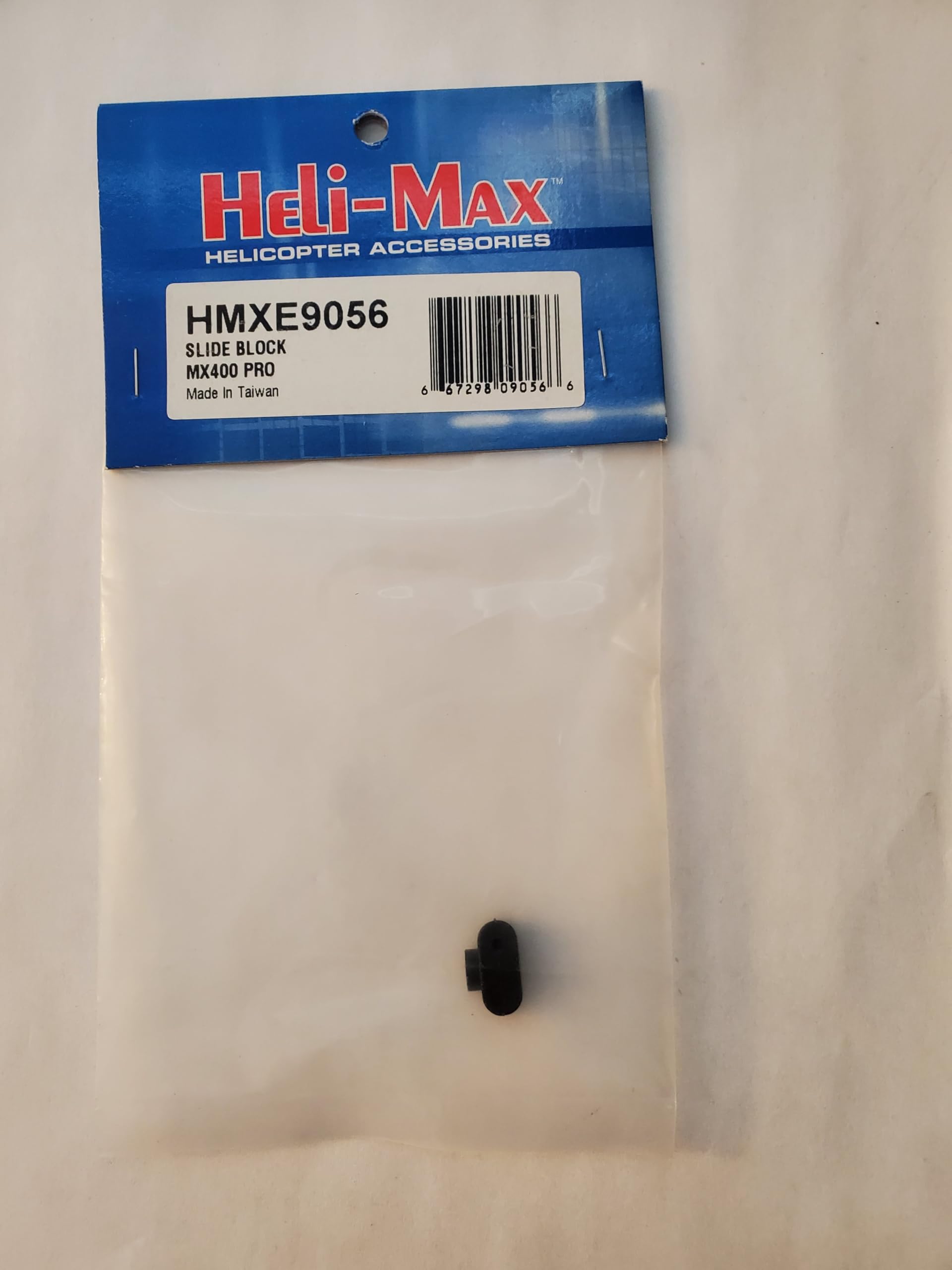
Image: The Generic Slide Block MX400 Pro unit. This image displays the main component included in the package, showing its compact design and connection points.
4. Setup
Follow these steps to properly set up your Slide Block MX400 Pro:
- Identify Mounting Location: Determine the appropriate mounting location on your remote-controlled vehicle or device. Refer to your vehicle's specific manual for compatibility and recommended placement.
- Secure the Unit: Using appropriate fasteners (not included, typically supplied with the vehicle or purchased separately), securely attach the Slide Block MX400 Pro to the identified mounting surface. Ensure it is firmly fixed and does not wobble.
- Connect Wiring (if applicable): If the MX400 Pro requires electrical connection, carefully connect the wiring according to the color codes or labels provided on the unit and your vehicle's electronic speed controller (ESC) or receiver. Ensure polarity is correct.
- Initial Check: After installation, gently test the movement or function of the connected components to ensure smooth operation and no obstructions.
5. Operating Instructions
The Slide Block MX400 Pro is a component designed to enhance the performance or functionality of compatible remote-controlled systems. Its operation is typically integrated with the main control system of your vehicle.
- Power On: Ensure your main RC vehicle system is powered on according to its own instruction manual.
- Function Verification: Once the vehicle is powered, verify that the Slide Block MX400 Pro is responding as expected. This may involve checking for smooth movement, proper sensor readings, or correct mechanical engagement, depending on its specific application.
- Adjustment: If the MX400 Pro allows for adjustments (e.g., tension, travel limits), refer to your vehicle's advanced setup guide or controller settings for calibration procedures.
Note: The specific function and operational feedback of the Slide Block MX400 Pro will depend on its integration within your RC system. Consult your primary vehicle manual for detailed operational procedures.
6. Maintenance
Regular maintenance ensures the longevity and optimal performance of your Slide Block MX400 Pro.
- Cleaning: Periodically clean the unit with a soft, dry cloth. Avoid using harsh chemicals or solvents that could damage the material.
- Inspection: Regularly inspect the unit for any signs of wear, damage, or loose connections. Pay attention to mounting points and any moving parts.
- Lubrication (if applicable): If the unit contains moving parts that require lubrication, use only RC-safe lubricants as recommended by your vehicle manufacturer. Avoid over-lubrication.
- Storage: When not in use for extended periods, store the unit in a clean, dry environment, protected from dust and extreme temperatures.
7. Troubleshooting
If you encounter issues with your Slide Block MX400 Pro, refer to the following common problems and solutions:
| Problem | Possible Cause | Solution |
|---|---|---|
| Unit not responding | Loose or incorrect wiring connection. No power to the main system. | Check all wiring connections for security and correct polarity. Ensure the main RC vehicle system is powered on. |
| Intermittent operation | Poor connection. Interference. | Verify all connections are secure. Test in a different environment to rule out interference. |
| Physical obstruction or stiffness | Debris or damage to moving parts. Incorrect mounting. | Inspect for debris and clean if necessary. Check for proper mounting and alignment. Do not force movement. |
If the problem persists after attempting these solutions, please contact customer support or consult a qualified technician.
8. Specifications
- Model: MX400 Pro
- Brand: Generic
- Product Dimensions: 0.75 x 0.5 x 0.5 inches (19.05 x 12.7 x 12.7 mm)
- Manufacturer: Heli-Max
- Recommended Age: 18 years and up
- ASIN: B0DPTLP6Y6
9. Warranty and Support
This product is covered by a standard manufacturer's warranty, typically offering a 30-day return/replacement policy from the date of purchase. For specific warranty terms and conditions, please refer to the retailer's policy or contact the manufacturer directly.
For technical support, troubleshooting assistance beyond this manual, or inquiries regarding replacement parts, please contact your point of purchase or the manufacturer, Heli-Max.
Manufacturer: Heli-Max
Note: Warranty and support details may vary based on region and retailer. Please retain your proof of purchase for warranty claims.


