
1. Introduction
The Effireli RM-C3195 is a replacement remote control designed for various JVC television models. This remote control is ready to use directly out of the packaging, requiring no programming or complex setup procedures. Simply insert batteries and begin operating your compatible JVC TV.
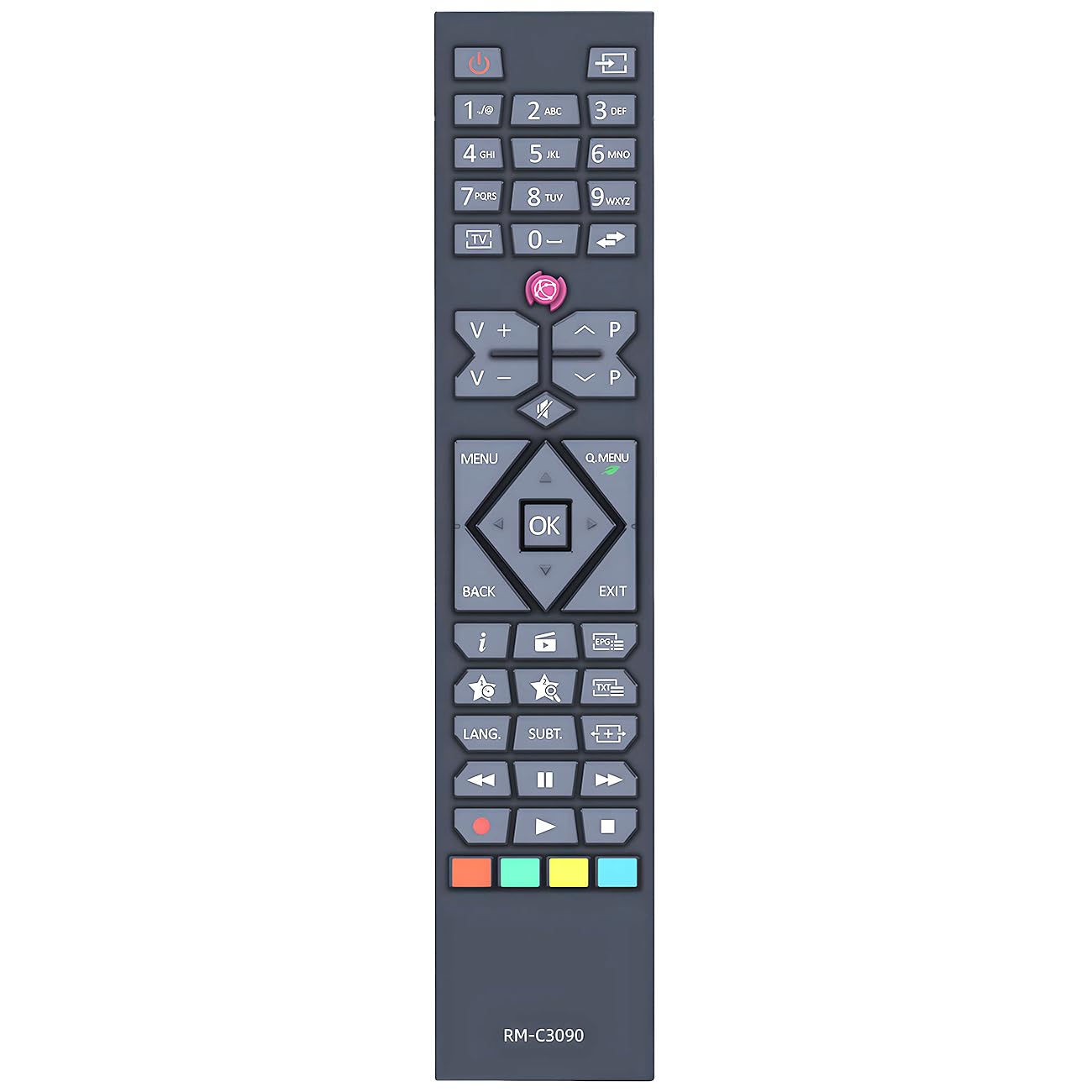
Image: The Effireli RM-C3195 replacement remote control, featuring standard television control buttons.
2. Setup
2.1 Battery Installation
- Locate the battery compartment cover on the back of the remote control.
- Slide the cover downwards or press the latch to open it.
- Insert two AAA batteries (not included), ensuring the positive (+) and negative (-) terminals align correctly with the markings inside the compartment.
- Replace the battery compartment cover, ensuring it clicks securely into place.
2.2 Initial Use
Once batteries are installed, the remote control is ready for immediate use. Point the remote control directly at your JVC television and press the power button to turn on the TV. No additional programming or pairing is required.
3. Operating Instructions
This remote control provides standard functionality for your JVC television. Below are common button functions:
- Power Button: Turns the TV on or off.
- Number Buttons (0-9): Directly select channels.
- Channel Up/Down (CH+/CH-): Changes the channel sequentially.
- Volume Up/Down (VOL+/VOL-): Adjusts the sound volume.
- Mute Button: Silences or restores the TV audio.
- Input/Source Button: Cycles through available input sources (HDMI, AV, etc.).
- Menu Button: Accesses the TV's main menu.
- Navigation Buttons (Up, Down, Left, Right, OK/Enter): Navigates through TV menus and confirms selections.
- Exit/Back Button: Exits menus or returns to the previous screen.
For specific advanced functions, refer to your JVC TV's original user manual.
4. Compatible Models
The Effireli RM-C3195 remote control is compatible with the following JVC TV models:
- LT-39VF30K
- LT39VF42K
- LT-39VF42K
- LT39VH42K
- LT-39VH42K
- LT43VF30K
- LT-43VF30K
- LT43VVF42K
- LT-43VF42K
- LT50VF30K
- LT-50VF30K
- LT-24V44JH
- LT-24VH42J
- LT-32V3010
- LT-32V4200
- LT-32V4201
- LT-32V48JH
- LT-40V300
- LT-40VF43A
- LT-43VF43A
- LT-49V4200
- LT24V47JH
- LT-24V47JH
- LT24VH30K
- LT-24VH30K
- LT24VH42K
- LT-24VH42K
- LT32VF42K
- LT-32VF42K
- LT-32VH30K
- LT32VH42K
- LT-32VH42K
Note: If your specific JVC TV model number is not listed above, or if your original remote control has a significantly different appearance, please contact customer support to confirm compatibility before use.
5. Specifications
| Feature | Description |
|---|---|
| Brand | Effireli |
| Model Number | YK-RM-C3090 (Internal) / RM-C3195 (Product Name) |
| Connectivity Technology | Infrared (IR) |
| Compatible Devices | Television (JVC models as listed) |
| Special Features | No Programming Required |
| Power Source | 2 x AAA Batteries (not included) |
6. Troubleshooting
6.1 Remote Not Responding
- Check Batteries: Ensure batteries are inserted correctly with the correct polarity (+/-). Replace old or depleted batteries with new ones.
- Line of Sight: Make sure there is a clear line of sight between the remote control and the TV's infrared receiver. Obstructions can block the signal.
- Remote Sensor: Ensure the TV's remote sensor is not blocked or dirty.
- TV Power: Confirm that the TV is plugged in and receiving power.
6.2 Limited Functionality
- Compatibility: Verify that your JVC TV model is listed in the compatible models section (Section 4). If not, contact customer support.
- Original Remote Features: This replacement remote provides essential functions. Some advanced or smart TV features specific to your original remote might not be replicated.
7. Maintenance
- Cleaning: Wipe the remote control with a soft, dry cloth. Do not use liquid cleaners or abrasive materials.
- Battery Replacement: Replace batteries when the remote's response becomes sluggish or stops working. Remove batteries if the remote will not be used for an extended period to prevent leakage.
- Storage: Store the remote control in a cool, dry place away from direct sunlight and extreme temperatures.
8. Warranty and Support
This Effireli remote control comes with a 12-month warranty covering manufacturing defects from the date of purchase. Additionally, a 30-day money-back guarantee is offered. Returns and exchanges are accepted within the warranty period for eligible issues.
For warranty claims, technical support, or compatibility inquiries, please contact Effireli customer service through your purchase platform or the contact information provided with your product.