
Introduction
This manual provides instructions for the MOZSLY Double Automatic Watch Winder. This device is designed to keep your automatic watches wound and ready for use, ensuring their longevity and accurate timekeeping. It features a quiet motor, multiple winding settings, and dual power options.

Image: Front view of the MOZSLY Double Automatic Watch Winder, showcasing its black PU leather exterior and brushed aluminum faceplate with two watch compartments.
Product Features
- Dual Watch Capacity: Accommodates two automatic watches simultaneously.
- Quiet Operation: Equipped with a double motor and gearbox for extremely quiet performance.
- Multiple TPD & Rotation Settings: Offers 3 direction options (clockwise, counter-clockwise, alternating) and 4 Turns Per Day (TPD) settings (650, 900, 1200, 1500).
- Dual Power Supply: Operates via AC power (100-240V) or 2 x C batteries (not included).
- Expandable Connectivity: Multiple units can be connected using a bridge cable for simultaneous operation.
- Watch Compatibility: Includes two watch pillows suitable for most watches with a band length up to 8.7 inches and a dial diameter up to 55mm.

Image: Diagram illustrating the watch winder's features: dual power supply, ultra-quiet motor, 4 TPD settings with 3 directions, and anti-magnetization.
Setup
- Unpacking: Carefully remove the watch winder and all accessories from the packaging.
- Power Connection:
- AC Power: Connect the provided AC adapter to the "IN" port on the back of the winder and plug it into a standard electrical outlet (100-240V).
- Battery Power: Alternatively, insert 2 x C batteries (not included) into the battery compartment on the back. Ensure correct polarity.
- Important Note: Do not use AC power and battery power simultaneously. If using batteries, disconnect the AC adapter. If using the AC adapter, remove the batteries.
- Connecting Multiple Winders (Optional): If you have multiple MOZSLY watch winders, you can connect them using the provided bridge cable. Connect the "OUT" port of the first winder to the "IN" port of the second winder.
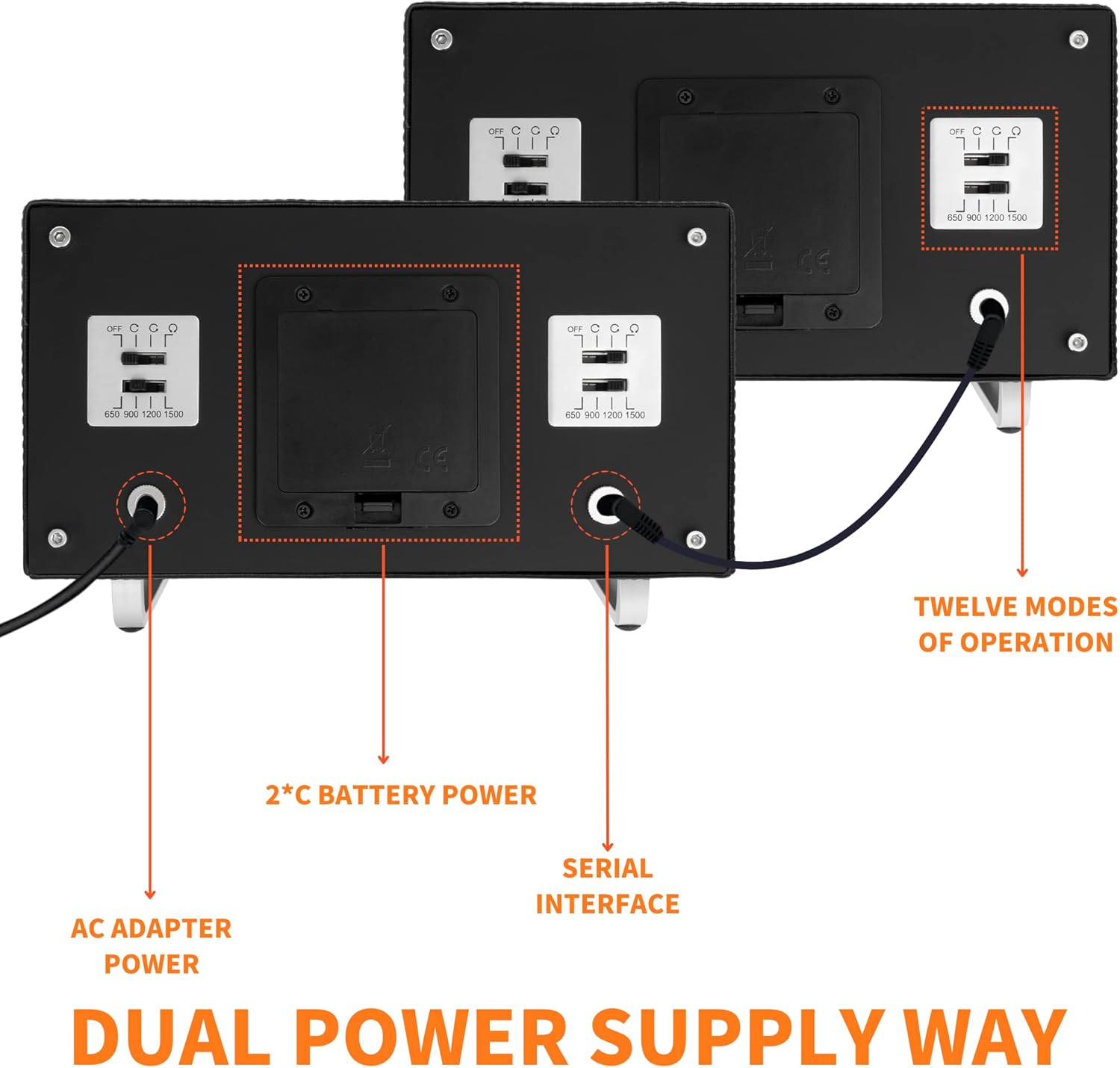
Image: Rear view of two MOZSLY watch winders, highlighting the AC adapter input, battery compartment, and serial interface for connecting multiple units.
Operating Instructions
The MOZSLY watch winder offers customizable settings for rotation direction and Turns Per Day (TPD) to suit various automatic watch movements. Each watch compartment has independent controls.
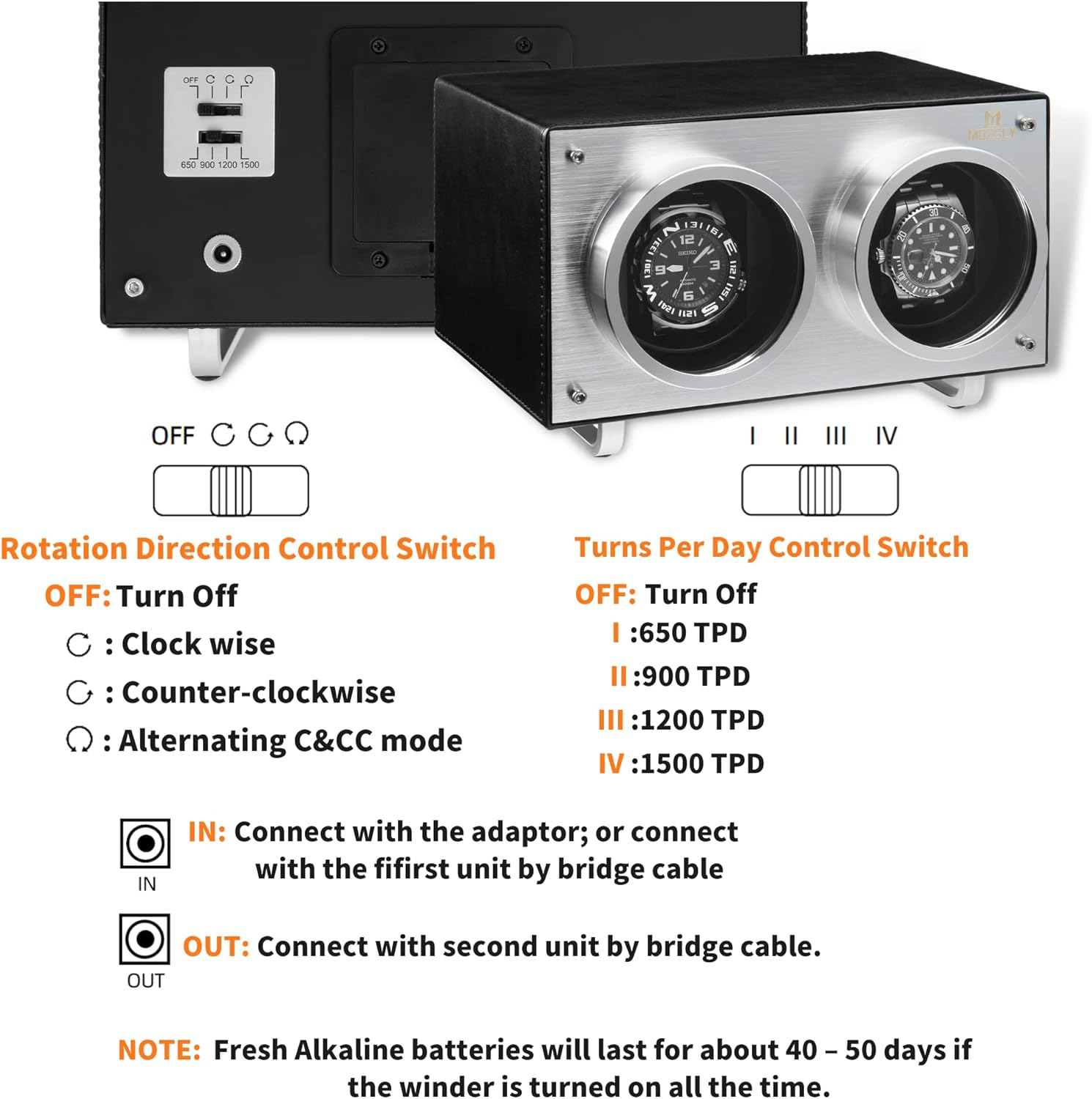
Image: Close-up of the watch winder's control panel, showing the Rotation Direction Control Switch and the Turns Per Day (TPD) Control Switch.
1. Inserting Your Watch
- Select the appropriate watch pillow. The winder comes with two pillows designed to fit most watches.
- Secure your automatic watch onto the pillow. Ensure the watch is snug but not overly tight.
- Place the watch and pillow into one of the winder compartments.
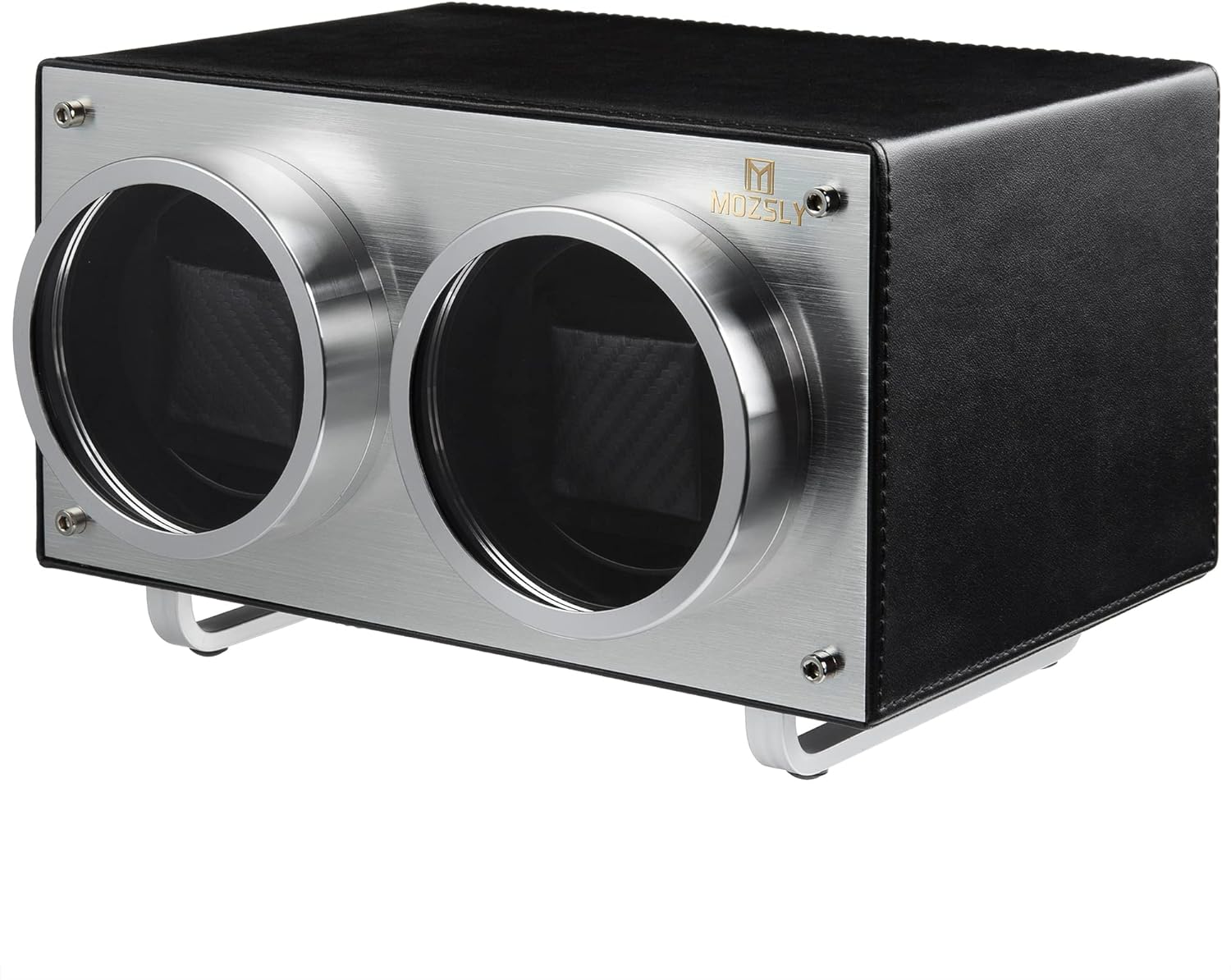
Image: Two watch pillows, one black and one grey, demonstrating how watches are secured for winding.
2. Setting Rotation Direction
Use the Rotation Direction Control Switch on the back of the unit to select the desired mode:
- OFF: Turns off the winder for that compartment.
- ↻ (Clockwise): Rotates only in a clockwise direction.
- ↺ (Counter-clockwise): Rotates only in a counter-clockwise direction.
- ↻↺ (Alternating): Rotates clockwise and counter-clockwise alternately.
3. Setting Turns Per Day (TPD)
Use the Turns Per Day Control Switch on the back of the unit to select the desired TPD setting:
- OFF: Turns off the winder for that compartment.
- I: 650 TPD (Rotates 3' 28" and rests 56' 32" per hour cycle)
- II: 900 TPD (Rotates for a period and rests within an hourly cycle)
- III: 1200 TPD (Rotates for a period and rests within an hourly cycle)
- IV: 1500 TPD (Rotates for a period and rests within an hourly cycle)
Note: After selecting a TPD setting, the winder may start rotating for a few minutes and then stop. This is normal operation. The winder will automatically run in its hourly cycle. Consult your watch manufacturer's recommendations for the optimal TPD and direction settings for your specific automatic watch model.
Watch Compatibility
The MOZSLY watch winder is designed to accommodate a wide range of automatic watches. The interior foam cushions are soft and adaptable.
- Maximum Watch Band Length: 8.7 inches (22 cm)
- Maximum Watch Dial Diameter: 55 mm

Image: Diagram showing the dimensions of the watch winder (22.5cm x 15cm x 12cm) and illustrating the watch pillow size and watch compatibility limits.
Maintenance
- Cleaning: Wipe the exterior with a soft, dry cloth. Avoid abrasive cleaners or solvents.
- Dust Protection: Keep the clear acrylic covers in place when watches are winding to protect them from dust.
- Battery Replacement: If using battery power, replace C batteries when the winder's performance diminishes. Fresh alkaline batteries typically last 40-50 days.
- Placement: Place the winder on a stable, level surface away from direct sunlight, extreme temperatures, and strong magnetic fields.
Troubleshooting
| Problem | Possible Cause | Solution |
|---|---|---|
| Winder is not rotating. |
|
|
| Watch is not winding sufficiently. |
|
|
| Winder makes unusual noise. |
|
|
Specifications
| Feature | Detail |
|---|---|
| Model Number | DOU-001-BK-US |
| Dimensions (L x W x H) | 9 x 7 x 6 inches (22.5 x 17.8 x 15.2 cm) |
| Weight | 4.5 Pounds (2.04 kg) |
| Material | PU Leather, Acrylic Glass, Metal |
| Power Supply | AC Adapter (100-240V) or 2 x C Batteries |
| TPD Settings | 650, 900, 1200, 1500 |
| Rotation Directions | Clockwise, Counter-clockwise, Alternating |
| Manufacturer | MOZSLY |
Warranty and Support
Information regarding specific warranty terms and customer support contact details was not available in the provided product data. Please refer to the product packaging or the manufacturer's official website for the most current warranty information and support options.
For general inquiries or assistance, you may visit the MOZSLY Store on Amazon.