
Introduction
The 1MORE HQ31 SonoFlow SE Over-Ear Headphones are engineered to provide an exceptional audio experience with cutting-edge features. These headphones combine high-fidelity sound with powerful noise cancellation, ensuring an immersive and undisturbed listening environment. With an emphasis on comfort and long-lasting performance, they are designed to be your perfect companion for daily commutes, work, or leisure.

Figure 1: 1MORE HQ31 SonoFlow SE Over-Ear Headphones (Blue)
What's in the Box
Upon unboxing your 1MORE HQ31 SonoFlow SE headphones, please ensure all components are present:
- 1MORE HQ31 SonoFlow SE Over-Ear Headphones
- USB-C Charging Cable
- User Manual
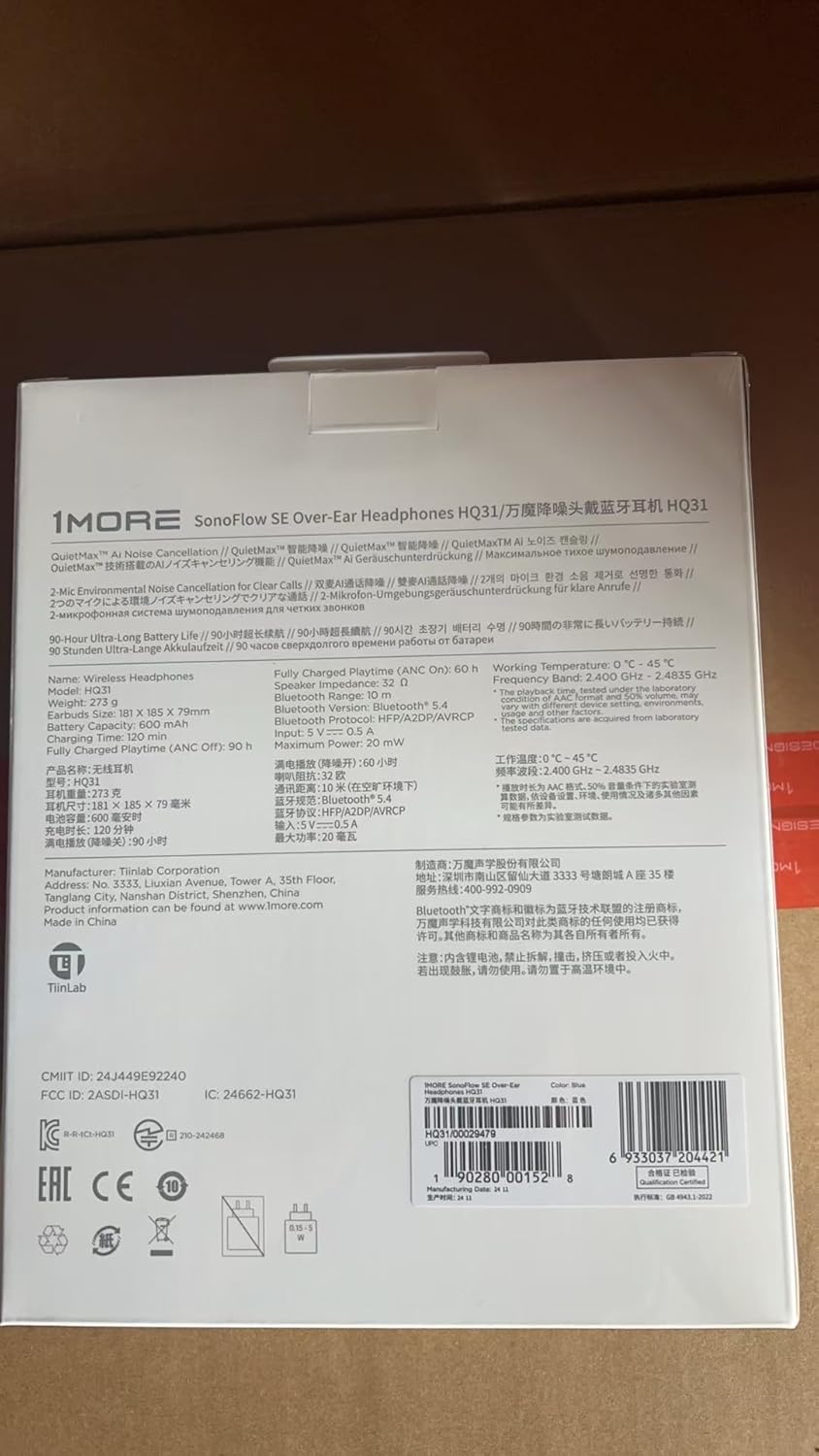
Figure 2: Product Packaging and Contents
Product Features
Superior Sound Quality
The SonoFlow SE headphones are equipped with a custom 40mm titanium-coated composite driver, delivering rich, resonant sound with exceptional transient response. They support Hi-Res audio and the LDAC codec for superior sound quality, ensuring crystal-clear treble and precise detail. The audio is finely tuned by a Grammy-winning sound engineer for minimal distortion and balanced tones.

Figure 3: Advanced Detail-Rich Sound Experience with 40mm Driver
Immersive Spatial Audio
Experience 360-degree spatial audio, creating an enveloping soundscape ideal for gaming, movies, and music, enhancing your auditory experience.

Figure 4: Immersive Spatial Audio Experience
QuietMax™ Hybrid Noise Cancellation
Equipped with QuietMax™ hybrid noise-canceling technology, these headphones reduce ambient noise by over 42dB, allowing you to work, study, or relax in peace. The Transparency mode allows you to remain aware of your surroundings without removing your headphones.

Figure 5: QuietMax™ Hybrid Noise Cancellation Technology
Extended Battery Life
Enjoy up to 90 hours of continuous playback. A quick 5-minute charge provides 5 hours of listening, ensuring you stay powered through your activities.

Figure 6: Up to 90 Hours of Battery Life
Crystal-Clear Calls
Dual microphones with AI-driven DNN noise reduction ensure your voice is clearly captured, even in noisy environments, providing exceptional clarity for hands-free conversations.

Figure 7: Dual-Mic AI Noise Cancellation for Improved Call Quality
Dual-Device Connection
Connect to two Bluetooth devices simultaneously, allowing seamless switching between your phone and laptop without re-pairing.

Figure 8: Dual-Devices Connection
Comfortable Design
The headphones feature an exquisite design for all-day comfort, including an adjustable headband, skin-friendly leather earcups, and detachable & rotatable ear cups.

Figure 9: Exquisite Design for All-Day Comfort
Official Product Video
Video 1: HQ31 Over Ear Headphones - This official product video showcases the key features of the 1MORE HQ31 SonoFlow SE headphones, including Hi-Res Audio, Spatial Audio, QuietMax™ Noise Cancellation, long battery life, LDAC codec support, and wired mode capabilities.
Setup Guide
1. Initial Charge
Before first use, fully charge your headphones using the provided USB-C cable. Connect the USB-C end to the headphone's charging port (Figure 10) and the USB-A end to a compatible power source.
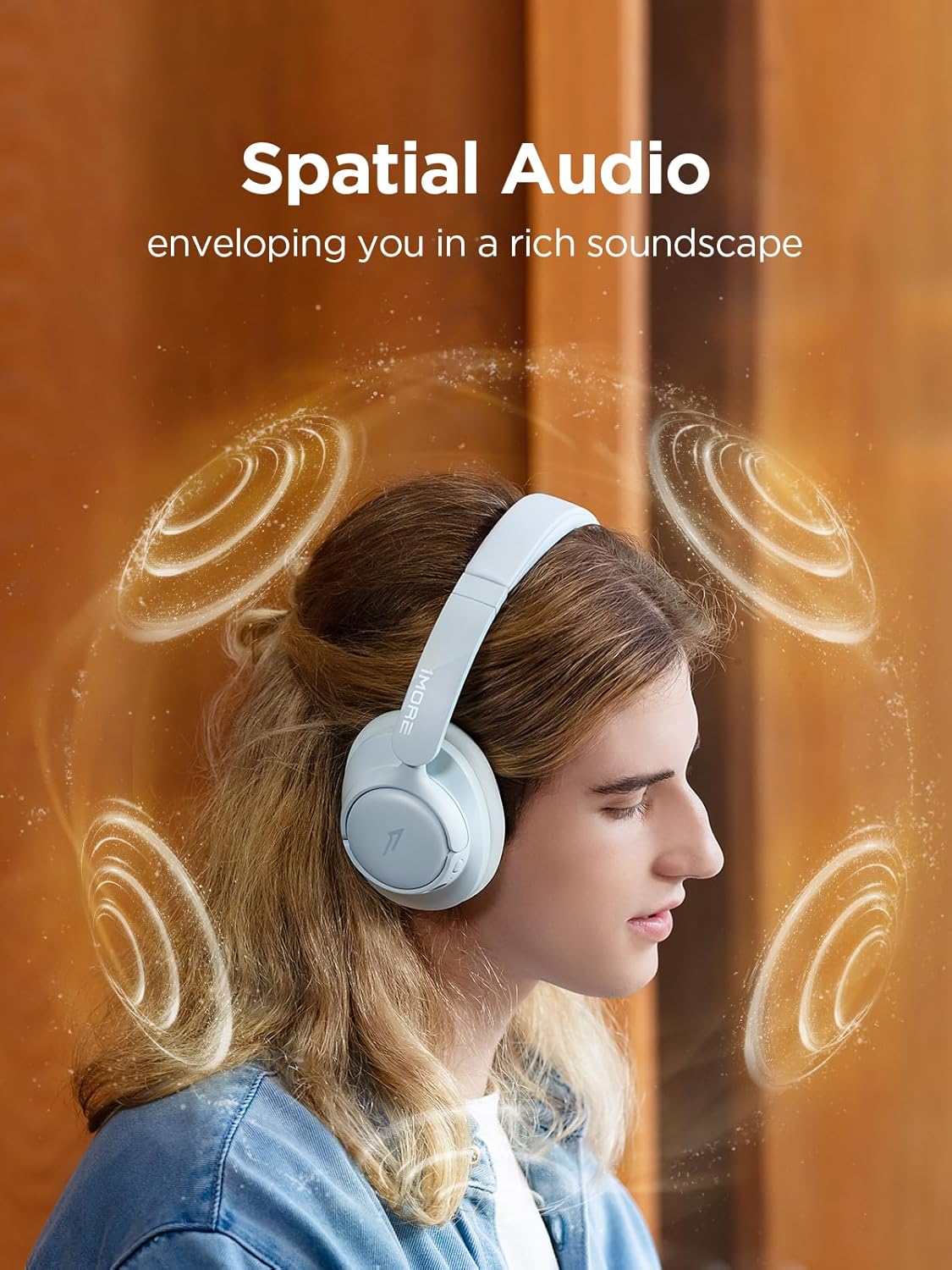
Figure 10: Headphone Controls and USB-C Port
2. Power On & Pairing
Press and hold the Power button (refer to Figure 10) until the LED indicator flashes, indicating pairing mode. On your device (smartphone, tablet, laptop), enable Bluetooth and select "1MORE HQ31 SonoFlow SE" from the list of available devices.
3. 1MORE Music App Installation
For full control over features like EQ settings, listening modes, and firmware updates, download the 1MORE Music App from your device's app store. Once installed, open the app and follow the on-screen instructions to connect your headphones.
Operating Instructions
Controls Overview
All primary controls are located on the right earcup (refer to Figure 10):
- Power Button: Power on/off, enter pairing mode.
- Volume Buttons (+/-): Adjust volume, skip tracks (long press).
- ANC/Transparency Button: Toggle between Active Noise Cancellation, Transparency Mode, and Off.
Listening Modes
Cycle through the following modes using the dedicated button or via the 1MORE Music App:
- Active Noise Cancellation (ANC): Reduces external ambient noise for an immersive listening experience.
- Transparency Mode: Allows ambient sounds to pass through, keeping you aware of your surroundings.
- Off: Standard listening mode without noise cancellation or transparency.
Sound Options (via 1MORE Music App)
The 1MORE Music App provides extensive customization for your audio:
- Preset EQs: Choose from various pre-tuned equalizer settings such as Studio, Bass Reducer, Acoustic, Classical, Podcast, Deep, Electronic, Hip-Hop, Lounge, Pop, and Loud.
- Custom EQs: Create and save your personalized equalizer settings to fine-tune the sound to your preference.
Spatial Sound & Low-Latency Mode
Access these advanced features via the 1MORE Music App:
- Spatial Sound: Enhances the audio soundstage for a more immersive and expansive listening experience.
- Low-Latency Mode: Reduces audio delay, ideal for gaming and watching videos to ensure synchronized sound and visuals.
Charging and Battery Life
The 1MORE HQ31 SonoFlow SE headphones boast an impressive battery life of up to 90 hours on a single charge. For quick power-ups, a mere 5-minute charge can provide up to 5 hours of listening time.
To charge, connect the provided USB-C cable to the headphone's charging port. The headphones can also be used in wired mode by connecting a USB-A to USB-C or Type-C to Type-C cable (sold separately) to a compatible audio source, offering a connection with ≤ 1ms latency.
Specifications
| Feature | Detail |
|---|---|
| Model Name | HQ31 |
| Brand | 1MORE |
| Noise Control | Active Noise Cancellation (QuietMax™ Hybrid) |
| Connectivity Technology | Wireless (Bluetooth 5.4) |
| Audio Driver Type | 40mm Titanium-Coated Composite Dynamic Driver |
| Earpiece Shape | Over Ear |
| Battery Life | Up to 90 hours |
| Fast Charge | 5 minutes for 5 hours playtime |
| Microphones | Dual Microphones with AI-driven DNN Noise Reduction |
| Compatible Devices | Cellphones, Tablets, Television, Gaming Consoles, Laptops |
| Control Method | App |
| Item Weight | 15.5 ounces |
| Impedance | 32 Ohm |
| UPC | 0190280001528 |
Troubleshooting
- No Power: Ensure the headphones are fully charged.
- Cannot Pair: Make sure the headphones are in pairing mode (LED flashing). Disable and re-enable Bluetooth on your device. Clear previous pairings if necessary.
- No Sound: Check the volume levels on both the headphones and your connected device. Ensure the headphones are correctly paired.
- Poor Sound Quality: Check for interference from other wireless devices. Ensure your audio source is of high quality. Try adjusting EQ settings in the 1MORE Music App.
- ANC Not Effective: Ensure the earcups form a good seal around your ears. Cycle through ANC modes via the button or app.
- App Connection Issues: Ensure Bluetooth is enabled and the headphones are paired. Restart the app or your device.
- Firmware Update Issues: Ensure the headphones are sufficiently charged and maintain a stable Bluetooth connection during the update process via the 1MORE Music App.
Warranty and Support
For detailed warranty information, product registration, and customer support, please visit the official 1MORE website. You can also find FAQs and additional resources within the 1MORE Music App.
Official 1MORE Store: Visit the 1MORE Store on Amazon


