
1. Introduction
Thank you for choosing the HOLDLAMP 14x6 RGBW LED Par Stage Light. This manual provides essential information for the safe and efficient operation of your device. Please read these instructions carefully before use and retain them for future reference.
2. Product Features
- High-Performance Lighting: Equipped with 14 units of 6W 4-in-1 RGBW LED bulbs, capable of creating vibrant multi-color lighting effects.
- Multiple Operating Modes: Features Normal, Flash, Fade, Auto, and Sound-activated modes for versatile lighting control.
- Remote Control: All functions can be easily controlled via the included wireless remote, allowing adjustments to color, brightness, and mode.
- DMX512 Support: Compatible with the DMX512 protocol for advanced control and integration with professional lighting setups.
- Versatile Installation: Designed for easy installation on floors, tables, walls, or ceilings, suitable for various event settings.
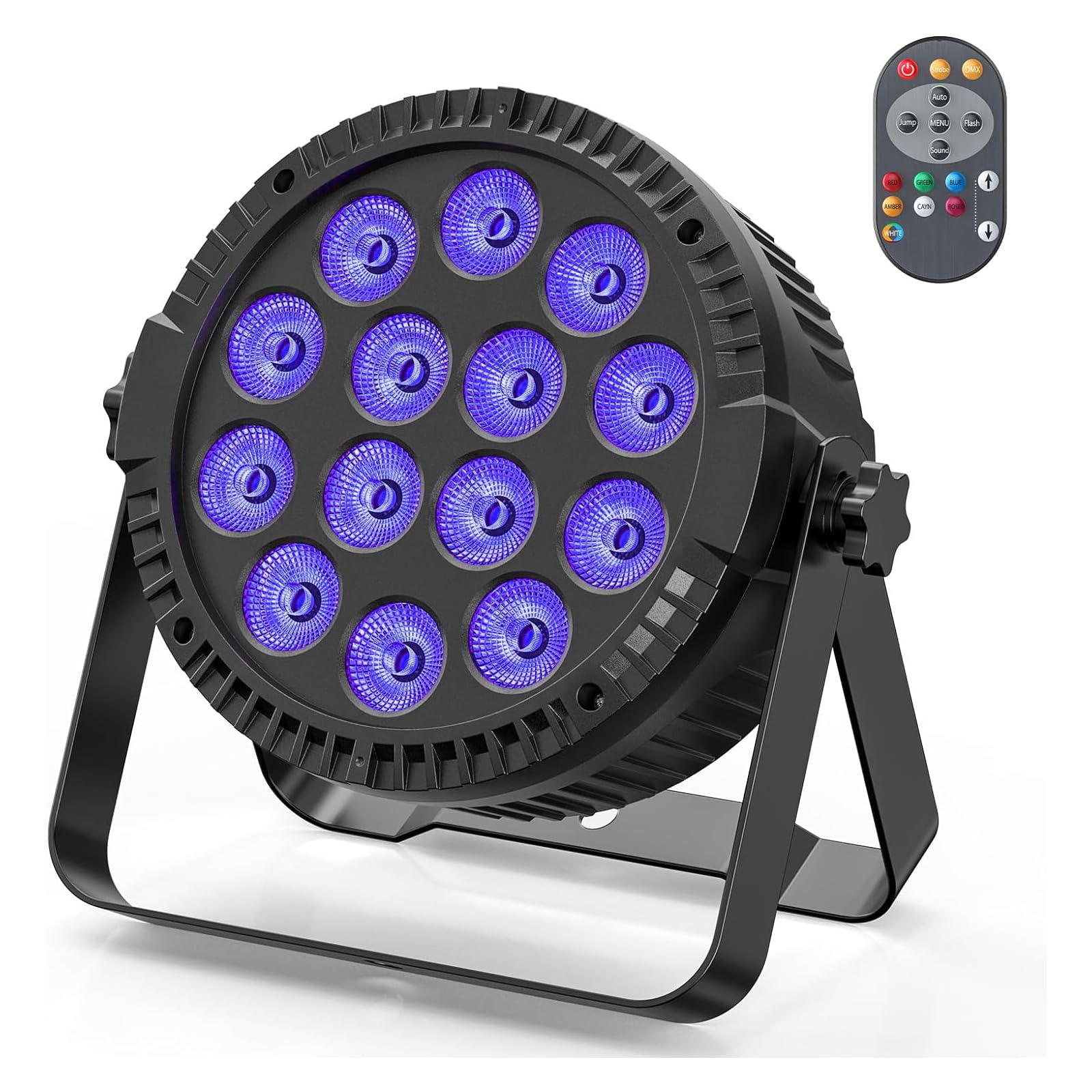
Image: The HOLDLAMP 14x6 RGBW LED Par Stage Light displaying its full range of RGBW colors.

Image: Multiple HOLDLAMP LED Par Lights illuminating a space with different color combinations.
3. What's in the Box
Upon unpacking, please ensure all items listed below are present and in good condition:
- 1 x HOLDLAMP 14x6 RGBW LED Par Light
- 1 x Remote Control
- 1 x Power Cord
- 2 x Brackets
- 2 x Screws
- 1 x User Manual

Image: All components included in the product package.
4. Setup
Follow these steps to set up your HOLDLAMP LED Par Stage Light:
- Unpack: Carefully remove all components from the packaging.
- Mounting: Attach the provided brackets to the sides of the light using the screws. The brackets allow for versatile positioning.
- Placement: Position the light on a stable surface (floor, table) or securely mount it to a wall or ceiling using appropriate hardware (not included for wall/ceiling mounting). Ensure the light is stable and will not fall. The adjustable angle feature allows you to direct the light as needed.
- Power Connection: Connect the power cord to the 'POWER IN' port on the back of the light and then to a suitable power outlet.
- Initial Power On: The light will power on and typically enter an automatic mode.

Image: Product dimensions and key features like the cooling fan and 360° adjustable angle.
5. Operating Modes
The HOLDLAMP LED Par Stage Light offers several operating modes, which can be selected via the remote control or the control panel on the back of the unit.
- Normal Mode: Provides static color illumination.
- Flash Mode: The lights flash on and off at a set or adjustable speed.
- Fade Mode: Colors smoothly transition from one to another.
- Auto Mode: Cycles through various pre-programmed lighting patterns and colors automatically.
- Sound Mode: The lights react to ambient sound or music, changing patterns and colors in sync with the audio.
Video: Demonstration of the various operating modes, including remote control, automatic, sound-activated, and DMX control.

Image: The back panel with power interface, LCD display, DMX In/Out, and the remote control with various function buttons.
6. DMX Function
The HOLDLAMP LED Par Stage Light supports the DMX512 protocol, allowing for professional control over lighting effects. Connect the light to your DMX controller using standard DMX cables (not included) via the DMX IN and DMX OUT ports on the back of the unit. Refer to your DMX controller's manual for specific programming instructions. The light typically uses 4 or 8 DMX channels.
7. Remote Control
The included remote control provides convenient access to all light functions. Ensure the remote has a working battery (1 C type battery required, not included) and is pointed towards the front of the light for optimal response. Functions include:
- ON/OFF Switch: Powers the light on or off.
- Strobe Mode: Activates the flash mode.
- DMX Mode: Switches to DMX control.
- AUTO Mode: Activates automatic program cycling.
- Jump Change: Cycles through colors with abrupt transitions.
- Function Select: Navigates through various functions.
- Flash Mode: Activates flash mode.
- Sound Active: Enables sound-activated mode.
- RGB Monochrome Choice: Selects individual Red, Green, Blue, or White colors.
- Adjust Speed/Sensitivity: Controls the speed of flash/jump modes and the sensitivity of sound mode.
Image: Close-up of the remote control with labeled buttons for various functions.
8. Specifications
| Feature | Specification |
|---|---|
| Brand | HOLDLAMP |
| Model Number | ZQ01424EU |
| Product Dimensions | 12 x 10 x 12 cm |
| Product Weight | 1.16 kg |
| Material | Aluminum |
| Number of Bulbs | 14 |
| Bulb Type | LED (Light Emitting Diode) |
| Bulb Features | RGBW, Sound Activation |
| Electrical Power | 84 Watts |
| Power Source | Corded Electric |
| Remote Control Battery | 1 C type battery (not included) |
9. Maintenance
To ensure the longevity and optimal performance of your LED Par Stage Light, follow these maintenance guidelines:
- Cleaning: Regularly wipe the exterior of the light with a soft, dry cloth. For stubborn dirt, use a slightly damp cloth and then dry thoroughly. Do not use harsh chemicals or abrasive cleaners.
- Lens Care: Keep the LED lenses clean to maintain light output quality. Use a soft, lint-free cloth specifically designed for optics.
- Ventilation: Ensure the cooling fan and ventilation openings are free from dust and obstructions to prevent overheating.
- Storage: When not in use, store the light in a dry, dust-free environment, preferably in its original packaging or a protective case.
- Cable Inspection: Periodically check the power cord and DMX cables for any signs of damage. Replace damaged cables immediately.
10. Troubleshooting
If you encounter issues with your HOLDLAMP LED Par Stage Light, refer to the following common problems and solutions:
- No Power:
- Check if the power cord is securely connected to both the light and the power outlet.
- Ensure the power outlet is functional.
- No Light Output:
- Verify the light is powered on.
- Check the selected operating mode; some modes might appear off if not actively changing.
- If using DMX, ensure the DMX signal is active and correctly configured.
- Remote Control Not Responding:
- Ensure the remote control has a fresh battery and is inserted correctly.
- Point the remote directly at the front of the light.
- Remove any obstructions between the remote and the light.
- Sound Mode Not Working:
- Ensure the sound mode is selected.
- Increase the volume of the music or sound source.
- Adjust the sound sensitivity setting on the remote or control panel.
If the problem persists after trying these steps, please contact customer support.
11. Safety Information
Please observe the following safety precautions:
- This device is for indoor use only. Do not expose to rain or moisture.
- Ensure proper ventilation to prevent overheating. Do not block any ventilation openings.
- Do not look directly into the light source when the device is operating, as it may cause eye strain or damage.
- Always disconnect the power supply before cleaning or servicing the unit.
- Keep the device away from flammable materials.
- Only qualified personnel should perform repairs.
12. Warranty and Support
The HOLDLAMP 14x6 RGBW LED Par Stage Light comes with a standard manufacturer's warranty. For detailed warranty information, product support, or service inquiries, please refer to the contact information provided with your purchase or visit the official HOLDLAMP website.


