
Introduction
Thank you for choosing the TBTeek Interactive Motion Activated Cat Laser Toy. This device is designed to provide engaging and stimulating play for your pets, encouraging exercise and satisfying their natural hunting instincts. Please read this manual thoroughly before use to ensure proper operation and safety.
Safety Information
- This product is intended for pet use only.
- Do not aim the laser directly into human or pet eyes.
- Keep the device away from water and excessive moisture.
- Do not attempt to disassemble or modify the toy. This will void the warranty and may cause damage or injury.
- Supervise your pet during play, especially when first introducing the toy.
- Keep out of reach of children.
Package Contents
Please check the package to ensure all items are present:
- 1 x TBTeek Automatic Cat Laser Toy
- 1 x USB Type-C Charging Cable
- 1 x Anti-Fall Rope
- 1 x User Manual
Setup
- Initial Charge: Before first use, fully charge the toy using the provided USB Type-C cable. Connect the cable to the toy's charging port and a 5V 1A power adapter (not included). The indicator light will show charging status. A full charge takes approximately 2.5 to 3 hours. The toy will not operate while charging.
- Placement: For optimal play experience, place the toy on a stable surface such as a table, with a height between 8 to 35 inches (20-90 cm). This allows the laser to cover a wider play area.
- Adjust Laser Angle: The laser angle can be adjusted to project the red dot freely on the floor or walls, catering to your pet's preferences. Locate the adjustment mechanism on the toy and set it to your desired angle.

Image: The TBTeek cat laser toy demonstrating how to adjust the laser projection angle for varied play.
Operating Instructions
- Power On/Off: Press the power button to turn the toy on. Press it again to turn it off.
- Changing Speed Modes: The toy features 4 adjustable speed modes. Press the speed adjustment button to cycle through the modes. Each mode is indicated by a different colored light:
- Red Light: Slow Mode
- Green Light: Medium Speed Mode
- White Light: Quick Mode
- Blue Light: Mixed Mode
- Adjustable Laser Patterns: The interactive cat toy offers 5 different laser patterns: Smile, Mouse, Star, Butterfly, and Red Dot. These patterns change automatically to keep your pet engaged.

Image: The TBTeek cat laser toy displaying the four different speed modes, each indicated by a distinct LED color.

Image: The TBTeek cat laser toy projecting various laser patterns including a star, smile, mouse, butterfly, and a classic red dot.
Motion Sensor Activation
The toy features a built-in motion sensor for automatic operation:
- When activated, the toy will run for 10 minutes.
- After 10 minutes, it enters a 2-hour sleep mode to conserve power.
- If a moving pet or person is detected within the motion detection range (up to 16.4 ft / 5 m) during the sleep cycle, the toy will reactivate for another 10 minutes.
- Note: The motion sensor will not activate until the 2-hour sleep period is complete. If your pet wishes to play again before the 2-hour sleep cycle ends, you can manually reactivate the toy by switching the speed mode.

Image: Diagram illustrating the motion sensor's detection range, the 10-minute play cycle, and the subsequent 2-hour sleep mode.
Charging
- The toy is equipped with a USB Type-C rechargeable battery.
- Charging time: Approximately 2.5 to 3 hours for a full charge.
- Working time: A full charge provides approximately 5 days of use (based on typical usage patterns).
- Low Battery Indicator: When the battery is low, the indicator light will flash three times to remind you to recharge.
- Important: The toy does not operate while charging.
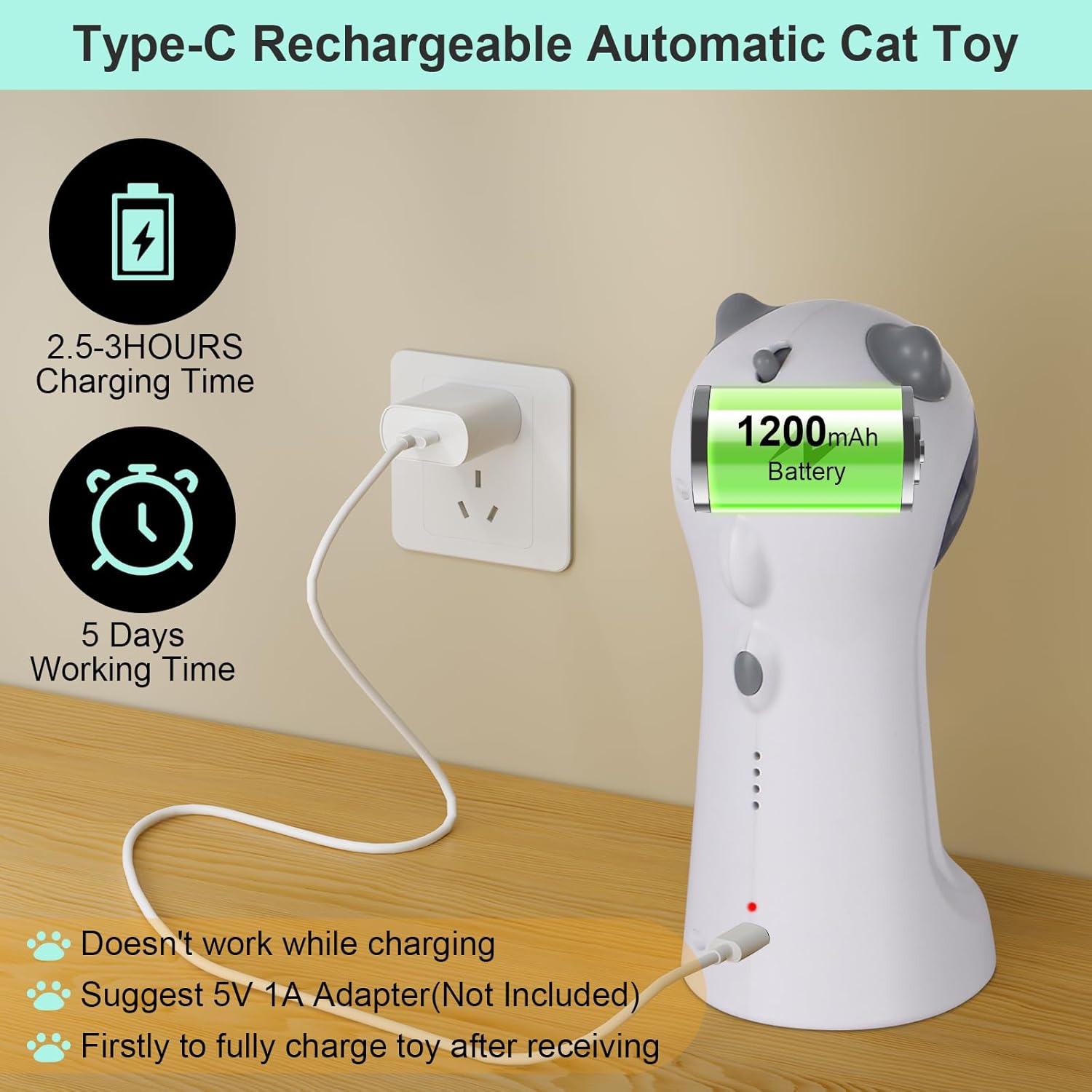
Image: The TBTeek cat laser toy connected to a USB-C charging cable, highlighting the 2.5-3 hour charging time and 5-day working time.
Maintenance
- Cleaning: Wipe the exterior of the toy with a soft, dry cloth. Do not use harsh chemicals or abrasive cleaners.
- Storage: Store the toy in a cool, dry place when not in use.
- Battery Care: To prolong battery life, avoid completely draining the battery frequently. Charge the toy regularly.
Troubleshooting
| Problem | Possible Cause | Solution |
|---|---|---|
| Toy does not turn on. | Battery is depleted. | Charge the toy fully. |
| Laser is not moving or is weak. | Low battery; Obstruction in laser path. | Charge the toy; Ensure no obstructions are blocking the laser emitter. |
| Toy stops playing unexpectedly. | Entered 2-hour sleep mode; Battery depleted. | Wait for sleep cycle to end or manually reactivate by changing speed mode; Charge the toy. |
| Motion sensor not activating. | Still within 2-hour sleep cycle. | Wait for the sleep cycle to end or manually reactivate by changing speed mode. |
Specifications
- Product Type: Interactive Cat Laser Toy
- Brand: TBTeek
- Color: White
- Material: Durable Plastic
- Recommended Uses: Pet Exercise, Play
- Indoor/Outdoor Use: Indoor
- Breed Recommendation: Small and Medium Cats and Dogs
- Charging: USB Type-C (5V 1A adapter recommended, not included)
- Charging Time: Approx. 2.5 - 3 hours
- Working Time: Approx. 5 days (typical use)
- Speed Modes: 4 (Slow, Medium, Quick, Mixed)
- Laser Patterns: 5 (Smile, Mouse, Star, Butterfly, Red Dot)
- Motion Sensor Range: Up to 16.4 ft (5 m)
- Automatic Play Cycle: 10 minutes play, 2 hours sleep
Warranty and Support
TBTeek products are manufactured to high-quality standards. For any questions, concerns, or support needs regarding your Interactive Motion Activated Cat Laser Toy, please refer to the retailer's return policy or contact TBTeek customer service through the platform where the product was purchased. Please retain your proof of purchase for warranty claims.