
1. Introduction
Thank you for choosing the DEVAISE Electric Standing Desk. This manual provides essential information for the safe assembly, operation, and maintenance of your new desk. This 40x24 inch electric standing desk features a one-piece desktop, adjustable height functionality, and memory presets for personalized comfort. Please read this manual thoroughly before use and retain it for future reference.
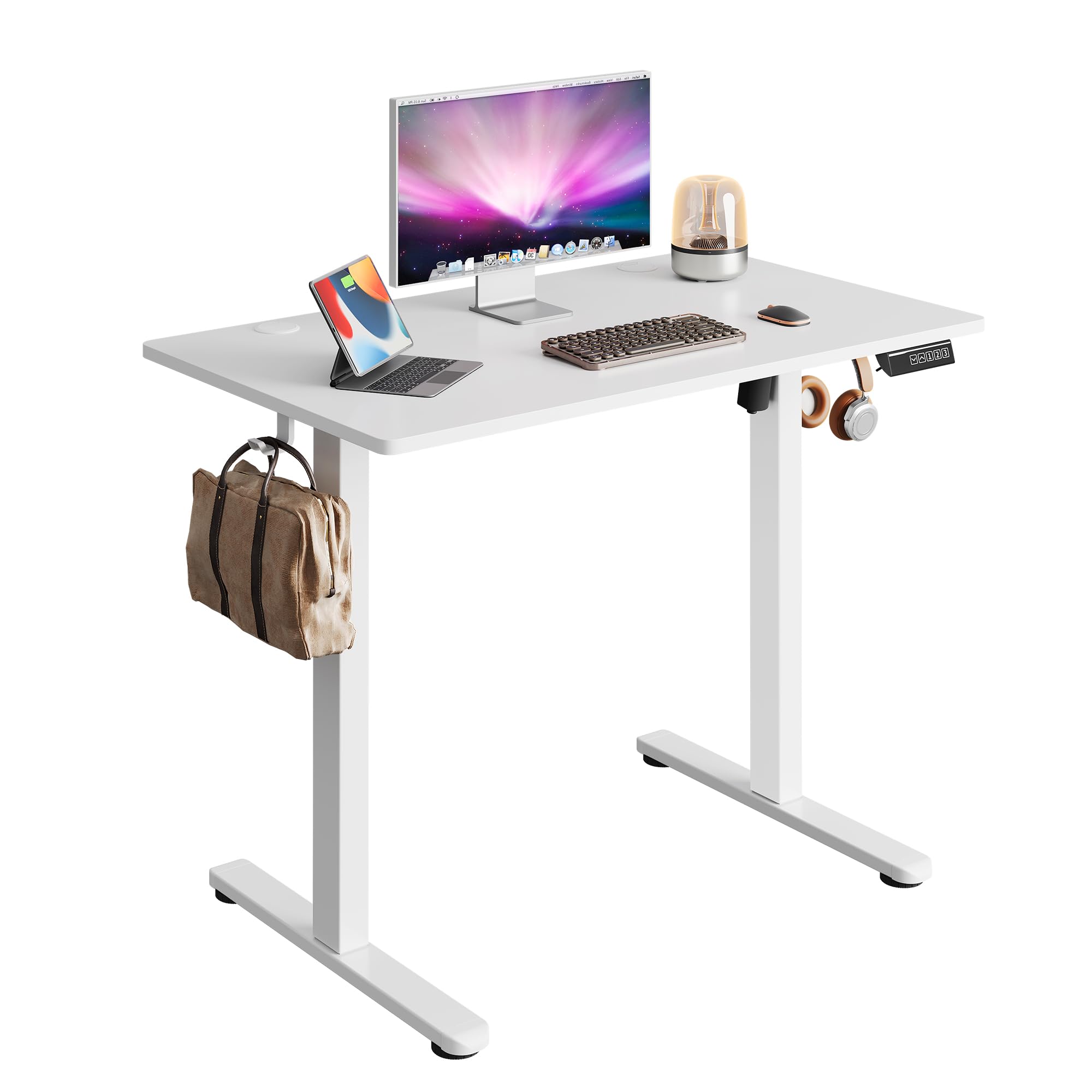
Image 1.1: The DEVAISE 40x24 Inch Electric Standing Desk in a typical home office environment.
2. Safety Information
- Do not exceed the weight limit of 180 lbs (81.6 kg).
- Ensure the desk is placed on a level surface.
- Keep children and pets away from the desk during operation.
- Avoid placing liquids directly on the control panel or near electrical components.
- Do not attempt to disassemble or repair the motor or control system yourself. Contact customer service for assistance.
- Ensure there are no obstructions in the desk's path during height adjustment to prevent damage or injury. The desk is equipped with anti-collision sensors.

Image 2.1: Key safety and convenience features including the anti-collision system, cable holes, and storage hooks.
3. Package Contents
Before assembly, verify that all components are present and undamaged. If any parts are missing or damaged, please contact customer service.
- Desktop (One-piece)
- Legs (2)
- Feet (2)
- Crossbar/Support Beam
- Control Box
- Digital Control Panel
- Power Adapter and Cable
- Headphone Hook
- Cable Management Clips
- Assembly Hardware (screws, Allen wrench)
- User Manual

Image 3.1: All components included in the package, pre-drilled and labeled for quick installation.
4. Assembly Instructions
Assembly typically takes approximately 15 minutes. All holes are pre-drilled, and accessories are clearly labeled for ease of installation. It is recommended to assemble the desk with two people.
- Unpack Components: Carefully remove all parts from the packaging and lay them out on a clean, soft surface to prevent scratches. Refer to the 'Package Contents' section to ensure all parts are present.
- Attach Feet to Legs: Secure the feet to the bottom of each leg using the provided screws and Allen wrench.
- Connect Legs to Crossbar: Attach the two legs to the central crossbar. Ensure the motor and drive shaft are correctly aligned.
- Mount Control Box: Secure the control box to the designated area under the desktop.
- Attach Desktop: Carefully place the desktop upside down on a soft surface. Align the assembled leg frame with the pre-drilled holes on the desktop and secure it with screws.
- Install Control Panel: Mount the digital control panel to the front edge of the desktop using the provided screws.
- Connect Cables: Connect the motor cable, control panel cable, and power adapter cable to the control box. Ensure all connections are secure.
- Attach Headphone Hook: Install the headphone hook to the side of the desk as desired.
- Cable Management: Use the provided cable clips to organize and secure cables under the desk.
- Power On: Flip the desk upright, connect the power adapter to a wall outlet, and power on the desk.

Image 4.1: Visual guide to the quick installation process, highlighting pre-drilled holes and labeled parts.
5. Operating Instructions
5.1 Height Adjustment
The desk's height can be adjusted electrically from 28.35 inches (72 cm) to 46.46 inches (118 cm).
- Up Button (▲): Press and hold to raise the desk.
- Down Button (▼): Press and hold to lower the desk.
- Release the button at your desired height. The LED display will show the current height.

Image 5.1: Illustration of the desk's adjustable height range from 28.35 inches to 46.45 inches.
5.2 Memory Presets
The control panel allows you to save up to three preferred height settings for quick adjustments.
- Set a Memory Position:
- Adjust the desk to your desired height using the Up/Down buttons.
- Press the 'S' button (Set). The display will flash.
- Press one of the number buttons (1, 2, or 3) within 5 seconds to save the current height to that preset. The display will show 'S-' followed by the number to confirm.
- Recall a Memory Position:
- Simply press the corresponding number button (1, 2, or 3). The desk will automatically move to the saved height.

Image 5.2: The digital control panel featuring an LED display, up/down controls, and three memory preset buttons.
5.3 Video Demonstration
Watch this video for a visual guide on operating the DEVAISE Electric Standing Desk, including height adjustments and memory preset functions.
Video 5.3: Official product video demonstrating the operation of the DEVAISE Electric Standing Desk.
6. Maintenance
- Cleaning: Wipe the desktop and legs with a soft, damp cloth. Avoid harsh chemicals or abrasive cleaners.
- Inspection: Periodically check all screws and connections to ensure they are tight. Retighten if necessary.
- Cable Management: Ensure cables are neatly organized and not pinched or tangled, especially during height adjustments.
7. Troubleshooting
| Problem | Possible Cause | Solution |
|---|---|---|
| Desk does not move. | Power cable disconnected, control box cable loose, motor error. | Check all cable connections. Unplug and replug the power cable. If the issue persists, contact customer service. |
| Desk moves unevenly or makes unusual noise. | Overload, obstruction, loose components. | Reduce weight on the desk. Check for obstructions. Ensure all assembly screws are tight. |
| Error code displayed (e.g., E01, E02). | System malfunction, sensor issue. | Unplug the desk for 10 minutes, then plug it back in. If the error persists, contact customer service. |
| Memory presets not working. | Presets not saved correctly. | Re-save the memory positions following the instructions in Section 5.2. |
8. Specifications
| Feature | Detail |
|---|---|
| Model Number | ASJZ029 |
| Desktop Dimensions (D x W) | 23.62" x 39.35" (60 cm x 100 cm) |
| Adjustable Height Range | 28.35" - 46.46" (72 cm - 118 cm) |
| Maximum Weight Capacity | 180 lbs (81.6 kg) |
| Desktop Material | Engineered Wood |
| Frame Material | Iron |
| Motor Type | Dual-motor drive |
| Noise Level | <45 dB |
| Memory Presets | 3 |
| Special Features | Anti-collision system, Cable holes, Headphone hook, One-piece desktop |
| Color | White |
| Item Weight | 36.85 lbs (16.7 kg) |

Image 8.1: Detailed product dimensions and maximum weight capacity of 180 lbs.

Image 8.2: Visual comparison highlighting the enhanced stability of the one-piece desktop design.
9. Warranty and Support
The DEVAISE Electric Standing Desk comes with a 1-year frame warranty. For any questions, concerns, or assistance with your product, please contact our 24/7 US-based customer service team. Please have your model number (ASJZ029) and purchase information ready when contacting support.
For further information or to explore other DEVAISE products, visit the official DEVAISE Store on Amazon.