
Important Safety Information
- Do not place the clamping arm on top of the glass surface.
- Ensure the desk is not overloaded beyond 176 pounds (80 kg) to maintain stability and prevent damage.
- Keep children and pets away from the desk during height adjustment.
- Ensure no obstacles are in the desk's path during movement.
Product Overview
The DEVAISE ASJZ028WH is a 55-inch electric standing desk featuring a tempered glass tabletop and integrated drawers. It offers adjustable height settings for ergonomic comfort and a spacious work surface.
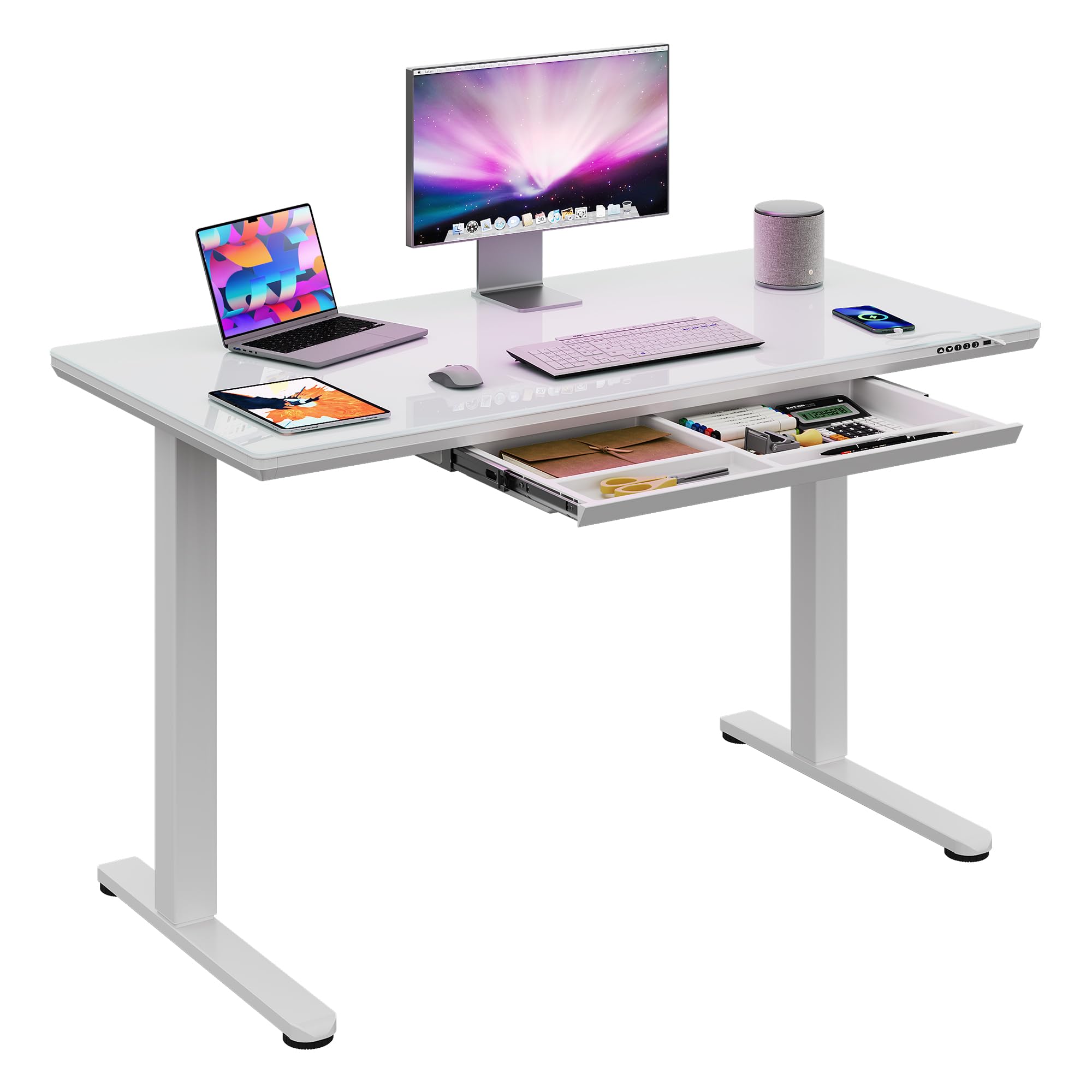
Figure 1: DEVAISE 55-Inch Electric Standing Desk
Key Features:
- Tempered Glass Tabletop: Durable, easy to clean, and suitable for writing.
- Electric Height Adjustment: Smoothly adjusts from 28.3 inches to 46.5 inches.
- Programmable Presets: Three customizable height memory settings.
- Integrated Drawers: Provides organized storage space.
- Sturdy Construction: Built with a robust steel frame for stability.
- Quick Installation: Designed for straightforward assembly.
Specifications
| Feature | Detail |
|---|---|
| Model Number | ASJZ028WH |
| Dimensions (D x W x H) | 23.62"D x 55.12"W x 28.35"H |
| Minimum Height | 28.3 Inches |
| Maximum Height | 46.5 Inches |
| Maximum Weight Recommendation | 176 Pounds |
| Top Material Type | Glass |
| Base Material | Iron |
| Number of Drawers | 1 |
| Color | White Glass |
| Required Assembly | Yes |
| Includes All Assembly Tools | Yes |
Setup and Assembly
The DEVAISE Electric Standing Desk is designed for quick and easy installation. All necessary tools and pre-drilled holes are provided to simplify the process.
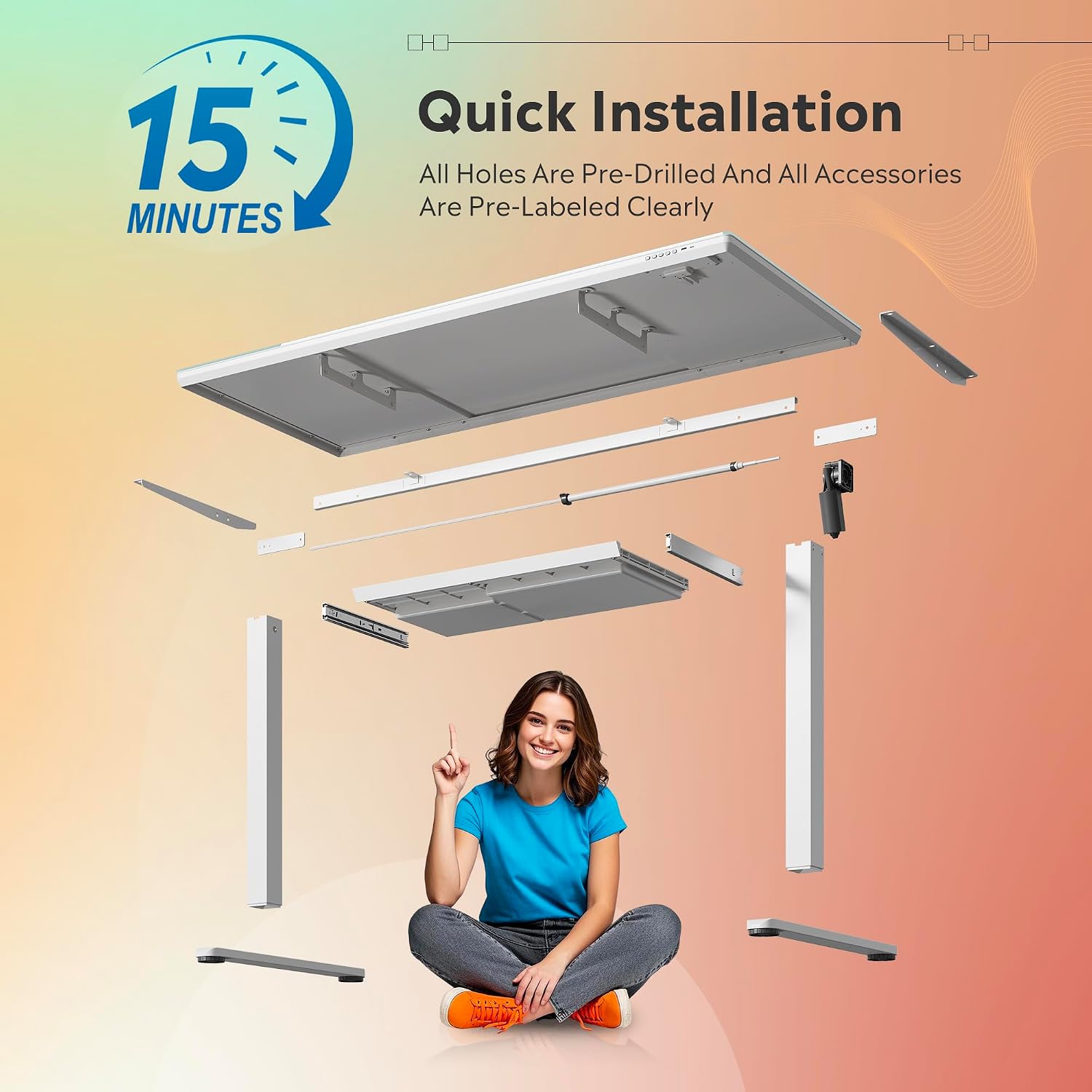
Figure 2: Quick Installation Overview
Assembly Steps:
- Unpack Components: Carefully remove all parts from the packaging. Verify all components are present against the included parts list.
- Attach Legs: Securely attach the desk legs to the tabletop using the provided screws and tools. Ensure all connections are tight.
- Connect Power: Plug the power cord into the desk's control unit and then into a wall outlet.
- Initial Setup: Follow the instructions in the operating section to calibrate the desk and set your preferred height presets.
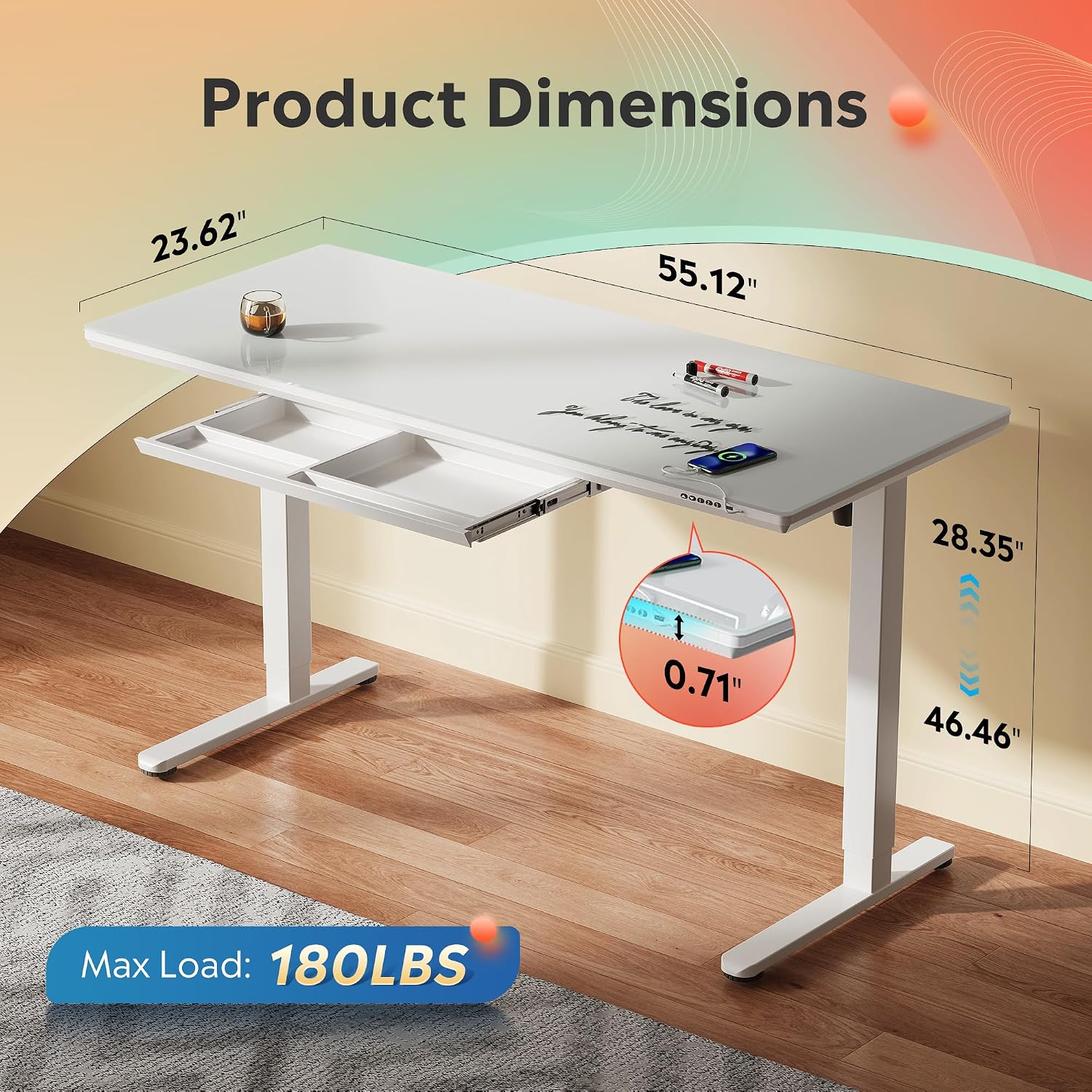
Figure 3: Product Dimensions for Placement Planning
Operating Instructions
The desk features an intuitive control panel for easy height adjustment and memory functions.
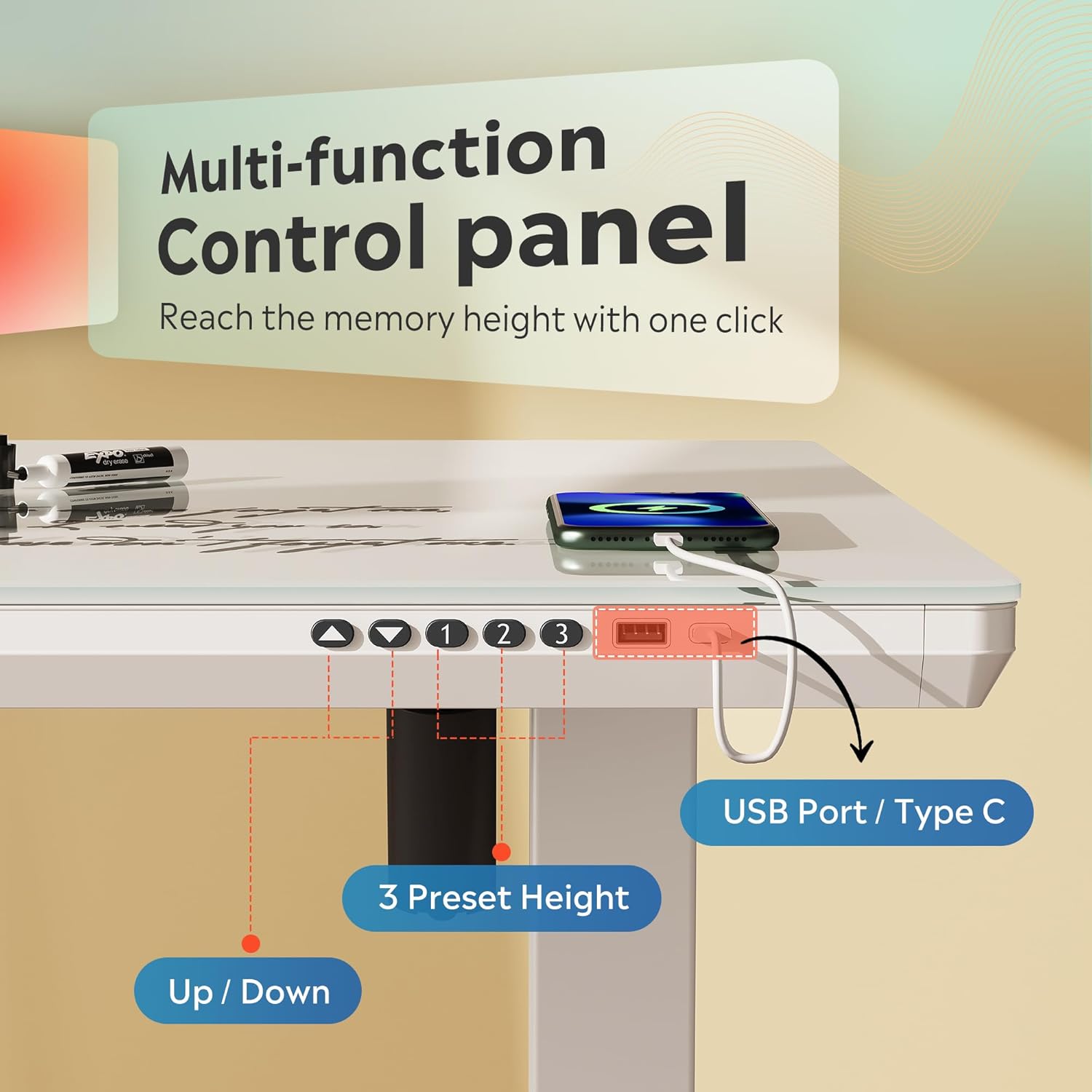
Figure 4: Multi-function Control Panel
Height Adjustment:
- Use the Up (▲) and Down (▼) arrows on the control panel to manually adjust the desk height. The current height will be displayed on the LED screen.
- The desk smoothly adjusts between 28.3 inches and 46.5 inches.
Setting Memory Presets:
The desk allows you to save up to three preferred height settings.
- Adjust the desk to your desired height using the Up/Down arrows.
- Press the "M" button (or equivalent memory set button, if available) once. The display may flash.
- Immediately press one of the numbered preset buttons ("1", "2", or "3") to save the current height to that position. The display will confirm the setting.
Using Memory Presets:
- To move the desk to a saved height, simply press the corresponding preset button ("1", "2", or "3"). The desk will automatically move to the programmed height.
USB Charging Ports:
The control panel includes USB-A and USB-C ports for convenient charging of your devices.
Maintenance
Cleaning the Tempered Glass Surface:
- The tempered glass surface is easy to maintain. Simply wipe it down with a clean, damp cloth to remove dust, spills, and smudges.
- For stubborn marks, use a mild glass cleaner and a soft cloth. Avoid abrasive cleaners or harsh chemicals that could damage the glass.

Figure 5: Tempered Glass Surface
General Care:
- Regularly check all screws and connections to ensure they remain tight.
- Avoid placing hot items directly on the glass surface without a coaster.
- Do not use sharp objects on the glass surface to prevent scratches.
Troubleshooting
If you encounter any issues with your DEVAISE Electric Standing Desk, please refer to the following common solutions:
| Problem | Possible Cause | Solution |
|---|---|---|
| Desk does not move | Power cable disconnected, overload, or motor error. | Check power connections. Reduce weight on the desk. Unplug for 10 seconds and plug back in to reset. |
| Uneven height adjustment | Obstruction or uneven load. | Clear any obstructions. Redistribute weight evenly on the desk. |
| Desk makes unusual noise | Loose components or motor issue. | Check and tighten all screws. If noise persists, contact customer support. |
| Memory presets not working | Presets not properly saved. | Re-program the memory presets following the operating instructions. |
If the problem persists after attempting these solutions, please contact DEVAISE customer support.
Warranty and Support
This DEVAISE Electric Standing Desk comes with a Limited Warranty. Please refer to the warranty card included with your product for specific terms and conditions.
For technical support, parts replacement, or any other inquiries, please contact DEVAISE customer service through their official website or the retailer where the product was purchased.
Product Videos
Official product videos from the seller are not available for embedding based on the provided data. Please refer to the product page for any available visual guides.
