Introduction
The LEMEGA DR3P is a versatile portable digital radio designed to enhance your audio experience. It features DAB/DAB+ and FM radio reception, Bluetooth 5.3 connectivity for streaming, and a vibrant 2.4-inch color display. Enjoy your favorite radio stations, personal playlists, and podcasts with clear sound quality, whether at home or on the go.
What's in the Box
Please check the contents of your LEMEGA DR3P package:
- 1 x LEMEGA DR3P Radio
- 1 x USB-C Power Cable
- 1 x AC Power Adapter
- 1 x Quick Start Guide (This manual serves as a detailed guide)

Image: The LEMEGA DR3P radio, a USB-C power cable, and the owner's manual are shown, indicating the items included in the product packaging.
Controls and Display
Familiarize yourself with the main controls and the 2.4-inch color display of your DR3P radio.

Image: A close-up of the LEMEGA DR3P radio, highlighting the speaker grille on the left, the 2.4-inch color display on the right, and the various control buttons and rotary knob below the screen.
Key controls include:
- SOURCE: Toggles between DAB, FM, and Bluetooth modes.
- MENU/BACK: Accesses menu options or returns to the previous screen.
- INFO: Displays additional information about the current station or track.
- PRESETS: Accesses saved radio station presets.
- ALARM: Sets and manages alarms.
- SLEEP: Activates the sleep timer function.
- /VOLUME: Power on/off and rotary knob for volume control and menu navigation.
- Previous/Next Track Buttons: For navigating tracks in Bluetooth mode or stations in radio mode.
Setup
1. Powering On Your Radio
The LEMEGA DR3P can be powered by the included AC adapter or by 4 x AA batteries (not included) for portable use.
AC Power:
Connect the USB-C power cable to the radio's USB-C port and the other end to the AC power adapter. Plug the adapter into a wall outlet. The radio will power on automatically or can be turned on by pressing the /VOLUME knob.
Battery Power:
Open the battery compartment on the back of the radio. Insert 4 x AA batteries, ensuring correct polarity (+/-). Close the compartment. The radio offers up to 11 hours of battery life.

Image: The LEMEGA DR3P radio is depicted outdoors, highlighting its portable design and the convenience of its 11-hour battery life for use in various locations.
2. Extending the Antenna
For optimal DAB/DAB+ and FM reception, fully extend the telescopic antenna located on the top of the radio.
3. Initial Scan (DAB/DAB+)
Upon first power-on, the radio will automatically perform a full scan for available DAB/DAB+ stations. This process may take a few minutes. Once complete, the radio will display a list of found stations.

Image: The radio's screen shows "BBC Radio" and "10:00. Adele.", illustrating the DAB+ functionality and the display of station and artist information.
Operating Instructions
1. Switching Modes (SOURCE Button)
Press the SOURCE button repeatedly to cycle through the available modes: DAB Radio, FM Radio, and Bluetooth Audio.
2. DAB/DAB+ Radio Operation
In DAB mode, use the rotary /VOLUME knob to scroll through the list of available stations. Press the knob to select a station. The 2.4-inch color display will show station name, program information, and artist artwork (if available).
Manual Scan:
If you move the radio to a new location or wish to rescan for stations, press MENU/BACK, navigate to "Scan" or "Full Scan", and press the /VOLUME knob to confirm.
3. FM Radio Operation
In FM mode, use the rotary /VOLUME knob to tune to a frequency. Press the knob to confirm. The radio supports RDS (Radio Data System) to display station information.
Auto Scan:
Press MENU/BACK, navigate to "Auto Scan", and press the /VOLUME knob to find and save available FM stations.
4. Bluetooth Audio Streaming
Switch the radio to Bluetooth Audio mode using the SOURCE button. The radio will enter pairing mode, indicated on the display.
On your smartphone, tablet, or other Bluetooth-enabled device, search for "LEMEGA DR3P" in the Bluetooth settings and connect. Once paired, you can stream audio wirelessly to the radio.

Image: The LEMEGA DR3P radio is shown wirelessly connected to a smartphone, demonstrating its Bluetooth 5.3 capability for streaming music and podcasts.
5. Saving and Recalling Presets
The radio supports up to 80 presets for your favorite DAB/DAB+ and FM stations.
To Save a Preset:
While listening to a station, press and hold the PRESETS button. Use the /VOLUME knob to select a preset number (1-80) and press the knob to save.
To Recall a Preset:
Press the PRESETS button briefly. Use the /VOLUME knob to select the desired preset and press the knob to tune in.
6. Setting Alarms
The DR3P features dual alarms with weekday/weekend modes.
Press the ALARM button. Use the /VOLUME knob to select Alarm 1 or Alarm 2. Follow the on-screen prompts to set the alarm time, source (DAB+, FM, or buzzer), and frequency (daily, weekdays, weekends, once).
7. Sleep Timer
The sleep timer allows the radio to turn off automatically after a set period.
Press the SLEEP button repeatedly to cycle through available sleep times (e.g., 15, 30, 45, 60, 90, 120 minutes, Off).
8. Equalizer Settings
Adjust the audio output to your preference with the built-in equalizer.
Press MENU/BACK, navigate to "Equalizer" or "Sound Settings". Select from preset modes (e.g., Normal, Classic, Jazz, Pop, Rock) or customize your own settings.
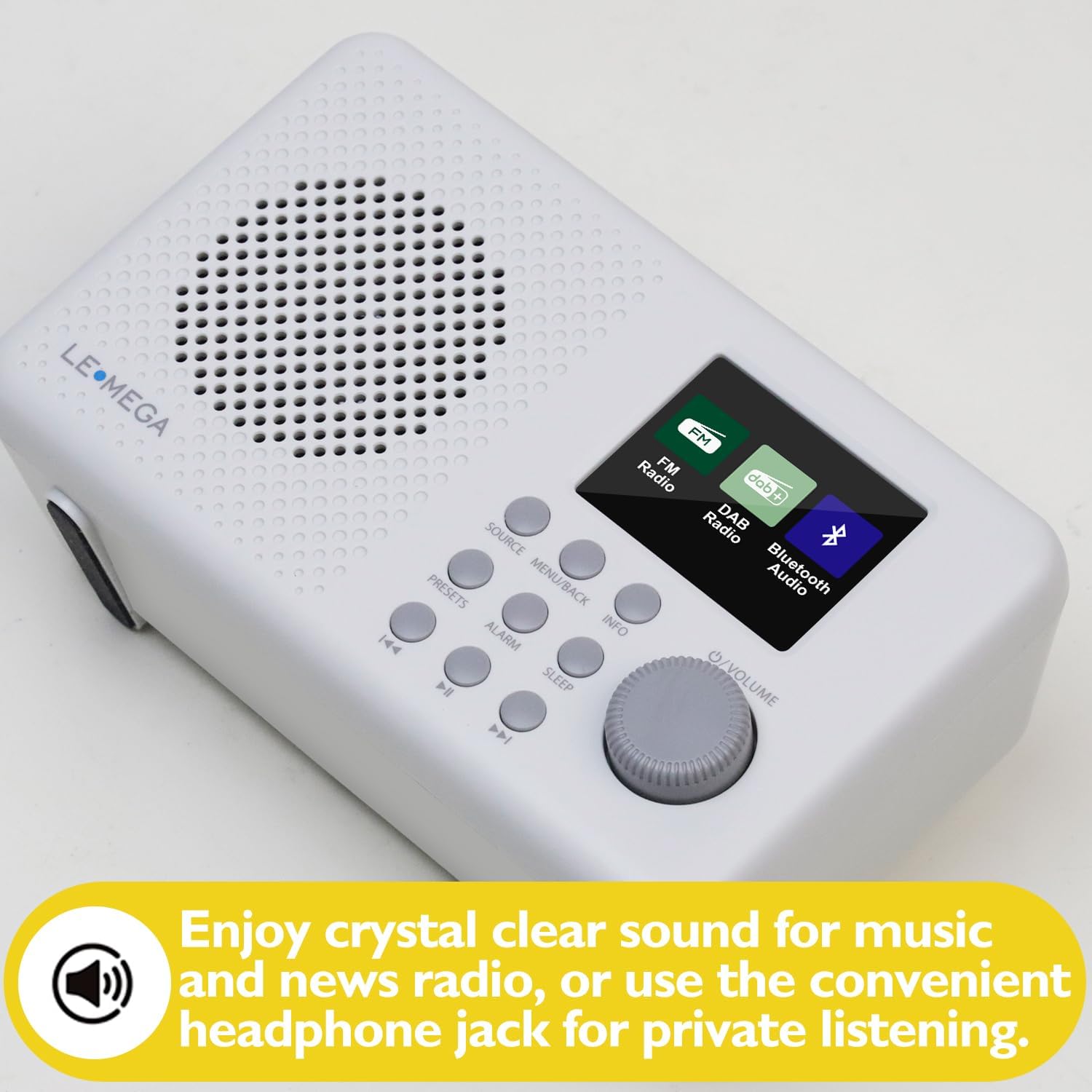
Image: The LEMEGA DR3P radio is shown with a focus on its audio capabilities, including a headphone jack for private listening and enhanced sound quality for music and news.
9. Headphone Use
Connect standard 3.5mm headphones to the headphone jack on the back of the radio for private listening.
Maintenance
To ensure the longevity and optimal performance of your LEMEGA DR3P radio, follow these maintenance guidelines:
- Cleaning: Wipe the radio with a soft, dry cloth. Do not use abrasive cleaners, waxes, or solvents as they may damage the finish.
- Antenna Care: Handle the telescopic antenna carefully. Avoid bending or forcing it, as this can damage the reception capabilities.
- Battery Replacement: If using batteries, replace all four AA batteries at the same time. Do not mix old and new batteries or different types of batteries. Remove batteries if the radio will not be used for an extended period to prevent leakage.
- Storage: Store the radio in a cool, dry place away from direct sunlight, extreme temperatures, and high humidity.
- Ventilation: Ensure proper ventilation around the radio. Do not block any ventilation openings.
Troubleshooting
If you encounter issues with your LEMEGA DR3P radio, please refer to the following common problems and solutions:
| Problem | Possible Cause | Solution |
|---|---|---|
| No power / Radio does not turn on. | Power cable not connected properly; Batteries are depleted or incorrectly inserted. | Ensure the AC adapter is securely plugged into the radio and wall outlet. If using batteries, check polarity and replace with fresh AA batteries. |
| Poor DAB/FM reception or no stations found. | Antenna not fully extended; Weak signal in your area; Interference from other electronic devices. | Fully extend the telescopic antenna. Try repositioning the radio. Perform a full scan for stations. Move the radio away from other electronics. |
| Bluetooth device cannot pair. | Radio not in Bluetooth pairing mode; Device too far; Bluetooth on device is off. | Ensure the radio is in Bluetooth Audio mode. Keep the device within 10 meters of the radio. Turn on Bluetooth on your device and try searching again. |
| No sound from speaker. | Volume is too low; Mute function active; Headphones connected. | Increase the volume using the /VOLUME knob. Check if headphones are plugged in. |
| Display is blank or frozen. | Temporary software glitch. | Disconnect power for a few seconds, then reconnect. If using batteries, remove and reinsert them. |
If the problem persists after trying these solutions, please contact LEMEGA customer support.
Product Specifications
- Brand: LEMEGA
- Model Number: DR3
- Color: DR3P Stone Grey
- Tuning Technology: DAB/DAB+/FM with RDS
- Display: 2.4-inch Color Screen
- Bluetooth Version: 5.3
- Presets: 80 (DAB/DAB+ and FM)
- Power Source: AC Power Adapter (included) or 4 x AA Batteries (not included)
- Battery Life: Up to 11 hours (with AA batteries)
- Audio Output: Integrated Speaker, 3.5mm Headphone Jack
- Special Features: Dual Alarm, Snooze, Sleep Timer, Equalizer Modes, Portable
- Dimensions (L x W x H): 17.5 cm x 7 cm x 11 cm (6.89 x 2.76 x 4.33 inches)
- Weight: Approximately 405g
Warranty and Support
The LEMEGA DR3P radio comes with a 1-year manufacturer's warranty from the date of purchase.
This warranty covers defects in materials and workmanship under normal use. It does not cover damage caused by misuse, accidents, unauthorized modifications, or normal wear and tear.
For warranty claims, technical support, or further assistance, please visit the official LEMEGA website or contact their customer service department. Please have your proof of purchase and product model number (DR3) ready when contacting support.
You can find more information and support resources at the LEMEGA Brand Store.


