
LEXiBOOK RL800SO
LEXiBOOK RL800SO Soccer Ball Night Light Alarm Clock Instruction Manual
Model: RL800SO | Brand: LEXiBOOK
Introduction
This manual provides detailed instructions for the setup, operation, and maintenance of your LEXiBOOK RL800SO Soccer Ball Night Light Alarm Clock. This device combines an alarm clock with a night light feature, offering various sounds and melodies for a personalized experience.
Safety Information
- Keep the device away from water and moisture.
- Do not expose to extreme temperatures or direct sunlight.
- Use only the specified battery type (3 x AA/LR6, not included).
- Keep batteries out of reach of small children.
- Do not attempt to disassemble or repair the device yourself. Contact customer support if issues arise.
Package Contents
- 1 x LEXiBOOK RL800SO Soccer Ball Night Light Alarm Clock
- 1 x Instruction Manual
Note: 3 x AA/LR6 batteries are required and not included.
Setup
1. Battery Installation
- Locate the battery compartment on the underside of the alarm clock.
- Open the battery compartment cover.
- Insert 3 new AA/LR6 batteries, ensuring correct polarity (+/-).
- Close the battery compartment cover securely.

Image: Underside of the LEXiBOOK RL800SO alarm clock, highlighting the battery compartment.
2. Initial Time Setting
- Press and hold the "Time Set" button (often indicated by a clock icon) located on the back or side of the unit.
- While holding the "Time Set" button, use the '+' and '-' buttons (usually on the front or top) to adjust the hour.
- Release and press the "Time Set" button again to switch to minute adjustment. Use '+' and '-' buttons to set the minutes.
- Press the "Time Set" button one last time to confirm and exit time setting mode.
Operating Instructions
1. Setting the Alarm
- Press and hold the "Alarm Set" button (often indicated by a bell icon) located on the back or side of the unit.
- While holding the "Alarm Set" button, use the '+' and '-' buttons to adjust the alarm hour.
- Release and press the "Alarm Set" button again to switch to minute adjustment. Use '+' and '-' buttons to set the alarm minutes.
- Press the "Alarm Set" button one last time to confirm and exit alarm setting mode. The alarm icon will appear on the LCD screen, indicating the alarm is active.
2. Snooze Function
When the alarm sounds, press down on the top of the soccer ball or the designated snooze button (if available) to activate the snooze function. The alarm will temporarily stop and sound again after a few minutes (typically 5-10 minutes).

Image: A child sleeping peacefully with the LEXiBOOK RL800SO Soccer Ball Night Light Alarm Clock illuminating the room.
3. Night Light Operation
To activate the night light, press down on the soccer ball. The ball will illuminate, creating a soft glow. Press again to turn it off. The night light can be used independently of the alarm function.
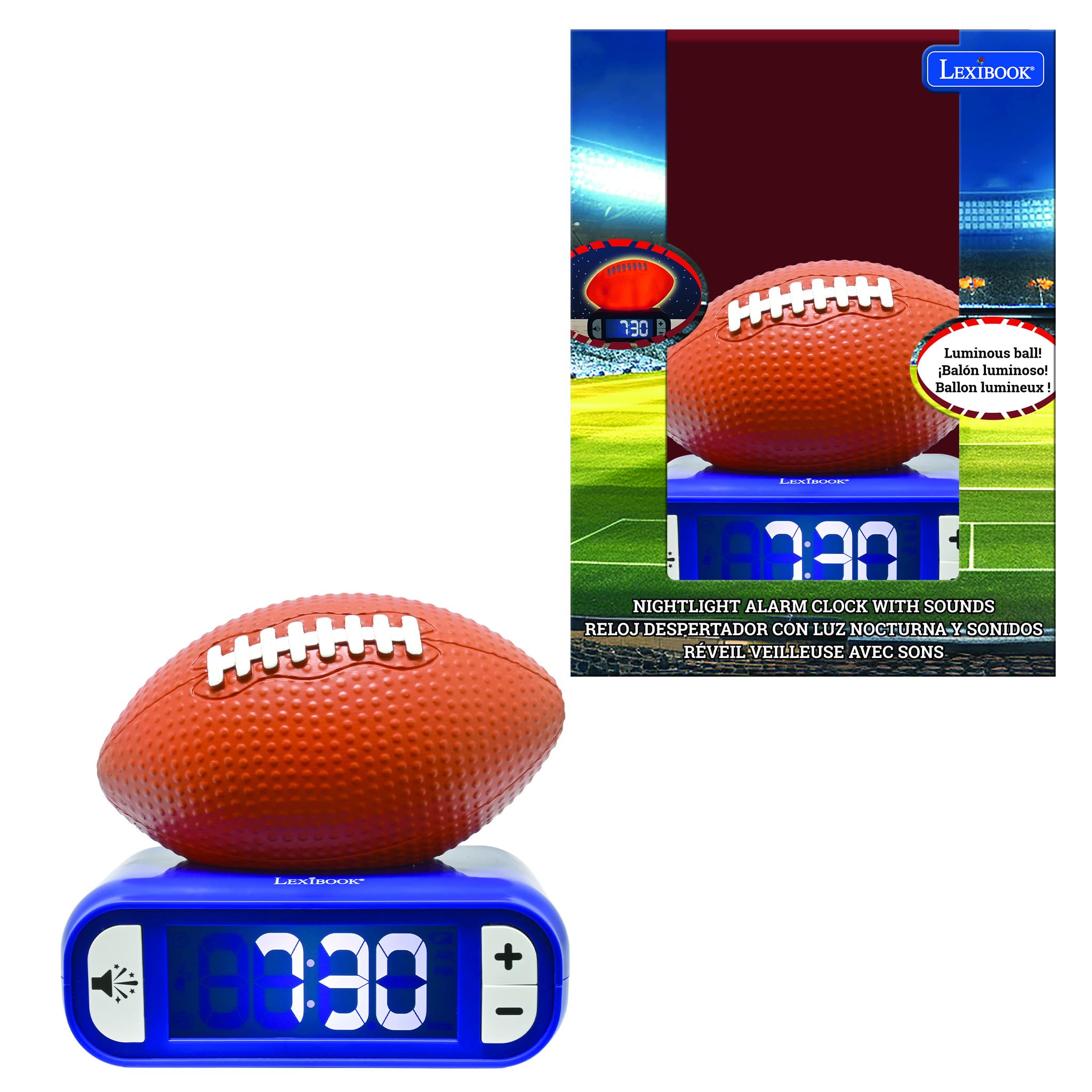
Image: The LEXiBOOK RL800SO Soccer Ball Night Light Alarm Clock with the soccer ball illuminated, showing its night light feature.
4. Sound and Melody Selection
Your alarm clock offers 6 different ringtones/melodies. To cycle through them, press the "Sound" button (often indicated by a speaker icon). Stop on your preferred melody. The volume can also be adjusted using dedicated volume buttons or by repeatedly pressing the sound button after selecting a melody.

Image: Icon representing volume control.
5. LCD Screen Backlight
The LCD screen features a backlight. You can choose to keep the LCD screen on or off during the night for peaceful sleep without glare. Refer to the specific buttons on your device for backlight control (often integrated with the light/snooze button or a dedicated button).
Maintenance
- Cleaning: Wipe the device with a soft, dry cloth. Do not use abrasive cleaners or solvents.
- Battery Replacement: Replace batteries when the low battery indicator appears on the LCD screen to ensure continuous operation.
- Storage: If storing for an extended period, remove the batteries to prevent leakage.
Troubleshooting
| Problem | Solution |
|---|---|
| Alarm not sounding. | Check if the alarm is activated (alarm icon on display). Ensure batteries are not low and are inserted correctly. |
| Display is dim or blank. | Replace batteries. Check LCD backlight settings. |
| Night light not working. | Ensure batteries are not low. Press the soccer ball firmly. |
Specifications
- Brand: LEXiBOOK
- Model Number: RL800SO
- Display Type: Digital
- Power Source: Battery Powered (3 x AA/LR6, not included)
- Special Feature: Battery Indicator, Night Light, Alarm, Snooze, Sounds & Melodies
- Product Dimensions: 3.54"W x 7.17"H
- Material: Plastic
- Color: Orange/Blue (Soccer Ball style)
Product Videos
The following videos, created by various content creators, demonstrate the features and functionality of LEXiBOOK alarm clocks, including models similar to the Soccer Ball Night Light Alarm Clock. While not all videos feature the exact RL800SO model, they provide useful insights into the product's operation.
LEXiBOOK Alarm Clock Features Overview (Stitch Model)
Video Description: This video provides a detailed review of a LEXiBOOK night light alarm clock, demonstrating how to set the time, alarm, and adjust sounds. It also shows the night light feature in both bright and dark environments. The model shown is a Disney Stitch version, but the operational steps are similar for the Soccer Ball model.
Soccer Ball Alarm Clock Demonstration (Preview)
Video Description: A brief demonstration of a Soccer Ball night light alarm clock, highlighting its night light function and various soccer-themed alarm sounds. This video is a preview, offering a quick look at the product's main features.
Basketball Alarm Clock Features
Video Description: This video showcases a basketball-themed LEXiBOOK alarm clock, demonstrating its light-up feature and ease of use for children. The functionality is similar to the Soccer Ball model.
Baseball Alarm Clock Overview
Video Description: A review of a baseball-themed LEXiBOOK alarm clock, highlighting its battery operation, simple button layout, and themed alarm sounds. This provides a good overview of the user-friendly design across different sports models.
Warranty and Support
Information regarding product warranty and customer support was not provided in the available product data. Please refer to the product packaging or the manufacturer's official website for details.
Ask a question about this manual
Ask about setup, troubleshooting, compatibility, parts, safety, or missing instructions. Manuals+ will review the question and use this page’s manual context to help answer it.