
Introduction
Thank you for choosing the Ohniyou 60-inch Ceiling Fan with Lights and Remote. This modern ceiling fan is designed for both indoor and outdoor use, providing efficient air circulation and adjustable lighting. It features a quiet DC motor, 6 speed settings, 3 light color temperatures, a reversible function for year-round comfort, and a convenient remote control. This manual provides detailed instructions for safe installation, operation, and maintenance of your new ceiling fan.
Safety Information
Please read all safety instructions carefully before installing or using your ceiling fan. Failure to follow these instructions may result in electric shock, fire, or personal injury.
- Ensure the power is turned off at the circuit breaker before installation or maintenance.
- All wiring must be in accordance with national and local electrical codes. If you are unfamiliar with wiring, consult a qualified electrician.
- The mounting structure must be capable of supporting the weight of the fan (approximately 22 pounds).
- Do not bend the blade holders during installation, balancing, or cleaning.
- Keep hands, tools, and other objects away from the fan blades when the fan is operating.
- This fan is suitable for use in damp locations, but not for direct exposure to water.
Package Contents
Verify that all components are present before beginning installation. If any parts are missing or damaged, contact Ohniyou customer service.
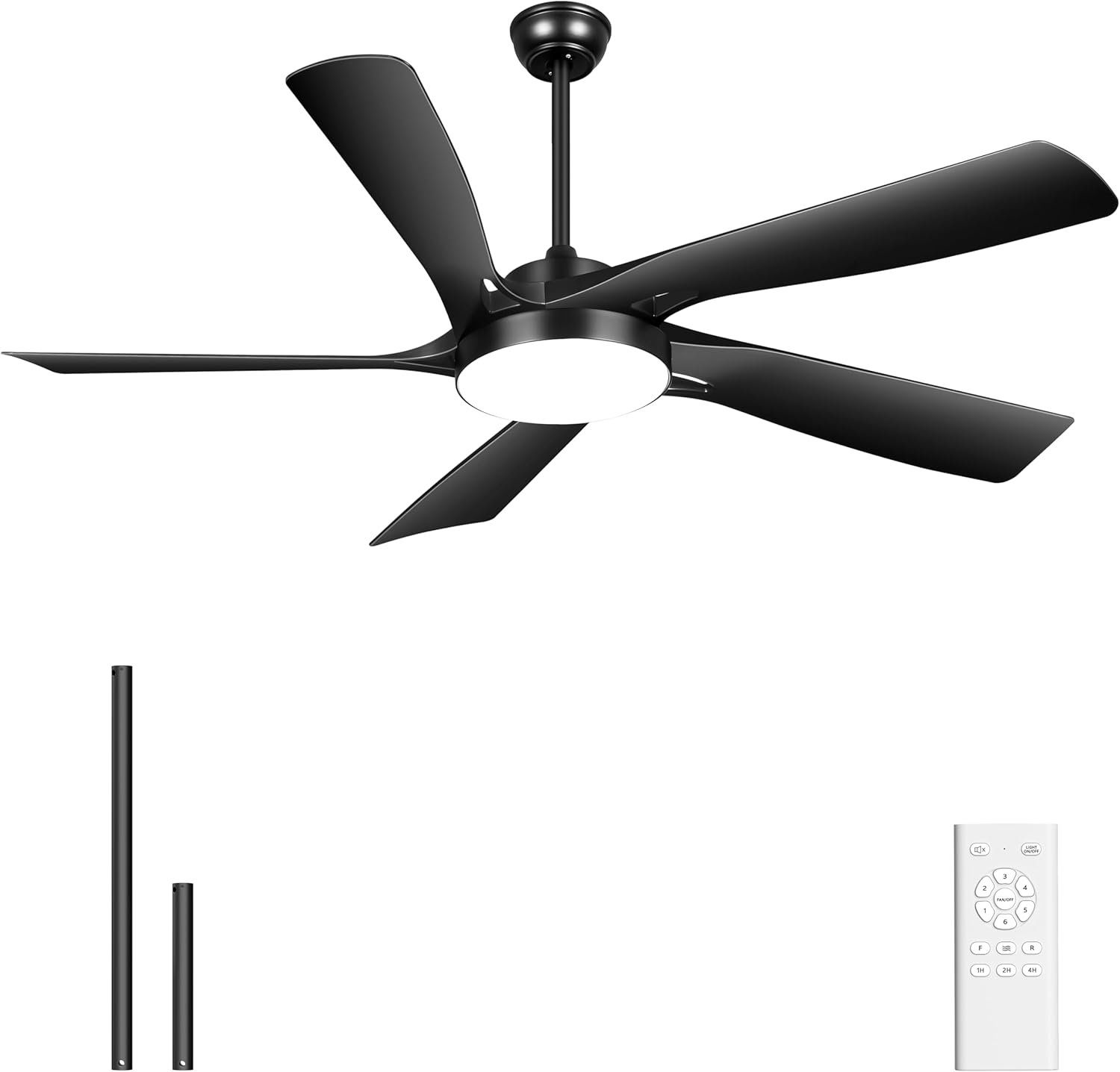
- Ceiling Fan Motor Assembly with Integrated Light
- Fan Blades (5)
- Remote Control
- Remote Control Holder
- Downrods (8-inch and 20-inch)
- Mounting Hardware Kit
- Instruction Manual
Setup & Installation
This section outlines the steps for installing your Ohniyou ceiling fan. For visual guidance, refer to the installation video provided by the manufacturer.
1. Pre-Installation
- Turn off power at the main circuit breaker.
- Ensure the ceiling junction box is securely mounted and capable of supporting the fan's weight.
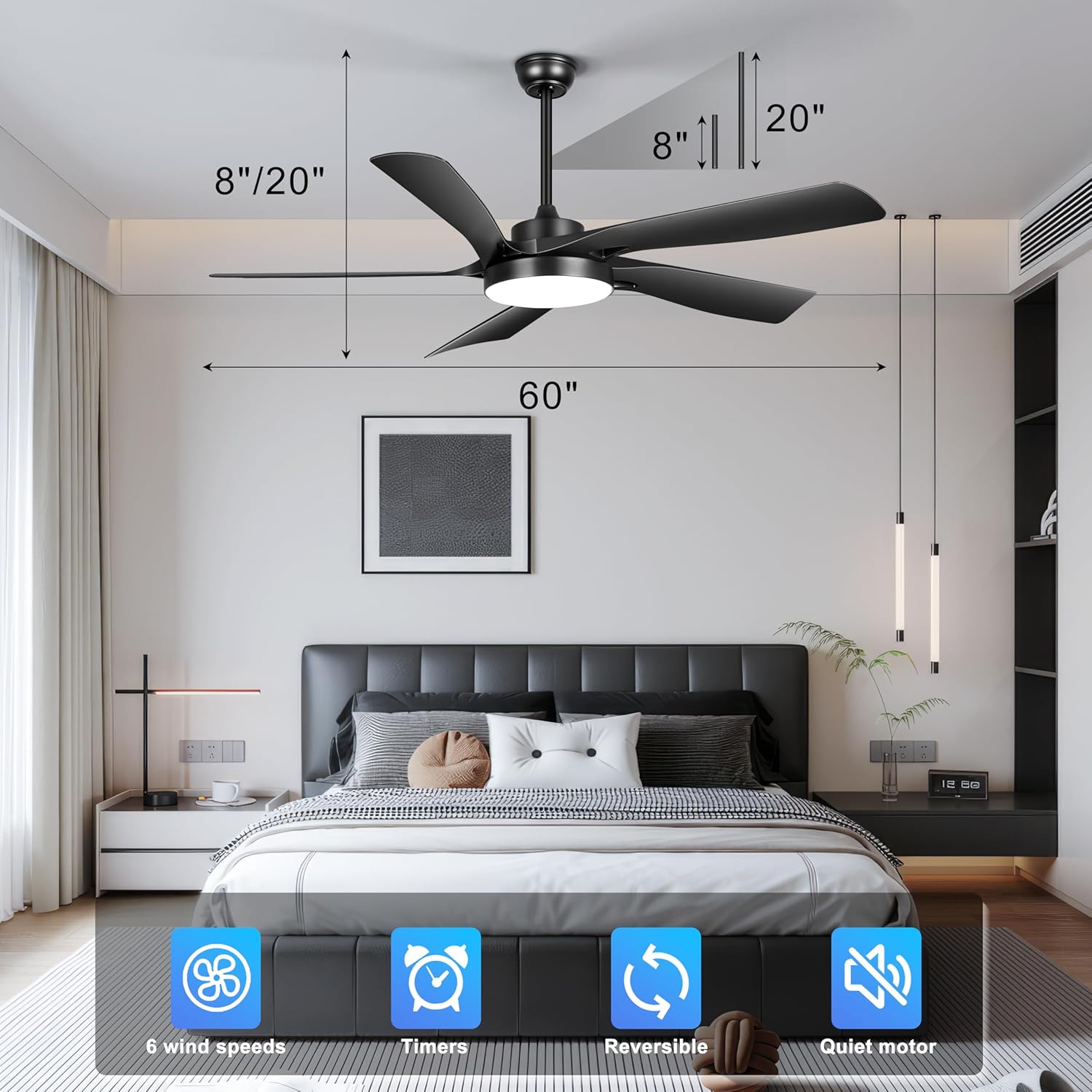
- Choose the appropriate downrod length (8-inch or 20-inch) based on your ceiling height. The fan is suitable for flat ceilings and sloped ceilings up to 15 degrees.
2. Mounting the Bracket
Attach the mounting bracket to the ceiling junction box using the provided screws and washers. Ensure it is firmly secured.
3. Assembling the Fan
- Feed the electrical wires from the fan motor through the chosen downrod.
- Secure the downrod to the fan motor assembly.
- Carefully lift the fan assembly and hang it from the mounting bracket.
4. Wiring Connections
Connect the fan's electrical wires to the household wiring according to the wiring diagram in the full instruction manual. Typically, this involves connecting live, neutral, and ground wires. Ensure all connections are secure with wire nuts.
5. Attaching Blades and Light Kit
- Attach the five fan blades to the motor housing using the provided screws.
- Connect the light kit wiring to the fan motor assembly and secure the light kit to the fan.
6. Remote Control Pairing
After installation and restoring power, the remote control may need to be paired with the fan. Follow the specific pairing instructions in your detailed manual, usually involving pressing a button on the remote within a short time of turning on the power.
Operating Instructions
Your Ohniyou ceiling fan is operated using the included remote control. Familiarize yourself with the remote's functions for optimal use.

Remote Control Functions
- Power On/Off: Turns the fan and light on or off.
- Fan Speed: Select from 6 different fan speeds. Speeds 1-2 provide a low, gentle breeze; speeds 3-4 offer a mid-range natural wind; and speeds 5-6 deliver strong cooling airflow.
- Light On/Off: Toggles the integrated LED light.
- Light Color Temperature: Cycle through 3 color temperatures: 3000K (warm light), 4500K (natural light), and 6000K (cool light). The fan features a memory function for the last selected light setting.
- Timer: Set the fan to turn off automatically after 1, 2, or 4 hours.
- Reversible Function: Changes the direction of blade rotation.
Reversible DC Motor
The fan's reversible DC motor allows for year-round use:
- Summer Mode (Downward Airflow): Blades rotate counter-clockwise to create a downward breeze, providing a cooling effect.
- Winter Mode (Upward Airflow): Blades rotate clockwise to draw cool air up towards the ceiling, circulating warm air downwards and optimizing heat distribution.

Light Modes
The integrated LED light offers three distinct color temperatures to suit various preferences and room ambiances:
- 3000K Warm Light: Provides a cozy and inviting atmosphere.
- 4500K Natural Light: Offers a balanced and clear illumination, ideal for general tasks.
- 6000K Cool Light: Delivers bright, crisp lighting suitable for focused activities.

Maintenance
Regular maintenance ensures the longevity and optimal performance of your ceiling fan.
Cleaning
- Always turn off the power at the circuit breaker before cleaning.
- Use a soft, damp cloth to clean the fan blades and motor housing. Do not use abrasive cleaners or solvents, as these can damage the finish.
- Periodically check for dust accumulation on the blades and light cover to maintain airflow and light output.
Inspections
- Periodically check all screws and fasteners on the fan and mounting hardware to ensure they are secure.
- Ensure the downrod is firmly seated and the canopy is properly secured against the ceiling.
Troubleshooting
If you encounter issues with your ceiling fan, refer to the following common problems and solutions. If the problem persists, contact Ohniyou customer service.
| Problem | Possible Cause | Solution |
|---|---|---|
| Fan does not start | No power to the fan; Loose wire connections; Remote not paired | Check circuit breaker; Verify all wiring connections are secure; Re-pair remote control with fan. |
| Light does not work | Loose wire connection; LED driver issue | Check light kit wiring; Contact customer support if LED driver is suspected. |
| Fan wobbles | Loose blades or mounting hardware; Unbalanced blades | Ensure all blade screws and mounting screws are tight; Check for bent blades; Use a balancing kit if necessary. |
| Noisy operation | Loose screws; Motor issue; Blades hitting an obstruction | Tighten all screws; Ensure no obstructions are near blades; Contact support if motor noise persists. |
| Remote control not responding | Dead batteries; Remote not paired; Interference | Replace remote batteries; Re-pair remote; Ensure no strong interference sources are nearby. |
Specifications
| Feature | Detail |
|---|---|
| Brand | Ohniyou |
| Model Name | GLX111 |
| Color | Black |
| Product Dimensions | 60"D x 60"W x 8"H |
| Item Weight | 22 pounds |
| Power Source | DC |
| Voltage | 120 Volts |
| Wattage | 52 watts |
| Number of Blades | 5 |
| Blade Length | 75 Centimeters |
| Number of Power Levels | 6 Speeds |
| Air Flow Capacity | 5000 Cubic Feet Per Minute (CFM) |
| Noise Level | ≤30 dB |
| Light Color Temperatures | 3000K (Warm), 4500K (Natural), 6000K (Cool) |
| Downrod Lengths | 8 inches, 20 inches |
| Control Method | Remote Control |
| Special Features | Memory Function, Quiet Operation, Remote Controlled, Reversible, Timer |
| Indoor/Outdoor Usage | Indoor, Outdoor (Patios, Garages) |
Support & Warranty
Ohniyou is dedicated to providing quality products and ensuring your satisfaction. If you have any questions or require assistance with installation, operation, or any other issues, please contact our professional online after-sales team.
All queries will be answered within 24 hours.

Warranty Information
Specific warranty details are typically included with your product packaging. Please refer to the documentation provided with your purchase for comprehensive warranty terms and conditions.


