
Introduction
The viqee L9 is a versatile portable device combining a retro handheld game console with a power bank. It offers a wide selection of classic games and convenient charging capabilities for your other devices. This manual provides essential information for setting up, operating, maintaining, and troubleshooting your viqee L9 console.

Image: The viqee L9 device, highlighting its dual function as a handheld game player and a power bank.
Setup
1. Charging the Device
Before initial use, fully charge your viqee L9 console. The device is equipped with a 5000mAh battery, providing up to 12 hours of gaming time on a full charge.
- Wired Charging: Connect the provided data cable to the console's charging port and a compatible USB power adapter.
- Wireless Charging: Place the console on a compatible wireless charging pad. The device supports both wired and wireless fast charging.
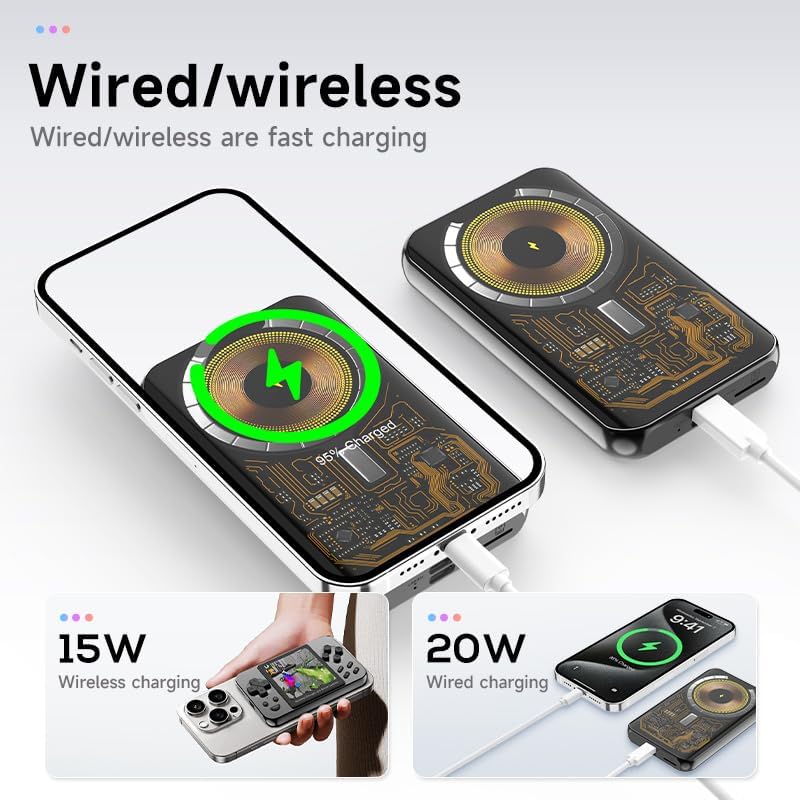
Image: Illustration of the viqee L9 supporting both wired and wireless charging methods.
2. Powering On/Off
Press and hold the power button located on the device to turn it on or off. The 3-inch IPS screen will illuminate upon startup.
3. Game and Media Storage
The console features a TF card design, allowing for expansion of game libraries and storage of media files. Ensure the TF card is properly inserted before use.

Image: The viqee L9 displaying a retro game, with an inset showing the TF card slot for game and archive storage.
Operating Instructions
1. Navigating the Interface
Use the directional pad (D-pad) and action buttons (A, B, X, Y, L, R, SELECT, START) for menu navigation and in-game controls. The console features a button control type for precise input.
2. Playing Games
The viqee L9 comes pre-loaded with over 6000 classic games and supports 10 emulators, including GBC, GBA, GB, FC, FBA, NES, MD, MAME, CPS, and SMD. Select your desired game from the main menu.

Image: The viqee L9 console displaying a game on its screen.
3. Media Functions
Beyond gaming, the viqee L9 supports various media functions, allowing you to enjoy MP4 videos, MP3 music, view pictures, and read electronic books on its 3-inch IPS screen.
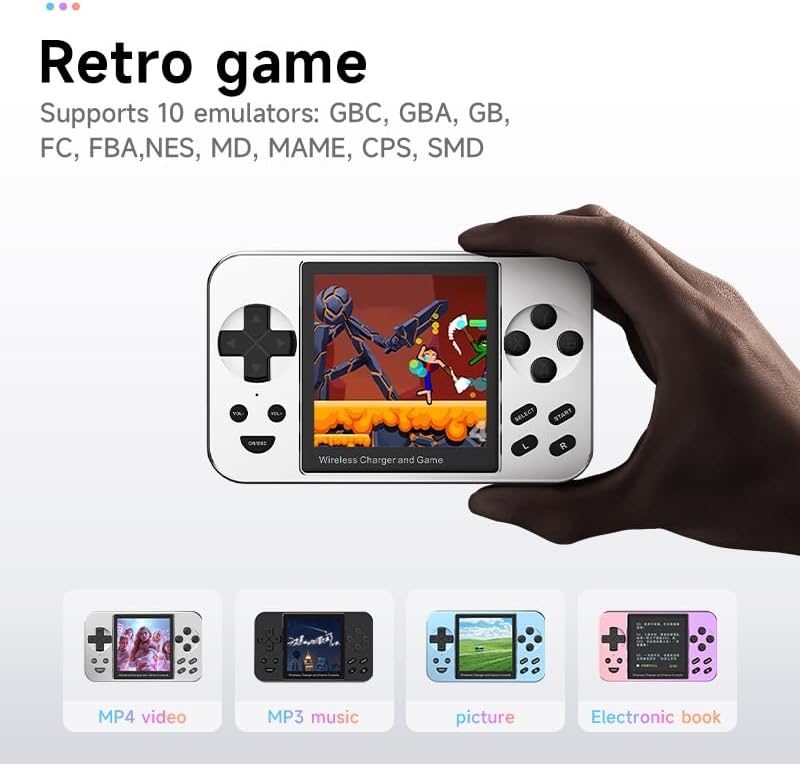
Image: The viqee L9 console showcasing its capabilities for MP4 video, MP3 music, picture viewing, and electronic book reading.
4. Screen Features
The 3-inch IPS screen provides vivid details and features upgraded tempered glass for durability. It offers 2.5D image quality with a 1:1 HD square screen ratio for an optimal viewing experience.

Image: A close-up of the viqee L9 screen, emphasizing its 2.5D image quality and clear display.
Maintenance
1. Screen Care
The screen is protected by tempered glass. To maintain clarity, wipe the screen gently with a soft, dry, lint-free cloth. Avoid using abrasive cleaners or harsh chemicals.
2. Battery Care
To prolong battery life, avoid fully discharging the battery frequently. Charge the device regularly, especially if it will not be used for an extended period. Store the device in a cool, dry place.
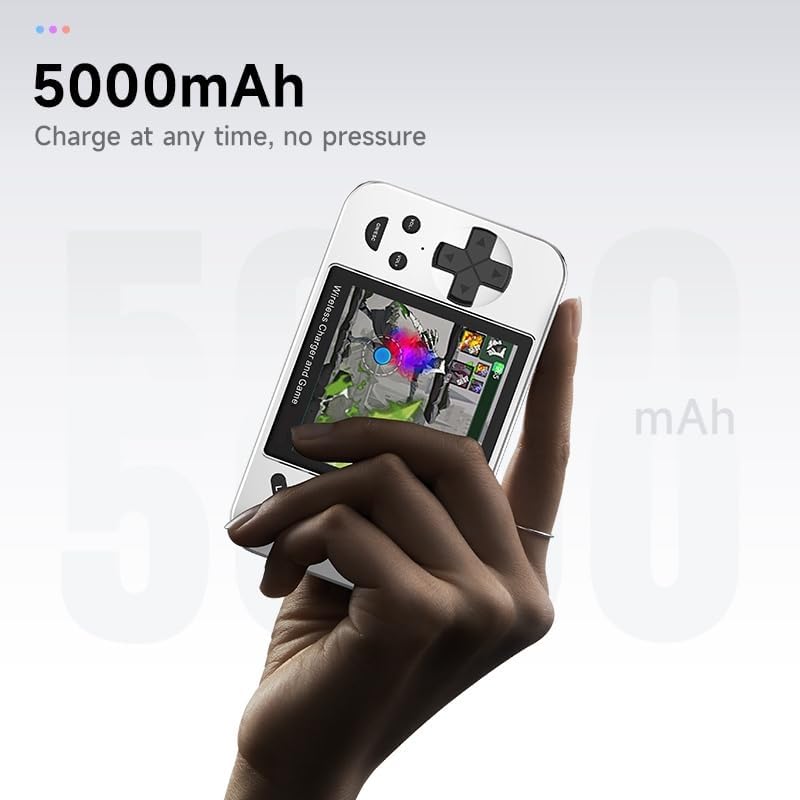
Image: The viqee L9 console, highlighting its 5000mAh battery capacity for extended use.
3. General Cleaning
Wipe the exterior of the console with a soft, slightly damp cloth. Do not immerse the device in water or use excessive moisture.
4. Storage
When not in use, store the console in a safe place, away from extreme temperatures, direct sunlight, and moisture. Its compact and portable design makes it easy to store.

Image: The viqee L9 console being held, demonstrating its compact and portable nature for easy carrying.
Troubleshooting
- Device does not power on: Ensure the battery is charged. Connect the console to a power source and try again. If the issue persists, contact support.
- Buttons are unresponsive or incorrect: Check for any physical obstructions. Restart the device. If buttons continue to malfunction, it may indicate a hardware issue.
- Games display incorrectly (wrong resolution): Ensure the game files are compatible with the console's emulators and screen resolution. Some older games may have fixed resolutions that do not perfectly scale.
- Cannot connect headphones: The product specifications do not list a headphone jack. This device may not support direct headphone connection.
- Device cannot be updated/flashed: The manufacturer does not officially support user firmware flashing. Attempting to modify the device's firmware may void the warranty and cause irreversible damage.
- Charging issues: Verify that the charging cable and adapter are working correctly. Try both wired and wireless charging options if available.
Specifications
| Brand | viqee |
| Model Number | L9 |
| Color | Silver |
| Screen Size | 3 Inches (IPS, Tempered Glass, 2.5D Image Quality, 1:1 HD Square) |
| Battery Capacity | 5000mAh (up to 12 hours average life) |
| Charging | Wired and Wireless Fast Charging |
| Memory Storage Capacity | 16 GB (expandable via TF card) |
| Controller Type | Button Control |
| Supported Emulators | GBC, GBA, GB, FC, FBA, NES, MD, MAME, CPS, SMD |
| Product Dimensions | 44L x 27W x 5H millimetres |
| Item Weight | 0.1 Kilograms |
| Material Type | Metal |
| Included Components | Data cable |
Warranty Information
Please refer to your purchase documentation or the retailer's website for specific warranty terms and conditions. Typically, electronic devices come with a limited manufacturer's warranty covering defects in materials and workmanship under normal use.
Keep your proof of purchase for any warranty claims.
Customer Support
For further assistance, technical support, or inquiries regarding your viqee L9 Portable Retro Handheld Game Console, please contact the retailer or manufacturer's customer service department.
When contacting support, please have your model number (L9) and purchase details readily available.