
WEUASTE YY-JWD-TY-6.25
WEUASTE 6.25" Portable Motorcycle Dash Cam Instruction Manual
Model: YY-JWD-TY-6.25
1. Introduction
Welcome to the instruction manual for your new WEUASTE 6.25" Portable Motorcycle Dash Cam. This comprehensive device is engineered to enhance your motorcycle riding experience by integrating essential features such as dual 1080P HD dash cameras, a Motorcycle Tire Pressure Monitoring System (TPMS), wireless Apple CarPlay, and Android Auto connectivity. It also includes a convenient remote control and boasts an IP67 waterproof rating for durability in various weather conditions. Please read this manual thoroughly to understand the product's functions, ensure correct installation, and perform proper maintenance for optimal performance and longevity.

Figure 1: Overview of the WEUASTE 6.25" Portable Motorcycle Dash Cam and its primary components.
2. Setup and Installation
2.1 Package Contents
Before beginning installation, please verify that all components are present in your package:
- WEUASTE 6.25" Motorcycle DVR Unit
- Motorcycle TPMS (2 tire sensors)
- Wireless CarPlay Touch Screen
- Dual 1080P HD Dash Cameras (Front and Rear)
- Remote Control
- 128GB SD Card (pre-installed)
- Mounting Bracket Kits and Installation Tools
- Power Wiring Harness (ACC + 12V and Ground)

Figure 2: All items included in the WEUASTE 6.25" Portable Motorcycle Dash Cam package.
2.2 Mounting the Device
The portable CarPlay screen is designed for easy installation on various motorcycles. Use the provided bracket kits and tools to securely mount the screen. Ensure the device is positioned where it does not obstruct your view of the road or access to motorcycle controls. The robust screw system ensures a stable mount.
2.3 Wiring Connection
The DVR unit is hard-wired directly to your motorcycle's battery system. Connect the ACC + 12V wire to an ignition-switched power source and the Ground wire to a suitable chassis ground point. This configuration allows the device to automatically power on when the motorcycle ignition is activated and power off when the ignition is turned off, preventing battery drain.
2.4 Tire Pressure Monitoring System (TPMS) Setup
The product includes two tire sensors for real-time pressure and temperature monitoring. Follow these steps to install and bind the TPMS sensors to the main unit:
- Sensor Installation: Remove the existing valve cap from your tire. Rotate the provided nut counter-clockwise onto the valve stem. Screw the TPMS sensor onto the valve stem. After installation, check for any air leakage using soapy water around the sensor base.
- Binding First Sensor: On the main device, navigate to the TPMS interface. Select the option to bind the first sensor (e.g., "F" for Front).
- Binding Second Sensor: Wait approximately 20 seconds for the first sensor to bind successfully. Then, repeat the installation and binding process for the second sensor (e.g., "B" for Back/Rear).

Figure 3: Step-by-step guide for TPMS sensor installation.
Video 1: This video demonstrates the tire pressure matching steps for the WEUASTE 6.25" Portable Motorcycle DVR, showing how to bind the TPMS sensors to the main unit.
3. Operating Instructions
3.1 Power On/Off
The device is designed for seamless integration with your motorcycle's power system. It will automatically power on when the motorcycle ignition is turned on and power off when the ignition is turned off. This ensures continuous recording during your rides and prevents unnecessary battery drain when the motorcycle is parked.
3.2 Wireless CarPlay & Android Auto
To utilize the wireless CarPlay or Android Auto functionality, wirelessly connect your compatible smartphone to the motorcycle's touchscreen via Bluetooth. Once connected, you can access various smartphone features directly on the device's display, including map navigation, making and receiving phone calls, playing music, and sending text messages. For enhanced safety and convenience, utilize Siri or Google Assistant for voice commands, allowing you to keep your hands on the handlebars and your eyes on the road.

Figure 4: Wireless CarPlay and Android Auto functionality displayed on the device screen.
3.3 Dual Dash Cameras
The device is equipped with dual 1080P HD dash cameras, providing comprehensive front and rear video recording. The included 128GB SD card offers substantial storage capacity for your video footage. Ensure both cameras are positioned correctly to capture optimal views of the road ahead and behind. The system supports full-color night vision for clear recordings in low-light conditions.

Figure 5: High-definition recording from both front and rear cameras, including full color night vision capabilities.
3.4 Remote Control Operation
The included handlebar wired controller provides convenient and safe operation of the device while riding. This allows you to maintain a firm grip on the handlebars and focus on the road. Use the remote control buttons to cycle through various functions, answer or hang up phone calls, and access the main interface of the device.

Figure 6: Steering wheel control buttons for easy operation while riding.
3.5 Bluetooth Helmet Connection
To connect your Bluetooth-enabled helmet for audio output (e.g., navigation prompts, music, calls):
- Pair Phone: First, ensure your phone is paired with the device. Search and pair with "MT02-XXX" on your phone. Both Wireless CarPlay and Android Auto connections work via Wi-Fi.
- Enable Phone Audio: Check and enable the Phone Audio setting on the device. Navigate to Settings > System settings > Phone Audio > ON.
- Connect Helmet: Go to the "Bluetooth Emit" option on the device to search for and connect your Bluetooth Helmet.

Figure 7: Steps for connecting a Bluetooth helmet to the device for audio output.
4. Maintenance
4.1 Cleaning
The 6.25-inch HD IPS touch screen provides a clear and vibrant display. To maintain optimal visibility and performance, clean the screen and camera lenses regularly with a soft, lint-free cloth. Avoid using abrasive cleaners, solvents, or harsh chemicals, as these can damage the display or lens coatings. While the device is IP67 waterproof and designed to withstand various weather conditions, it is not intended for prolonged submersion in water.
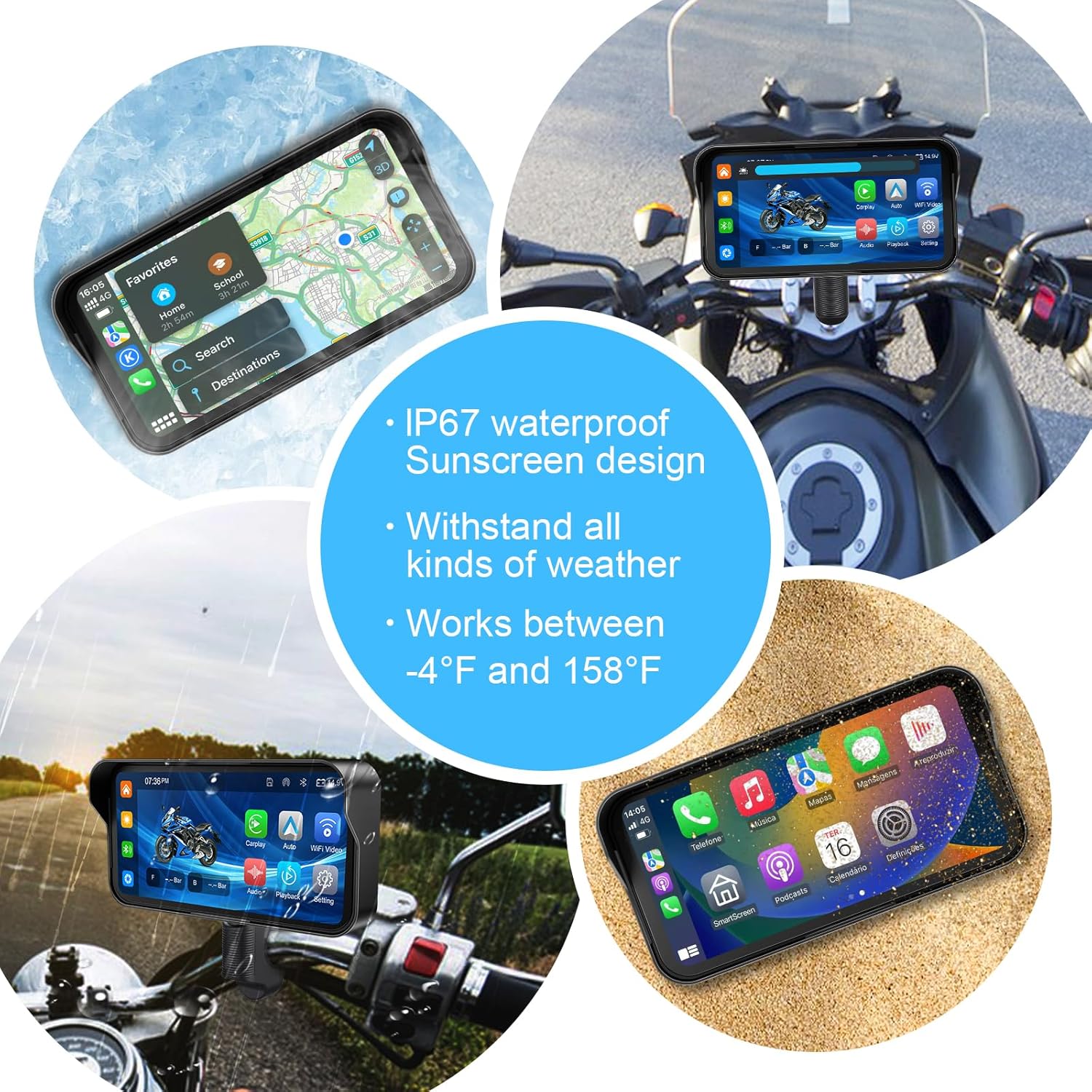
Figure 8: The device's durability against various weather conditions, operating between -4°F and 158°F.
4.2 SD Card Management
The device comes with a pre-installed 128GB SD card for video recording. To ensure continuous and reliable recording performance, it is recommended to periodically back up any important video footage to an external storage device and then format the SD card within the device's settings. The SD card slot is located behind a protective panel, which is secured by screws. Access the card by carefully removing this panel.
5. Troubleshooting
If you encounter any issues with your WEUASTE Motorcycle Dash Cam, please refer to the following troubleshooting table before contacting support:
| Problem | Possible Cause | Solution |
|---|---|---|
| Device does not power on. | Incorrect wiring connections (ACC + 12V or Ground); no power from motorcycle battery; motorcycle ignition is off. | Verify all wiring connections are secure and correct. Ensure the motorcycle ignition is turned on. Check the motorcycle battery for sufficient charge. |
| TPMS sensors are not binding or displaying data. | Sensors not properly installed; incorrect binding procedure followed; weak sensor batteries. | Ensure TPMS sensors are securely screwed onto the valve stems. Re-attempt the binding process, following the steps precisely and waiting the recommended 20 seconds per sensor. If issues persist, consider replacing the sensor batteries. |
| Wireless CarPlay or Android Auto is not connecting or is unstable. | Smartphone Bluetooth/Wi-Fi issues; phone incompatibility; incorrect pairing steps. | Ensure your smartphone's Bluetooth and Wi-Fi are enabled. Restart both your phone and the WEUASTE device. Confirm that your phone model supports wireless CarPlay or wireless Android Auto (note: some Samsung Note and S series phones may not be perfectly compatible). Review the pairing instructions in Section 3.2. |
| Poor camera video quality or blurry images. | Dirty camera lenses; improper camera angle; low light conditions. | Clean the camera lenses with a soft, lint-free cloth. Adjust the camera angles to ensure a clear and unobstructed view. While the device has night vision, extreme low light can still affect clarity. |
6. Specifications
- Model Name: YY-JWD-TY-6.25
- Display: 6.25 Inches FHD (1560*720) IPS Touch Screen
- Cameras: Dual 1080P HD Dash Cameras (Front & Rear)
- Waterproof Rating: IP67
- Operating Temperature: -4°F to 158°F (-20°C to 70°C)
- Connectivity: Wireless Apple CarPlay, Wireless Android Auto, Bluetooth, Wi-Fi
- Storage: 128GB SD Card (included)
- Power Source: DC 12V (Motorcycle battery via ACC + 12V and Ground)
- Special Features: Motorcycle TPMS, Remote Control, Siri/Google Assistant Voice Command Support, Automatic Power On/Off with Ignition
- Product Dimensions: 6.48 x 0.76 x 2.82 inches (16.46 x 1.93 x 7.16 cm)
- Item Weight: 13 ounces (approx. 368 grams)
7. Warranty and Support
WEUASTE provides a 12-month warranty for the 6.25" Portable Motorcycle DVR with Dual 1080P HD Dash Cameras and Motorcycle TPMS. This warranty covers manufacturing defects and ensures product reliability.
For technical support, questions, or assistance with any issues, please contact WEUASTE customer service. The manufacturer is committed to providing a 100% satisfactory answer within 24 hours of your inquiry.
Please retain your proof of purchase for warranty claims. For the most up-to-date support information and contact details, refer to the official WEUASTE website or the contact information provided with your product packaging.
Ask a question about this manual
Ask about setup, troubleshooting, compatibility, parts, safety, or missing instructions. Manuals+ will review the question and use this page’s manual context to help answer it.