
Introduction
Thank you for choosing the Caroma Peak K2 Electric Scooter with Seat. This manual provides essential information for the safe assembly, operation, maintenance, and troubleshooting of your electric scooter. Please read this manual thoroughly before your first ride and keep it for future reference.
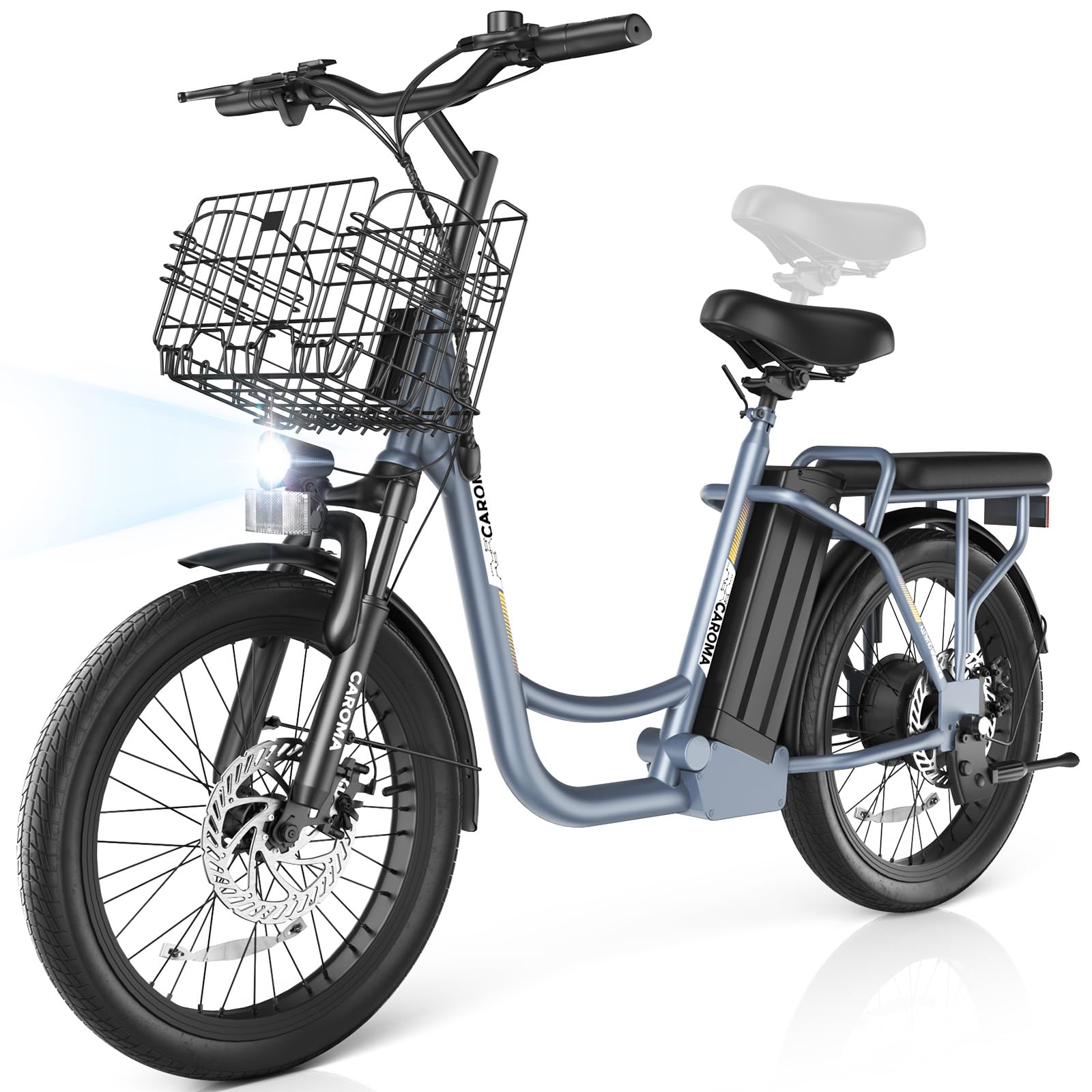
Image: The Caroma Peak K2 Electric Scooter with Seat, shown in grey with a front basket and rear rack.
Safety Guidelines
Your safety is paramount. Always adhere to the following guidelines:
- Always wear a helmet and appropriate safety gear (knee pads, elbow pads) when riding.
- Familiarize yourself with local laws and regulations regarding electric scooter use.
- Perform a pre-ride inspection: check tire pressure, brake function, and battery level.
- Do not ride in adverse weather conditions (heavy rain, snow, ice). The scooter has an IP54 waterproof rating, meaning it is resistant to splashes but not submersion.
- Avoid riding under the influence of alcohol or drugs.
- Maintain a safe speed and distance from other vehicles and pedestrians.
- Ensure both the front LED headlight and rear reflector are clean and functional, especially when riding in low light conditions.
- The scooter is designed for adults. Do not allow children to operate it.
- Maximum weight limit is 300 pounds. Do not exceed this limit.

Image: Close-up of the Caroma K2 Electric Scooter's bright LED headlight and rear reflector, highlighting safety features for visibility.
Setup and Assembly
Your Caroma Peak K2 Electric Scooter comes mostly assembled. Follow these steps to complete the assembly. Installation tools are included in the package.
- Unpacking: Carefully remove all components from the packaging.
- Handlebar Installation: Attach the handlebar to the stem and secure it firmly using the provided bolts and tools.
- Front Wheel Installation: Place the front wheel on the front fork dropout and align it with the disc brake pad. Install the flange nut and safety hook on the front hub axle and tighten with a wrench.
- Seat Adjustment: Adjust the front seat height to a comfortable riding position. The rear seat is fixed.
- Basket Attachment: Securely attach the front basket to the designated mounting points.
- Initial Charge: Fully charge the battery before your first ride. Refer to the "Charging the Battery" section for details.
Video: A detailed guide on how to install the front wheel and other components of the Caroma K2 Electric Scooter with Seat.
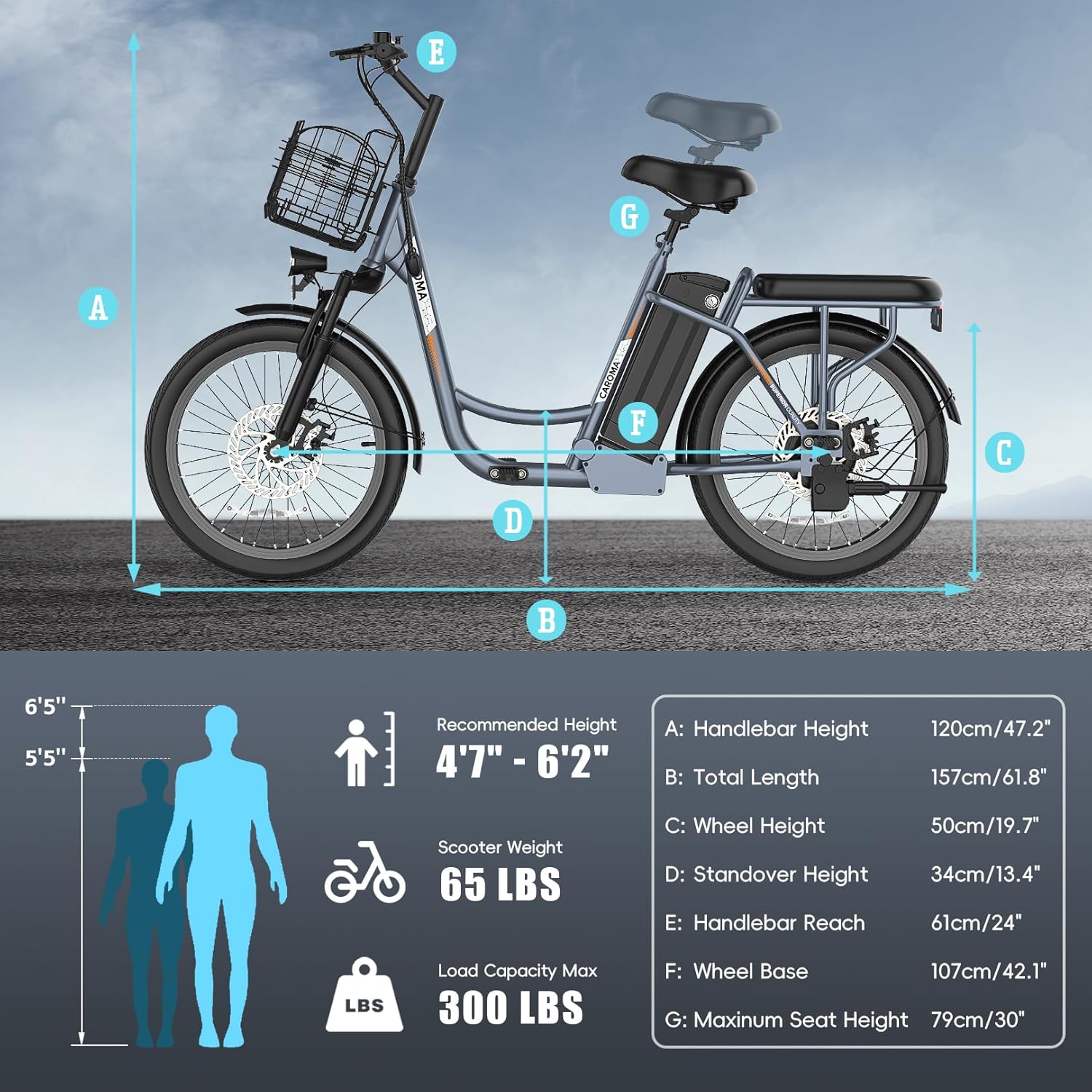
Image: A full view of the Caroma K2 Electric Scooter with an overlay indicating various dimensions and components.
Operating Instructions
Powering On/Off
- To power on, press and hold the power button on the display until the screen illuminates.
- To power off, press and hold the power button again until the display turns off.
Riding the Scooter
- Starting: Place one foot on the footrest and push off with the other foot to gain initial momentum. Gently press the throttle to engage the motor.
- Acceleration: Use the throttle on the handlebar to control your speed. The 800W peak motor provides strong acceleration up to 20 MPH.
- Braking: Use the mechanical dual disc brakes (front and rear) for controlled stopping. Apply both brakes simultaneously for optimal stopping power.
- Display: The smart LCD display shows real-time data such as battery life, speed, and riding mode.

Image: An exploded view diagram of the scooter's motor, indicating its 819W peak power, 20 MPH max speed, and 15-degree max slope capability.
Charging the Battery
- The 48V lithium-ion battery can be charged either by removing it from the scooter or by plugging the charger directly into the scooter's charging port.
- Connect the charger to the scooter/battery, then plug it into a power outlet.
- A full charge takes approximately 4 hours and provides up to 25 miles of range.
- Do not overcharge the battery. Unplug the charger once charging is complete.
- The battery is equipped with a BMS system for 14 types of protection, enhancing safety and cycle life.

Image: Diagram illustrating the removable 48V 7.8Ah lithium battery, showing charging time, BMS power saving, 25-mile range, and IP54 waterproof rating.
Maintenance
Regular maintenance ensures the longevity and safe operation of your scooter.
- Tires: Check tire pressure regularly. The 20"x2" MTB tires are designed for various terrains. Inspect for wear and tear or punctures.
- Brakes: Periodically check brake pads and cables for wear. Ensure brakes respond effectively.
- Battery Care: Store the battery in a cool, dry place. If not used for extended periods, charge it every 1-2 months to maintain its health.
- Cleaning: Wipe down the scooter with a damp cloth. Do not use high-pressure water jets or immerse electrical components in water.
- Fasteners: Regularly check all bolts and screws to ensure they are tight.

Image: The 20"x2" MTB tire of the Caroma K2 Electric Scooter, depicted conquering various terrains like city roads, sand, snow, and mountains.
Troubleshooting
If you encounter issues with your scooter, refer to the table below for common problems and solutions.
| Problem | Possible Cause | Solution |
|---|---|---|
| Scooter does not power on | Low battery; loose battery connection; faulty power button | Charge the battery; check battery connections; contact support |
| Motor not engaging | Throttle issue; motor cable disconnected; brake lever engaged | Check throttle connection; inspect motor cables; ensure brake levers are fully released |
| Reduced range or speed | Under-inflated tires; low battery charge; riding uphill frequently; heavy load | Inflate tires to recommended pressure; fully charge battery; adjust riding style; reduce load |
| Brakes feel weak | Worn brake pads; loose brake cables; air in hydraulic system | Inspect and replace brake pads; adjust brake cable tension; seek professional service |
For issues not listed here or if solutions do not resolve the problem, please contact customer support.
Specifications
Key specifications for the Caroma Peak K2 Electric Scooter:
| Feature | Detail |
|---|---|
| Model Name | K2 |
| Motor Power | 500W (800W Peak) |
| Battery | 48V Lithium-ion, Removable |
| Max Speed | 20 MPH |
| Max Range | Up to 25 miles |
| Charge Time | Approx. 4 hours |
| Tire Size | 20 inches x 2 inches (MTB Type) |
| Brake System | Mechanical Dual Disc Brakes (Front & Rear) |
| Suspension | Front Shock Absorber, Dual Suspension |
| Weight Limit | 300 pounds |
| Frame Material | Aluminum |
| Waterproof Rating | IP54 |
| Included Components | Electric Scooter, Installation Tools, Manual, Charger |

Image: A diagram illustrating the key dimensions of the Caroma K2 Electric Scooter, including handlebar height, total length, wheel height, standover height, handlebar reach, wheel base, and maximum seat height. Also shows recommended rider height (4'7" - 6'2"), scooter weight (65 lbs), and load capacity (300 lbs).
Warranty and Support
Caroma provides a 365-day warranty for your electric scooter, covering manufacturing defects. Additionally, lifetime technical support is available.
The scooter has passed UL2272 certification, ensuring it meets stringent safety standards.
For warranty claims, technical assistance, or any questions, please contact Caroma customer service through the retailer where you purchased the product or visit the official Caroma website.
Video: An overview video showcasing the Caroma K2 Electric Scooter for adults, demonstrating its features and general use.