1. Introduction
Thank you for choosing the Hyindoor 10T/22000lb Digital Crane Scale. This manual provides essential information for the safe and efficient operation, setup, and maintenance of your crane scale. Please read this manual thoroughly before use and retain it for future reference.
This heavy-duty electronic hanging scale is designed for industrial applications, offering high accuracy and stability for weighing loads up to 10,000 kg (22,000 lb). It features a robust aluminum-casting case, alloy steel hook and shackle, and a clear LCD display with remote control functionality.
2. Safety Information
Always prioritize safety when operating heavy-duty equipment. Failure to follow these safety guidelines may result in injury or damage to equipment.
- Maximum Safety Load: Do not exceed 120% of the scale's rated capacity (12,000 kg / 26,400 lb).
- Overload Alarm: The scale will indicate an overload condition if the weight exceeds F.S.+9e. Immediately reduce the load if this alarm activates.
- Ensure the crane scale is securely attached to a suitable lifting apparatus and that the load is properly secured to the scale's shackle.
- Inspect the hook, shackle, and scale body for any signs of wear, damage, or deformation before each use. Do not use if damaged.
- Keep hands and body clear of suspended loads.
- Operate the scale within the specified operating temperature range of -10℃ to 40℃.
- Do not attempt to repair or modify the scale yourself. Refer all servicing to qualified personnel.
3. Package Contents
Verify that all items are present in the package:
- 1 x Hyindoor 10T/22000lb Digital Crane Scale
- 1 x Remote Control
- 1 x User Manual (this document)
Note: Batteries are not included. You will need 3 x AA batteries for the crane scale and 2 x AAA batteries for the remote control.
4. Product Overview
Familiarize yourself with the main components of the Hyindoor Digital Crane Scale.

Image 4.1: Detailed view of the crane scale showing the alloy steel hook, aluminum-casting case, LCD display, and alloy steel shackle. Batteries are not included.
- Alloy Steel Hook: For attaching to the lifting apparatus.
- Aluminum-casting Case: Durable housing for the scale's internal components.
- LCD Display: Large screen for clear weight readings and status indicators.
- Control Buttons: On/Off, Tare, Peak, Hold.
- Alloy Steel Shackle: For attaching the load to be weighed.
5. Setup
5.1 Battery Installation
The crane scale and remote control require batteries (not included) for operation.
- For the Crane Scale: Locate the battery compartment on the back of the scale. Open the cover and insert 3 x AA batteries, ensuring correct polarity (+/-). Close the cover securely.
- For the Remote Control: Locate the battery compartment on the back of the remote. Open the cover and insert 2 x AAA batteries, ensuring correct polarity (+/-). Close the cover securely.
5.2 Initial Inspection and Mounting
- Before first use, visually inspect the scale, hook, and shackle for any manufacturing defects or shipping damage.
- Attach the crane scale securely to your lifting equipment (e.g., crane, hoist) using the top alloy steel hook. Ensure the connection is stable and rated for the intended load.
- Attach the item to be weighed to the bottom alloy steel shackle.
6. Operating Instructions
6.1 Power On/Off
- To Power On: Press the ⏻ (ON/OFF) button on the scale. The LCD display will light up and show "8.8.8.8.8" then "0.00".
- To Power Off: Press and hold the ⏻ (ON/OFF) button on the scale, or use the power off button on the remote control. Note: The remote control can only turn the scale off, not on.
6.2 Unit Switching (kg/lb/N)
The scale supports weighing in kilograms (kg), pounds (lb), and Newtons (N).
- With the scale powered on, press the "UNIT" button (often combined with another function or a dedicated button, refer to your scale's specific button layout, usually indicated by an arrow icon or "UNIT").
- The display will cycle through "kg", "lb", and "N". Release the button when your desired unit is displayed.
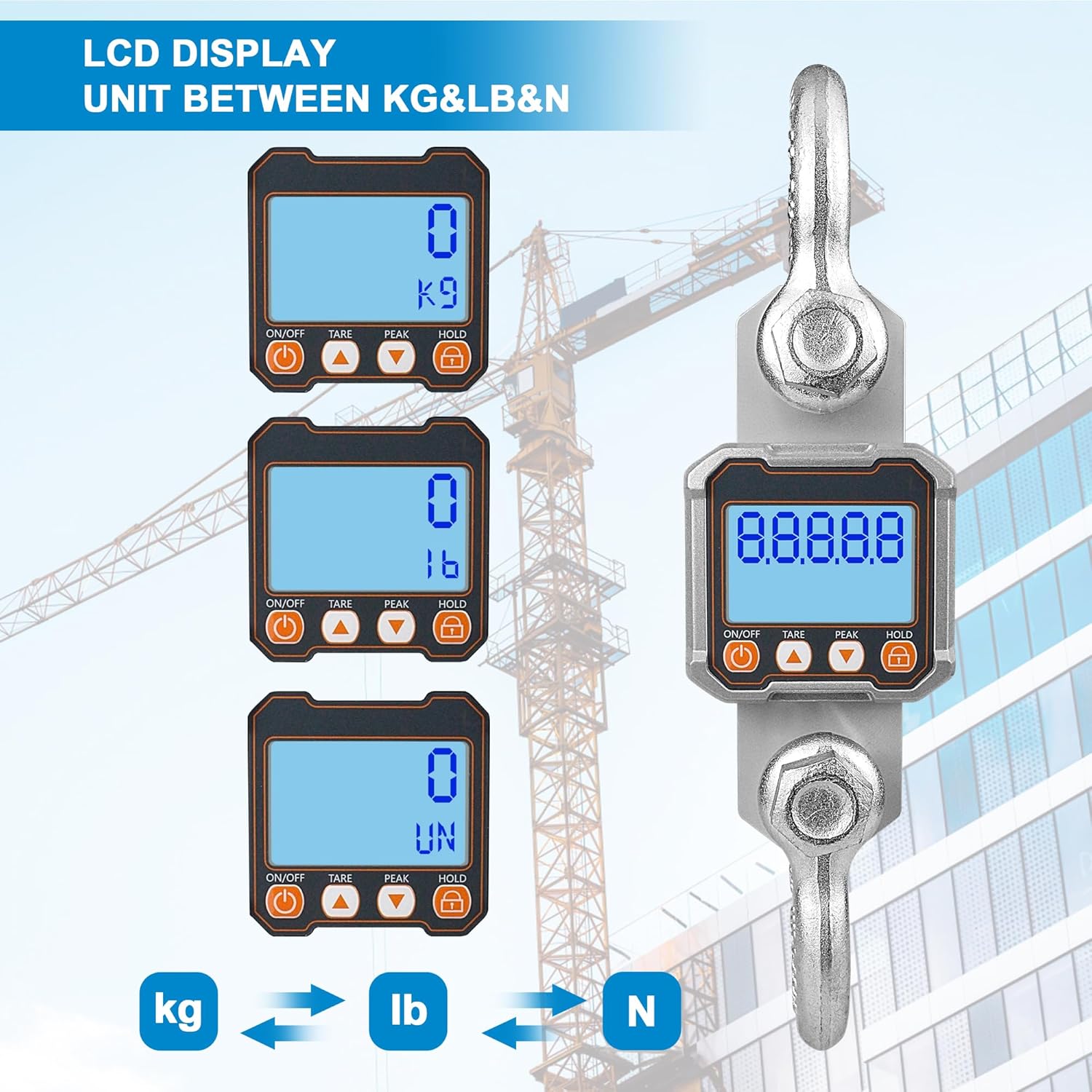
Image 6.1: The LCD display illustrating the selection of weighing units: kilograms (kg), pounds (lb), and Newtons (N).
6.3 Tare Function
The Tare function allows you to subtract the weight of a container or lifting accessory, displaying only the net weight of the item being weighed.
- Place the empty container or lifting accessory on the scale.
- Wait for the display to stabilize.
- Press the "TARE" button on the scale or remote control. The display will reset to "0.00".
- Now, place the item to be weighed into the container. The display will show the net weight.
- To clear the tare, remove all items from the scale and press "TARE" again.
6.4 Hold Function
The Hold function allows you to freeze the displayed weight, even if the load is removed or fluctuates.
- While a load is on the scale and the weight is stable, press the "HOLD" button on the scale or remote control. The displayed weight will be locked.
- To release the hold, press the "HOLD" button again.
6.5 Peak Hold Function
The Peak Hold function captures and displays the maximum weight detected during a weighing cycle, useful for dynamic loads.
- Press the "PEAK" button on the scale or remote control to activate Peak Hold mode.
- As the load is applied, the display will show the highest weight reached.
- To clear the peak hold and return to normal weighing, press the "PEAK" button again.
6.6 Remote Control Operation
The included remote control allows for convenient operation from a distance.
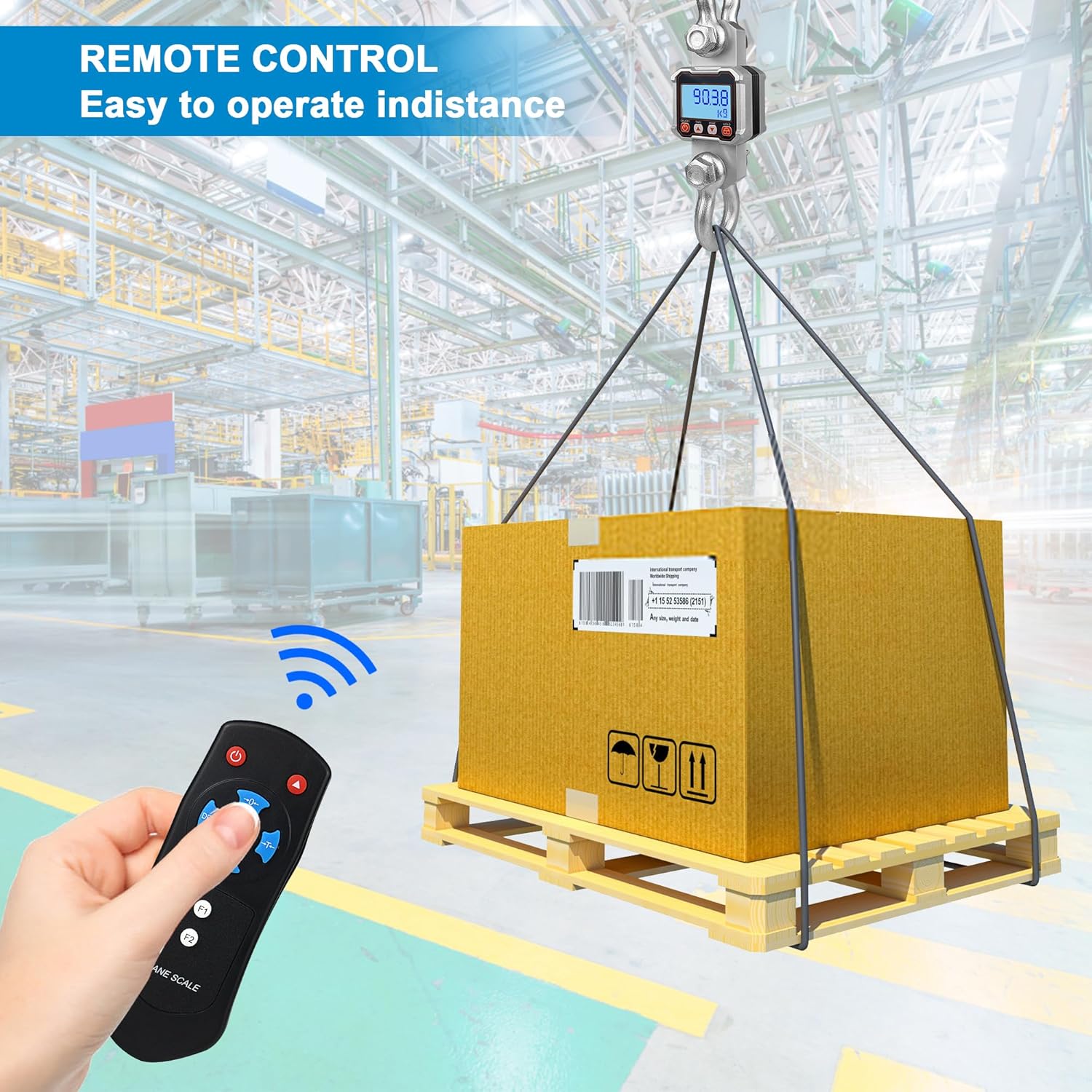
Image 6.2: A user operating the crane scale with the remote control to weigh a large package suspended by a crane.
- The remote control can perform functions such as Power Off, Tare, Hold, and Peak Hold.
- Ensure the remote control has fresh AAA batteries and is pointed towards the scale for optimal signal transmission.
- Important: The remote control cannot power on the scale.
6.7 Advanced Settings (Auto-off, Backlight, Idle Mode)
The scale features configurable settings to optimize battery life and user experience. Refer to the accompanying manual for detailed instructions on accessing and adjusting these settings:
- Auto-off Timing: Configures the time after which the scale automatically turns off when idle.
- Backlight Brightness: Adjusts the intensity of the LCD backlight.
- Idle Mode Timing: Sets the duration before the scale enters a low-power idle state.
7. Specifications
Detailed technical specifications for the Hyindoor 10T/22000lb Digital Crane Scale:
| Feature | Specification |
|---|---|
| Model | 10T/22000lb |
| Maximum Capacity | 10,000 kg (22,000 lb) |
| Minimum Capacity | 100 kg (220 lb) |
| Accuracy | ≤±0.1% F.S. |
| Tare Range | 100% F.S. |
| Overload Alarm | >F.S.+9e |
| Max. Safety Load | 120% F.S. |
| Operating Temperature | -10°C ~ 40°C (14°F ~ 104°F) |
| Display Type | LCD (43mm screen) |
| Scale Batteries | 3 x AA (not included) |
| Remote Batteries | 2 x AAA (not included) |
| Battery Life | >30 hours |
| Construction | Aluminum-casting case, Alloy steel hook and shackle |
| Item Weight | 13.5 kg (29.8 lbs) |
| Color | Silver Gray |

Image 7.1: Dimensional drawing of the crane scale, showing overall height and width of the main body, hook, and shackle.

Image 7.2: A visual summary of the crane scale's specifications and key features, including accuracy, tare range, overload alarm, and construction materials.
8. Maintenance
Proper maintenance ensures the longevity and accuracy of your crane scale.
- Cleaning: Wipe the scale with a soft, damp cloth. Do not use abrasive cleaners or immerse the scale in water.
- Battery Replacement: Replace batteries promptly when the low battery indicator appears on the display. Remove batteries if the scale will not be used for an extended period to prevent leakage.
- Storage: Store the scale in a dry, cool environment, away from direct sunlight and extreme temperatures.
- Inspection: Regularly inspect the hook, shackle, and housing for any signs of wear, cracks, or damage. Replace worn or damaged components immediately.
- Calibration: While the scale is factory calibrated, professional recalibration may be required periodically for certified accuracy, especially after heavy use or impact.
9. Troubleshooting
If you encounter issues with your crane scale, refer to the following common problems and solutions:
| Problem | Possible Cause | Solution |
|---|---|---|
| Scale does not power on. | Dead or incorrectly installed batteries. | Replace batteries (3 x AA) and ensure correct polarity. |
| Remote control not working. | Dead or incorrectly installed batteries; out of range. | Replace remote batteries (2 x AAA). Ensure remote is pointed at the scale and within operating range. Remember, remote cannot power on the scale. |
| Inaccurate readings. | Scale not zeroed; environmental factors (wind, vibration); damaged sensor; exceeding capacity. | Ensure scale is zeroed before weighing. Operate in a stable environment. Do not exceed maximum capacity. If problem persists, contact support. |
| "OL" or Overload alarm displayed. | Load exceeds maximum capacity. | Immediately remove excess load. Do not exceed 120% of F.S. |
| Display is dim or flickering. | Low battery; backlight setting. | Replace batteries. Adjust backlight brightness in settings. |
10. Warranty and Support
For warranty information or technical support, please refer to the documentation provided at the time of purchase or contact Hyindoor customer service directly. Keep your purchase receipt as proof of purchase.
When contacting support, please have your product model (10T/22000lb) and purchase date available.


