
1. Introduction
Thank you for choosing the Wiltec Digital Parking Disc. This electronic parking disc is designed to simplify parking management by automatically setting the correct parking time when your vehicle stops. It features an integrated night mode for enhanced visibility and an SOS signal for emergency situations, ensuring compliance with parking regulations and increasing safety.
This manual provides detailed instructions for the proper setup, operation, and maintenance of your new digital parking disc. Please read it thoroughly before use to ensure optimal performance and longevity of the device.

Image 1.1: The Wiltec Digital Parking Disc with its retail packaging.
2. Safety Instructions
- Do not expose the device to extreme temperatures, direct sunlight for prolonged periods, or excessive moisture.
- Keep the device away from strong magnetic fields.
- Do not attempt to disassemble or repair the device yourself. Refer to qualified personnel for service.
- Ensure the device is securely mounted to prevent it from becoming a projectile in case of sudden braking or an accident.
- Dispose of batteries according to local regulations.
3. Package Contents
Please check the package for the following items:
- 1 x Wiltec Digital Parking Disc
- 1 x CR2450 Battery (pre-installed or separate)
- 1 x Instruction Manual (this document)
If any items are missing or damaged, please contact customer support.
4. Setup
4.1 Battery Installation
The Wiltec Digital Parking Disc uses a CR2450 battery. If the battery is not pre-installed or needs replacement:
- Locate the battery compartment on the back of the device.
- Open the compartment cover (usually by sliding or unscrewing).
- Insert the CR2450 battery with the positive (+) side facing up.
- Close the battery compartment securely.

Image 4.1: Rear view of the parking disc, highlighting the battery compartment.
4.2 Mounting in Vehicle
For optimal performance and visibility, mount the parking disc on the inside of your vehicle's windshield.
- Clean the area on the windshield where you intend to mount the device. Ensure it is free of dust and grease.
- Remove the protective film from the adhesive pads on the back of the parking disc.
- Press the device firmly onto the chosen spot on the windshield, ensuring it is level and visible from outside the vehicle.

Image 4.2: The digital parking disc correctly mounted on a car's windshield.
5. Operating Instructions
5.1 Automatic Time Adjustment
The Wiltec Digital Parking Disc automatically detects when your vehicle stops and sets the parking time to the next half-hour mark. For example, if you stop at 10:15, the disc will display 10:30. If you stop at 10:45, it will display 11:00.
- When the vehicle is in motion, the display will show the current time.
- Once the vehicle comes to a complete stop for a few seconds, the device will automatically switch to parking mode and display the adjusted parking time.
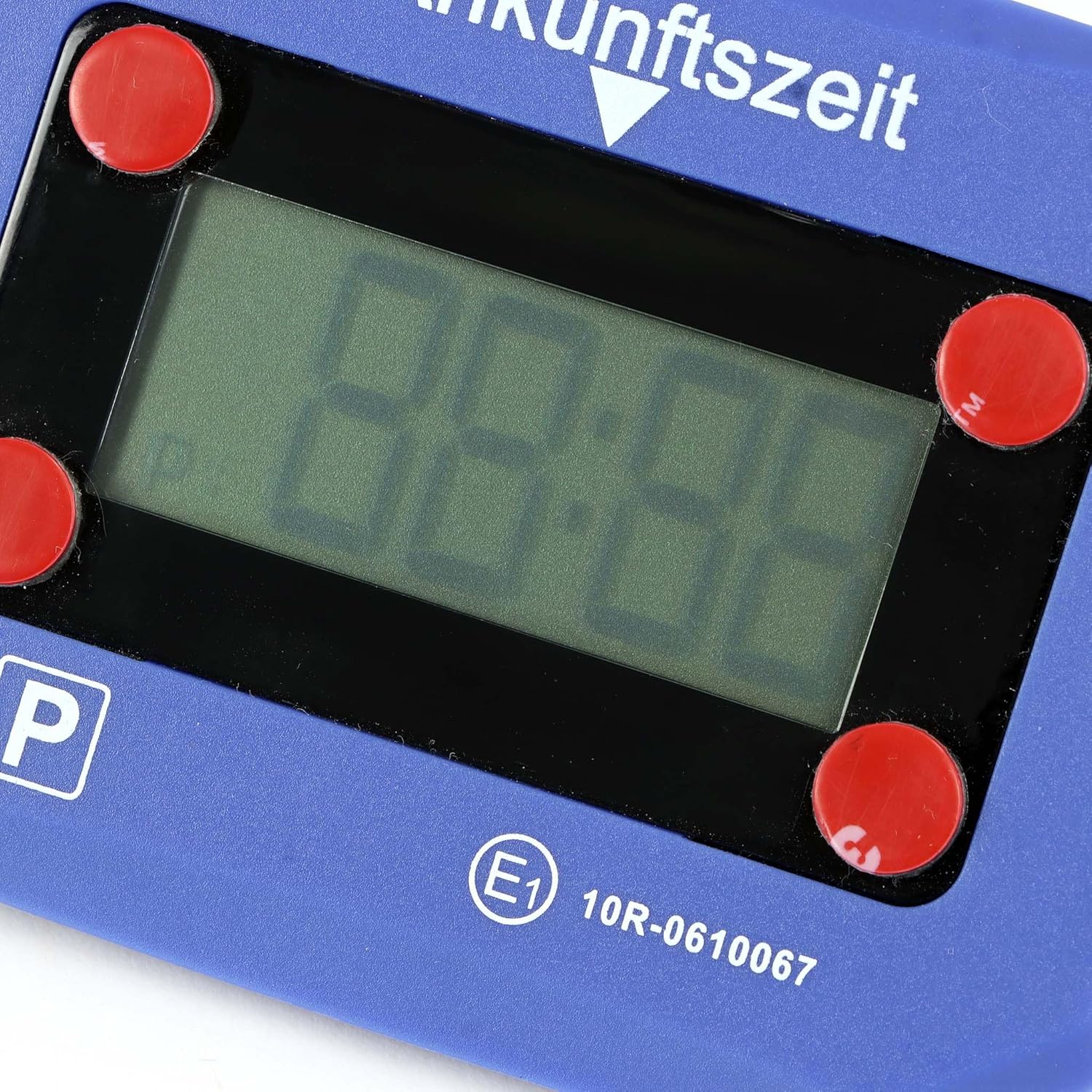
Image 5.1: Close-up view of the digital display on the parking disc.
5.2 Night Mode
The integrated night mode ensures the display remains clearly visible even in low-light conditions or during evening hours. This feature activates automatically as needed.
5.3 SOS Signal
In an emergency, the device can emit an SOS signal. Consult the device's physical buttons or a quick start guide (if provided separately) for specific instructions on activating this feature. Typically, it involves pressing and holding a designated button for a few seconds.
6. Maintenance
6.1 Cleaning
To clean the device, use a soft, dry cloth. Do not use abrasive cleaners, solvents, or spray directly onto the device, as this may damage the display or internal components.
6.2 Battery Replacement
When the battery level is low, an indicator may appear on the display. Replace the CR2450 battery as described in Section 4.1. A fresh battery ensures reliable operation and accurate timekeeping.
7. Troubleshooting
- Device not turning on/Display blank: Check if the CR2450 battery is correctly installed and has sufficient charge. Replace the battery if necessary.
- Time not adjusting automatically: Ensure the device is securely mounted and not obstructed. The device relies on motion sensors to detect vehicle stops. If the issue persists, try resetting the device by temporarily removing and reinserting the battery.
- Display difficult to read: Check for excessive glare on the windshield. Ensure the night mode is functioning correctly in low light.
- SOS signal not activating: Refer to the specific instructions for activating the SOS signal. Ensure the battery has enough power.
If you encounter issues not listed here or if troubleshooting steps do not resolve the problem, please contact Wiltec customer support.
8. Specifications
| Feature | Specification |
|---|---|
| Product Dimensions (L x W x H) | 9.9 x 2.4 x 7.4 cm |
| Weight | 90 grams |
| Manufacturer | Wiltec |
| Model Number | 65119 |
| ASIN | B0DPN7F7NC |
| Battery Type | CR2450 |
| Certification | E-Mark |
| Country of Origin | China |
9. Warranty and Support
9.1 Return Policy
This product is subject to a 30-day refund/replacement return policy from the date of purchase. Please retain your proof of purchase for any warranty claims.
9.2 Customer Support
For technical assistance, troubleshooting, or warranty inquiries, please contact Wiltec customer support. Refer to the contact information provided on the product packaging or the official Wiltec website.