
1. Introduction
This manual provides essential instructions for the safe and efficient operation, maintenance, and troubleshooting of your SENCOR SES 6000BK Fully Automatic Espresso Machine. Please read this manual thoroughly before first use and keep it for future reference.
1.1 Safety Instructions
- Always ensure the machine is placed on a stable, level surface.
- Do not immerse the machine, power cord, or plug in water or other liquids.
- Keep the appliance out of reach of children.
- Unplug the machine from the power outlet before cleaning or when not in use for extended periods.
- Do not operate the machine with a damaged cord or plug.
- Use only cold, fresh water in the water tank.
- Never open the brewing unit during operation.
- The machine is not dishwasher safe.
2. Product Components
Familiarize yourself with the main parts of your SENCOR SES 6000BK espresso machine.
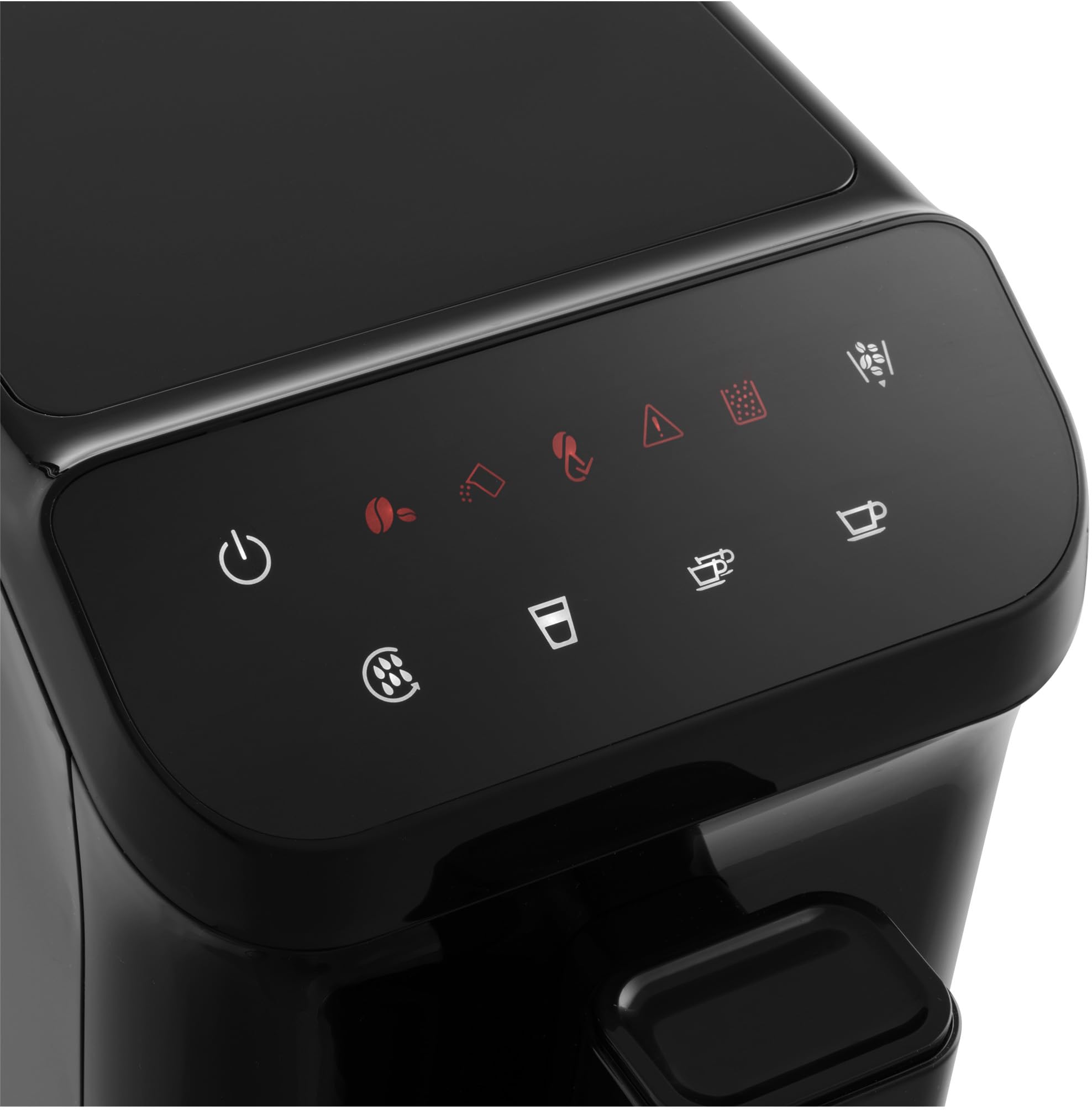
Figure 2.1: Front view of the SENCOR SES 6000BK Fully Automatic Espresso Machine, showcasing its compact design and coffee spout with a cup of coffee.
- Control Panel: LED panel with touch buttons for various functions.
- Water Tank: Removable 1.5-liter capacity tank for fresh water.
- Bean Hopper: 200g capacity for whole coffee beans.
- Grinder: Integrated stainless steel grinder with 15 grind settings.
- Brewing Unit: Removable for easy cleaning.
- Coffee Spout: Height-adjustable to accommodate different cup sizes.
- Drip Tray & Grounds Container: Collects excess water and used coffee grounds.
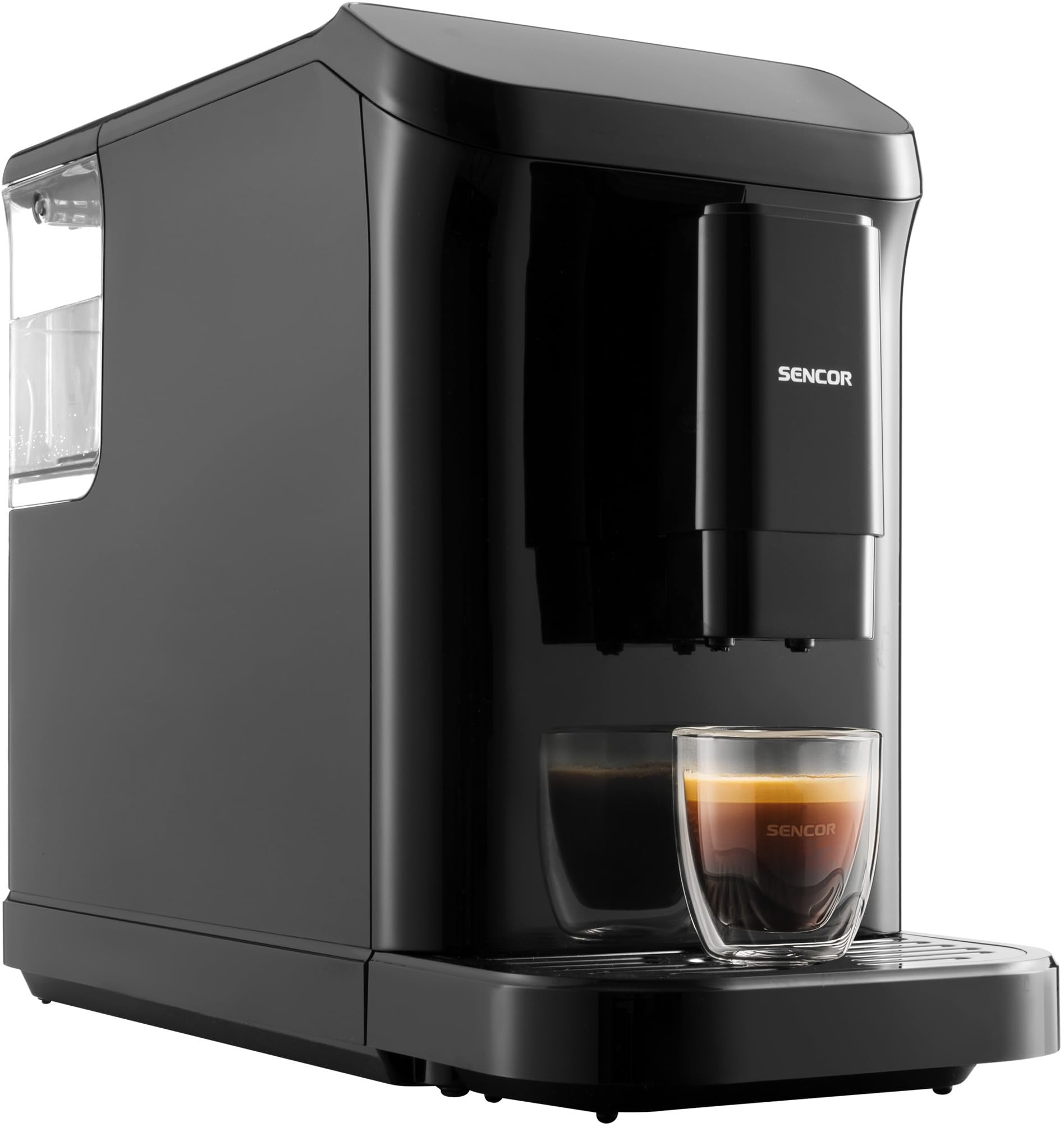
Figure 2.2: Detailed view of the LED control panel with touch buttons for power, coffee selection, and warning indicators.
3. Setup and First Use
Follow these steps to prepare your espresso machine for its first use.
- Unpack the Machine: Carefully remove all packaging materials and ensure all components are present.
- Position the Machine: Place the machine on a flat, stable, and heat-resistant surface, away from direct sunlight or heat sources. Ensure adequate ventilation.
- Fill the Water Tank: Remove the 1.5-liter water tank, fill it with fresh, cold water up to the MAX level, and reinsert it securely.
- Fill the Bean Hopper: Open the lid of the 200g bean hopper and fill it with your preferred whole coffee beans. Close the lid firmly.
- Connect Power: Plug the power cord into a grounded electrical outlet.
- Initial Rinse Cycle: Upon first power-on, the machine will perform an automatic rinse cycle. Place a container under the coffee spout. The machine will heat up and dispense hot water. This process ensures the internal system is clean and ready for use.
4. Operating Instructions
Learn how to brew your favorite coffee beverages with ease.
4.1 Brewing Coffee
- Power On: Press the power button on the control panel. The machine will perform a brief self-check and heating process.
- Place Cup: Position your cup under the height-adjustable coffee spout.
- Select Beverage: Use the touch buttons on the LED panel to select your desired beverage:
- Espresso: For a concentrated shot of coffee.
- Lungo: For a longer coffee with more water.
- Hot Water: For Americano or tea preparation.
- Start Brewing: Press the corresponding button. The machine will grind the beans, pre-infuse, and brew your coffee. The first drop of coffee is typically dispensed within 40 seconds.
- Cup Size Memory: The machine features a memory function for cup size. To program, press and hold the desired coffee button until the desired volume is reached, then release. The machine will remember this setting for future brews.
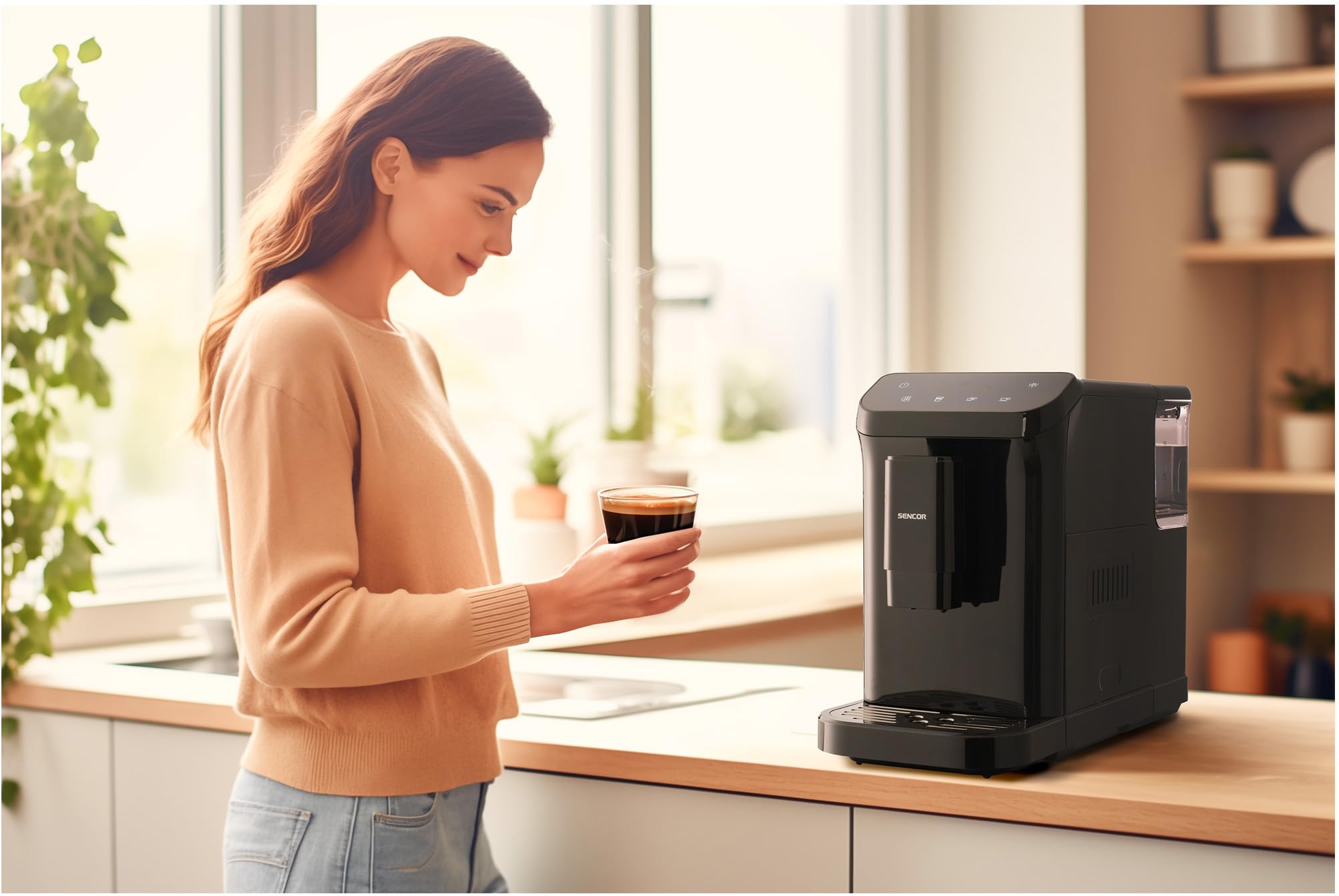
Figure 4.1: A user initiating the coffee brewing process by pressing a button on the touch control panel.
4.2 Adjusting Grind Settings
The integrated grinder offers 15 settings for precise grinding. Adjust the grind fineness according to your preference and coffee bean type. Finer grinds produce stronger coffee, while coarser grinds result in a milder taste. Adjust the setting only when the grinder is operating.
5. Maintenance and Cleaning
Regular cleaning and maintenance ensure optimal performance and longevity of your espresso machine.
5.1 Removable Brewing Unit
The brewing unit is removable for easy cleaning. It is recommended to rinse it under running water weekly.
- Power Off: Ensure the machine is powered off and unplugged.
- Access: Open the side access panel.
- Remove: Press the "PUSH" buttons (if present) or follow the specific release mechanism to carefully pull out the brewing unit.
- Rinse: Rinse the brewing unit thoroughly under lukewarm running water until all coffee residues are removed. Do not use detergents.
- Dry & Reinsert: Allow the brewing unit to air dry completely before reinserting it into the machine. Ensure it clicks into place securely.
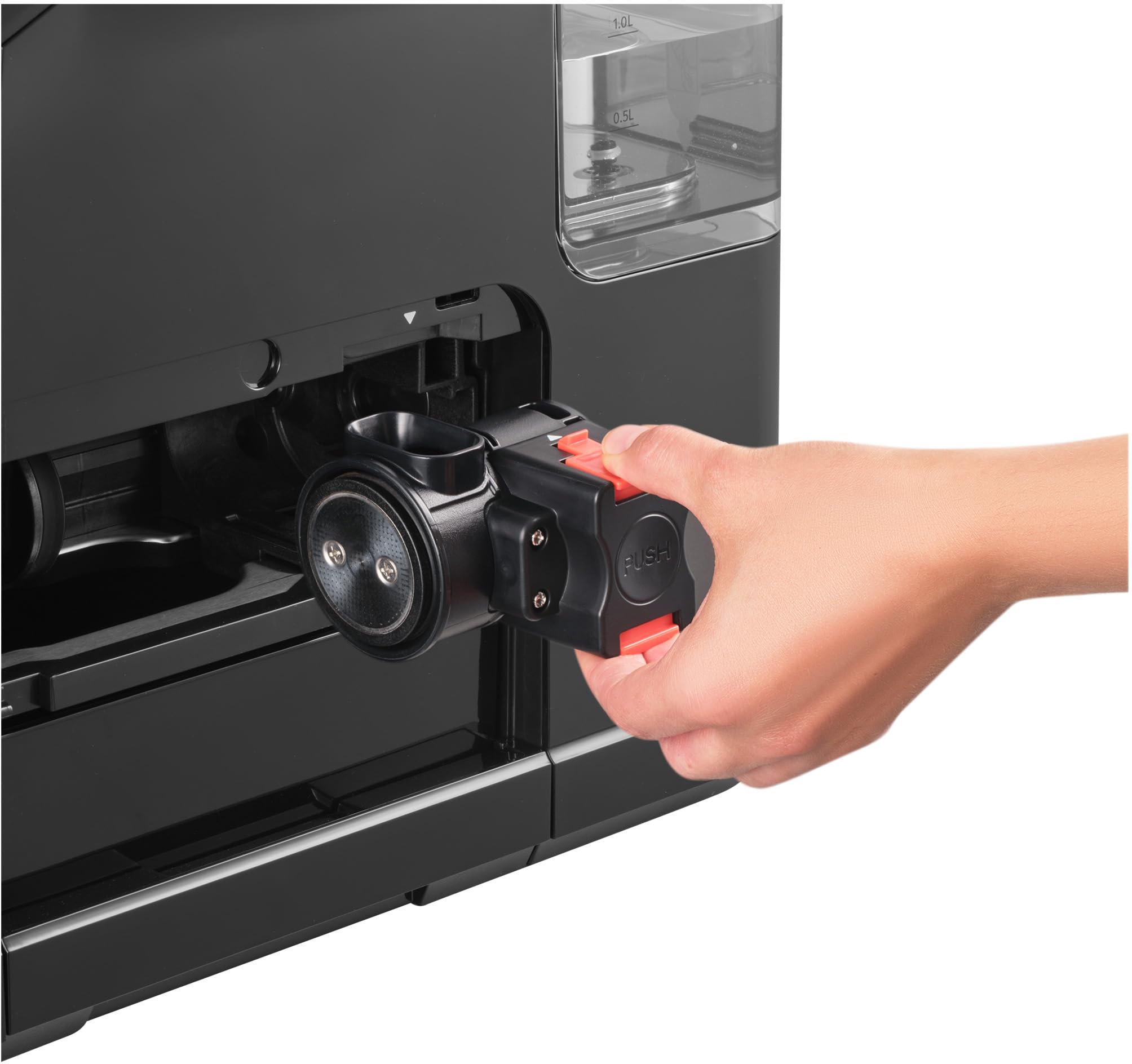
Figure 5.1: Illustration of how to remove the brewing unit for cleaning, highlighting the 'PUSH' mechanism.
5.2 Emptying Grounds Container and Drip Tray
The machine will indicate when the grounds container is full. Empty and clean both the grounds container and the drip tray regularly to prevent blockages and maintain hygiene.
5.3 Descaling Program
The machine features an indicator for descaling. When the descaling indicator illuminates, it is time to run the automatic descaling program. Refer to the machine's display or specific instructions for initiating the descaling cycle using a suitable descaling solution (not included).
5.4 Automatic Self-Cleaning
The machine performs an automatic self-cleaning cycle upon power-on and power-off to maintain internal hygiene. Ensure a cup is placed under the spout during these cycles.
6. Troubleshooting
This section addresses common issues indicated by the machine's warning lights.
| Indicator Light | Problem | Solution |
|---|---|---|
| Water Tank Empty Signal | Water tank is empty or not correctly inserted. | Refill the water tank with fresh water and ensure it is properly seated. |
| Bean Hopper Empty Signal | Coffee bean hopper is empty. | Refill the bean hopper with whole coffee beans. |
| Empty Grounds Container Signal | Used coffee grounds container is full or not correctly inserted. | Empty the grounds container and drip tray, then reinsert them correctly. |
| Descaling Needed Indicator | Machine requires descaling. | Perform the automatic descaling program as per the instructions in Section 5.3. |
7. Technical Specifications
| Feature | Specification |
|---|---|
| Model Name | SES 6000BK |
| Brand | SENCOR |
| Type | Fully Automatic Espresso Machine |
| Pump Pressure | 20 Bar |
| Power Consumption | 1350 W |
| Voltage | 240 V |
| Water Tank Capacity | 1.5 Liters |
| Bean Hopper Capacity | 200 g |
| Grind Settings | 15 levels |
| Dimensions (D x W x H) | 43.5 cm x 19.0 cm x 32.0 cm |
| Weight | 8.7 kg |
| Heating System | Thermoblock |
| Dishwasher Safe Parts | No |
| Country of Origin | China |
8. Warranty and Support
For warranty information, product registration, or technical support, please refer to the warranty card included with your product or visit the official SENCOR website. Keep your proof of purchase for any warranty claims.


