
Introduction
Thank you for choosing the Fockety 3-Key Wired Custom Keyboard. This compact and versatile keyboard is designed for enhanced productivity and gaming, featuring customizable keys, a rotary encoder, an LCD display, and RGB lighting. This manual provides essential information for setup, operation, maintenance, and troubleshooting to ensure optimal performance.
Product Overview
The Fockety 3-Key Wired Custom Keyboard is a compact input device featuring three independent keys and a rotary encoder. It supports key editing via dedicated software and operates exclusively through a wired USB connection. The integrated 0.96-inch color LCD provides clear visual feedback, while RGB lighting effects add aesthetic appeal.
Key Features:
- 3 Customizable Keys and Rotary Encoder: Each key and the encoder can be programmed for various functions.
- 3 Scenario Modes: Switch between different key function sets tailored for diverse applications.
- 0.96-inch Color LCD Display: Provides clear, intuitive display of assigned key functions.
- RGB Lighting Effects: Customizable lighting to enhance your workspace.
- Durable Acrylic Material: Crafted for strength, flatness, and long-lasting durability.
- Wired USB Type-C Connection: Ensures stable and reliable connectivity.

Figure 1: Overview of keyboard functions and applications.
Setup Instructions
Follow these steps to set up your Fockety 3-Key Wired Custom Keyboard:
- Unpack the Keyboard: Carefully remove the keyboard and the USB Type-C cable from its packaging.
- Connect the USB Cable: Insert one end of the provided USB Type-C cable into the port on the keyboard.
- Connect to Computer: Plug the other end of the USB Type-C cable into an available USB port on your computer. The keyboard is powered via this connection (5V 1A).
- Driver Installation (Automatic): Your operating system should automatically detect and install the necessary drivers. No manual driver installation is typically required for basic functionality.
- Software Installation (for Customization): To customize key functions, RGB lighting, and scenario modes, download the dedicated key editing software from the manufacturer's official website. Follow the software's installation instructions.

Figure 2: Keyboard and USB Type-C cable.
Operating Instructions
Basic Key and Encoder Functions:
- Keys (1, 2, 3): By default, these keys may have basic functions like copy, paste, or cut. Their primary purpose is to be customized via the software.
- Rotary Encoder: The encoder typically controls volume (rotate) and mute/unmute (press). Its functions are also customizable.
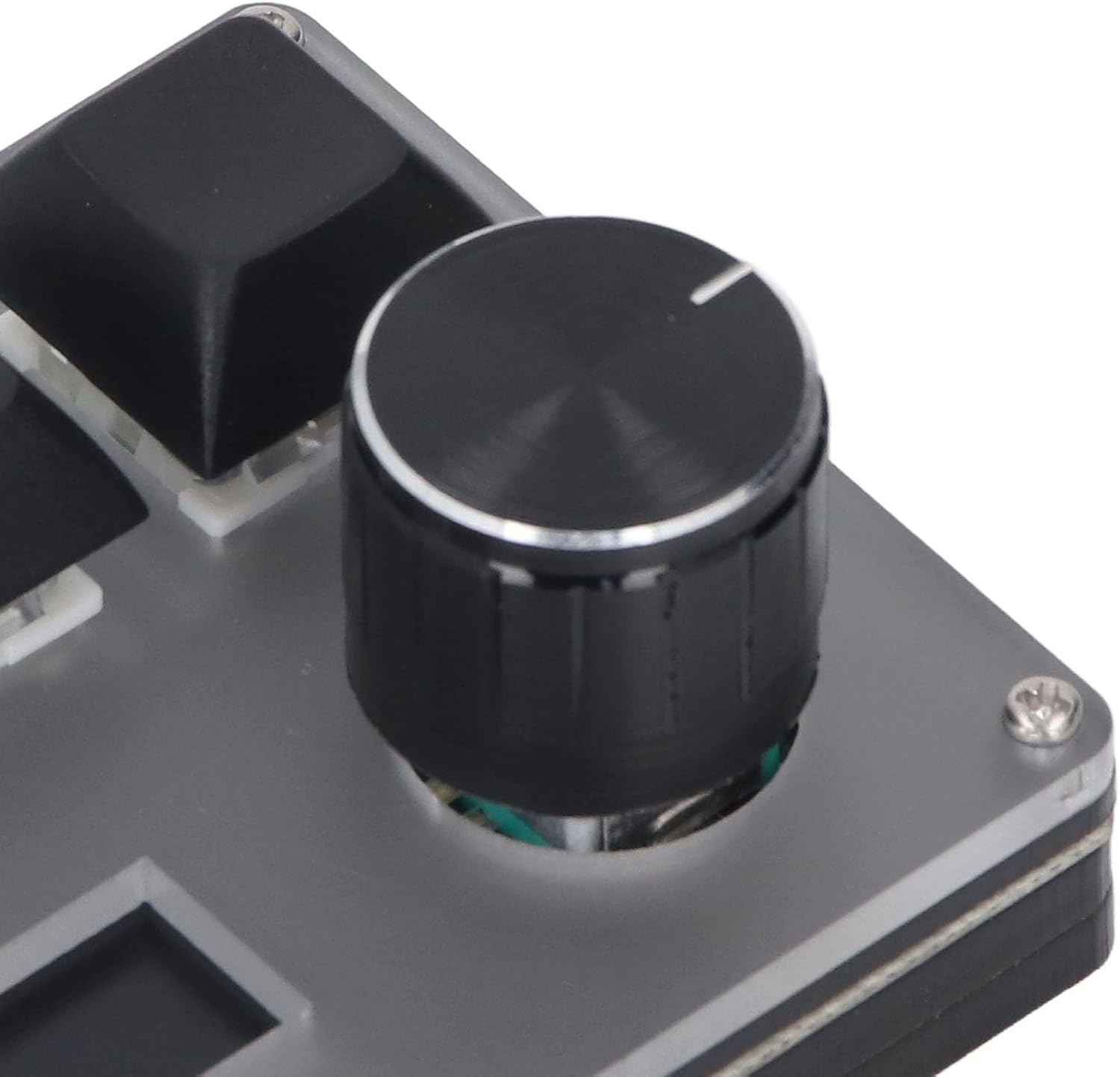
Figure 3: Rotary Encoder detail.
LCD Display:
The 0.96-inch color LCD display shows the current function assigned to the three keys and the active scenario mode. This provides immediate visual confirmation of your keyboard's current configuration.

Figure 4: LCD displaying media control functions.
RGB Lighting:
The keyboard features integrated RGB lighting. The lighting effects can be customized through the dedicated software to match your preferences or environment.

Figure 5: Keyboard with RGB lighting effects.
Customization
The true power of your Fockety keyboard lies in its customization capabilities:
- Key Editing Software: Use the dedicated software (downloaded during setup) to assign specific functions to each of the 3 keys and the rotary encoder. This can include single key presses, key combinations (macros), multimedia controls, application shortcuts, and more.
- Scenario Modes: The keyboard supports 3 distinct scenario modes. Within the software, you can configure a unique set of key assignments for each mode. This allows you to quickly switch between configurations for different tasks, such as gaming, video editing, or general productivity. The LCD will indicate the active scenario mode.
- RGB Light Customization: Adjust the color, brightness, and effect patterns of the RGB lighting through the software.
Maintenance
To ensure the longevity and optimal performance of your keyboard, follow these maintenance guidelines:
- Cleaning: Use a soft, dry, lint-free cloth to wipe the acrylic surface. For stubborn smudges, slightly dampen the cloth with water or a mild, non-abrasive cleaner. Avoid harsh chemicals or abrasive materials that could scratch the acrylic.
- Dust Removal: Use compressed air to remove dust and debris from between the keys and around the encoder.
- Avoid Liquids: Do not expose the keyboard to excessive moisture or immerse it in liquids.
- Storage: When not in use, store the keyboard in a clean, dry environment away from direct sunlight and extreme temperatures.
Troubleshooting
If you encounter issues with your Fockety 3-Key Wired Custom Keyboard, refer to the following troubleshooting steps:
| Problem | Possible Cause | Solution |
|---|---|---|
| Keyboard not recognized / Not functioning | Loose USB connection, faulty USB port, driver issue. | Ensure the USB-C cable is securely connected to both the keyboard and the computer. Try a different USB port on your computer. Restart your computer. |
| Keys or encoder not responding as expected | Incorrect key assignment in software, software not running, conflicting software. | Verify key assignments in the customization software. Ensure the software is running in the background if required for custom functions. Check for any other macro software that might be conflicting. |
| LCD display is blank or incorrect | Power issue, software communication error. | Ensure the keyboard is properly connected and receiving power. Restart the customization software. If the issue persists, try reinstalling the software. |
| RGB lights not working or incorrect color | Software settings, power issue. | Check RGB settings within the customization software. Ensure the keyboard is receiving sufficient power. |
Specifications
- Brand: Fockety
- Model Name: Focketyqstg63p09a
- Compatible Devices: Personal Computer
- Connectivity Technology: USB-C (Wired)
- Keyboard Description: Custom, Programmable
- Recommended Uses: Gaming, Productivity
- Special Features: RGB Light, 3 Scenario Modes, 0.96-inch Color LCD Display
- Material: Acrylic
- Number of Keys: 3
- Power Source: Corded Electric (5V 1A via USB)
- Dimensions (approx.): 75 x 58 x 40 mm / 3 x 2.3 x 1.6 inches (excluding knob)
- Country of Origin: China
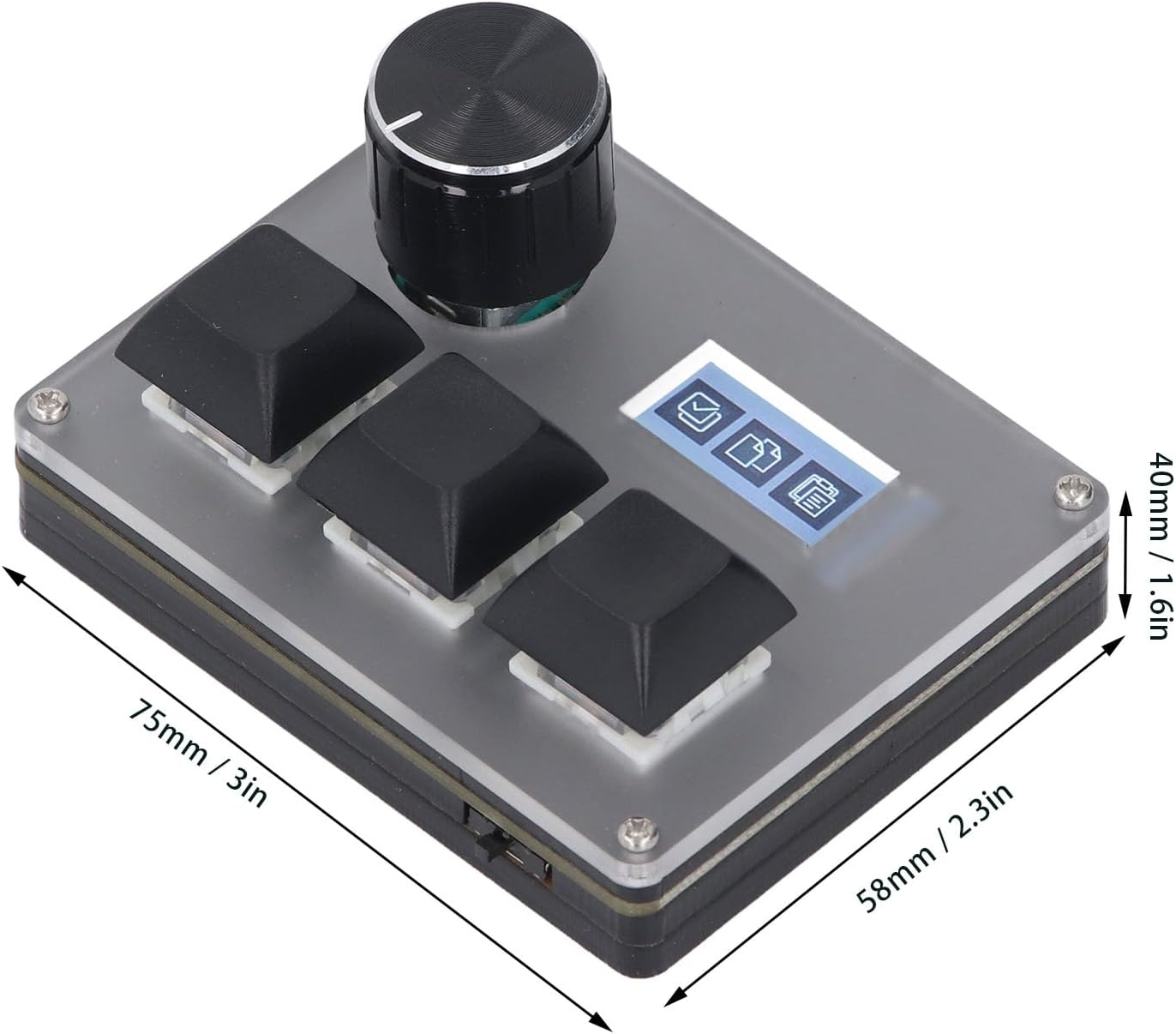
Figure 6: Keyboard dimensions.
Warranty Information
This Fockety 3-Key Wired Custom Keyboard comes with a 90-day warranty from the date of purchase. This warranty covers manufacturing defects under normal use. It does not cover damage caused by misuse, accidents, unauthorized modifications, or improper maintenance. Please retain your proof of purchase for warranty claims.
Support
For further assistance, technical support, or to download the latest customization software, please visit the official Fockety website or contact your retailer. Ensure you have your product model number (Focketyqstg63p09a) available when seeking support.