1. Product Overview
The WYZE Security Video Doorbell WiFi Chime (Model WCHIM) is an official accessory designed to provide audible notifications for your Wyze Cams and Doorbells. It ensures you never miss a visitor or an important alert by delivering real-time sounds throughout your home. This device features adjustable volume and customizable ringtones via the Wyze app, offering a personalized experience.
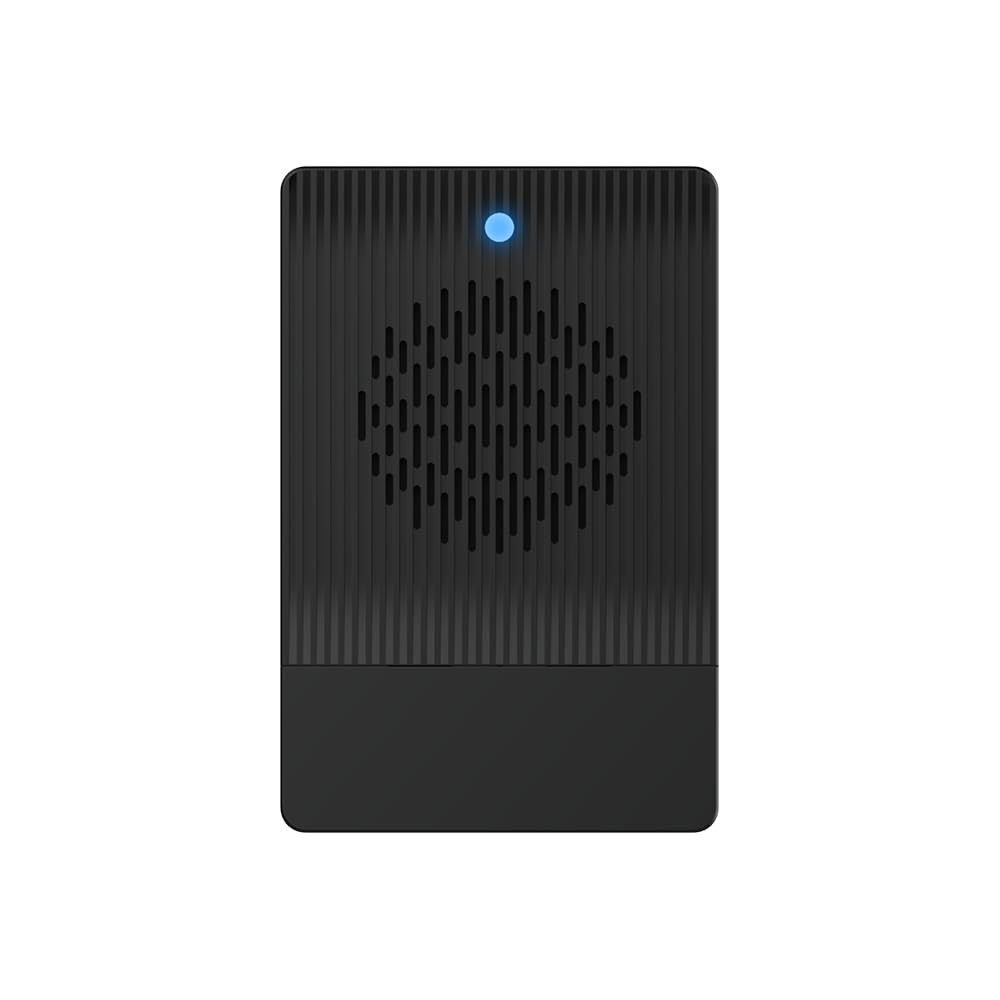
Image 1: WYZE WiFi Chime plugged into a standard wall outlet. The chime is black with a blue indicator light, showing it is powered on and ready for use.
2. Setup Guide
2.1 Unboxing and Components
Before beginning the setup process, ensure all components are present in the box:
- WYZE WiFi Chime (Model WCHIM)
- Quick Start Guide
Video 1: Unboxing and initial setup of a Wyze Video Doorbell Pro, which includes the Chime Pro. This video demonstrates the physical components of the doorbell and chime.
2.2 Initial Power-Up and Connection
- Plug In: Insert the WYZE WiFi Chime into a standard indoor electrical outlet.
- Download App: Download the latest version of the Wyze app from your device's app store (iOS or Android).
- Create Account: Open the Wyze app and create a new account or log in to your existing account.
- Add Device: In the Wyze app, tap the "+" icon to add a new device. Select "Chime" from the list of available devices.
- Connect to Wi-Fi: Follow the on-screen instructions to connect the chime to your 2.4 GHz Wi-Fi network. Ensure your phone is near the chime during this process. Note: 5 GHz networks are not supported.
- Pair with Doorbell/Camera: Once connected to Wi-Fi, follow the app prompts to pair the chime with your desired Wyze Video Doorbell or Wyze Camera.
Video 2: Wyze Video Doorbell V2 Setup and Demo. This video provides a comprehensive guide on setting up a Wyze Video Doorbell and connecting it to the Wyze app, including steps relevant to chime pairing.
3. Operating Instructions
3.1 Receiving Notifications
Once successfully paired, the WYZE WiFi Chime will sound an audible alert whenever your connected Wyze Video Doorbell is pressed or when a linked Wyze Camera detects motion, depending on your settings. This provides real-time notifications anywhere in your home.
3.2 Customizing Alerts
You can personalize your chime's behavior through the Wyze app:
- Adjust Volume: Navigate to the chime settings within the Wyze app to increase or decrease the alert volume.
- Change Ringtone: Select from a variety of available ringtones to customize the sound of your alerts.
- Link/Unlink Devices: Manage which Wyze Cams or Doorbells trigger the chime.
4. Maintenance
4.1 Cleaning
To maintain optimal performance, periodically wipe the chime with a soft, dry cloth. Avoid using harsh chemicals or abrasive cleaners, as these may damage the device's finish or internal components.
4.2 Firmware Updates
Ensure your Wyze app is up-to-date to receive notifications for firmware updates. Regularly updating the chime's firmware ensures you have the latest features, security enhancements, and bug fixes. Follow the in-app instructions to perform any available updates.
5. Troubleshooting
5.1 No Sound from Chime
- Check Power: Ensure the chime is securely plugged into a working electrical outlet.
- Volume Settings: Verify the volume is not muted or set too low in the Wyze app's chime settings.
- Wi-Fi Connection: Confirm the chime is connected to your 2.4 GHz Wi-Fi network and has a stable signal.
- Device Pairing: Ensure the chime is correctly paired with your Wyze Video Doorbell or Camera in the app.
5.2 Chime Offline in App
- Router Distance: The chime should be placed within 30 feet of your Wi-Fi router for optimal connectivity.
- Restart Chime: Unplug the chime from the outlet, wait 10 seconds, and plug it back in.
- Restart Router: Power cycle your Wi-Fi router.
- Re-add Device: If issues persist, remove the chime from the Wyze app and re-add it following the setup guide.
6. Specifications
| Model Number | WCHIM |
| Indoor/Outdoor Usage | Indoor |
| Power Source | Corded Electric |
| Connectivity Protocol | Wi-Fi (2.4G 802.11b/g/n) |
| Compatible Devices | All Wyze Cams and Doorbells (Wyze Wireless Duo Cam Video Doorbell/Doorbell Pro/Doorbell v2) |
| Item Dimensions (L x W x H) | 3.18 x 2.08 x 1.49 inches |
| Item Weight | 4.6 ounces (0.13 Kilograms) |
| Included Components | Chime |
| Special Feature | Portable, Reset button |
7. Warranty and Support
7.1 Warranty Information
This product is covered by a standard manufacturer's warranty. For specific details regarding warranty terms and conditions, please refer to the official WYZE website or contact customer support.
7.2 Customer Support
For technical assistance, troubleshooting, or any inquiries about your WYZE WiFi Chime, please visit the official WYZE support website or contact their customer service team directly.
- Online Support: Visit wyze.com/support
- Community Forums: Engage with other users and find solutions at forums.wyze.com


