
VERPAL T0001001-B
VERPAL Under Desk Treadmill User Manual
Model: T0001001-B
Introduction
Thank you for choosing the VERPAL Under Desk Treadmill. This manual provides essential information for the safe and effective operation, maintenance, and troubleshooting of your new fitness equipment. Please read this manual thoroughly before initial use and retain it for future reference.
Important Safety Information
- Always consult with a healthcare professional before starting any new exercise program.
- Place the treadmill on a flat, stable surface. Ensure adequate clear space around the treadmill (at least 20 inches on each side and 40 inches at the rear).
- Keep children and pets away from the treadmill during operation.
- Wear appropriate athletic footwear. Do not operate the treadmill barefoot or in socks.
- Do not use the treadmill if you weigh more than 330 lbs (150 kg).
- Ensure the power cord is not pinched or damaged. Unplug the treadmill when not in use or before cleaning/maintenance.
- In case of emergency, press the stop button on the remote control immediately.
Package Contents
Verify that all components are present in the package:

This image illustrates the complete package contents, including the VERPAL Under Desk Treadmill unit, a remote control, a hex tool for adjustments, a bottle of lubricating oil, and the user manual.
- 1x VERPAL Under Desk Treadmill
- 1x Remote Control (with 2x AAA batteries included)
- 1x Hex Tool
- 1x Lubricating Oil
- 1x User Manual (this document)
Setup
Unpacking and Placement
- Carefully remove the treadmill from its packaging.
- Place the treadmill on a firm, level surface. Ensure there is sufficient space around the unit for safe operation and movement.
- Plug the power cord into a grounded electrical outlet.
- Ensure the safety key (if applicable, though not explicitly mentioned for this model, it's standard for treadmills) is properly engaged.

This image shows the VERPAL Under Desk Treadmill in use, highlighting its compact design and suitability for home or office environments, including integration with a standing desk.
Initial Power On
Once plugged in, the LED display will illuminate. The treadmill is now in standby mode.
Operating Instructions
Control Methods
The VERPAL Under Desk Treadmill offers two primary control methods:
- Remote Control: For manual operation, allowing precise control over speed and start/stop functions.
- Intelligent Foot-Sensing: For automatic speed adjustment based on your walking position on the belt.

This image illustrates the two control options: foot-sensing for automatic speed adjustment and remote control for manual operation, alongside the treadmill's speed range.
Using the Remote Control (Manual Mode)
The remote control allows you to start, stop, accelerate, and decelerate the treadmill.
- Press the Power Button to turn the treadmill on/off.
- Press the Start/Stop Button to begin or end your workout.
- Use the '+' button to increase speed and the '-' button to decrease speed. The speed range is 0.6 to 4 MPH.

This image highlights the LED display on the treadmill, which shows real-time metrics such as distance, speed, steps, and time, and the smart remote control for easy adjustments.
Intelligent Foot-Sensing (Automatic Mode)
For advanced users, the treadmill can adjust its speed based on your foot placement:
- Step towards the front of the belt to increase speed.
- Step towards the middle of the belt to maintain current speed.
- Step towards the rear of the belt to decrease speed.
It is recommended to familiarize yourself with manual mode before attempting automatic mode.
Workout Modes and Speed Ranges
The treadmill supports three distinct modes to cater to various fitness needs:
| Mode | Speed Range (MPH) | Description |
|---|---|---|
| Working Mode | 0.6 - 1.5 | Ideal for light activity while working or engaging in other tasks. |
| Walking Mode | 0.6 - 2.5 | Suitable for a steady walking pace. |
| Jogging Mode | 2.5 - 4.0 | For brisk walking or light jogging. |

This image visually demonstrates the three distinct usage modes: Working Mode for light activity, Walking Mode for a steady pace, and Jogging Mode for more intense exercise, each with its corresponding speed range.
LED Display
The integrated LED display provides real-time feedback on your workout:
- TIME: Duration of your workout.
- SPEED: Current speed in Miles Per Hour (MPH).
- STEP: Number of steps taken.
- DIST: Distance covered in miles.

This image focuses on the LED display, illustrating how it tracks and presents key workout metrics such as time, speed, steps, and distance, aiding users in monitoring their fitness progress.
Maintenance
Regular maintenance ensures the longevity and optimal performance of your treadmill.
Lubrication
The running belt requires periodic lubrication to reduce friction and wear. Use the provided lubricating oil.
- Turn off and unplug the treadmill.
- Lift the edge of the running belt on one side.
- Apply a small amount of lubricating oil (approx. 5-10ml) evenly along the center of the deck, underneath the belt.
- Repeat on the other side.
- Plug in the treadmill and run it at a low speed (e.g., 1 MPH) for 2-3 minutes to distribute the oil.
- Lubricate every 3-6 months, or after every 50-100 hours of use, depending on frequency.
Cleaning
- Always unplug the treadmill before cleaning.
- Wipe down the exterior surfaces with a soft, damp cloth. Avoid abrasive cleaners or solvents.
- Periodically vacuum dust and debris from underneath the motor cover (if accessible and safe to do so, otherwise consult professional service).
Storage
The VERPAL Under Desk Treadmill is designed for easy storage due to its compact size and integrated wheels.

This image demonstrates the treadmill's portability, showing how it can be easily moved using its smooth wheels and stored compactly, such as under furniture, to save space.
- Ensure the treadmill is turned off and unplugged.
- Utilize the built-in wheels to easily move the treadmill.
- Store in a dry, cool place, away from direct sunlight and extreme temperatures.
- Its slim profile allows it to be stored under a bed, sofa, or upright against a wall.
Troubleshooting
This section addresses common issues you might encounter. For problems not listed here, please contact customer support.
| Problem | Possible Cause | Solution |
|---|---|---|
| Treadmill does not power on. | Power cord not properly connected; Power outlet issue. | Ensure the power cord is securely plugged into both the treadmill and a working wall outlet. Check the circuit breaker. |
| Treadmill stops unexpectedly. | Overload protection activated; Safety key disengaged. | Reduce load. Ensure the safety key is properly attached. Allow the motor to cool down if it was running for an extended period. |
| Running belt slips or hesitates. | Belt needs lubrication; Belt tension is incorrect. | Lubricate the running belt as per the maintenance section. Adjust belt tension using the hex tool if necessary (refer to specific instructions in a detailed manual or contact support). |
| Unusual noise during operation. | Lack of lubrication; Loose components; Debris under belt. | Lubricate the belt. Check for any loose screws or components. Inspect and remove any debris from under the belt. |
| Remote control not responding. | Batteries are low or dead; Remote not paired. | Replace the AAA batteries in the remote control. If the issue persists, refer to pairing instructions (if applicable, not provided in data). |
Product Specifications
| Brand | VERPAL |
| Model Name | T0001001-B |
| Color | Black with Intelligent Variable Speed |
| Product Dimensions (L x W x H) | 47"D x 20"W x 6"H (119.4 cm x 50.8 cm x 15.2 cm) |
| Item Weight | 18.5 Kilograms (approx. 40.7 lbs) |
| Material | Acrylonitrile Butadiene Styrene (ABS) |
| Maximum Speed | 4 Miles per Hour (MPH) |
| Motor Horsepower | 3.0 HP (Brushless) |
| Maximum Weight Recommendation | 330 Pounds (150 kg) |
| Power Source | Corded Electric |
| Metrics Measured | Distance, Speed, Step Counter, Time |
| Assembly Required | No |
| Noise Level | ≤ 40 dB (Whisper Quiet) |
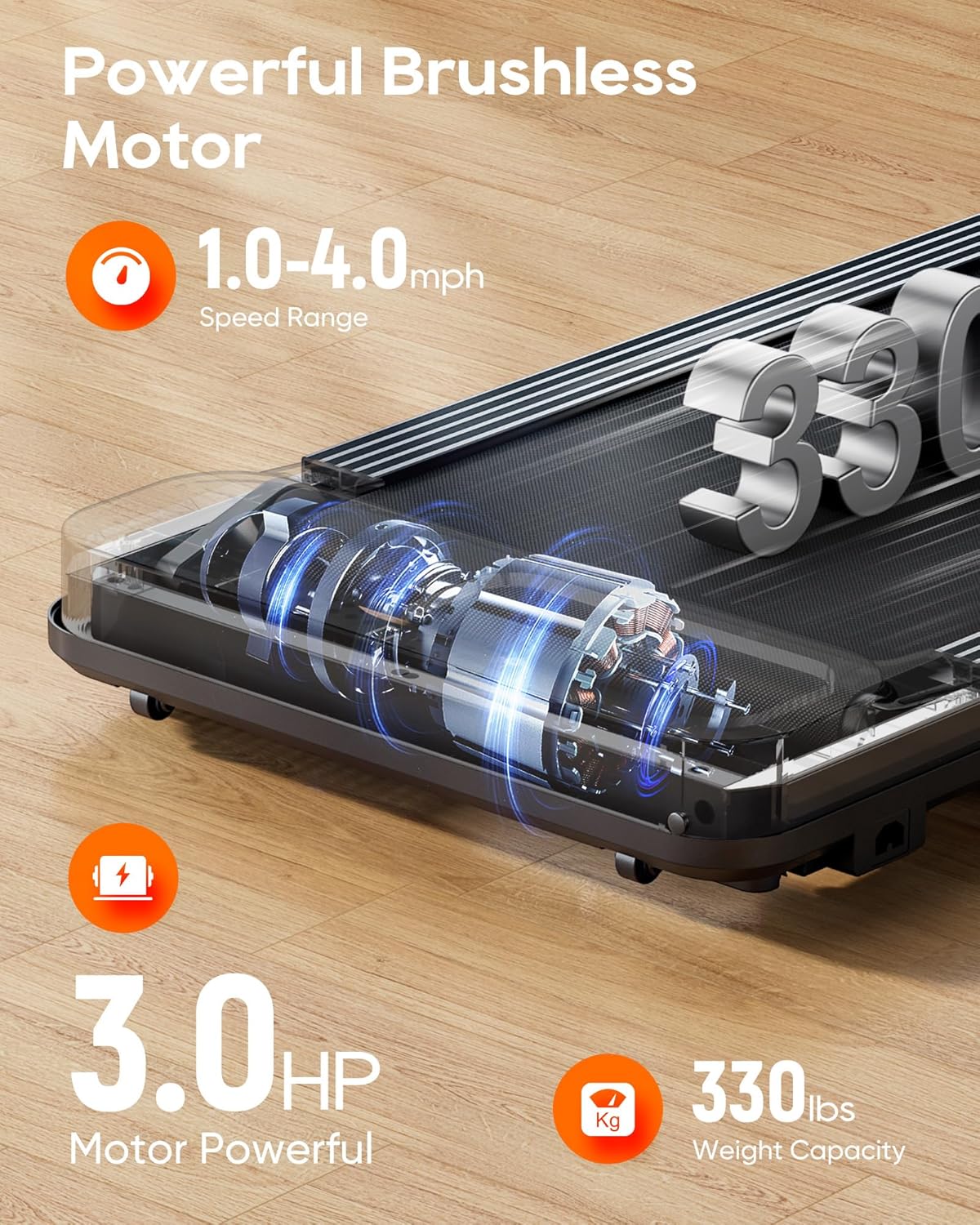
This image showcases the powerful 3.0 HP brushless motor and the robust construction, emphasizing the treadmill's 330 lbs weight capacity for reliable performance.

This image illustrates the treadmill's quiet operation, with a noise level of less than 40 dB, making it suitable for use in various home or office environments without causing disturbance.
Warranty and Support
Manufacturer's Warranty
The VERPAL Under Desk Treadmill comes with a 1-Year Manufacturer's Warranty. This warranty covers defects in materials and workmanship under normal use. It does not cover damage resulting from misuse, accidents, unauthorized modifications, or failure to follow the instructions in this manual.
Please retain your proof of purchase for warranty claims.
Customer Support
For technical assistance, warranty claims, or any questions regarding your VERPAL Under Desk Treadmill, please contact VERPAL customer support through the retailer's platform or the official VERPAL website.
When contacting support, please have your model number (T0001001-B) and purchase date ready.
Ask a question about this manual
Ask about setup, troubleshooting, compatibility, parts, safety, or missing instructions. Manuals+ will review the question and use this page’s manual context to help answer it.