
1. Introduction
This manual provides essential instructions for the safe and efficient operation, maintenance, and troubleshooting of your Philips 6000 AquaTrio Cordless 2-in-1 Vacuum&Wash, model XW6264/11. This appliance is designed to vacuum and wet clean hard floors simultaneously, offering a versatile cleaning solution for your home.
Please read this manual thoroughly before first use and retain it for future reference.
2. Safety Information
Important Safety Instructions:
- Always ensure the appliance is switched off and unplugged before cleaning or performing maintenance.
- Do not immerse the motor unit in water or any other liquid.
- Use only the original charging adapter supplied with the appliance.
- Keep hair, loose clothing, fingers, and all parts of the body away from openings and moving parts.
- Do not use the appliance to pick up flammable or combustible liquids, or hot ashes.
- This appliance is intended for household use only.
- Supervise children to ensure they do not play with the appliance.
- Do not operate the appliance if it has been dropped, damaged, left outdoors, or dropped into water.
3. Package Contents
Verify that all components are present in the package:
- Philips 6000 AquaTrio Main Unit
- Handheld Unit
- Charging Adapter
- Accessory Kit (includes dusting brush, long crevice tool, combo tool, mini turbo brush)
- Mop (AquaSpin brushes)
- User Manual
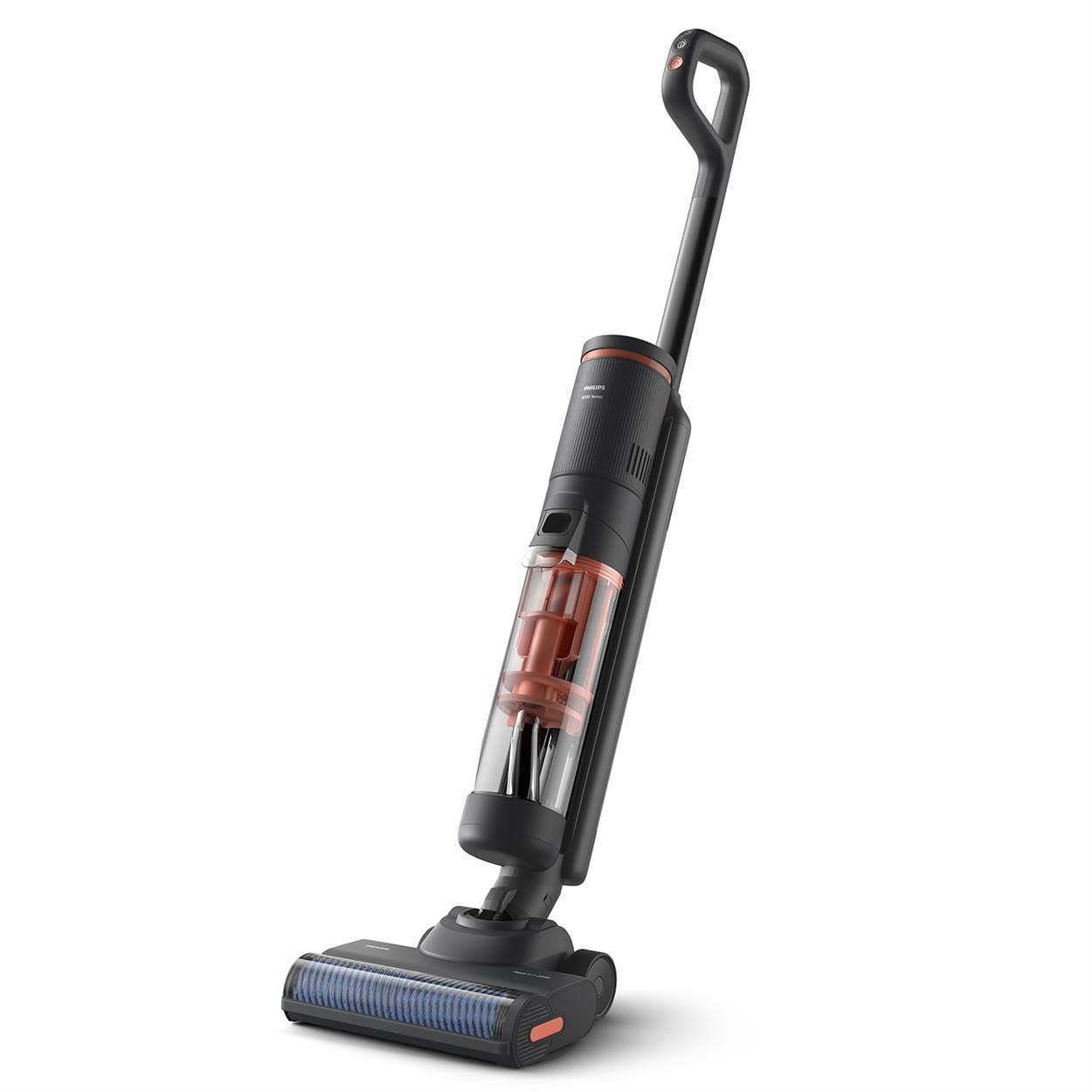
Image: The Philips 6000 AquaTrio main unit shown with its detachable handheld component and various cleaning accessories.
4. Setup
- Assembly:
- Insert the handle into the main body until it clicks into place.
- Attach the AquaSpin nozzle to the main body.
- Charging:
- Connect the charging adapter to the charging port on the appliance and plug it into a wall outlet.
- Allow the appliance to fully charge before first use. The battery indicator will show charging status.
- Filling the Clean Water Tank:
- Remove the clean water tank from the appliance.
- Fill the tank with clean tap water up to the MAX indicator. You may add a small amount of non-foaming floor cleaning solution if desired.
- Securely reattach the clean water tank to the appliance.
5. Operating Instructions
5.1. Vacuum & Wash Mode
This mode allows for simultaneous vacuuming and wet cleaning of hard floors.
- Ensure the clean water tank is filled and the dirty water tank is empty.
- Press the power button to turn on the appliance.
- Tilt the appliance backward to engage the AquaSpin brushes.
- Move the appliance slowly across the floor. The AquaSpin brushes rotate at 2500 RPM to scrub and clean.
- The appliance will automatically dispense water and collect dirty water into the dirty water tank.
- The runtime for wet cleaning is approximately 25 minutes, covering up to 80m².

Image: The AquaTrio nozzle effectively cleaning wet and dry debris from a hard floor in a single pass.

Image: A close-up view of the patented high-speed AquaSpin brushes in operation, demonstrating their scrubbing action.

Image: The PowerCyclone Aqua system separating and locking dirt and dirty water in the transparent tank, ensuring cleaning with fresh water.
5.2. Handheld Setup
For cleaning upholstery, furniture, and hard-to-reach areas, detach the handheld unit.
- Press the release button to detach the handheld unit from the main body.
- Attach the desired accessory (e.g., long crevice tool, combo tool, mini turbo brush) to the handheld unit.
- Press the power button on the handheld unit to activate.
- Use the handheld unit to vacuum dry debris from surfaces.
- The runtime for dry vacuuming in handheld mode is approximately 40 minutes.

Image: The Philips AquaTrio demonstrating its versatility, showing both the upright vacuum&wash mode and the detachable handheld unit for targeted cleaning.

Image: A user operating the handheld unit of the Philips 6000 Series for high-performance cleaning of upholstery.
6. Maintenance
Regular maintenance ensures optimal performance and longevity of your appliance.
- Hygienic Auto-Clean System:
- After each wet cleaning session, place the appliance back on its charging base.
- Activate the auto-clean function (refer to the appliance's display or specific button).
- The system will automatically clean the AquaSpin brushes and flush the internal channels, removing moist, dirt, and bacteria.
- Emptying and Cleaning the Dirty Water Tank:
- After each use, remove the dirty water tank.
- Empty the contents and rinse the tank thoroughly with clean water.
- Allow the tank to air dry before reattaching.
- Cleaning AquaSpin Brushes:
- Even with auto-clean, periodic manual inspection and cleaning of the brushes are recommended.
- Remove the brushes from the nozzle.
- Rinse them under running water to remove any trapped debris or hair.
- Ensure brushes are completely dry before reinserting.
- Cleaning the Filter:
- Locate the filter in the dirty water tank or handheld unit.
- Remove and tap out loose dirt. Rinse under water if necessary and allow to air dry completely before reinserting.

Image: The brush head of the Philips AquaTrio, highlighting the hygienic auto-clean feature that cleans the device after every use.
7. Troubleshooting
If you encounter issues with your Philips 6000 AquaTrio, refer to the table below for common problems and solutions.
| Problem | Possible Cause | Solution |
|---|---|---|
| Appliance does not turn on. | Battery is depleted. | Charge the appliance fully. |
| Poor cleaning performance. | Dirty water tank is full or clean water tank is empty. Brushes are clogged. | Empty the dirty water tank and refill the clean water tank. Clean the AquaSpin brushes. |
| Water leakage. | Water tanks not properly secured. | Ensure both clean and dirty water tanks are correctly installed and sealed. |
| Unusual noise during operation. | Debris caught in brushes or motor. | Turn off and unplug the appliance. Inspect and remove any obstructions from the brushes or nozzle area. |
If the problem persists after trying these solutions, please contact Philips customer support.
8. Specifications
| Feature | Detail |
|---|---|
| Model Number | XW6264/11 |
| Brand | Philips |
| Power Source | Battery Powered (Lithium-Ion) |
| Voltage | 220 Volts |
| Wattage | 34 watts |
| Wet Cleaning Runtime | 25 minutes |
| Dry Vacuuming Runtime (Handheld) | 40 minutes |
| AquaSpin Brush Speed | 2500 RPM |
| Coverage Area (Wet Cleaning) | Up to 80m² |
| Item Weight | 4.5 Kilograms |
| Dimensions (L x W x H) | 25L x 23W x 220H centimetres |
| Surface Recommendation | All hard floors |
9. Warranty and Support
For warranty information, please refer to the warranty card included with your purchase or visit the official Philips website for your region. For technical support, spare parts, or service, please contact Philips customer support through their official channels.
You can typically find contact information on the Philips website: www.philips.com/support


