
1. Introduction
This manual provides detailed instructions for the setup, operation, and maintenance of your Arktronic FRAMEO 21.5 Inch FHD Touchscreen Digital Photo Frame. This device allows you to display photos and videos, share memories with family and friends via the Frameo app, and enjoy various customizable features. Please read this manual thoroughly before using the product to ensure proper functionality and longevity.
Key Features:
- 21.5 Inch Full HD (1920x1080) IPS Touchscreen: Provides clear, vibrant image display with wide viewing angles and easy navigation.
- WiFi Connectivity: Enables seamless photo and video sharing through the Frameo app.
- 32GB Internal Memory: Stores up to 80,000 photos, expandable via Micro SD card (up to 64GB).
- Multi-functionality: Features include auto-rotate, captions, weather display, clock, background music, light sensor, sleep mode, image zoom, adjustable brightness, and slideshow customization.
- Flexible Placement: Supports both portrait and landscape orientation, with options for tabletop display or two-way wall mounting.
2. What's in the Box
Please verify that all components are present upon unboxing:
- Arktronic FRAMEO 21.5 Inch Digital Photo Frame
- Power Adapter with US Plug (Power cord length: 70.87 inches)
- Stand
- Screws & Wall Anchors (for wall mounting)
- User Manual & Quick Start Guide

Figure 2.1: Included components in the product packaging.
3. Product Overview
Familiarize yourself with the frame's physical features and ports.

Figure 3.1: Front and rear view of the digital photo frame with labeled components.
- FHD Touch Screen (Glossy Finish): Main display for viewing and interaction.
- Power Button: To turn the device on/off or put it into sleep mode.
- Vertical or Horizontal Mounting Holes: For wall installation.
- USB 2.0 Port: For importing/exporting media.
- Type-C Port: For data transfer.
- Micro SD Card Slot: For extended storage (up to 64GB).
- DC IN Port: For connecting the power adapter.
- Speaker: For audio playback with videos.
4. Setup Guide
Follow these steps for initial setup of your digital photo frame.
- Power On: Connect the power adapter to the DC IN port on the frame and plug it into a power outlet. The frame will automatically power on.
- Initial Configuration: Follow the on-screen prompts to select your language, connect to a Wi-Fi network, and set the time zone.
- Download Frameo App: Download the "Frameo" app from the App Store (iOS) or Google Play Store (Android) on your smartphone or tablet.
- Pair with Frameo App: Open the Frameo app and follow the instructions to create an account and pair your device. You will need a unique code displayed on your digital photo frame to complete the pairing process.
- Add Friends: Once paired, you can invite family and friends to connect to your frame via the app, allowing them to share photos and videos directly.

Figure 4.1: Digital photo frame displaying content and the companion app.

Figure 4.2: Quick guide to setting up and sharing with the Frameo app.
5. Operating Instructions
5.1 Sharing Photos/Videos via Frameo App
The Frameo app is the primary method for sending media to your digital photo frame.
- Select Media: Open the Frameo app on your smartphone and select the photos or videos you wish to send.
- Choose Recipient: Select your digital photo frame as the recipient.
- Add Caption (Optional): You can add a personalized caption to each photo or video.
- Adjust & Send: Preview the media and adjust if necessary (e.g., cropping for optimal display). Then, send the media. It will appear on your frame shortly.
- Reactions Feature: Users viewing photos on the frame can send reactions (e.g., likes, smiles) back to the sender through the touchscreen interface.

Figure 5.1: Multi-user connection for sharing memories.
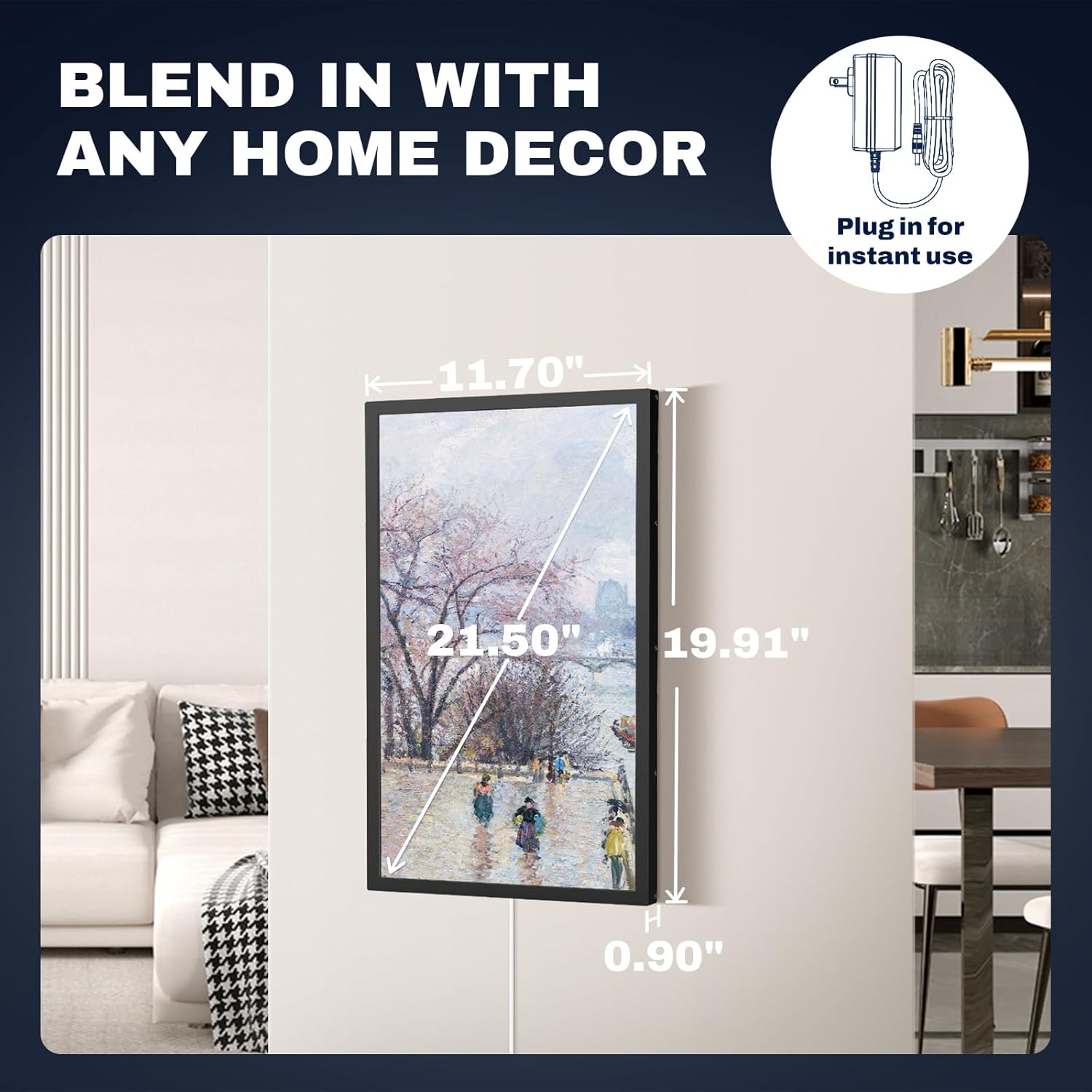
Figure 5.2: The reactions feature allows interactive sharing.
5.2 Touch Screen Functions
The frame's touchscreen allows for intuitive navigation and settings adjustments.
- Swipe: Swipe left or right to navigate through photos and videos.
- Tap: Tap the screen to reveal the menu options (e.g., react, hide photo, go to gallery, settings).
- Pinch-to-Zoom: Adjust image zoom for a closer look.

Figure 5.3: Responsive touchscreen for a user-friendly experience.
5.3 Internal Memory & Storage
The frame comes with ample storage and expansion options.
- 32GB Built-in Memory: Capable of storing approximately 80,000 photos.
- Micro SD Card Support: Expand storage up to an additional 64GB using a Micro SD card.
- USB/Type-C Support: Import and export images or videos using USB drives or Type-C connections.
- Supported Formats: Supports popular image formats like JPG, GIF, BMP, PNG, and video formats including MPEG1, MPEG2, MPEG4, Xvid, AVI, M-JPEG.

Figure 5.4: Large internal memory for extensive media storage.
5.4 Multi-functionality & Custom Settings
Customize your viewing experience through the frame's settings menu.
- Auto-Rotate: Automatically adjusts photo orientation for portrait or landscape display.
- Captions: Display captions at the bottom of photos to provide context.
- Weather & Clock: Show current weather and time on the display.
- Background Music: Play music during slideshows.
- Light Sensor: Automatically adjusts screen brightness based on ambient light.
- Sleep Mode: Schedule the frame to turn off and on at specific times to save energy.
- Slideshow Mode: Customize playback order, transition effects, and duration of each photo.

Figure 5.5: Various customizable features for enhanced user experience.
5.5 Flexible Placement
The frame is designed for versatile placement in any setting.
- Tabletop Display: Use the included stand for stable placement on desks, shelves, or tables.
- Wall Mounting: Utilize the vertical or horizontal mounting holes and included hardware to securely mount the frame on a wall.

Figure 5.6: Display the frame in portrait or landscape mode on a wall or surface.
6. Maintenance
Proper maintenance ensures the longevity and optimal performance of your digital photo frame.
- Cleaning the Screen: Use a soft, lint-free cloth to gently wipe the screen. For stubborn smudges, slightly dampen the cloth with water or a screen-safe cleaner. Avoid harsh chemicals or abrasive materials.
- Cleaning the Frame: Wipe the frame's exterior with a dry, soft cloth.
- Software Updates: Ensure your Frameo app and digital photo frame firmware are up-to-date for the best performance and new features. Updates are typically managed through the Frameo app or the frame's settings menu.
- Environmental Conditions: Avoid exposing the frame to extreme temperatures, direct sunlight for prolonged periods, or high humidity.
7. Troubleshooting
If you encounter any issues, refer to the following common problems and solutions:
| Problem | Possible Solution |
|---|---|
| Frame does not power on. | Ensure the power adapter is securely connected to both the frame and a working power outlet. Try a different outlet. |
| Cannot connect to Wi-Fi. | Check your Wi-Fi password. Ensure the frame is within range of your Wi-Fi router. Restart the frame and your router. |
| Photos/videos are not appearing on the frame. | Verify the frame is connected to Wi-Fi. Ensure the Frameo app is updated and the media was successfully sent. Check the frame's internal storage capacity. |
| Touchscreen is unresponsive. | Restart the frame. Ensure the screen is clean and free of debris. |
| Images appear distorted or low quality. | Ensure the original image resolution is high enough for the 1920x1080 display. Adjust display settings on the frame if available. |
8. Specifications
Detailed technical specifications for the Arktronic FRAMEO 21.5 Inch Digital Photo Frame.
| Feature | Specification |
|---|---|
| Screen Size | 21.5 Inches |
| Resolution | 1920x1080 (Full HD) |
| Display Type | IPS Touch Screen |
| Internal Memory | 32GB |
| Expandable Storage | Micro SD card (up to 64GB) |
| Connectivity | WiFi |
| Supported Image Formats | JPG, GIF, BMP, PNG |
| Supported Video Formats | MPEG1, MPEG2, MPEG4, Xvid, AVI, M-JPEG |
| Product Dimensions | 19.91 x 11.7 x 0.99 inches |
| Item Weight | 7.88 pounds |
| Model Number | AK-W215BF-T |
9. Warranty and Support
Arktronic is committed to providing high-quality products and customer satisfaction.
- 30-Day Money Back Guarantee: If you are not satisfied with your purchase, you may return it within 30 days for a full refund.
- 1-Year Worry-Free Warranty: The product is covered by a 1-year warranty against manufacturing defects.
- Lifetime Professional Service: Arktronic offers lifetime technical support and customer service for your product.
For further assistance, please contact Arktronic customer support through the contact information provided in your product packaging or on the official Arktronic website.