
Introduction
Welcome to the user manual for your AeroCool D301A Mid-Tower Gaming PC Case. This manual provides essential information for setting up, operating, maintaining, and troubleshooting your new PC case. Please read this manual thoroughly before installation and use to ensure optimal performance and longevity of your system.
Product Overview
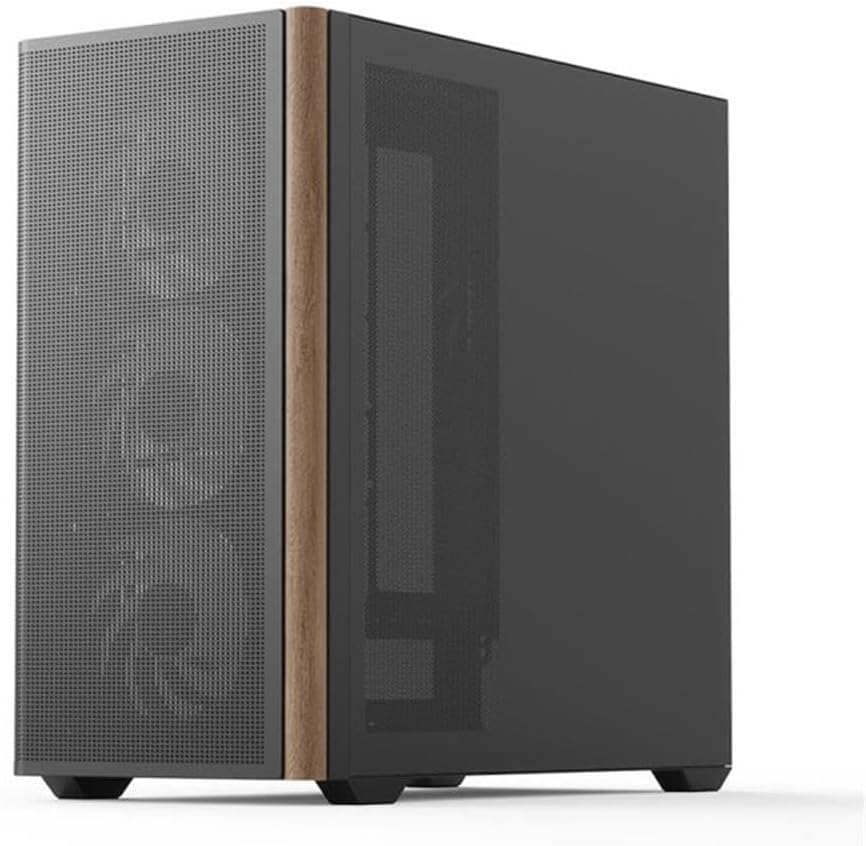
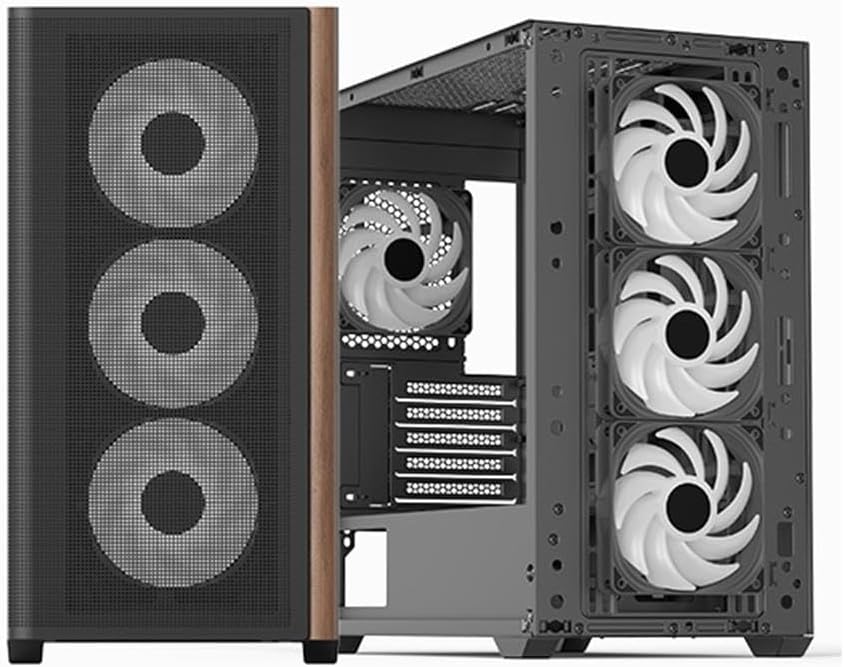
The AeroCool D301A is a compact yet spacious mid-tower case designed for gaming PCs, featuring optimized airflow with a wooden mesh front panel and pre-installed RGB fans. It supports Micro-ATX motherboards and offers excellent compatibility for various components.
Key Features
- Optimized Airflow: Wooden mesh front panel for superior ventilation.
- Pre-installed Fans: Includes 4 RGB fans for immediate cooling and aesthetic appeal.
- Motherboard Compatibility: Supports ASUS and MSI M-ATX motherboards.
- Connectivity: Features USB Type-C port.
- Design: Slim design with metal and wood accents.
Components and Layout




Cooling Support


Setup Guide
Unpacking
Carefully remove the PC case from its packaging. Inspect for any damage during transit. Retain the original packaging for future transport or warranty claims.
Component Installation
Motherboard Installation:
Secure your Micro-ATX motherboard to the standoffs provided. Ensure all screws are tightened appropriately.Power Supply Unit (PSU) Installation:
Install your PSU in the designated rear-mount area.Storage Drive Installation:
Mount your SSDs/HDDs in the available drive bays.Graphics Card (GPU) and Expansion Card Installation:
Install your GPU and other expansion cards into the PCIe slots.Cable Management:
Utilize the cable routing options behind the motherboard tray to ensure clean cable management and optimal airflow.
Connecting Peripherals
Connect your monitor, keyboard, mouse, and other peripherals to your motherboard's I/O ports.
Operating Instructions
Powering On
After all components are installed and cables are connected, press the power button located on the front I/O panel to start your system.
RGB Fan Control
The pre-installed RGB fans can be controlled via your motherboard's RGB software (compatible with ASUS and MSI RGB sync technologies) or a dedicated fan controller if included with your specific model. Refer to your motherboard manual for detailed RGB software instructions.
Maintenance and Care
Cleaning
Regularly clean the dust filters located on the front, top, and bottom of the case to maintain optimal airflow and prevent dust buildup. Use a soft cloth for external surfaces and compressed air for internal components.
Airflow Optimization
Ensure that the case has adequate clearance around it for proper air circulation. Avoid blocking the front mesh panel or any fan vents.
Troubleshooting
No Power
- Check if the PSU is properly connected to the wall outlet and the motherboard.
- Ensure the power button cable is correctly connected to the motherboard's front panel header.
Fans Not Spinning / RGB Not Lighting Up
- Verify that all fan power cables are securely connected to the motherboard or fan controller.
- Check RGB headers for proper connection.
- Ensure RGB software is correctly installed and configured.
Overheating Issues
- Clean all dust filters and fans.
- Verify fan orientation for proper airflow (intake/exhaust).
- Ensure no cables are obstructing airflow inside the case.
Technical Specifications
| Feature | Specification |
|---|---|
| Brand | Aerocool |
| Manufacturer | AeroCool |
| Model | ACCS-MA03043.11 |
| Model Name | D301A-G-BK-v2 |
| Product Dimensions | 54 x 51 x 30 cm |
| Product Weight | 6.95 kg |
| Compatible Devices | ASUS and MSI m-ATX motherboards |
| Other Features | Wood accents, RGB lighting |
| Number of USB Ports | 3 |
| Material Type | Metal with Wood accents |
| Motherboard Compatibility | Micro ATX |
| Case Type | Mid-Tower |
| Recommended Use | Gaming |
| Color | Black |
| Material | Metal with Wood accents |
| Power Supply Mounting Type | Rear Mount |
| Cooling Method | Air |
| Lighting Color | RGB |
Warranty and Support
For warranty information and technical support, please refer to the official Aerocool website or contact your local retailer. Keep your proof of purchase for any warranty claims.
Online Resources:


