
1. Introduction
This manual provides detailed instructions for the safe and effective operation of your Godox V1-N Round Head Camera Flash and Godox XProII-N Wireless Flash Trigger. The Godox V1-N is designed to deliver studio-level soft and even light effects, compatible with Nikon cameras supporting i-TTL autoflash. The XProII-N trigger offers comprehensive wireless control over your flash system.
Please read this manual thoroughly before use to ensure optimal performance and to prevent damage to the product.
2. Package Contents
Verify that all items listed below are included in your package. If any items are missing or damaged, please contact your retailer.
- Godox V1-N USA Version Flash Body
- Godox XProII-N Flash Trigger
- Li-ion Battery (VB26, 7.2V/2600mAh)
- Battery Charger
- USB Charging Cable
- Mini Stand
- Protection Bag
- Instruction Manual (this document)
- HolaFoto Cleaning Cloth
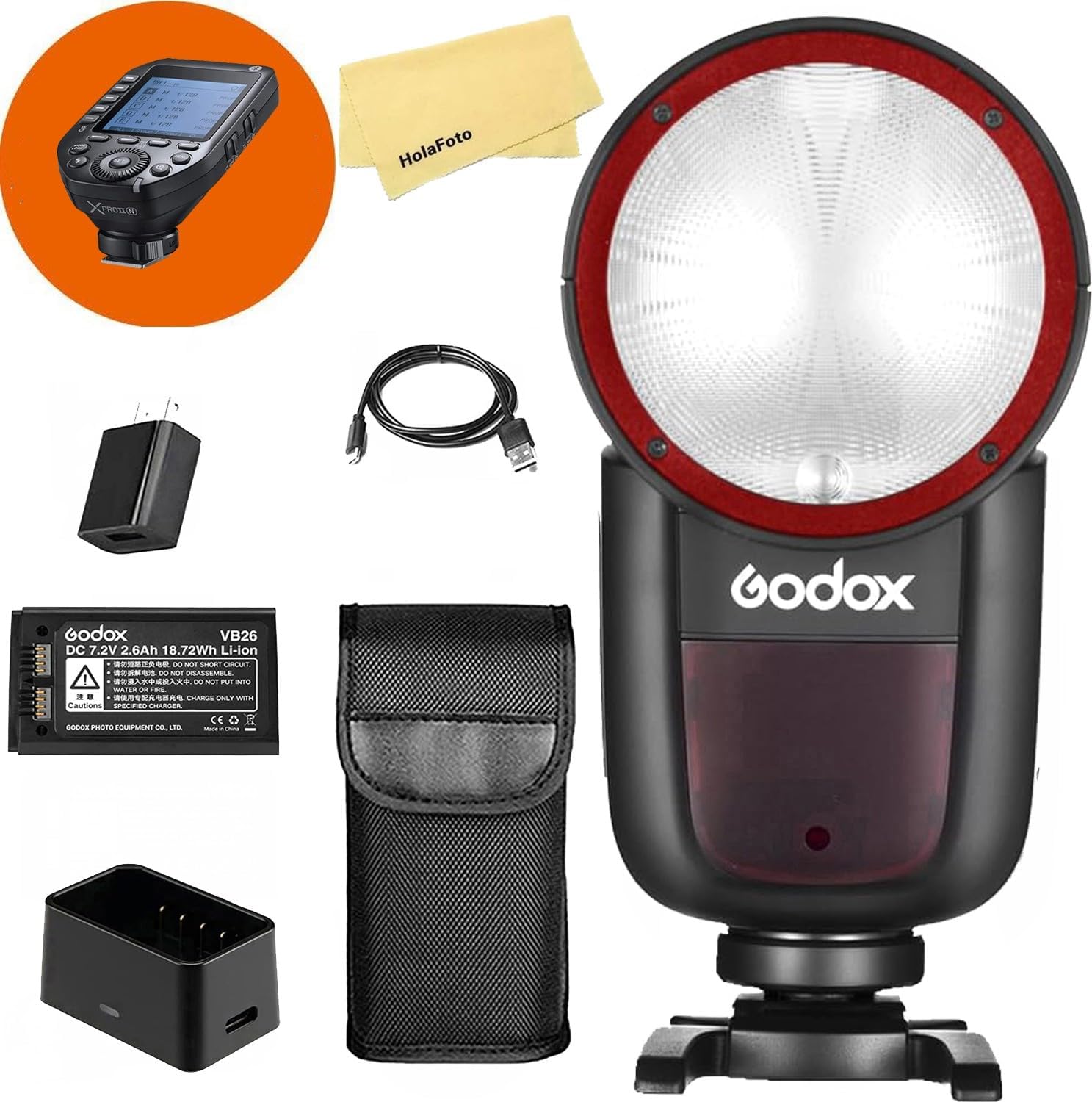
Image 2.1: The complete package contents, including the V1-N flash, XProII-N trigger, battery, charger, cables, mini stand, protection bag, and cleaning cloth.
3. Product Features
The Godox V1-N flash and XProII-N trigger offer advanced features for professional photography:
- Round Fresnel Head: Provides soft, natural, and even light distribution from center to edge.
- High Power Output: 76Ws flash output with stable color temperature at 5600±200K.
- Zooming Head: Automatic and manual control from 28-105mm.
- Flexible Angle Adjustment: Flash head rotates 0° to 330° horizontally and tilts -7° to 120° vertically for bounce flash.
- High-Performance Li-ion Battery: 7.2V/2600mAh battery (VB26) offers approximately 480 full power flashes and a 1.5-second recycle time.
- Fast and Convenient Magnetic Rim: Allows easy attachment and stacking of light modifiers (sold separately).
- Built-in LED Modeling Lamp: Adjustable from 01 to 10 steps.
- Comprehensive Flash Functions: Supports TTL auto flash, manual flash, 1/8000s high-speed sync (HSS), Flash Exposure Compensation (FEC), front curtain sync, and second curtain sync.
- Godox 2.4G Wireless X System: Integrated wireless system for master and slave functionality, offering all-in-one control and broad compatibility with other Godox X system devices.
- User-Friendly Interface: Backlit Matrix LCD and multipurpose buttons for easy navigation.
- Laser AF Assist Lamp: For instant autofocus in low light conditions.
- Quick Lock Hot-Shoe: Secure and convenient mounting to your camera.
- USB Firmware Upgrade: Ensures future compatibility and feature enhancements.
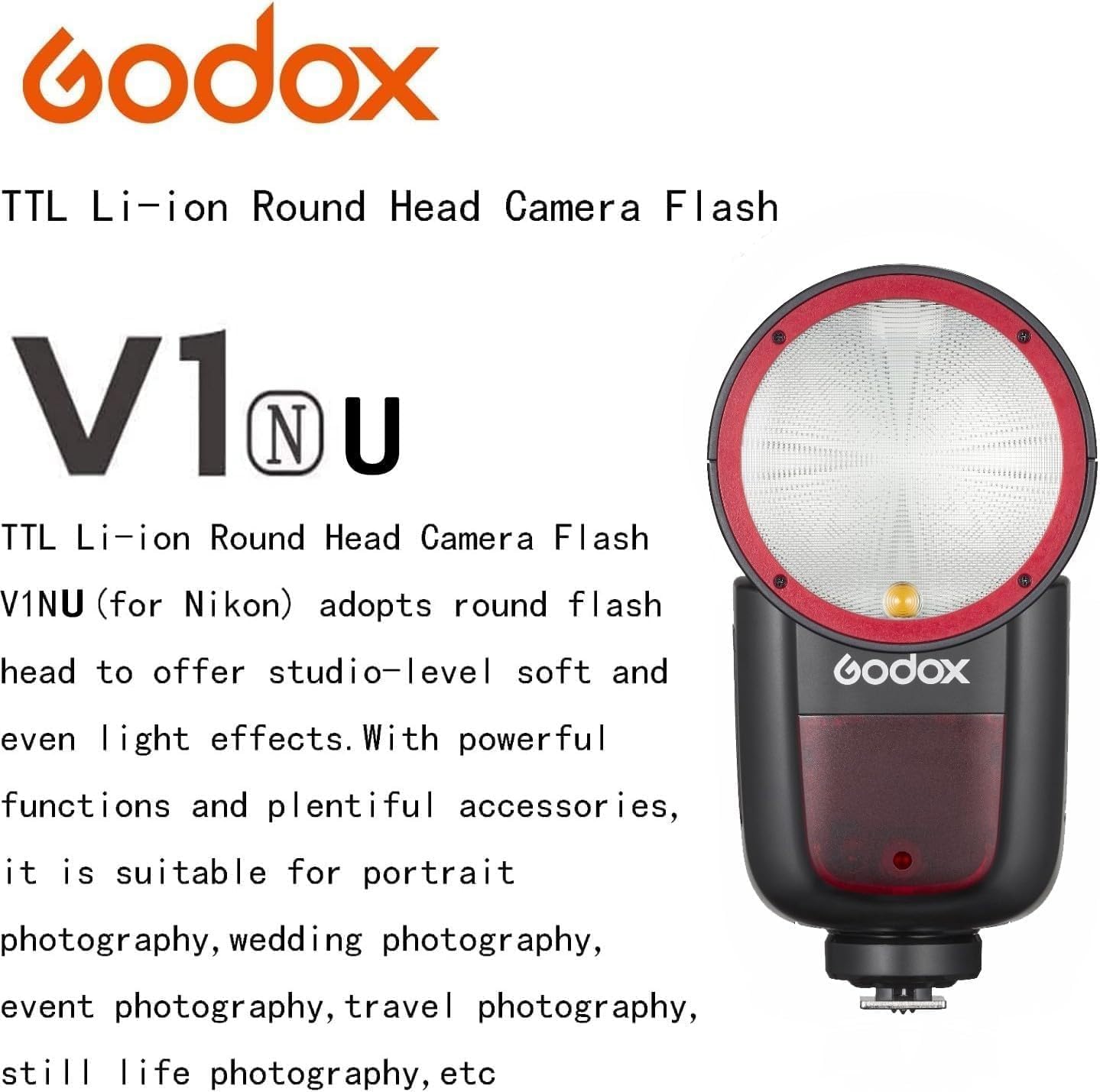
Image 3.1: The Godox V1NU flash, highlighting its round head design for soft and even light, suitable for various photography styles.

Image 3.2: Visual comparison demonstrating the superior, even light distribution of the V1 flash compared to traditional rectangular flashes across various zoom settings (28mm to 105mm).

Image 3.3: Illustration of the V1 flash head's wide range of motion, allowing for horizontal rotation from 0° to 330° and vertical tilt from -7° to 120° for versatile bounce flash applications.
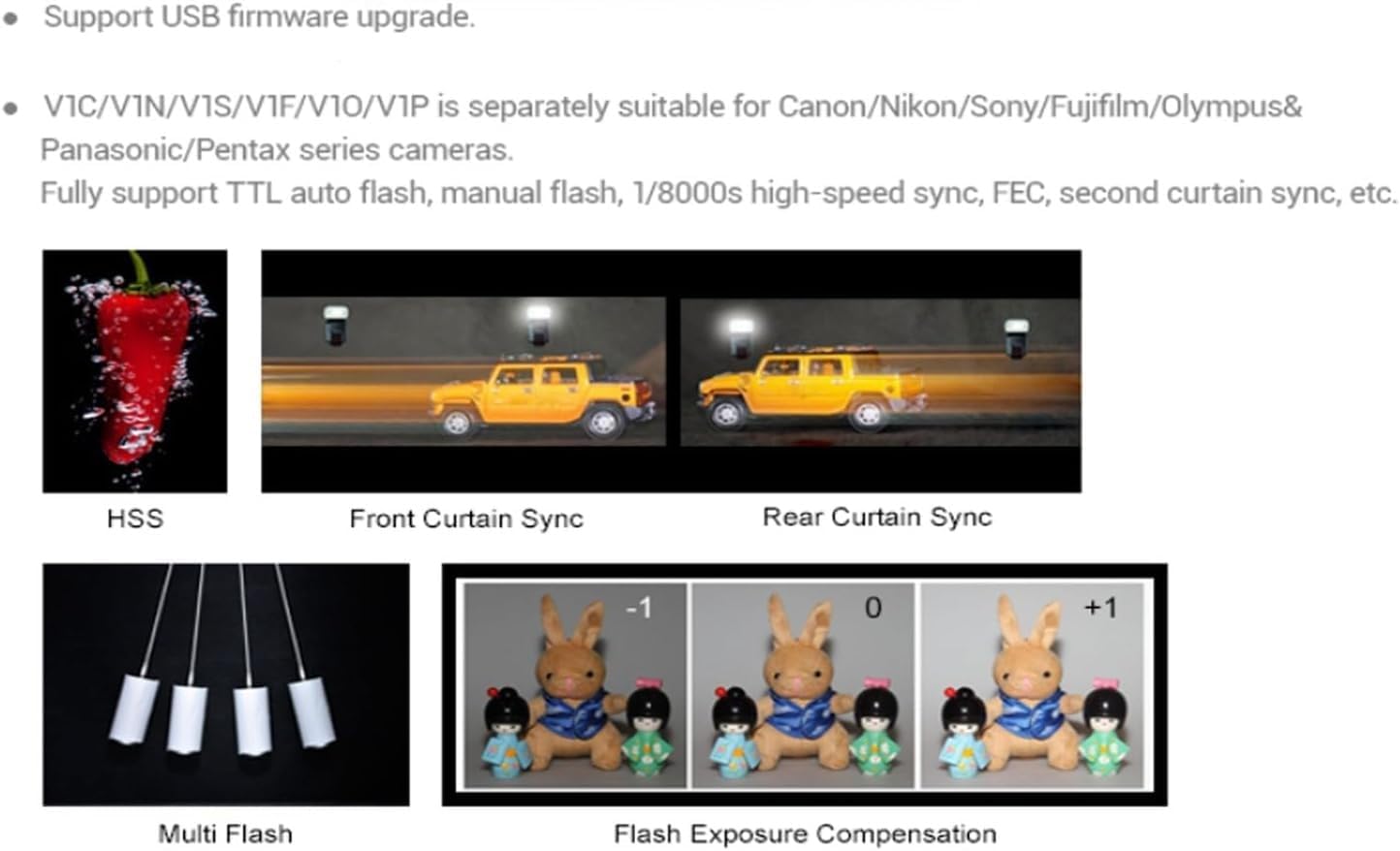
Image 3.4: Visual representations of key flash functions including High-Speed Sync (HSS), Front Curtain Sync, Rear Curtain Sync, Multi Flash, and Flash Exposure Compensation (FEC).
4. Setup
4.1 Battery Installation and Charging
- Insert the Li-ion battery (VB26) into the battery compartment of the V1-N flash. Ensure correct polarity.
- To charge the battery, connect the USB charging cable to the battery charger and then to a power source. Insert the battery into the charger. The indicator light will show charging status.

Image 4.1: The VB26 Li-ion battery, showing its specifications, alongside multiple views of the V1 flash unit.
4.2 Mounting the Flash to Your Camera
- Slide the V1-N flash's hot-shoe foot into your Nikon camera's hot-shoe mount.
- Secure the flash by pushing the quick-lock lever forward until it clicks into place.
- To remove, push the quick-lock lever backward and slide the flash out.

Image 4.2: Detailed view of the quick lock hot-shoe, illustrating its secure and easy-to-use locking mechanism for camera attachment.
4.3 Pairing the XProII-N Trigger
The XProII-N trigger is designed to work seamlessly with the V1-N flash. Ensure both devices are powered on and set to the same wireless channel and ID for communication.
- Mount the XProII-N trigger onto your camera's hot-shoe.
- Power on both the V1-N flash and the XProII-N trigger.
- On the XProII-N, set the desired channel and ID.
- On the V1-N flash, enter wireless mode and set it as a slave unit. Match the channel and ID to those set on the XProII-N.
- Test the connection by pressing the test button on the XProII-N. The V1-N should fire.

Image 4.3: The Godox V1 flash demonstrating its wireless control capabilities within the Godox 2.4G Wireless X System, interacting with various other flash units and triggers.
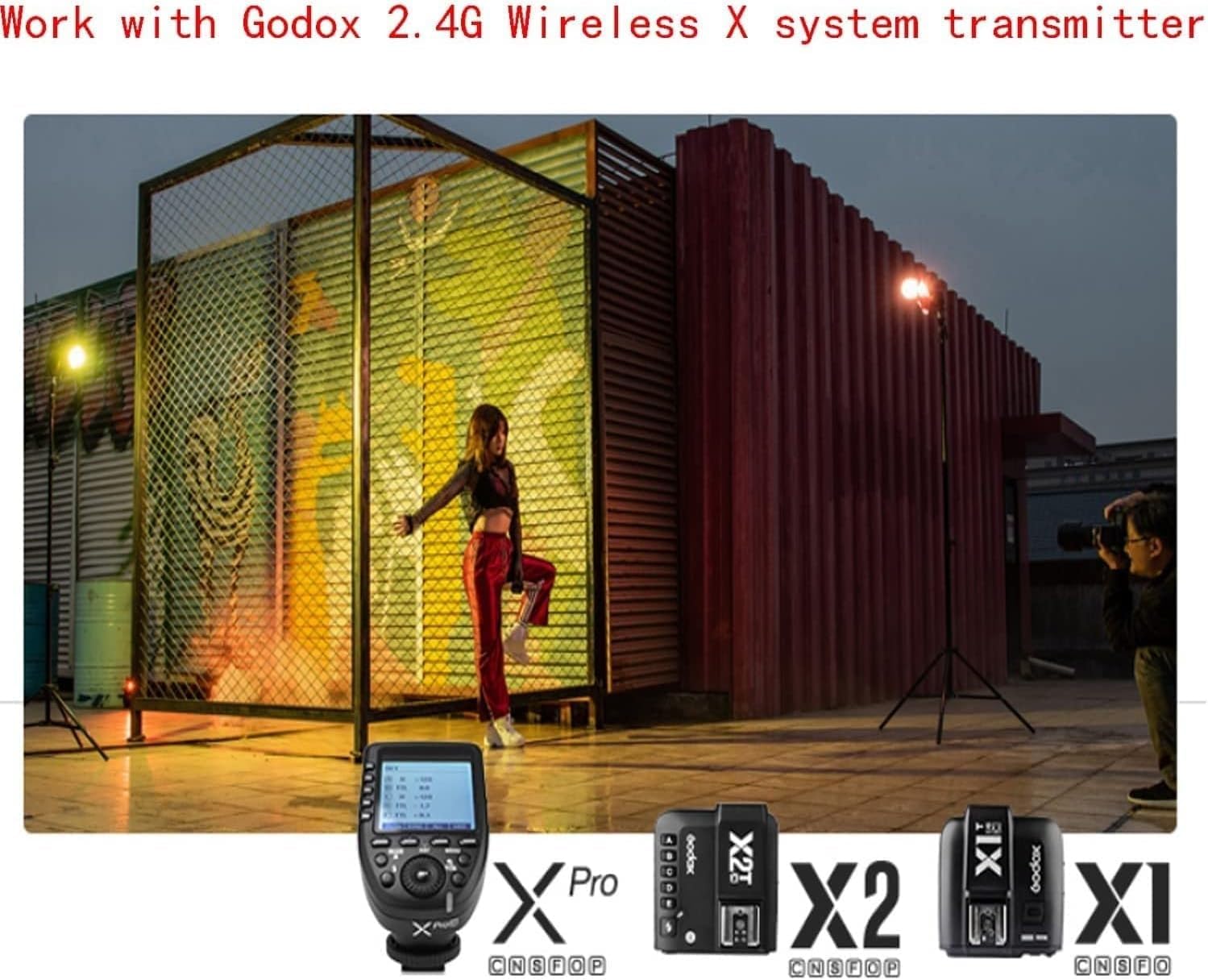
Image 4.4: An example of the Godox V1 flash and XProII-N trigger being used in a studio environment, illustrating their integration for off-camera flash control.
5. Operating Instructions
5.1 Power On/Off
To power on the V1-N flash or XProII-N trigger, slide the power switch to the "ON" position. To power off, slide it to "OFF".
5.2 Flash Modes
The V1-N supports various flash modes:
- TTL (Through-The-Lens) Autoflash: The flash output is automatically adjusted by the camera's metering system.
- Manual Flash (M): Allows you to manually set the flash power output from 1/1 to 1/256 in 1/3 stop increments.
- Multi Flash (Stroboscopic): Fires a series of rapid flashes within a single exposure to capture multiple movements of a subject.
5.3 High-Speed Sync (HSS)
HSS allows the flash to synchronize with shutter speeds faster than the camera's native sync speed, enabling wider apertures in bright conditions or freezing fast motion. Activate HSS through the flash or trigger menu.
5.4 Flash Exposure Compensation (FEC)
FEC allows you to adjust the flash output relative to the camera's metered exposure, making the flash brighter or dimmer. This can be set on both the flash and the XProII-N trigger.
5.5 Front and Rear Curtain Sync
- Front Curtain Sync: The flash fires immediately after the shutter opens.
- Rear Curtain Sync: The flash fires just before the shutter closes, often used to create motion trails behind a moving subject.
5.6 LED Modeling Lamp
The built-in LED modeling lamp can be adjusted from 01 to 10 steps to provide continuous light for focusing or previewing light effects.
6. Maintenance
- Keep the device dry. Do not handle with wet hands or immerse in water.
- Avoid sudden temperature changes, which may cause condensation.
- Clean the flash head and body with a soft, dry cloth. Do not use harsh chemicals or solvents.
- Store the device in a cool, dry place when not in use. Remove the battery during prolonged storage.
- Do not attempt to disassemble or repair the unit yourself. Refer to qualified service personnel.
7. Troubleshooting
- Flash not firing:
- Check if the flash and trigger are powered on.
- Ensure the battery is charged and correctly installed.
- Verify that the flash is securely mounted to the camera hot-shoe or that wireless settings (channel, ID) match between the flash and trigger.
- Check camera flash settings.
- Inconsistent flash output:
- Ensure the flash head is clean.
- Check battery level; low battery can affect consistency.
- Review flash mode and exposure compensation settings.
- Flash not synchronizing with high shutter speeds:
- Confirm that High-Speed Sync (HSS) mode is activated on both the flash and the trigger/camera.
8. Specifications
| Feature | Specification |
|---|---|
| Model | Godox V1NU+XProII-N for Nikon Cameras |
| Power Output | 76Ws |
| Color Temperature | 5600±200K |
| Zoom Range | 28-105mm (Auto/Manual) |
| Horizontal Rotation | 0° to 330° |
| Vertical Tilt | -7° to 120° |
| Battery | 7.2V/2600mAh Li-ion (VB26) |
| Full Power Flashes | Approx. 480 |
| Recycle Time | Approx. 1.5s |
| Flash Duration (t0.1) | 1/300 to 1/20000s |
| Wireless System | Godox 2.4G Wireless X System |
| Transmission Range | Approx. 100m |
| Channels | 32 (1-32) |
| ID | 01-99 |
| LED Modeling Lamp | Adjustable 01-10 steps |
| Product Dimensions | 7.68 x 2.95 x 2.32 inches |
| Item Weight | 2.2 pounds |
9. Warranty and Support
For warranty information and technical support, please refer to the official Godox website or contact your authorized dealer. Keep your purchase receipt as proof of purchase for warranty claims.
For further assistance, you may also contact the seller, HolaFoto, directly for product quality issues.