
Introduction
The WE-VIBE Sync O is a wearable couples vibrator designed for shared experiences. It features a unique O-shape for secure placement, app and remote control capabilities, and multiple vibration patterns. This manual provides detailed instructions for the safe and effective use of your Sync O device.

Image: The We-Vibe Sync O device, its remote control, and a smartphone showing the companion application.
Product Overview
The Sync O is crafted from body-safe silicone and engineered for comfort and versatility. Key features include:
- Secure Fit: The O-shape internal arm is designed to stay in place during use, providing targeted stimulation.
- Flexible & Comfortable: Lightweight silicone construction ensures a comfortable experience.
- Remote & App Control: Offers 10 whisper-quiet intensity levels, adjustable via a single button, the included remote, or the We-Vibe App.
- Smooth Material: Fully coated in ultra-hygienic, skin-friendly silicone.
- Waterproof & Rechargeable: IPX7 waterproof rating allows for use in water and easy cleaning. It is also rechargeable.

Image: The Sync O device highlighting its secure fit, free app, remote control, and 100-day trial.
Setup
Charging the Device
Before first use, fully charge your Sync O. Connect the magnetic charging cable to the device's charging port and plug the USB end into a compatible power source. The indicator light will show charging status.
App Download and Pairing
- Download the We-Vibe App from the App Store (iOS) or Google Play Store (Android).
- Ensure your Sync O is charged and turned on.
- Open the We-Vibe App on your smartphone and follow the on-screen instructions to pair your device via Bluetooth.
Image: The We-Vibe Sync O device with logos for the App Store and Google Play, indicating app availability.
Operating Instructions
Preparation for Use
Always apply a generous amount of water-based lubricant to the Sync O before insertion for comfortable use.
Insertion and Placement
- Apply lubricant to the internal arm of the device.
- Gently press the inner arm together to facilitate easier insertion.
- Carefully insert the Sync O into the vagina.
- Once inserted, the inner arm will unfold to create a secure and comfortable fit.

Image: Step-by-step guide illustrating the application of lubricant, compression, insertion, and secure fit of the Sync O.
Controlling Vibrations
The Sync O can be controlled in three ways:
- On-Device Control: Use the single button on the device to cycle through vibration patterns and intensities.
- Remote Control: Utilize the included wireless remote for convenient adjustments during use.
- We-Vibe App: Connect to the app for advanced control, including customizable patterns, beat mode (vibration to music), and long-distance play options.
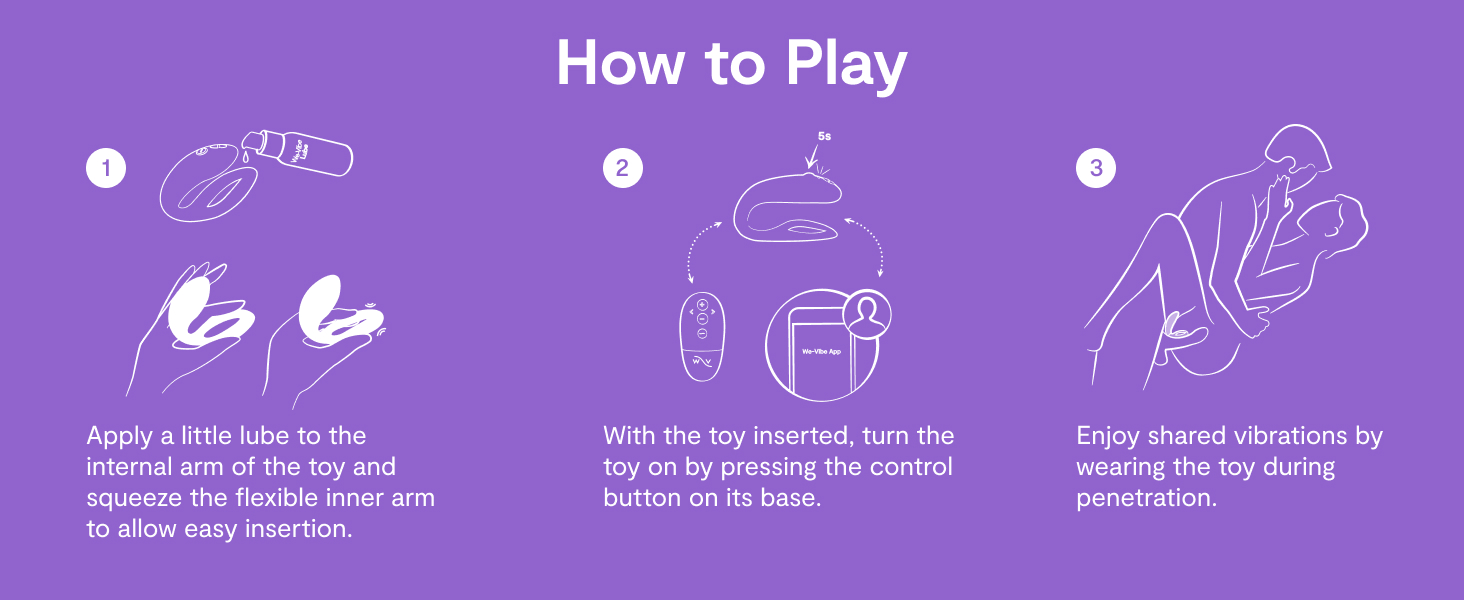
Image: Instructions on applying lubricant, turning on the device via its control button, and enjoying shared vibrations during use.
Maintenance and Cleaning
Proper maintenance ensures the longevity and hygiene of your Sync O.
- Cleaning: Clean the Sync O thoroughly before and after each use. Wash with warm water and a mild soap or a specialized toy cleaner. Rinse thoroughly and pat dry with a lint-free cloth.
- Waterproof: The device is IPX7 waterproof, making it safe for cleaning under running water or use in the bath/shower.
- Storage: Store the Sync O in a clean, dry place, away from direct sunlight and extreme temperatures. Avoid storing with other toys made of different materials to prevent damage.

Image: The Sync O device with callouts for its gliding surface, IPX7 waterproof rating, and ease of cleaning.
Troubleshooting
| Problem | Possible Cause | Solution |
|---|---|---|
| Device does not turn on. | Low battery or device is off. | Ensure the device is fully charged. Press and hold the power button to turn it on. |
| Cannot connect to the We-Vibe App. | Bluetooth is off, device is not in pairing mode, or app issue. | Ensure Bluetooth is enabled on your phone. Make sure the Sync O is on and close to your phone. Restart the app or your phone if necessary. |
| Vibrations feel weak. | Low battery or selected intensity is low. | Recharge the device. Increase the intensity using the device button, remote, or app. |
| Device does not stay in place. | Improper insertion or insufficient lubricant. | Ensure proper insertion as described in the "Operating Instructions" section. Use ample water-based lubricant. |
Specifications
- Model Name: Sync O
- Dimensions: 4.06 x 4.06 x 2.76 inches
- Weight: 8.11 ounces
- Material: Silicone
- Color: Light Purple
- Battery: 1 Lithium Ion battery (included)
- Waterproof Rating: IPX7
- Control: On-device button, Wireless Remote, We-Vibe App
- Manufacturer: WOW Tech
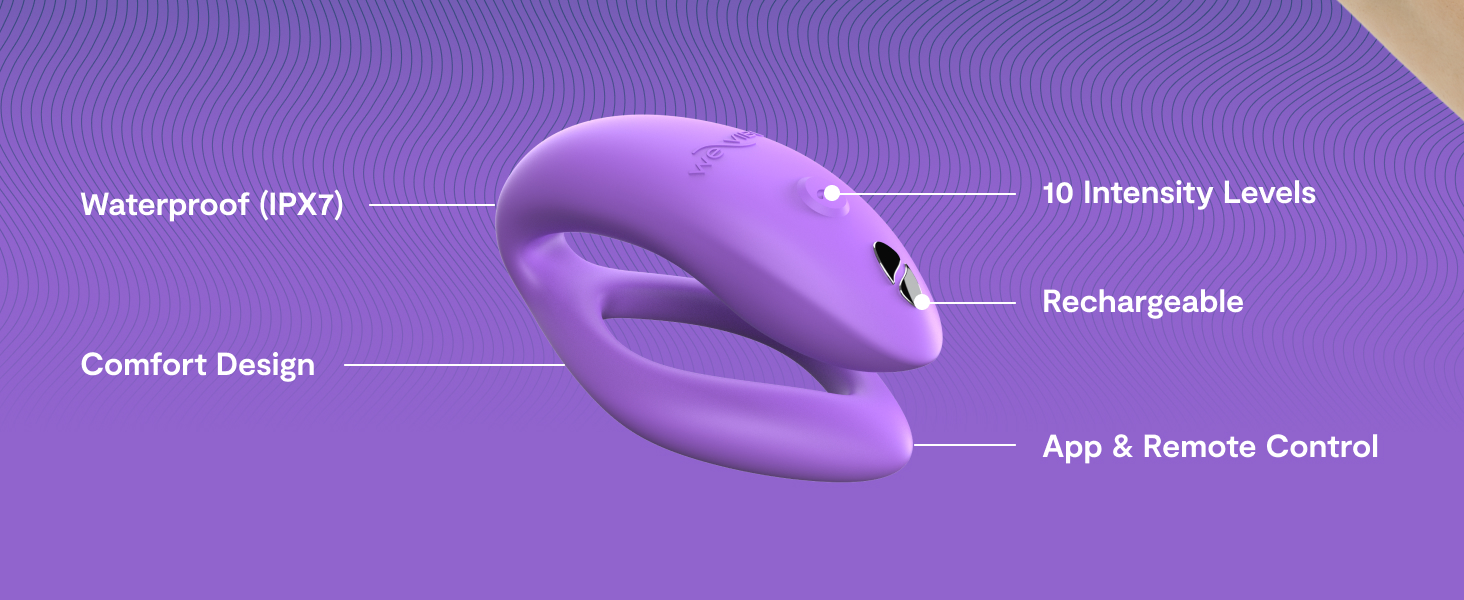
Image: The Sync O device with annotations pointing to its key specifications and features.
Safety Information
Please read and understand all safety information before using the Sync O.
- Use only water-based lubricants with this product. Oil-based lubricants can damage the silicone material.
- Discontinue use if you experience any discomfort or irritation.
- Keep out of reach of children.
- Do not use if the device appears damaged.
- Statements regarding this product have not been evaluated by the FDA and are not intended to diagnose, treat, cure, or prevent any disease or health condition.
Warranty and Support
For warranty information, product support, or to contact customer service, please visit the official WE-VIBE website or refer to the documentation included with your purchase. You can also reach out to the seller, WOW Tech USA, for assistance.
Official WE-VIBE Store: WE-VIBE Amazon Store


