1. Product Overview
The Simple Deluxe 60"x16" Rectangular Full Length LED Mirror is designed to provide a clear reflection with enhanced lighting for various uses. It features a durable aluminum alloy frame, a high-definition glass mirror, and integrated LED lighting with adjustable brightness and three color temperature settings.
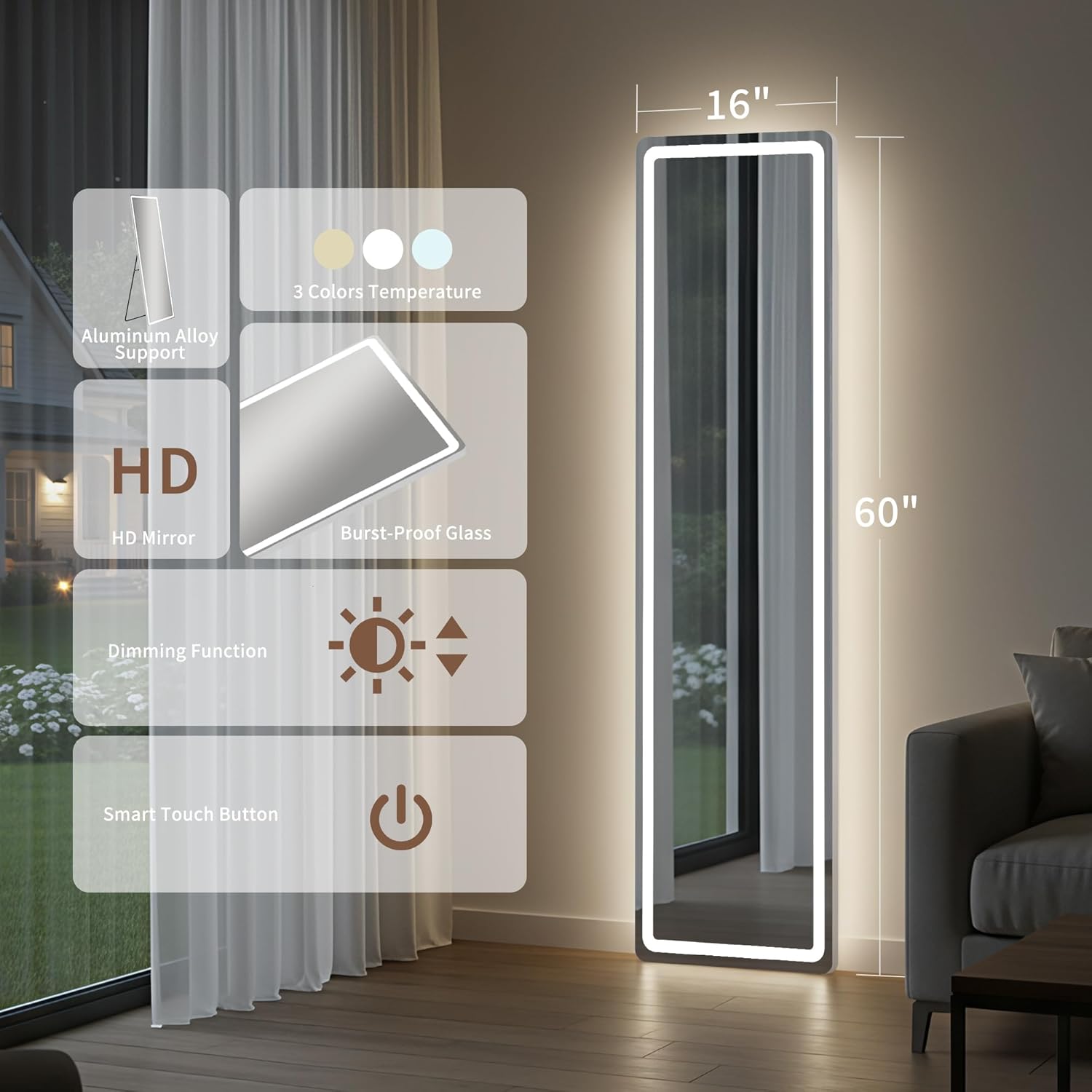
Image 1: Overview of the Simple Deluxe LED Full Length Mirror, showing its dimensions (60"x16") and highlighting features such as aluminum alloy support, 3 color temperatures, HD mirror, dimming function, and smart touch button.
2. Safety Information
- Always handle the mirror with care to prevent damage or injury.
- Ensure the mirror is placed on a stable, level surface if free-standing or securely mounted if hanging.
- Keep the power cord away from water and heat sources.
- Do not attempt to disassemble or repair the mirror yourself. Contact customer support for assistance.
- Keep out of reach of children and pets.
3. Package Contents
Please check the package contents carefully. If any items are missing or damaged, contact customer support immediately.
- Simple Deluxe 60"x16" Rectangular Full Length LED Mirror
- Power Adapter
- Hanging Accessories (hooks, screws, wall anchors)
- Instruction Manual
4. Setup & Installation
This mirror offers multiple placement options to suit your needs.
4.1 Free-Standing Installation
The mirror comes with a sturdy aluminum alloy stand that allows it to be free-standing. No additional installation is required for this method. Simply unfold the stand and position the mirror in your desired location.
4.2 Leaning Installation
For a leaning setup, ensure the mirror's stand is fully extended and the mirror is securely angled against a wall. This provides stability and a modern aesthetic.
4.3 Hanging Installation (Over-the-Door or Wall-Mounted)
The mirror includes accessories for hanging. For over-the-door hanging, attach the provided hooks to the top of the mirror frame and hang it over a standard door. For wall mounting, use the included screws and anchors to secure the mirror directly to a wall. Ensure the wall can support the mirror's weight.
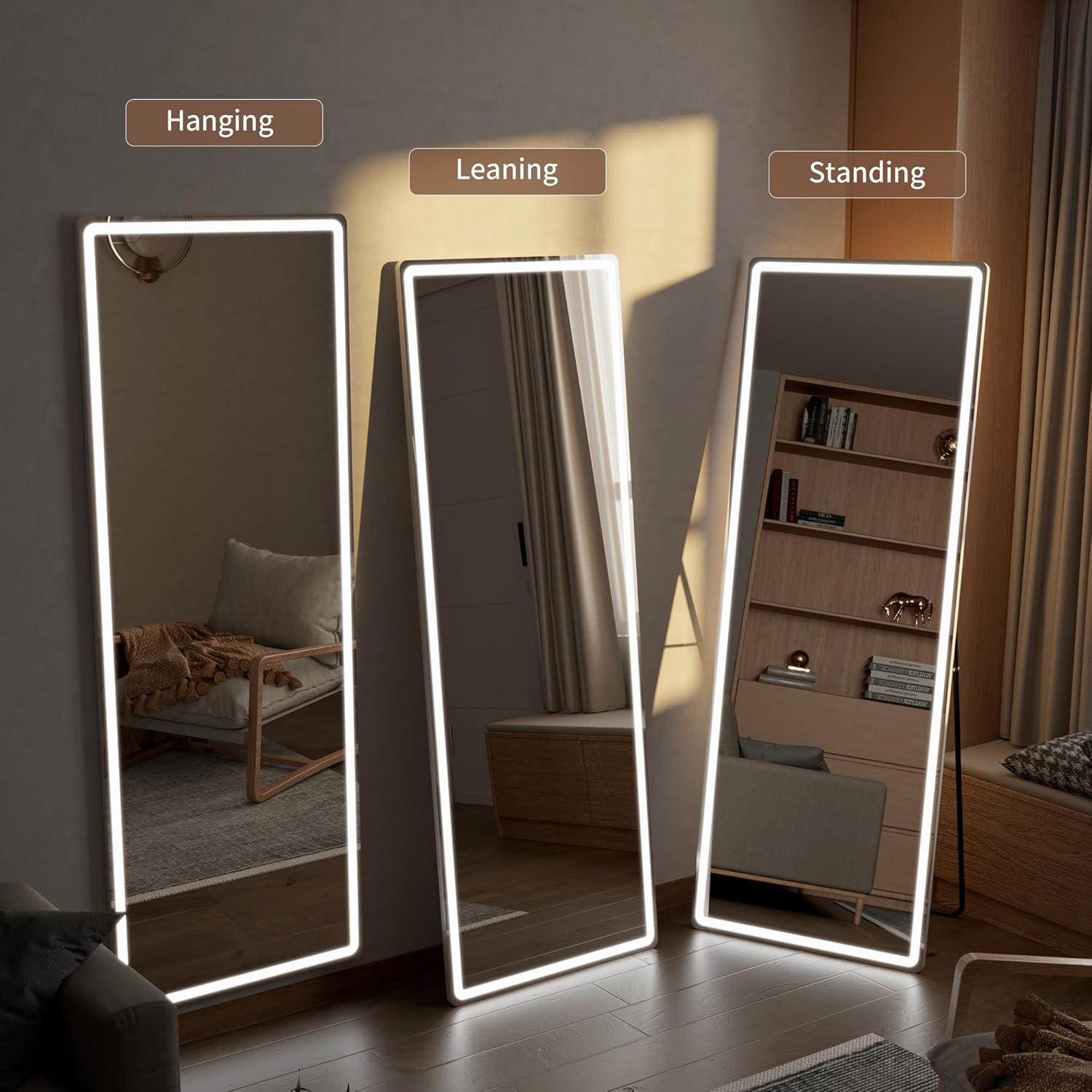
Image 2: Demonstrates the versatility of the mirror with options for hanging, leaning, or free-standing placement.

Image 3: Details of the aluminum alloy frame and the triangle structure of the stand, illustrating the mirror's robust support and wall-mounting options.
Video 1: Official seller video demonstrating the installation and features of an LED full length mirror, including its various light settings and placement options.
5. Operating Instructions
The LED lights are controlled by a smart touch button located on the mirror surface.
5.1 Power On/Off
- Short Press: Tap the touch button once to turn the LED lights on or off.
5.2 Adjusting Color Temperature
- Short Press (while on): Repeatedly tap the touch button to cycle through the three available color temperatures:
- Warm Light (3000K)
- Natural Light (4000K)
- Cold Light (6000K)
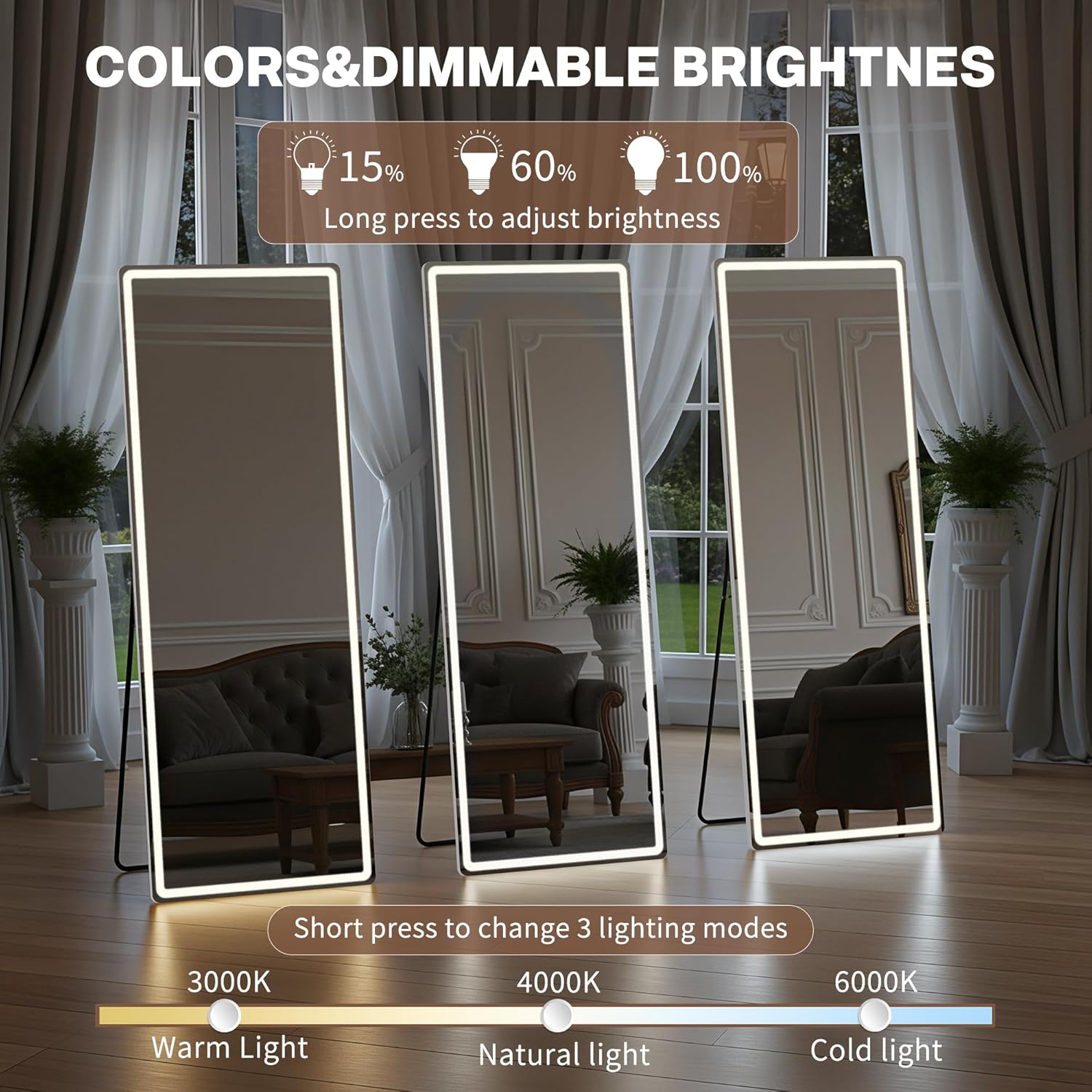
Image 4: Illustrates the three distinct color temperature settings of the LED lights, ranging from warm to cold.
5.3 Dimming Brightness
- Long Press (while on): Press and hold the touch button to continuously adjust the brightness level from 15% to 100%. Release the button when the desired brightness is reached.

Image 5: Shows the dimmable brightness feature, allowing users to adjust the light intensity from low to high.
6. Maintenance & Care
- Cleaning the Mirror Surface: Use a soft, lint-free cloth and a non-abrasive glass cleaner. Spray the cleaner onto the cloth, not directly onto the mirror, to avoid liquid seeping into the electrical components.
- Cleaning the Frame: Wipe the aluminum alloy frame with a soft, damp cloth. Avoid harsh chemicals.
- Power Cord: Regularly inspect the power cord for any signs of damage. If damaged, discontinue use and contact customer support.
- Storage: If storing the mirror, ensure it is in a dry, safe place to prevent accidental damage.
7. Troubleshooting
7.1 Lights Not Turning On
- Ensure the power adapter is securely plugged into both the mirror and a working electrical outlet.
- Check if the outlet is receiving power by plugging in another device.
- Gently tap the touch button to ensure proper activation.
7.2 Lights Turning On/Off Randomly
- This can sometimes occur due to electrical fluctuations or interference. Try plugging the mirror into a different outlet.
- Ensure the touch button area is clean and free from moisture or debris that might cause unintended activation.
- If the issue persists, unplug the mirror for a few minutes and then plug it back in to reset the system.
7.3 Inconsistent Brightness or Color
- Ensure you are using the correct touch gestures (short press for color, long press for dimming).
- If the issue continues, contact customer support.
8. Specifications
| Feature | Specification |
|---|---|
| Brand | Simple Deluxe |
| Model Number | Full Length Mirror |
| Product Dimensions | 60"L x 16"W |
| Shape | Rectangular |
| Frame Material | Aluminum |
| Mirror Material | Glass |
| Mounting Type | Floor Mount (also supports leaning, hanging) |
| Special Feature | Dimmable, 3 Color Lighting (3000K, 4000K, 6000K), Smart Touch Button |
| LED Beads | 200 LED beads |
| Assembly Required | No (for standing), Minimal for hanging |
| Item Weight | 19.9 pounds |
| UPC | 198401038002 |
9. Warranty & Support
Simple Deluxe is committed to providing high-quality products. Our mirror packaging undergoes rigorous international drop tests to ensure safe delivery.
In the unlikely event that your product arrives damaged or you encounter any issues, please do not hesitate to contact our customer support team. We are dedicated to responding quickly to all questions and needs, offering comprehensive after-sales service.
For support, please refer to the contact information provided on the product packaging or the official Simple Deluxe website.


