1. Introduction
The CASO MultiSlicer 1752 is an electric 5-in-1 multi-grater designed for efficient and effortless preparation of fruits, vegetables, cheese, nuts, and chocolate. This appliance features five interchangeable inserts for various cutting, grating, and slicing tasks, making it a versatile tool for your kitchen. Please read this manual thoroughly before first use to ensure safe and optimal operation.

Image 1.1: The CASO MultiSlicer 1752 main unit.
2. Safety Instructions
Always observe the following safety precautions to prevent injury or damage to the appliance:
- Read all instructions before operating the appliance.
- Keep hands and utensils away from moving blades during operation. Blades are extremely sharp.
- Ensure the appliance is unplugged before assembling, disassembling, or cleaning.
- Do not immerse the motor unit in water or any other liquid.
- This appliance is not intended for use by persons with reduced physical, sensory, or mental capabilities, or lack of experience and knowledge, unless they have been given supervision or instruction.
- Do not operate the appliance if the power cord or plug is damaged, or if the appliance malfunctions or has been dropped or damaged in any manner.
- Use only original CASO accessories and replacement parts.
- Never push food into the feeding chute with your fingers. Always use the food pusher provided.
- Ensure the appliance is placed on a stable, flat, and dry surface during operation.
3. Package Contents
Carefully unpack the box and ensure all items are present and in good condition. The package should contain:
- CASO MultiSlicer Motor Unit
- Feeding Chute with Food Pusher (small and large)
- 5 Interchangeable Inserts:
- 3 mm Slicing Insert
- Coarse Julienne Insert
- Fine Julienne Insert
- Grating Insert
- Riffle (Wavy) Slicing Insert
- Insert Storage Boxes (2 units)
- Cleaning Brush
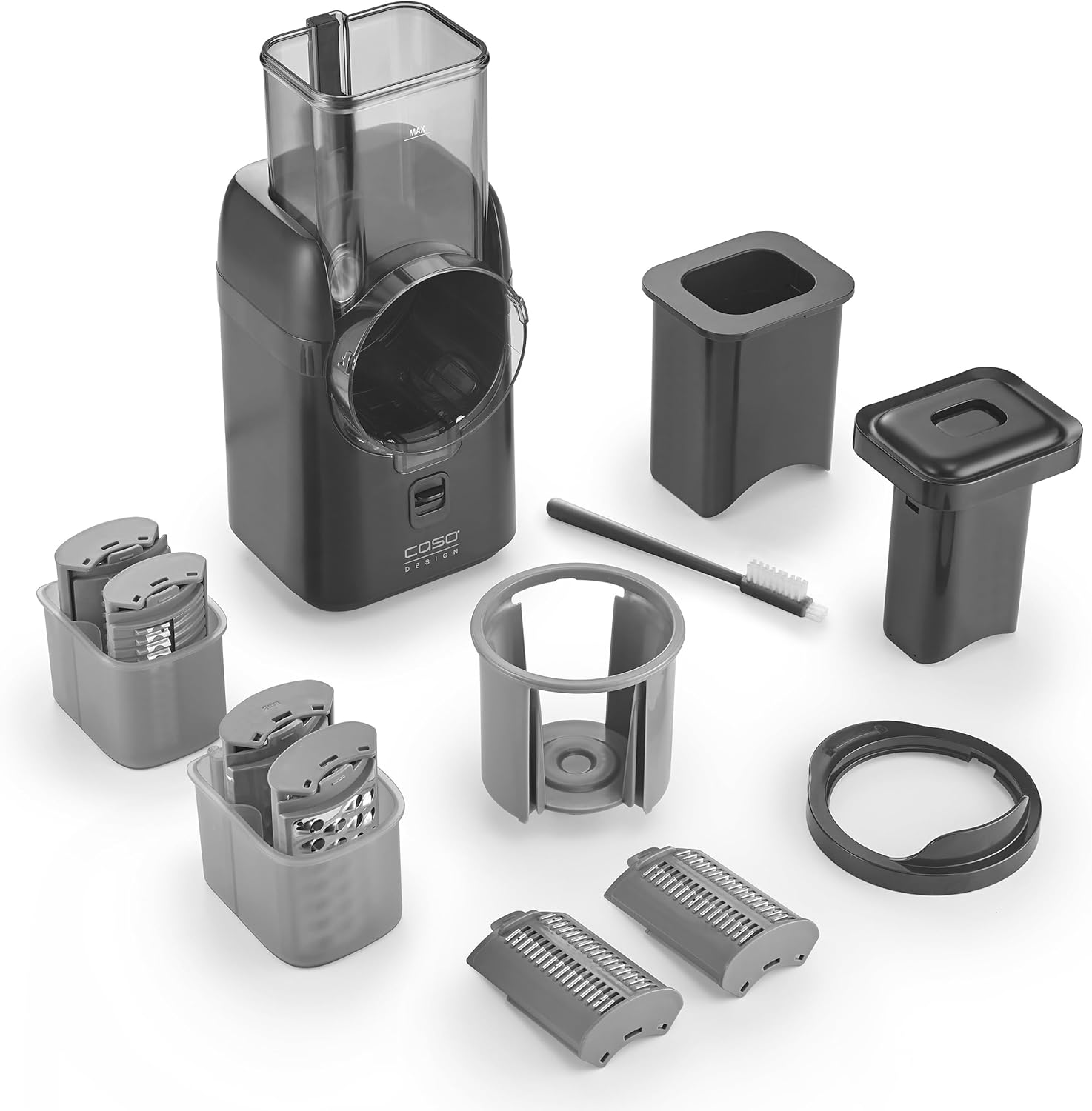
Image 3.1: All components included with the CASO MultiSlicer 1752.
4. Setup
Follow these steps to assemble your MultiSlicer before use:
- Place the motor unit on a clean, stable, and dry surface.
- Attach the feeding chute to the motor unit. Ensure it clicks securely into place. The locking mechanism should indicate a locked position.
- Select the desired insert for your task. Each insert is clearly marked.
- Insert the chosen blade into the feeding chute opening. Ensure it is fully seated and stable.
- Place a bowl or container under the output chute to collect the processed food.
- Plug the appliance into a suitable power outlet.

Image 4.1: The five interchangeable inserts for various food preparation tasks.
5. Operating Instructions
5.1 General Operation
- Ensure the appliance is correctly assembled and plugged in.
- Prepare your ingredients by washing and peeling them as necessary. Cut larger items to fit into the feeding chute. The MultiSlicer features both small and large feeding openings for convenience.
- Press the ON/OFF button to start the appliance. The motor will begin to rotate the selected insert.
- Carefully place the food into the feeding chute. Use the food pusher to guide the food towards the rotating blade. Never use your fingers.
- Once all food is processed, press the ON/OFF button again to stop the appliance.
- Unplug the appliance from the power outlet before disassembling or cleaning.

Image 5.1: Activating the MultiSlicer with the one-touch ON/OFF control.
5.2 Using Specific Inserts
The MultiSlicer comes with five specialized inserts:
- 3 mm Slicing Insert: Ideal for uniform slices of cucumbers, carrots, potatoes, or zucchini.
- Coarse Julienne Insert: Creates thicker strips for stir-fries, salads, or garnishes.
- Fine Julienne Insert: Produces thinner, delicate strips for fine salads or decorative purposes.
- Grating Insert: Perfect for grating cheese, nuts, chocolate, or making potato fritters.
- Riffle (Wavy) Slicing Insert: Creates decorative wavy slices for chips or garnishes.

Image 5.2: Example of grating cheese using the MultiSlicer.
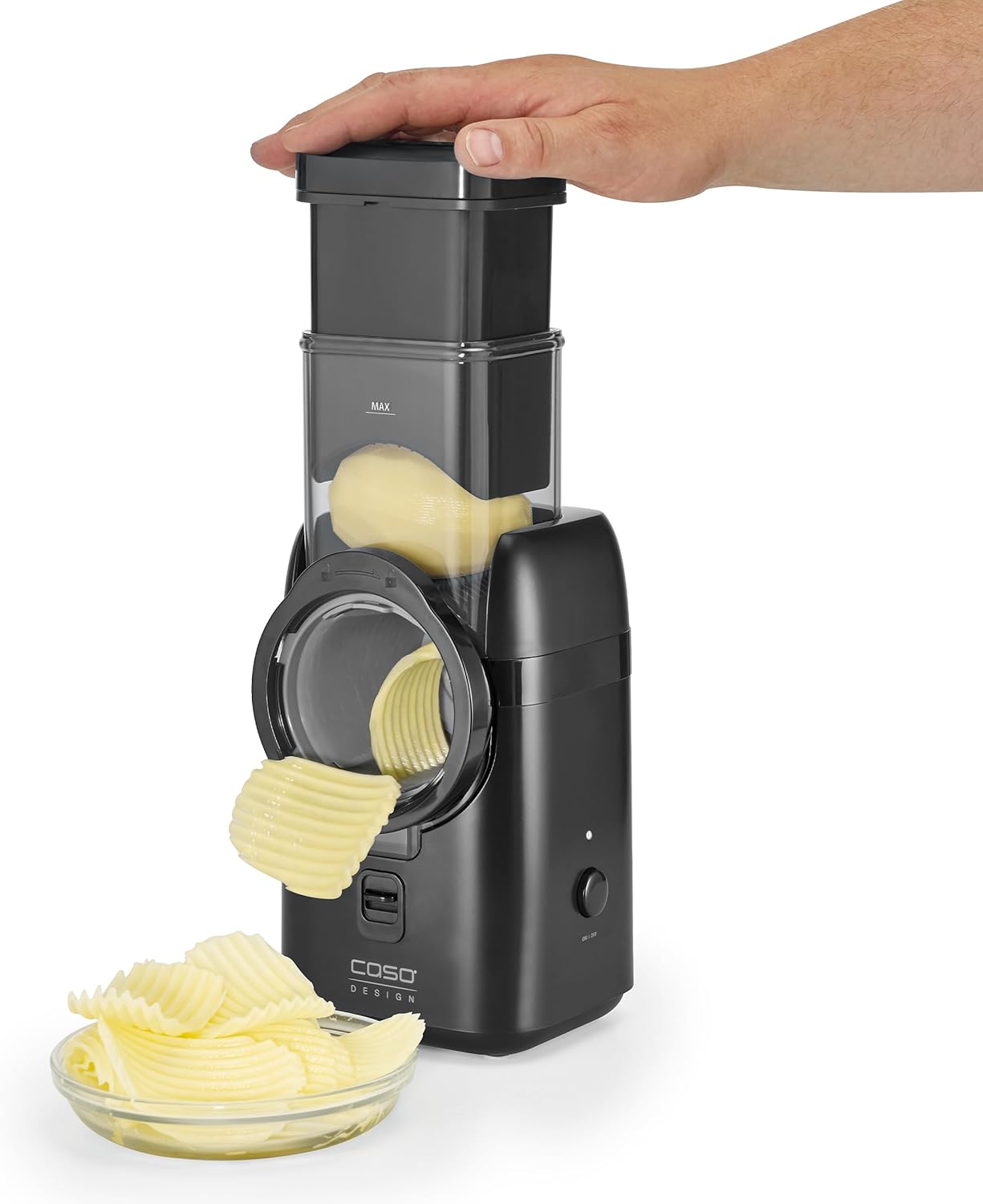
Image 5.3: Example of creating wavy potato slices with the riffle insert.
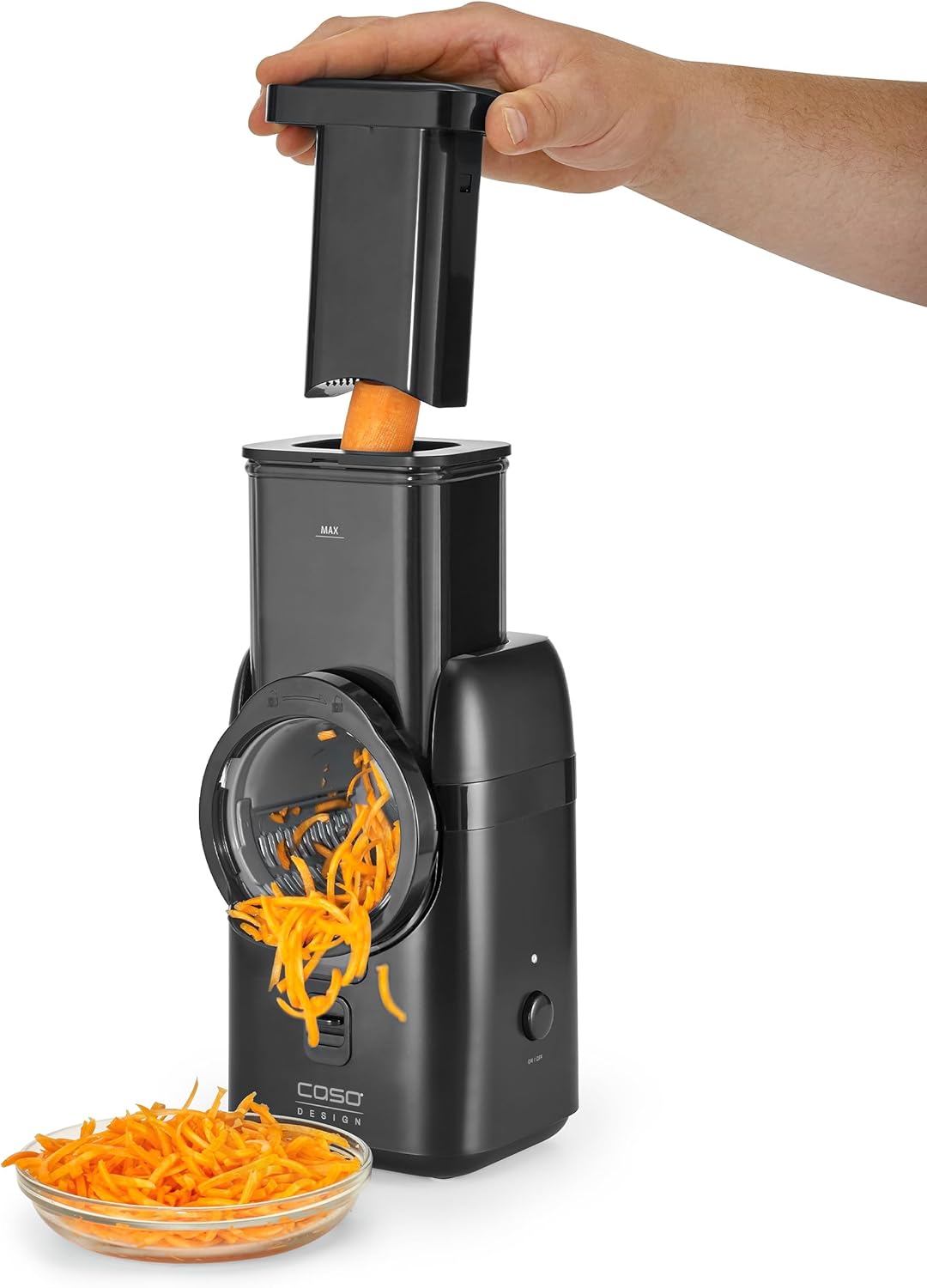
Image 5.4: Example of producing julienne carrots.
5.3 Safety Stop Function
The CASO MultiSlicer is equipped with a safety stop function. If the large food pusher is removed from the feeding chute during operation, the motor will immediately stop rotating. This feature enhances user safety by preventing accidental contact with the moving blades. To resume operation, reinsert the food pusher and press the ON/OFF button if necessary.
6. Cleaning and Maintenance
Proper cleaning and maintenance ensure the longevity and hygiene of your MultiSlicer.
- Always unplug the appliance before cleaning.
- Disassemble all removable parts: the feeding chute, food pusher, and selected insert.
- The inserts and other removable parts are dishwasher safe. For hand washing, use warm, soapy water and the provided cleaning brush to remove any food residue. Exercise extreme caution when handling the sharp blades.
- Wipe the motor unit with a damp cloth. Never immerse the motor unit in water.
- Ensure all parts are thoroughly dry before reassembling or storing.
- Store the inserts in the provided storage boxes to protect them and prevent accidental cuts.
7. Troubleshooting
If you encounter issues with your MultiSlicer, refer to the following table:
| Problem | Possible Cause | Solution |
|---|---|---|
| Appliance does not turn on. | Not plugged in; power outlet malfunction; safety lock not engaged. | Check power cord connection; test outlet with another appliance; ensure feeding chute is securely locked. |
| Motor stops during operation. | Safety stop activated (food pusher removed); motor overload. | Reinsert food pusher; reduce pressure on food; allow motor to cool down if overloaded. |
| Poor slicing/grating performance. | Incorrect insert used; dull blade; food too soft/hard. | Ensure correct insert for food type; check blade for damage (replace if necessary); adjust food consistency (e.g., chill soft cheese). |
| Vibration or unusual noise. | Improper assembly; foreign object. | Disassemble and reassemble all parts carefully; check for any obstructions. |
If the problem persists after attempting these solutions, please contact customer support.
8. Specifications
| Feature | Detail |
|---|---|
| Brand | Caso |
| Model Number | 1752 |
| Power/Wattage | 80 watts |
| Voltage | 230 Volts |
| Material | Plastic |
| Item Weight | 1.8 kg |
| Parcel Dimensions | 30 x 29.8 x 20.8 cm |
| Special Features | Removable parts, Safety-Stop, One-Touch Control |
| Dishwasher Safe Parts | Inserts and removable parts |
9. Warranty and Support
The CASO MultiSlicer 1752 comes with a standard manufacturer's warranty. Please refer to the warranty card included in your product packaging for specific terms and conditions, including the warranty period and coverage details. For technical support, spare parts, or warranty claims, please contact your local CASO customer service or authorized dealer. Keep your proof of purchase for warranty validation.


